
ContextQA maps every code and requirement change to the exact tests it affects, scores the risk, and runs only the regression that matters. See the blast radius of a change before it reaches production.
Runs on every pull request, inside your existing CI pipeline






Every change runs through the same loop: map what it touches, score the risk, run only what matters, and keep the suite in sync.
ContextQA reads the diff on each commit and pull request, plus the requirement and story changes tied to it.
The knowledge graph traces the change to every dependent test and journey, then scores the risk by reach and criticality.
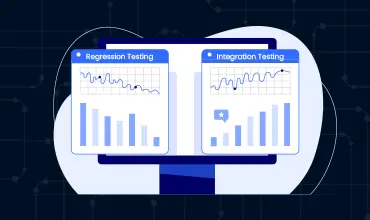
ContextQA runs the impacted regression and posts the result and risk back to your pipeline before merge.
Requirements, test cases, and the application linked in one model, so the system knows how a change propagates.
Every commit and pull request is parsed for what actually changed in code, config, and linked requirements.
The engine walks the dependency chain from a change to every test and journey it can reach, with no manual tagging.
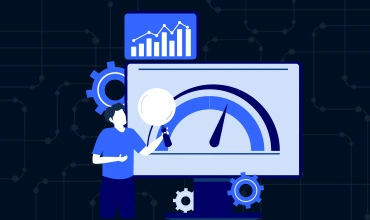
Reach, journey criticality, and history combine into one risk score per change you can stand behind.
Results flow back to GitHub, GitLab, and Jenkins as a status check, so a high-risk change cannot merge unreviewed.
Test impact analysis identifies which tests a given code or requirement change actually affects, so you run a targeted, risk-prioritized regression instead of the entire suite. ContextQA does this automatically by linking requirements, tests, and code in one model and mapping every change to its blast radius before merge.
ContextQA builds a knowledge graph that connects requirements, test cases, and the application under test. When a pull request or commit changes code, the AI traces the dependency chain to the test cases and user journeys that touch that code, scores the risk, and recommends the exact subset of regression tests to run.
Yes. Impact analysis is built to shift left. It runs on every pull request inside your CI pipeline and surfaces the affected tests and a risk score before the change is merged, so risky changes are caught early instead of in production.
When a requirement, Jira story, or spec changes, ContextQA uses the same knowledge graph to find the tests tied to that requirement and automatically flags which test cases to add, update, or deprecate, so your suite stays aligned with what the product is supposed to do.
Running the full suite on every change is slow and hides which tests actually mattered. Impact analysis runs only the regression a change affects and ranks it by risk, so pipelines stay fast while high-risk areas still get full coverage.
Yes. Every change gets a risk score based on how much of the application it touches, how critical those journeys are, and historical failure patterns, so teams can prioritize review and testing where the risk is highest.
Impact analysis plugs into GitHub, GitLab, Jenkins, and other CI/CD systems, and links to Jira and your requirements so change detection works across code and specs. Results post back to your pipeline and dashboards.
Yes. ContextQA applies impact analysis across web, mobile, API, and AI agent testing. When a prompt, tool, or model version changes, it maps the change to the agent evaluations and journeys it affects so you re-test only what is impacted.
See the blast radius, score the risk, and run only the tests that matter, on every pull request.

We use optional cookies to improve your experience, personalise and measure ads, analyse traffic and enable chat. Click “Accept all” to allow these cookies, or choose your preferences. You can change your choice at any time.
Browser privacy signals may restrict optional tracking. Privacy policy




