Here’s a stat that should bother you: the Capgemini World Quality Report 2024-25 found that 60% of organizations say inadequate test coverage is directly responsible for their production defects. Six out of ten. And yet, when I talk to engineering teams about their testing strategy, the conversation almost always stalls on the same confusion. They mix up regression testing and integration testing. Or worse, they skip one because they assume the other has it covered.
It doesn’t.
These two testing types solve completely different problems. They run at different pipeline stages. They catch different categories of bugs. And when teams conflate them or drop one entirely, the result is predictable: either broken integrations slip through, or features that worked last sprint quietly stop working this sprint.
We’ve watched this pattern repeat across hundreds of enterprise test suites at ContextQA. One customer on G2 told us their sprints were consistently delayed by regression testing alone. After they moved to ContextQA’s AI platform, they cut regression time in half and automated 80% of their test cases. That kind of result starts with understanding what these two testing types actually do, and what happens when you get the balance wrong.
Also read: What is Regression Testing: A Best Guide
Quick Answer about of regression testing and integration testing?
- What’s the actual difference between regression testing and integration testing? Regression testing re-runs your existing tests after code changes to make sure nothing broke. Integration testing checks whether different modules or services work together when you combine them. The ISTQB treats regression as a change related type and integration as a distinct test level.
- When should you use each one? Integration tests go first, right after unit tests pass and before your regression suite runs. Regression tests should fire before every release to catch side effects nobody expected.
- Can you automate both in the same pipeline? Yes. ContextQA hooks into Jenkins, CircleCI, and Harness to run both testing types from a single pipeline. Its self healing keeps tests stable even when the UI changes between sprints.
The Core Differences, Explained Without the Jargon
Let me lay this out as clearly as I can. These are two testing types that sound similar but operate on different wavelengths entirely.
| Dimension | Regression Testing | Integration Testing |
| Primary Goal | Confirm existing features still work after changes | Validate that connected modules communicate correctly |
| Coverage Scope | The whole application or affected regions | Interfaces, APIs, and data flow between specific components |
| When it Runs | After every code change, bug fix, or config update | After unit tests pass; during module combination |
| What it Catches | Unintended side effects | Broken interfaces, bad data mapping, failed API calls |
| ISTQB Class | Change-related testing type | A distinct test level (Unit → Integration → System) |
| Maintenance | Grows heavier every sprint as the suite expands | Focused primarily on interface contracts |
| Ideal For | Agile teams pushing frequent updates | Microservices and multi-module systems |
Think of regression testing as defense. It protects the ground you’ve already covered. Every new feature, every patch, every refactor introduces the chance that something unrelated breaks quietly in the background. Without regression tests, you only find out when users start filing tickets. The ISTQB Foundation Level Syllabus 4.0 is pretty explicit about this: regression testing belongs at every test level, and it matters most in iterative development where code changes constantly.
Integration testing is different. It’s about connections. A payment module might process transactions perfectly in isolation. But what happens when the cart module sends it data in a format it doesn’t expect? That’s an integration defect. Unit tests won’t catch it because each piece works fine on its own. Only integration testing reveals the problem, and it tends to reveal it at the worst possible time if you haven’t been running these tests consistently.
Also read: API Testing with ContextQA
Five Mistakes I See Teams Make (and How to Fix Each One)
1. Running regression tests without integration tests first. This one drives me crazy. If your modules can’t communicate, your regression results are noise. You’ll see failures everywhere and waste hours debugging test scripts when the real problem is a broken interface between two services. Fix: configure your CI pipeline so integration tests must pass before the regression suite even starts.
2. Treating integration testing like a one-and-done activity. Teams write integration tests when they first connect two modules, then never touch them again. But APIs change. Database schemas migrate. Third party services update their response formats. Your integration tests need to evolve with your architecture. Teams using ContextQA’s API testing stay current because tests build from recorded flows that adapt when endpoints change.
3. Maintaining regression suites by hand until they rot. The SmartBear State of Software Quality 2023 report says 44% of QA professionals call insufficient test coverage their top challenge. But here’s the thing: most of them had good coverage at one point. It decayed because maintaining hundreds of test scripts manually is a losing battle. Every UI update breaks a handful of tests. The fixes pile up. Eventually the team stops trusting the suite. ContextQA’s self healing solves this directly. When a UI element changes, the platform updates the test script automatically.
4. Ignoring API layer integration tests. UI focused teams are the worst offenders here. They test everything through the browser but never validate that the backend services are actually talking to each other correctly. As Deep Barot, ContextQA’s CEO, told DevOps.com, the goal isn’t more tests. It’s running the right test at the right time. API integration tests are almost always the right tests to run first.
5. Running every single regression test on every single build. Not all tests carry equal risk. A change to the login flow doesn’t require re-testing the report export feature. But teams without smart prioritization run everything because they’re afraid of missing something. It’s slow, and it’s wasteful. ContextQA’s autonomous agents analyze what actually changed and determine which tests matter most, so you execute a targeted subset rather than waiting for the entire suite to grind through.
Why You Need Both in Your Pipeline (Not Just One)
The ISTQB defines software testing as a layered activity, and that layering isn’t optional. Unit tests handle individual functions. Integration tests handle module connections. System tests handle the full application. Regression tests cut across all of those layers, re-validating things you’ve already confirmed whenever something changes.
Here’s why both matter in practice. The Capgemini World Quality Report found that organizations automating more than 50% of their test execution see 35% fewer production defects than those with less automation. But the benefit depends entirely on automating the right tests at the right pipeline stages.
Integration tests are the bridge between unit tests and system tests. They answer one very specific question: when Module A sends data to Module B, does Module B receive it correctly and respond as expected? If you skip this layer, your system tests can produce completely misleading results. You’ll see failures that look like logic bugs but are actually broken connections.
Regression tests are the safety net under everything. Even after integration and system tests pass, regression catches the stuff that quietly degraded. In large codebases, a change in one corner can cause side effects in a completely unrelated corner. Nobody predicted it. Nobody wrote a specific test for it. But the regression suite catches it because it re-runs the old tests.
At ContextQA, we’ve seen the strongest results when teams treat these as complementary layers. The AI Testing Suite supports both by running end to end flows that validate connections and monitor for regressions in the same pipeline run. The platform integrates natively with JIRA, Asana, and Monday.com for managing test cases, and with Jenkins, CircleCI, and Harness for CI/CD execution.
Also read: Benefits of Test Automation for Developer and QA Teams
Limitations and Tradeoffs Worth Knowing
I want to be honest about something most comparison posts skip. Both testing types have real limitations, and pretending otherwise doesn’t help anyone plan a realistic strategy.
Regression suites bloat over time. Every new feature adds test cases, but teams rarely prune old ones. Eventually the suite becomes so large that running it takes hours, and the feedback loop slows to a crawl. This is solvable with intelligent prioritization and self healing, which is exactly what ContextQA’s AI engine does, but it’s a genuine challenge teams need to plan for.
Integration testing environments are genuinely hard to set up and maintain. You need realistic environments where modules can actually interact, and those environments need to mirror production closely enough that the tests mean something. Service virtualization and API mocking help, but they add complexity of their own. And when a test fails in an integration suite, isolating whether the problem is Module A, Module B, or the connection between them can take real effort.
Neither testing type alone is enough. If you only run regression tests, you’ll miss interface defects. If you only run integration tests, you’ll miss side effects in unrelated features. The right answer is always both, layered and automated.
Real Proof: What ContextQA Has Actually Delivered
I’m going to share specific numbers here because the difference between a blog post that says “testing is important” and one that proves it comes down to data.
- Salesforce Enterprise Validation. In a validated engagement documented in a published ContextQA whitepaper, the platform was tested against complex Salesforce application workflows at three complexity levels: low, medium, and high. The result was 100% success across all 209 test cases (source).
- 5,000 Tests Migrated in Minutes. According to the IBM Case Study: ContextQA, ContextQA used IBM watsonx.ai NLP models to migrate manual test cases for an enterprise that had 5,000 tests written in plain English across Excel spreadsheets. They migrated and automated all 5,000 cases within a few minutes.
- What Customers Actually Report on G2. One verified reviewer said their sprints were blocked by regression testing before ContextQA. After switching, they cut regression time by half, automated 80% of test cases, and improved output quality. Another reviewer cleared more than 150 backlogged test cases in the first week using the platform’s intelligent prioritization (source).
- The Pilot Program Benchmark. ContextQA offers a structured Pilot Program that delivers 40% improvement in testing efficiency within 12 weeks.
- Killing Flaky Tests for Good. Before the integration with IBM’s AI models, ContextQA’s test scripts would break whenever the application changed UI elements. After integrating IBM’s AI models, the platform’s auto healing identifies what changed, generates the right fix, and applies it automatically. Barot told DevOps.com the goal is for AI to handle 80% of common tests.
Platform Authority: How ContextQA Approaches Both Testing Types
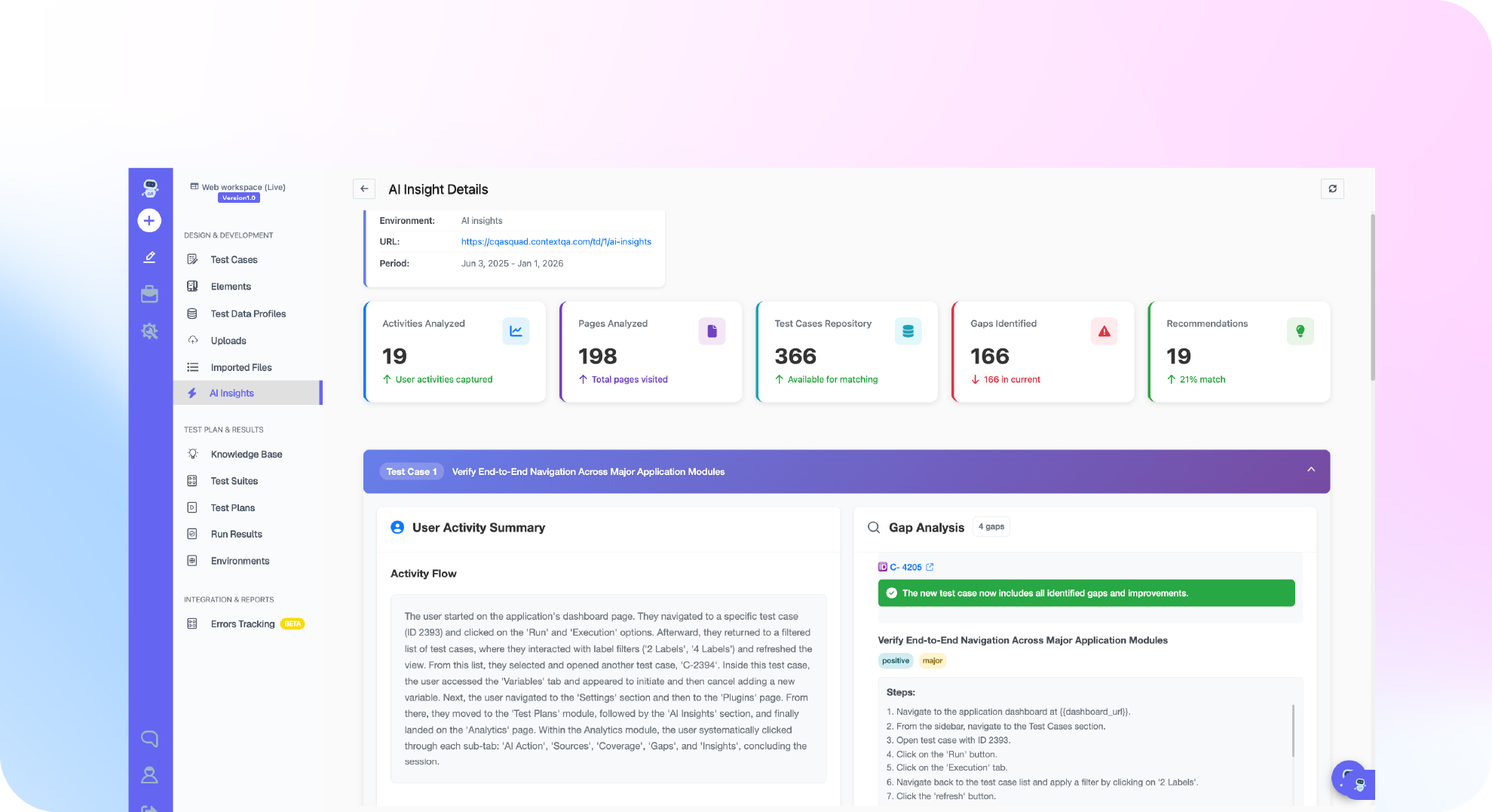
ContextQA isn’t a generic test runner. It’s a context aware AI testing platform built on agentic AI that understands how your code connects, knows what changed, and decides what to test next.
For regression testing, context awareness means the platform doesn’t blindly re-run everything. It analyzes what code changed and maps the affected test paths. That’s why customers see 50% time reduction. For integration testing, ContextQA’s API testing validates REST and GraphQL endpoints as part of end to end flows.
The platform also supports DAST security testing, which matters because security vulnerabilities at integration points are some of the most dangerous defects. ContextQA’s continuous testing covers every layer—web, mobile, ERP, and database—in every run.
Do This Now Checklist
- Audit your regression suite for dead weight. Filter by last execution date. Remove tests that haven’t run in 90+ days. (~30 min)
- List your 5 most critical integration points. Confirm each one has at least one automated integration test. (~20 min)
- Check your pipeline execution order. Verify that integration tests run before regression suites. (~15 min)
- Calculate your maintenance ratio. If above 30% of QA time goes to fixing broken tests, look at ContextQA’s self healing. (~10 min)
- Set up a nightly regression run. Use ContextQA’s web automation to get running across multiple browsers overnight. (~20 min)
- Try the Pilot Program. Targeting 40% testing efficiency improvement. Pilot Program. (~5 min)
Conclusion
Regression testing and integration testing solve different problems. Your team needs both running consistently, and in the right order, to ship with real confidence.
ContextQA customers have shown what’s possible: 50% faster regression cycles, 80% automation rates, and 5,000 manual tests converted to automation in minutes. If regression is slowing your sprints, book a demo with ContextQA and see the difference.