
TL;DR: To automate SAP testing, map your highest risk end to end processes first, such as order to cash and procure to pay. Then build tests that cross Fiori, S/4HANA and SAP GUI screens and verify the IDocs and BAPIs behind them. Run that regression suite on every transport and release, with controlled, refreshable test data. ContextQA, the autonomous quality engineer, generates these workflow tests without code, self heals broken locators, and runs them from Jenkins or GitHub Actions.
This guide shows QA leads and engineering managers how to automate SAP testing when every transport, support pack, and quarterly release threatens order to cash and procure to pay flows. You get a decision framework, test data and IDoc strategies, and step by step ContextQA automation you can start Monday.
Quick answers
Where should we start when automating SAP testing: Fiori, S/4HANA transactions, or SAP GUI? Start with one end to end business process, such as order to cash or procure to pay, not one interface layer. Real workflows cross Fiori apps, S/4HANA transactions, and SAP GUI screens, so a process level test catches the handoff failures that single screen tests miss. ContextQA covers all three on the Enterprise plan.
How do we handle test data for automated SAP tests? Treat test data as a versioned input, not something typed into the script. Keep customers, materials, vendors, and pricing conditions in parameter sets, and create unique sales or purchase orders per run so reruns do not collide. ContextQA supports data driven testing and can hide sensitive environment data.
How do we fit automated SAP regression into transports and release cycles? Run a targeted regression suite whenever a transport lands in QA, and the full end to end suite before each release or support pack. ContextQA triggers from Jenkins, GitHub Actions, or other CI/CD tools, reports to Jira, Slack, or GitHub, and self heals locators when screens change.
What is SAP test automation and when do you need it?
SAP test automation is the practice of running repeatable checks against SAP Fiori, S/4HANA, and SAP GUI transactions so business processes like order to cash are verified without manual clicking. It spans the UI, BAPI, and IDoc layers. You need it once transports and updates ship faster than manual regression can cover them.
Common signals that manual regression has stopped scaling:
- Transport volume: each transport (a package of configuration or code moved between SAP systems) can break a downstream flow that nobody retested.
- S/4HANA migration: custom ABAP and remapped Fiori apps need proof that end to end processes still post correctly.
- Integration sprawl: IDocs and BAPIs feeding CRM, WMS, or EDI partners fail silently unless a test asserts on them.
When comparing SAP test automation tools, score them on four criteria:
- Coverage: Fiori, SAP GUI, and backend validation in one suite.
- Maintenance: self healing when Fiori control IDs change.
- Authoring: a no code path so functional consultants write tests.
- Exit path: code export that avoids lock in.
What do you need before you start?
Before you automate SAP testing, you need four things. First, a stable QA client with refreshable, masked data. Second, SAP GUI scripting enabled on the server (sapgui/user_scripting set to TRUE in transaction RZ11). Third, documented business processes such as order to cash and procure to pay. Fourth, a decision on where your automation platform runs relative to SAP.
These prerequisites shape the framework architecture:
- Test environment: A QA client refreshed from production with masked data catches transport defects before production. A shared dev client fails because one person's half finished order breaks another person's regression run.
- Automation layers: UI tests on Fiori and SAP GUI catch what users see. Checks on BAPIs (SAP's callable function interfaces) and IDocs (SAP's message format for exchanging data with other systems) catch integration breaks that never appear on a screen.
- Deployment: ContextQA runs as cloud SaaS, in your own cloud, self hosted, or on premises (Enterprise plan). This matters when SAP sits behind a corporate network.
- Ownership: Functional consultants who know
VA01andME21Nauthor tests in the no code recorder. Engineers own the CI/CD wiring.

How to automate SAP testing, step by step?
To automate SAP testing, pick one business process such as order to cash, record it across Fiori and SAP GUI with a no code recorder, parameterize test data, verify backend results, then run the suite in CI after every transport import. ContextQA automates Fiori, S/4HANA and SAP GUI workflows end to end on the Enterprise plan.
- Scope one process. Define the exit condition: sales order saved, delivery created, billing document posted.
- Record it. Use the no code recorder. Self healing repairs broken locators when Fiori screens change.
- Parameterize data. Feed customer, material and plant per row with data driven testing, and mask credentials.
- Assert the backend. Add API or database checks for IDoc status and BAPI return messages.
- Gate transports. Export to Playwright for browser based flows and run after each import:
- name: SAP O2C regression
run: npx playwright test tests/sap/order-to-cash.spec.ts --workers=4
When you shortlist SAP testing tools, ask each vendor to automate this exact flow across Fiori and SAP GUI. Then measure how many tests break after the next transport.
What are the most common mistakes?
The most common mistakes in SAP test automation are pointing a browser framework at SAP GUI, recording Fiori selectors that change every release, testing single transactions instead of full order to cash or procure to pay flows, copying production data, and ignoring IDoc and BAPI integrations. Each one produces flaky suites that teams abandon.
- Browser frameworks on SAP GUI: Browser automation frameworks drive browsers only. SAP GUI is a Windows desktop client, so automating it requires SAP GUI Scripting enabled through
sapgui/user_scriptingand a tool that can use it. Fiori runs in the browser, so those frameworks can reach it. - Brittle Fiori locators: UI5 generates IDs such as
__xmlview0--saveBtnthat can shift between releases. Hand coded scripts break, while ContextQA self healing repairs broken selectors and locators when the UI changes. - Transaction level tests only: A passing
VA01sales order proves little if billing inVF01fails. Test the whole chain. - Copied production data: Masked, refreshable test data per client avoids locked documents and compliance exposure.
- Skipping integrations: Check IDoc status in
WE02and BAPI return messages, not just the screen.
How do you know it is working?
You know SAP test automation is working when three numbers improve release over release: regression cycle time per transport, defects that escape to production, and the share of order to cash and procure to pay flows covered by passing automated tests. Start tracking all three from your first automated run, not after go live.
The calendar makes these numbers urgent. SAP committed to mainstream maintenance for SAP Business Suite 7 (ECC) only through the end of 2027 (SAP News, 2020), so most migration programs run regression against a fixed deadline.
For an S/4HANA migration regression strategy, measure parity, not just pass rates:
- Baseline: run the suite against ECC and record outputs such as sales order numbers, pricing conditions from
VA01, and accounting documents. - Replay: run the same suite against the S/4HANA sandbox after each transport import.
- Diff: log any mismatch in postings or IDoc status as a defect, even when every UI step passed.
Track self healing as well. Review each repaired locator so that a heal never hides a real change in the business flow.
How do you automate SAP testing with ContextQA?
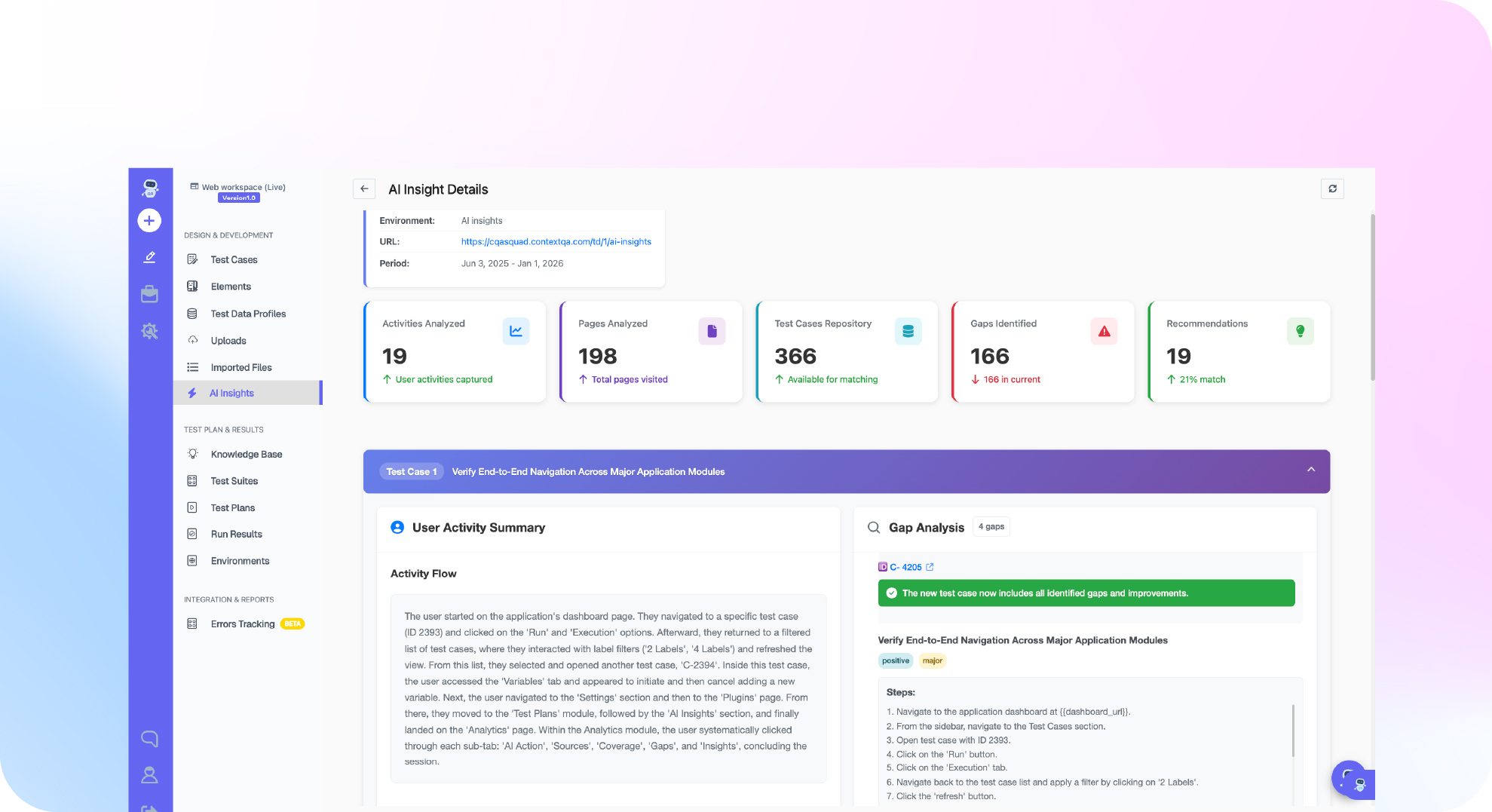
ContextQA automates SAP testing end to end across SAP Fiori, S/4HANA and SAP GUI workflows on the Enterprise plan. Testers record an order to cash or procure to pay flow in the no code recorder. The platform self heals broken locators after UI changes, and the suite runs from Jenkins, GitHub Actions or other CI/CD tools.
- Record the business flow. Capture a sales order, delivery and billing sequence, then parameterize customers, materials and plants.
- Extend coverage from the IDE. Engineers ask Claude Code or Cursor, through the ContextQA MCP server, to add edge cases in plain English.
- Gate transports in CI/CD. Trigger the suite from a Jenkins or GitHub Actions stage after a transport lands in QA. Failures report to Jira, Slack or GitHub.
- Triage failures. Root cause analysis points to the failing step. Impact analysis narrows regression scope per release.
- Keep an exit path. Export browser based tests to Playwright code.
If SAP transports keep breaking your order to cash and procure to pay regression runs, see how ContextQA tests enterprise apps across Fiori, S/4HANA and SAP GUI, or book a demo.

What should you do now? A checklist
Start by measuring what manual SAP regression costs you today. Then automate one end to end process, such as order to cash, across Fiori, S/4HANA and SAP GUI. Tie it to your transport and release calendar, prove the hours saved with your own baseline, and only then expand to procure to pay and integration flows.
- Log tester hours, calendar days, and escaped defects for your last two regression cycles.
- Pick one revenue critical flow, usually order to cash, as the pilot.
- Record it in the no code recorder so functional consultants can author steps.
- Parameterize data and hide sensitive environment data.
- Trigger the suite from Jenkins or GitHub Actions after each transport import into QA.
- Review self healing repairs after each Fiori update.
- Re-measure hours and escaped defects after two cycles, then book a demo to scope procure to pay.
Bottom line
SAP test automation pays off when you test business processes end to end, not screens in isolation. Tie regression runs to transports, and treat test data and IDoc or BAPI integrations as first class targets. The Monday decision for engineering leaders is scope: automate one revenue critical flow with self healing tests in CI/CD, then expand. See also what SAP testing automation is and enterprise application testing.
Sources
The maintenance deadline cited in this guide comes from SAP's own announcement, which sets the timeline that drives most S/4HANA migration and regression testing plans discussed above.