
TL;DR: A smoke test is a broad, shallow check that a new build is stable enough to test at all: the app starts, a user can log in, and core pages or endpoints respond. A sanity test is a narrow check, run after a small change or hotfix, that the changed area works as intended. Smoke runs on every deploy, and sanity runs after targeted fixes. ContextQA, the autonomous quality engineer, runs smoke suites in CI and captures evidence on every run.
Most teams debating smoke testing vs sanity testing are really asking one question: which check should block a release, and when? When the terms blur, pipelines run the wrong checks at the wrong stage and miss real failures. This guide covers definitions, web and API examples, a comparison of approaches, and where each check belongs in your CI pipeline.
Quick answers
What is the main difference between smoke testing and sanity testing? Smoke is a broad, shallow check that a new build starts, accepts a login, and serves its core pages or endpoints. Sanity is a narrow check after a small change or fix that confirms the changed area works. Smoke asks whether the build is worth testing. Sanity asks whether this specific fix worked.
Is sanity testing the same as regression testing? No, though teams use the terms loosely and some treat sanity as a subset of regression. Regression checks that existing functionality still works across the application. Sanity checks only the area a recent fix touched, plus its immediate neighbors. Run sanity first after a hotfix, then the wider regression suite before the next full release.
What should a failed smoke or sanity test trigger? A failed smoke test means the build is unstable: stop the deploy and return the build to engineering. A failed sanity test means the fix did not work or broke something next to it: roll back or rework that change. Either way, attach screenshots, logs, and request and response data so the owner can act without reproducing it.
What is the difference between smoke testing vs sanity testing?
Smoke testing is a broad, shallow check that a new build is stable enough to test at all: the app starts, a user can log in, and core pages or endpoints respond. Sanity testing is a narrow, focused check after a small change or bug fix that confirms the changed area now works.
Smoke testing touches many features without going deep into any of them. It runs on every new build or deploy, usually as an automated, scripted suite in CI. When it fails, the team rejects the build and stops testing it.
Sanity testing goes deep on one area. It runs after a hotfix or minor change, often as a short targeted set of checks or an unscripted pass by the engineer or tester who owns the fix. When it fails, the hotfix does not ship.
- Web smoke: after a deploy to staging, load the home page, log in as a test user, open the dashboard, and verify the main navigation renders.
- Web sanity: after a fix to the booking form's date picker, pick a date, submit, verify the confirmation shows that date, and check the edit booking screen next to it.
- API smoke:
GET /healthreturns200,POST /auth/tokenreturns a token, andGET /ordersreturns a list. - API sanity: after a coupon rounding fix,
POST /cart/apply-couponwith a percentage code returns the correctly roundedtotal.
Teams use these terms loosely, so write your team's definitions into the pipeline docs.
What can smoke and sanity tests do for your team?
Smoke testing tells your team whether a new build is stable enough to test at all. Sanity testing tells you whether one specific change or fix works. Together they keep a broken build out of regression: smoke rejects a bad deploy early, and sanity confirms a hotfix before anyone commits hours to the full suite.
- Gate every deploy. A smoke suite runs on each build in CI. When it fails, the team rejects the build instead of debugging it one test at a time.
- Verify a narrow fix fast. A sanity check covers only the changed area and its neighbors, so it returns an answer in minutes rather than a full regression cycle.
- Keep evidence for release calls. A pass or fail with screenshots and logs attached lets an engineering manager make a ship decision without asking someone to rerun the check.
Why do smoke and sanity checks matter in 2026?
Many teams now deploy several times a week, and every build needs a fast gate before the slow suites run. A smoke suite answers whether the build is worth testing at all. A sanity check answers whether the fix worked. If a team mixes them up, it either wastes pipeline time or ships a broken hotfix.
Noise is also a cost. The Google Testing Blog (2016) reported that about 1.5% of all test runs gave a flaky result and almost 16% of tests showed some flakiness. A small, stable smoke gate limits how often that noise blocks a deploy.
Automate smoke tests because they run on every build. Sanity checks often start as manual checks of the fix and become automated cases once the fix holds.
How do smoke and sanity tests work in practice?
In practice, smoke and sanity tests are two gates in one pipeline. A smoke suite runs automatically on every deploy to confirm the build starts, users can log in, and core pages and endpoints respond. A sanity check runs after a hotfix or small change to confirm the fixed area works before wider regression begins.
- Pick the critical journeys. For a SaaS release, cover app load, login, one core workflow, and a health endpoint such as
GET /api/healthreturning200. - Keep smoke shallow and time boxed. Agree on a runtime budget with your team. Move any case that checks business rules in depth into regression.
- Gate every deploy. Add a smoke stage after deploy in GitHub Actions or Jenkins, and block promotion if it fails.
- Write the sanity check from the fix ticket. Replay the original bug's steps, assert the expected result, and probe one or two adjacent screens or endpoints the change touched.
- Escalate on pass. A passing sanity check starts targeted regression. A failing one sends the build back without spending a full regression run.
Which approach fits your team best?
Most teams need both, and the trigger decides which one runs. Run an automated smoke suite on every deploy in CI/CD so a broken build never reaches testers. Run a short sanity check after each hotfix or small change. The bigger decision is how you build and maintain them: scripted by hand, run manually, or generated by AI.
| Approach | Best for | Cost model | Notable tradeoff |
|---|---|---|---|
| Hand scripted open source frameworks | Teams with SDETs and stable UIs | Free frameworks, paid engineer time | Your team maintains every locator |
| Manual sanity checklist | One off hotfixes, early products | Tester hours per release | Hard to repeat, slows daily deploys |
| AI test platform (for example, ContextQA) | Teams shipping web, mobile and API changes daily | Demo and quote | Generated steps need review before promotion |
In pipelines that deploy several times a day, manual checks become the bottleneck first. When you compare AI tools, check four things: self healing locators, CI triggers such as Jenkins or GitHub Actions, evidence for each step, and code export so you can leave without rewriting your tests.
How does ContextQA handle smoke and sanity suites?
ContextQA runs smoke and sanity checks as separate suites built from the same test cases, so you don't need a second tool. A small smoke suite of critical journeys runs on every deploy from your CI pipeline. A sanity run covers only the cases a hotfix touches. Both capture the same evidence for each step, so you triage failures the same way.
- Author the smoke cases in plain English or with the no code recorder. For example: "Login as admin, open the reports page, verify a chart is visible." Then group the cases into a suite.
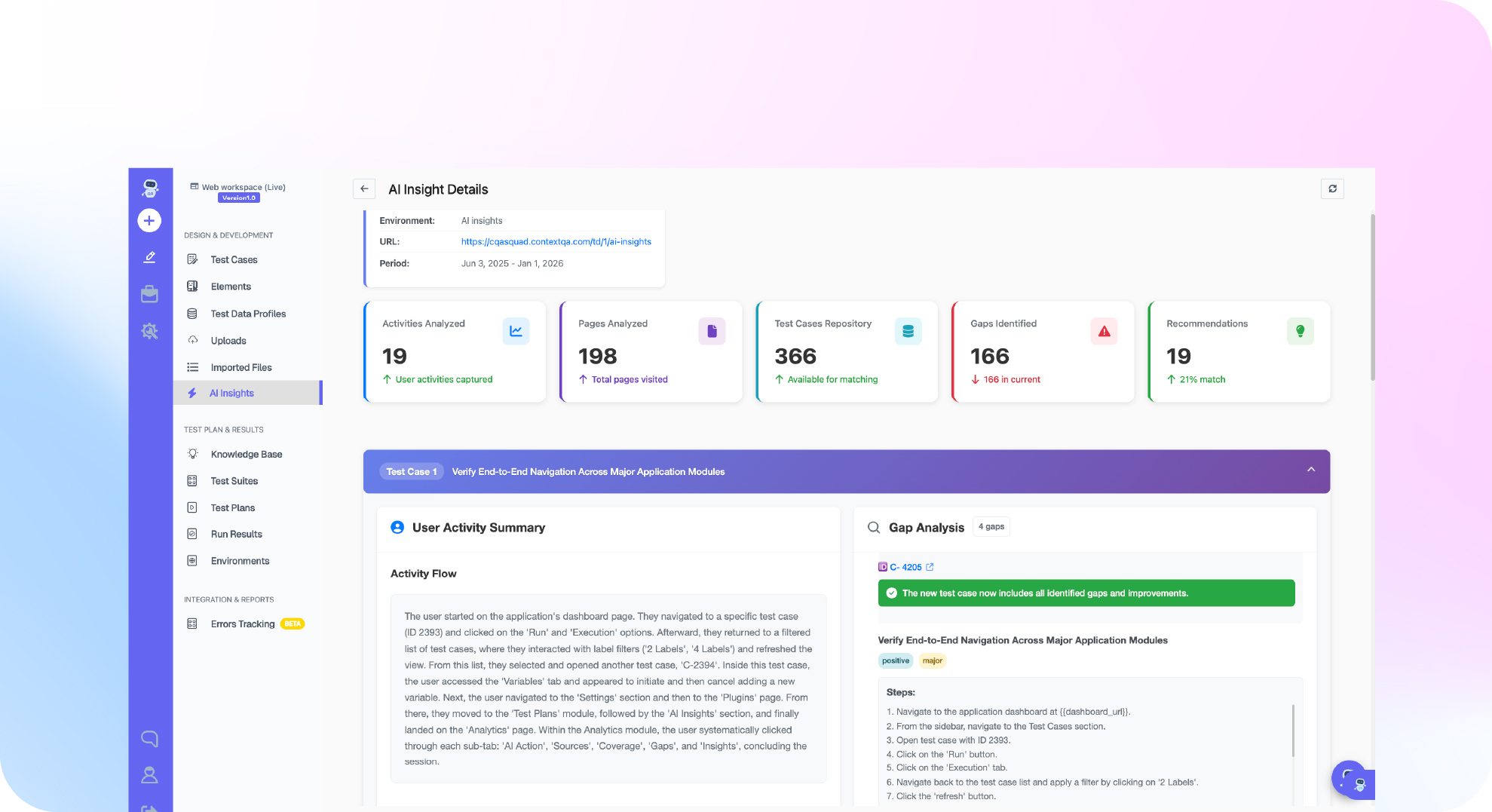
- Trigger the suite on every deploy from Jenkins, GitHub Actions or Azure DevOps. Each step records a screenshot, the network HAR log (a record of the browser's network calls) and console entries. Each run also produces a video and a Playwright trace (introduction docs).
- After a hotfix, use impact analysis to find the affected cases. You can also ask Claude Code to run them through the MCP server.
Self healing keeps smoke, sanity and regression suites running when selectors change, and Playwright export means you are not locked in.
If your smoke suite only runs when someone remembers to trigger it, book a demo to see ContextQA run it on every CI deploy with evidence attached.

What should you do right now? A checklist
Start by writing down what each term means for your team, then tie each check to a specific pipeline trigger. Smoke tests gate every deploy and answer whether this build is stable enough to test at all. Sanity tests run after a hotfix or small change and confirm that the changed area works.
- Publish a short glossary that defines smoke and sanity testing, because teams use the terms loosely.
- List the few journeys that prove a build is alive: the app starts, login works, core pages load and
/healthreturns200. - Tag those tests
smoke, run them on every deploy, and fail the pipeline on any smoke failure. - Set a time budget for the smoke stage and move slow tests to regression.
- Write a sanity check for each hotfix, for example
POST /cart/apply-couponwith an assertion ontotalafter a rounding fix. - Decide whether sanity checks belong inside regression or stand alone.
- Quarantine flaky smoke tests quickly, because a flaky gate gets ignored.
Bottom line
A smoke test asks whether a new build is stable enough to test at all. A sanity test asks whether one specific change or fix works. Run smoke checks on every deploy, because a failure there should block everything after it. Save sanity checks for hotfixes and small patches, where a narrow, fast answer beats a full regression run. Write down what each term means in your pipeline and which stage owns it.