
TL;DR: Yes, 80 percent code coverage is a reasonable floor for most application code. Google's testing blog calls 60% acceptable, 75% commendable and 90% exemplary (Google Testing Blog, 2020). Coverage only shows which lines ran. It does not show whether the assertions would catch a bug. Set targets by risk, gate new and changed code in each pull request, and use mutation testing to prove your tests can fail. Ship, the ContextQA autonomous quality engineer, runs targeted regressions on each pull request and attaches evidence from each run.
This guide covers line, branch and mutation coverage, how to gate only changed code in a pull request, and how to prove your tests can fail.
Quick answers
Should we enforce an 80 percent coverage gate on the whole repository or only on new code? Gate new and changed code in each pull request. A repo wide gate blocks unrelated work when legacy modules sit below the line. It also lets a well covered old codebase hide an untested new change. A diff coverage check that requires 80 percent of changed lines to run puts the bar on the code under review.
What is the difference between line, branch, and mutation coverage? Line coverage reports which lines executed. Branch coverage reports whether both outcomes of each decision, such as an if, ran. Mutation testing plants small deliberate defects and checks whether a test fails, so it is the only one of the three that measures assertion strength. Check all three on high risk modules.
How can teams tell if developers are gaming the coverage number? Look for tests with no assertions, tests that mock the unit under test, and large coverage jumps in pull requests that change no behavior. Plant a defect on purpose. If coverage stays high and no test fails, the number is inflated. In review, ask what failure each new test would catch.
What does an 80 percent coverage target mean?
An 80 percent coverage target means automated tests must run at least 80% of a codebase's lines or branches. It is a reasonable minimum for most application code, but it does not prove quality: coverage shows which code ran, not whether an assertion checked the result.
80% is a common convention, not a formal industry standard. Google's testing blog calls 60% "acceptable," 75% "commendable" and 90% "exemplary," and says no single number fits every product (Google Testing Blog, "Code Coverage Best Practices," 2020). Atlassian's guide suggests 80% as a good goal for most projects (Atlassian, "What is code coverage?").
For engineering leaders, 80% works as a default for business logic. It is too strict for generated glue code and too loose for payments, authentication or tenant isolation, where one untested branch can turn into a production incident. Treat it as a minimum that triggers review, not a finish line.
What does a coverage number tell you about your tests?
A coverage number shows which code your tests executed, and by subtraction, which code no test touched. It does not show whether any assertion checked the right result. Read coverage as a map of untested code, then use branch and mutation data to judge whether the code that ran was actually verified.
- Line coverage shows what ran. A line counts as covered once any test executes it, even a test with no
assertorexpect. - Branch coverage shows which decisions ran. It records whether both outcomes of each
if,switchcase and short circuit condition ran. A function can reach 100 percent line coverage while an implicitelsepath, such as a bareifwith noelsebody, never runs. - Mutation score shows whether tests can fail. Tools such as PIT, Stryker and
mutmutinject small defects, such as changing>to>=, and report which of these "mutants" no test caught. Each surviving mutant points to a weak assertion. - The gaps show where to look first. Uncovered lines in auth, payments or tenant isolation code matter more than uncovered logging.
For techniques that close those gaps, see the guide to test coverage techniques.
Why does the coverage target matter more in 2026?
AI coding assistants now write both application code and its tests. A generated test can run every line and still assert nothing useful, because the implementation and its tests can share the same mistaken assumption. Coverage is cheap to raise and easy to misread, so teams need targets set by risk instead of one repo wide number.
The ContextQA guide to testing AI-generated code recommends writing the behavior contract independently of the implementation, then proving that a deliberate defect makes the relevant assertion fail. A mutation tool automates that same check.
Google's guidance also supports a higher bar for changed code. For individual commits, the Google Testing Blog (2020) calls a 99% goal reasonable and 90% a good lower threshold.
The target also depends on test level. Unit tests carry the line and branch target. Integration tests are judged on critical paths such as persistence, auth and billing. End to end tests are judged by the user journeys they cover, because line coverage from browser runs is noisy and rarely worth gating on.
How do you measure and apply an 80 percent target?
You measure coverage with an instrumentation tool such as coverage.py, JaCoCo or Istanbul (nyc), which records the lines and branches that ran during the suite. Apply 80 percent as a floor on new and changed code in each pull request, tier it by risk, then confirm the tests can fail.
- Collect branch data, not just lines. Run
pytest --cov=app --cov-branchor turn on JaCoCo branch counters, so an untestedelsepath shows up as a gap. - Gate the diff, not the repo. Run
diff-cover coverage.xml --compare-branch=origin/main --fail-under=80so the check judges only the code in the pull request. - Tier by risk. Set a higher bar for payment, auth and tenant isolation code in
coverageThresholdor its equivalent. Generated clients and config wiring can sit lower. - Prove tests can fail. Run PIT or Stryker on critical modules. Surviving mutants expose tests with no assertions or tests that mock the unit under test.
- Track outcomes beside coverage. Watch defect escape rate and the change failure rate defined by DORA. If coverage climbs while escapes stay flat, audit your assertions.
Which approach fits your team?
Most teams get the best return from a diff coverage gate. Require about 80% on new and changed lines in each pull request, leave the legacy baseline ungated, and run mutation testing only on high risk modules. A whole repo gate suits small greenfield codebases. Targeted pull request regressions check deployed user journeys, which unit coverage never sees.
| Approach | Best for | Pricing model | Notable tradeoff |
|---|---|---|---|
| Whole repo line gate | Small or new codebases | Free: coverage.py, nyc, JaCoCo | Blocks unrelated PRs, invites empty tests |
| Diff coverage gate | Legacy repos climbing from 50% | Free: diff-cover | Ignores risky code nobody touches |
| Mutation testing | Auth, payments, pricing logic | Free: PIT, Stryker | Slow, so limit it to critical modules |
| Ship targeted PR regressions | Teams that need end to end evidence on every merge | 15 day free trial, then from $49 a month (Ship) | Focuses on the behavior of changed flows |
To climb from 50% to 80%, gate only changed code with diff-cover. Let AI tools draft tests for uncovered branches in your riskiest files, and reject any generated test that still passes after you plant a deliberate defect.
How does Ship by ContextQA fit next to a coverage gate?
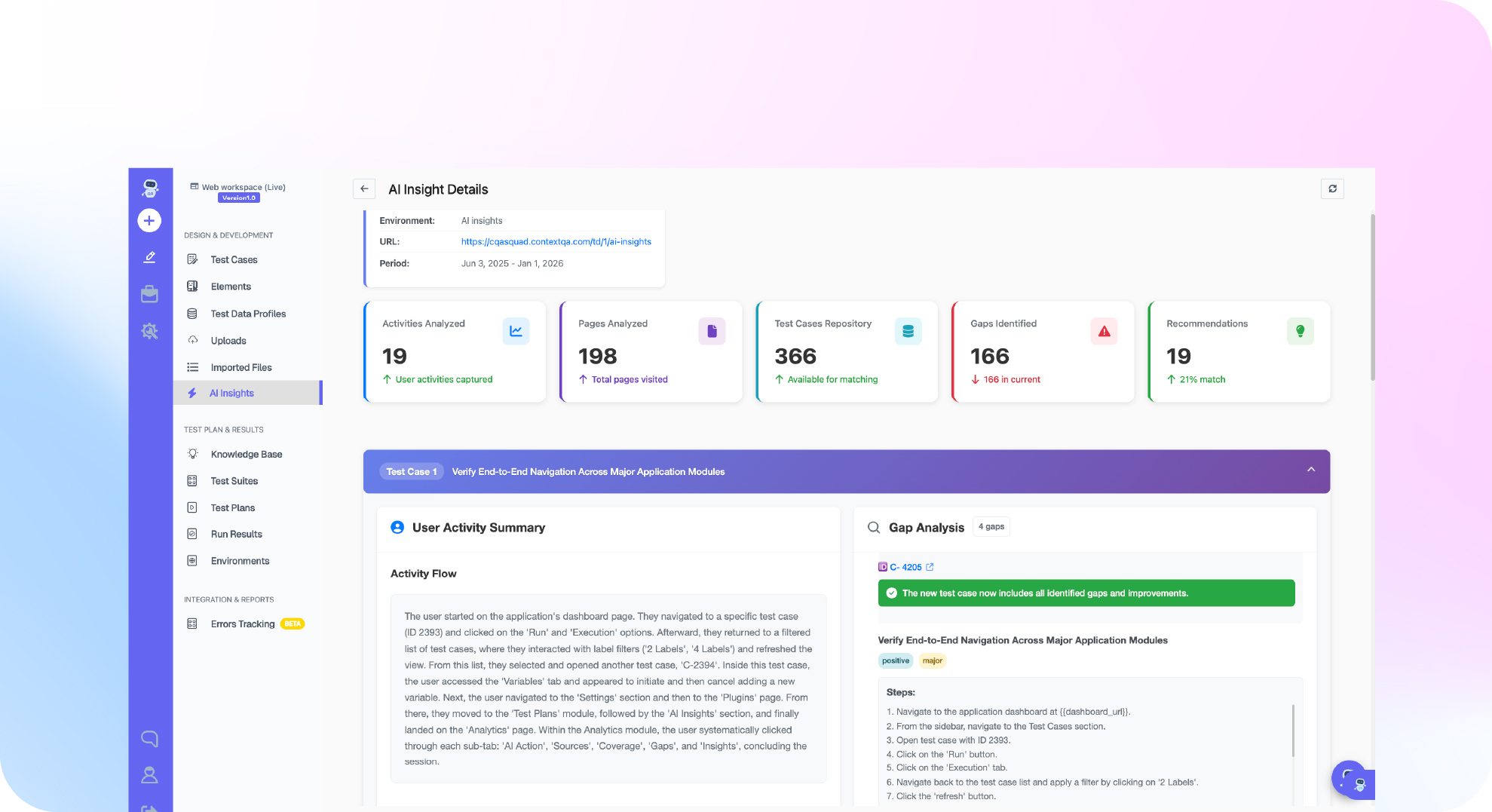
A coverage gate reports which lines ran. Ship checks what that number leaves out: whether the product flows a pull request changed were actually run and verified. It maps each change to affected flows, runs targeted regressions before merge, and returns evidence for review.
That mapping is called impact analysis: tracing a code change to the user flows it can affect (see the ContextQA impact analysis overview). To set it up:
- Connect GitHub or GitLab under Integrations. Then open Autonomous SDLC > Code Analysis and confirm the analyzed branch matches the deployed test build (code analysis docs).
- Review the generated test candidates. The docs' review checklist asks whether each test verifies "a business result rather than merely finish clicking," which catches tests with no real assertions.
- On every pull request, Ship reports the blast radius, the selected tests, the results and the evidence (Ship overview).
- Turn confirmed defects into regression tests that run against future changes.
If a coverage number says your tests ran but not whether they can catch a regression, see how Ship by ContextQA runs targeted regressions with evidence on every pull request. Get started free with Ship, no credit card needed.

What should you do now? A checklist
Gate new and changed code at 80% instead of the whole repository, raise the bar for high risk modules, and add checks that prove your tests can fail. You can finish and verify each item in one sprint without changing your release process.
- Replace any repo wide threshold with a diff gate:
diff-cover coverage.xml --compare-branch=origin/main --fail-under=80. - When SonarQube reports "Coverage on New Code is less than 80%," write tests for the uncovered changed lines instead of lowering the condition.
- Give auth, payment and data deletion modules stricter branch targets in
coverageThreshold. - Run
npx stryker runon one high risk module and review the surviving mutants. - Turn on the
jest/expect-expectlint rule to catch tests with no assertions. - Reject tests that mock the unit they claim to test.
- Each sprint, plant one deliberate defect and confirm that a test fails.
- Use Ship to run targeted regressions on each pull request and attach the evidence.
Bottom line
80% line coverage is a reasonable floor for most application code, but it only shows which lines ran. Set targets by risk, check branches where the logic is complex, and run mutation testing on critical modules. Gate changed code in each pull request and reject tests without assertions. For more, see the test coverage techniques guide linked above and the test automation webinar.
Sources
Every coverage threshold quoted here links to the guidance that published it. The ContextQA documentation pages describe the Ship workflow steps above. No benchmarks or customer results are cited.