
TL;DR: The best tools for testing AI agent tool calls depend on what you need to prove. LangSmith, Langfuse and Arize Phoenix trace each tool call and its arguments. DeepEval compares the tools an agent called with the tools you expected, Promptfoo validates each call against your tool schema in CI, and Braintrust scores agent runs in experiments. ContextQA (our product), the autonomous quality engineer, fits teams that need to confirm the call actually changed the business record. To build a shortlist, test each tool on four cases: a recorded trace, a wrong argument, a duplicate call and a verified backend outcome.
Quick answers
Which tools can test whether an AI agent calls the right tool with the right arguments? Tracing tools such as LangSmith, Langfuse and Arize Phoenix record each tool call and its arguments. DeepEval compares the tools called with the tools you expected. Promptfoo validates each call against your tool schema, and eval platforms such as Braintrust score runs against your own criteria. ContextQA (our product) adds an end to end check that the call changed the business record in your backend.
How should an engineering manager choose between a tracing tool and an end to end outcome testing tool for agent tool calls? Pick based on the question you need answered. A tracing tool or a code first eval framework shows which tool the agent called and with which arguments. Proof that a booking, refund or CRM update persisted needs a read only check against the system of record. Many teams use both: traces for debugging and outcome checks as the release gate in CI/CD.
What test cases should we run before trusting an AI agent tool calling evaluation tool? Run four cases on your own agent. Use a recorded trace from a known good conversation, a wrong argument (such as an earlier date after the user corrected it), and a duplicate call. Then compare the agent's success message with the backend record. In ContextQA, that last check uses a read only tool with the Verifier role.
What are the best tools for testing AI agent tool calls?
Tool call testing checks whether an AI agent picked the correct function, passed the correct arguments, and made the intended change in the system of record. Teams usually shortlist LangSmith, Langfuse, Arize Phoenix, DeepEval, Promptfoo, Braintrust and ContextQA (our product). Choose by which of those three layers you have to prove.
Most of these tools work at the trace layer, which is the recorded sequence of model steps and tool calls. DeepEval's `ToolCorrectnessMetric` compares called tools with expected tools. Promptfoo's `is-valid-openai-tools-call` assertion validates each call against your tool schema, which catches a malformed or wrong typed argument. Catching a wrong booking_id or a duplicate create_order call takes a custom assertion. A correctly formed call can still fail to persist while the agent reports success, which is why ContextQA's Verifier role has the judge compare the claim with the actual record.
What can these tools check?
Tools for testing agent tool calls do four jobs: record every call, score tool and argument choice, rerun fixed cases, and confirm the backend record changed. Most tools on the shortlist handle the first three. Fewer handle the fourth.
- Trace capture: LangSmith, Langfuse and Arize Phoenix record each tool call, its arguments and its output as spans (one recorded step in a trace). Langfuse and Phoenix are open source and can be self hosted.
- Tool selection scoring: DeepEval compares called tools with expected tools. Promptfoo checks the shape of each call inside a CI job.
- Regression datasets: Braintrust and LangSmith rerun a fixed set of cases against each agent revision.
- Outcome verification: ContextQA (our product) gives the judge read only Verifier tools over REST API or AWS Lambda to confirm the claimed record exists.

Why does tool call testing matter in 2027?
A model can pick the right tool once and still fail the same task on the next run. The tau-bench paper (Yao et al., Sierra, 2024) found that GPT-4o completed fewer than 50% of its tool use tasks, and its retail pass^8 score was below 25%. Pass^8 is the share of tasks an agent completes in all eight repeated trials.
It is also a budget question. Gartner (2025) predicts that more than 40% of agentic AI projects will be canceled by the end of 2027, citing unclear business value and inadequate risk controls among the causes.
Public benchmarks help you shortlist models but don't prove your agent is ready. The Berkeley Function Calling Leaderboard (BFCL) scores function and argument correctness, and tau-bench checks database state after a simulated conversation. Neither uses your tools, schemas or records.
MCP servers (Model Context Protocol servers, which expose tools to AI assistants) need two layers of tests:
- Contract test the server. Run
npx @modelcontextprotocol/inspector(MCP Inspector docs) and call each tool directly with valid and invalid arguments. - Test the agent against that server. Confirm that it chooses the tool, fills in the arguments and changes the expected backend record.
How does tool call testing work?
Tool call testing records a trace of every call, including the tool picked, the arguments passed and the call order. It then scores that trace against expected calls with code assertions or an LLM judge. Stronger setups also confirm the backend record changed.
- Capture the trace. Most tools record calls through an SDK or tracing hooks in your agent code. ContextQA works from outside the agent, so no instrumentation is needed.
- Pin dependencies. Replace live APIs with fixtures that return recorded responses, so a changed score points to the agent and not a flaky service. In ContextQA, a Pre-Run Environment Hook resets the environment before each run.
- Assert the call. Compare the tool name and each argument with expected values, including wrong argument and duplicate call cases.
- Verify the outcome. Run a read only check that confirms the record changed.
- Gate CI/CD. Rerun the same cases with the same rubric and judges on every prompt, model or agent change, and fail the build when a critical assertion regresses.
Which approach fits your team best?
Choose by where your failure risk sits. To see which tool the agent called and with what arguments, start with a tracing tool. For pass or fail assertions in CI, add a test framework. To prove the call changed the business record, add an end to end backend check.
- LangSmith: Best for: LangChain trace review; Pricing model: Free tier, paid seats; Tradeoff: Strongest inside LangChain
- Langfuse: Best for: Self hosted tracing; Pricing model: Open source, paid cloud; Tradeoff: You run the evals
- Arize Phoenix: Best for: Open source trace analysis; Pricing model: Open source, paid Arize AX; Tradeoff: Ops overhead if self hosted
- DeepEval: Best for: Tool call metrics in
pytest; Pricing model: Open source, paid Confident AI; Tradeoff: Checks the trace, not the backend - Promptfoo: Best for: CI assertions, red teaming; Pricing model: Open source, paid enterprise; Tradeoff: YAML config grows with scope
- Braintrust: Best for: Scored experiments; Pricing model: Free tier, paid plans; Tradeoff: Hosted first
- ContextQA (our product): Best for: Backend outcome verification; Pricing model: Demo and quote; Tradeoff: Needs a read only verifier endpoint
Pricing tiers change often, so confirm current plans on each vendor's pricing page before you budget. A call that reports success without changing the record only shows up when you check the backend, so the practical pairing is one tracing or eval tool plus one backend check.
How does ContextQA verify tool calls?
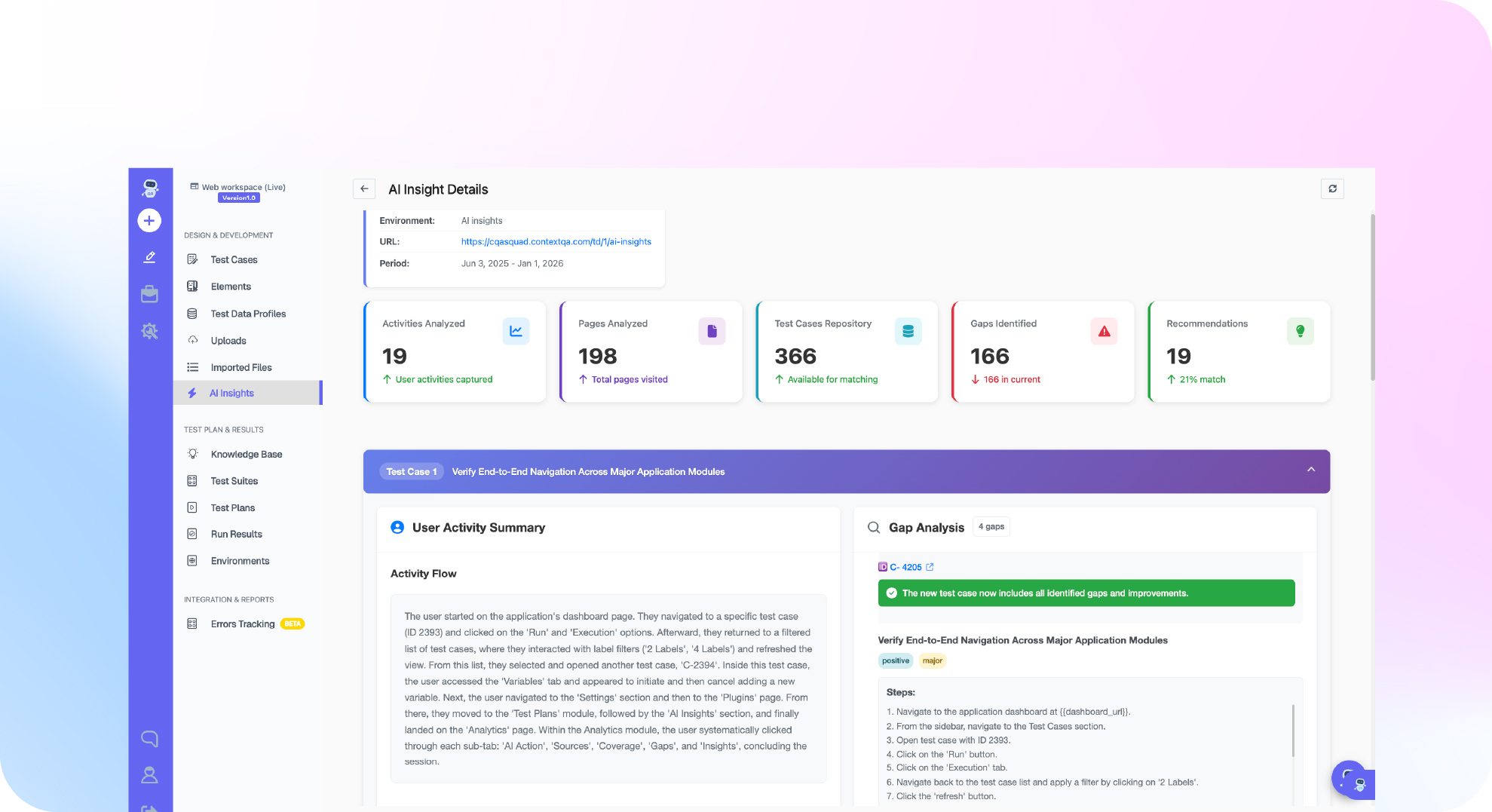
ContextQA (our product) judges a tool call by what it changed, not only by what the trace shows. You register a read only backend tool with the Verifier role, and the judge compares the agent's claim with the real record, for example whether exactly one correct booking exists. The agent needs no SDK, instrumentation or code access.
The setup follows the verifier documentation:
- Open the project's Tools page and choose REST API or AWS Lambda.
- Describe the fact the tool verifies. The judge uses this description to find the right tool.
- Set the role to Verifier. New tools start as Not in use. Setup work belongs in other roles: Variable Source, Health check probe or Pre-Run Environment Hook.
- Define the parameters. Use
{arg}for runtime arguments and{{variable}}for project variables. - Turn on tool verification for the custom metric, then run a case with a known outcome.
The run review shows each judge's reasoning, so you can check whether the correlated backend evidence supports the conclusion even when the transcript reads as a success. AI agent testing adds this outcome check on top of trace focused tools rather than replacing them.
If your agent reports success but the booking, ticket or CRM record never changed, book a demo to see ContextQA verify tool calls against real backend state.

What should you do right now? A checklist
Pick one bounded workflow and run the four cases through two shortlisted tools. Keep the one whose evidence your team can review and use to gate a release.
- Write a brief listing allowed tools, required arguments, forbidden actions and escalation rules.
- Add a wrong argument case, such as a corrected date the agent ignores.
- Add a duplicate call case asserting one create call in the trace and exactly one booking in the backend.
- Expose a read only endpoint, such as
GET /test-bookings/{booking_id}, and give it the Verifier role in ContextQA. - Use disposable test accounts for every case that changes data.
- Label each failure as agent, integration, fixture, evaluation or evidence gap before fixing it (docs).
- Freeze the cases, judges and agent revision before you compare runs.
Bottom line
Pick the tool by the layer you must prove. Tracing tools show which call the agent made, eval frameworks turn calls into CI assertions, and ContextQA (our product) confirms the call changed the business record. Run the four cases on your own agent before committing. For scope, read agentic testing vs AI agent testing, and for the wider field, see our AI agent testing tools comparison.
Sources
The statistics, metric names and commands in this article come from these primary sources.