
TL;DR: Functional testing checks what a system does against its requirements. For example, a valid login succeeds or an API rejects a forbidden request. Non functional testing checks how well the system does it: speed, load, security, accessibility, reliability and usability. ISO/IEC 25010:2023 defines nine product quality characteristics, and most non functional tests map to one of them. Run functional checks on every pull request. Run most non functional suites nightly or before release. ContextQA, the autonomous quality engineer, runs both kinds of check in a single release workflow.
If you're weighing functional vs non functional testing for your release pipeline, this guide gives the main types with one example each. It also maps non functional tests to ISO/IEC 25010 and shows where each kind runs in CI.
Quick answers
What is the difference between functional and non functional testing? Functional testing checks what the system does against its requirements, for example that a valid login succeeds or that checkout creates an order. Non functional testing checks how well the system does it: response time under load, security, accessibility, reliability, and usability. A release can pass every functional test and still fail customers because it is slow, inaccessible, or insecure.
When should functional and non functional tests run in a CI/CD pipeline? Run fast functional checks (unit, API, and a focused set of critical browser flows) on every pull request, so a broken requirement blocks the merge. Load tests, full security scans, and broad visual comparisons need more time and environment capacity, so they usually run nightly or before release. Stable lightweight checks, such as an accessibility scan on key pages, can still run per pull request.
Should non functional tests block a release? Yes, but only after two things are true. The test needs a pass criterion tied to a real service objective, such as a response time percentile, a maximum error rate, or a WCAG conformance level. It also needs to have proven stable. Before you turn on blocking, agree on the target environment, the test data, and an owner. A load or visual result from an environment unlike production says little about the release.
What is functional vs non functional testing?
Functional testing checks what a system does against its requirements: a valid login opens the dashboard, a checkout creates an order. Non functional testing checks how well it does it: response time under load, security, accessibility, reliability, and usability. A release needs both, because a correct feature that times out at peak traffic still fails users.
A functional test gives a pass or fail tied to a written requirement, so it can run on every pull request. A non functional test measures against a threshold, such as a p95 latency target (the response time that 95% of requests beat). It usually needs an environment close to production.
These are the main functional types, with one example each:
- Unit:
calculateDiscount(100, 0.1)returns90. - Integration: the order service writes a record and the inventory service reads it correctly.
- System: the full checkout runs on a staging build against a payment sandbox.
- Regression: last sprint's coupon bug stays fixed after a refactor.
- User acceptance testing (UAT): a product owner confirms that the shipped behavior matches the ticket's acceptance criteria.
ISO/IEC 25010:2023 lists functional suitability plus eight other quality characteristics. The 2023 edition renamed usability to interaction capability and portability to flexibility, and it added safety. Here is how the main non functional types map to it:
- Performance efficiency (performance and load): checkout holds its p95 target at the agreed concurrency.
- Security: a session token stops working after logout.
- Interaction capability (usability and accessibility): the checkout form can be completed by keyboard alone.
- Reliability: orders still complete when one application node restarts mid run.
- Compatibility: the same flow passes on Chrome, Safari, Edge, Firefox, iOS and Android.
- Flexibility: the service installs and passes smoke tests in a new cloud region.
What does each kind of testing do for your team?
Functional testing tells your team whether a release does what the requirements say: users log in, orders get created, and forbidden exports are denied. Non functional testing tells you whether the release is fast enough, secure enough, and accessible enough for real customers. With both in place, "the build passed" becomes a release decision you can defend.
- Block regressions before merge. Functional checks on login, checkout and permission rules run on every pull request.
- Measure speed under load. Performance tests report response time percentiles, error rate and throughput against targets you set before the run.
- Reduce security exposure. Scans check authentication, session handling and input validation.
- Know when to change priority. Move non functional checks up the list before an enterprise deal with an SLA (service level agreement) or a WCAG requirement, a change to multi tenant data, or an infrastructure migration.

Why does the split matter in 2026?
The split matters in 2026 because a release can pass every functional check and still let users down on speed, security or accessibility. Functional tests prove a feature works. Non functional tests prove it works well enough to ship. If you fund only functional testing, the rest of that risk goes to production.
Two data points show the size of the gap. The WebAIM Million report (2024) found detectable WCAG 2 failures on 95.9% of the top one million home pages. The Verizon Data Breach Investigations Report (2024) found that breaches starting with an exploited vulnerability grew 180% year over year.
Write both kinds of requirement on the same ticket:
- Functional: an analyst can export a ready report, and a viewer gets a denial.
- Non functional: the export API meets an agreed p95 response time at a named concurrency, and the export dialog works by keyboard alone to WCAG 2.2 AA.
Block every pull request on functional checks for the critical journeys. Then add one non functional check for each real service objective, starting with the journeys that bring in revenue.
How do the two kinds of test run in CI?
Both kinds of test start from the same requirement, but they answer different questions. A functional test asserts an outcome, such as an order record existing after checkout. A non functional test measures how well that flow performs against a threshold. Functional checks gate every pull request, and most non functional checks run nightly or before release.
- Write the expected outcome first. Turn each acceptance criterion into a pass or fail assertion, and give each quality attribute a measurable target, such as a latency percentile, an error rate or a WCAG level.
- Gate pull requests on functional checks. Playwright or pytest suites run in GitHub Actions or Jenkins on every commit.
- Schedule load and security runs. Tools such as k6, JMeter and OWASP ZAP usually run nightly against staging.
- Add accessibility and visual checks before release. axe-core flags the violations it can detect reliably, and baseline screenshot comparison catches layout regressions. Neither one replaces review with assistive technology.
- Fail on agreed thresholds. Define pass criteria and abort limits before the run, as the ContextQA specialized checks guide describes.
Which approach fits your team best?
Most teams use one of three approaches: functional tests only, functional tests on every pull request plus non functional checks nightly, or both kinds release blocking. Pick by risk, not team size. A startup with paying customers, login data or an uptime promise already needs some non functional coverage, or that cost moves to production.
| Approach | Best for | Cost model | Notable tradeoff |
|---|---|---|---|
| Functional only | Pre launch prototypes | Lowest CI minutes | Slowdowns and security gaps show up in production |
| Functional per PR, non functional nightly | Most SaaS teams | Moderate, scheduled runs | Regressions surface hours after merge |
| Both block releases | Regulated or enterprise sellers | Highest environment and review cost | Flaky checks slow releases |
How does ContextQA handle both kinds of testing?
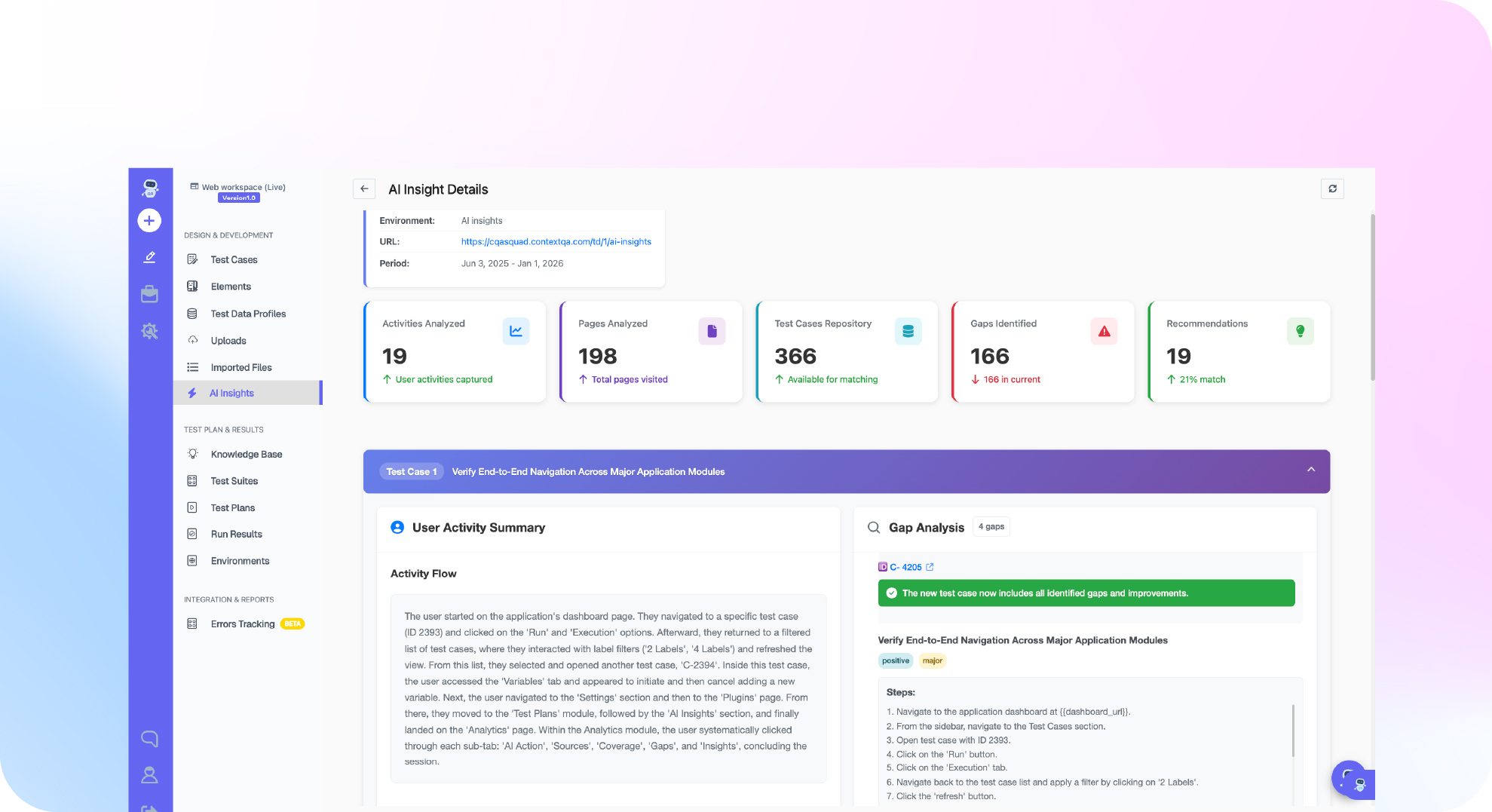
ContextQA runs functional and non functional tests on one platform. You create functional tests from Jira tickets, the no code recorder, or API steps. Once a functional journey is stable, you add performance, accessibility, visual and security checks on top of it. One release workflow then covers both what the product does and how well it does it.
Functional example: a Jira ticket adds a discount code field at checkout. ContextQA generates four test cases from its acceptance criteria: a valid 10% code, an invalid code, an expired code, and the discount line in the order summary (for product managers).
Functional coverage: UI flows run in parallel on Chrome, Safari, Edge, Firefox, iOS and Android. API tests pass an auth token from one request to the next (API tutorial). Enterprise workflows in Salesforce and SAP run end to end.
Non functional example: from Claude Code or Cursor, the MCP capability execute_performance_test takes a virtual user count, a duration and a ramp up. It returns response time percentiles, error rate and throughput (specialized checks guide).
Functional suites run from Jenkins or GitHub Actions, and tests export to Playwright.
If your functional tests pass on every pull request but performance, accessibility and visual checks slip to release week, book a demo to see how ContextQA runs both in one workflow.

What should you do now? A checklist
Start by sorting every existing test into functional or non functional. Then put each type where it belongs in CI: functional checks on every pull request, and performance, security, accessibility and reliability checks nightly or before release. Write the pass criteria before you automate anything, and make a check release blocking only after it runs stable.
- Tag every test
functionalornonfunctionalso CI can select by tag. - Map each acceptance criterion to a functional test that runs on every pull request.
- Choose non functional types by risk: performance, security, accessibility, visual and compatibility.
- Write pass criteria first: a response time percentile, a maximum error rate and a WCAG target.
- Run load and security scans nightly, on a staging environment you are authorized to load.
- Quarantine flaky tests before they block merges.
Bottom line
Functional testing checks that the system does what its requirements say. Non functional testing checks how well it does it under real conditions. Run functional checks on every pull request so feedback stays fast. Schedule most non functional checks nightly or before release, and make each one release blocking once it runs stable.
Sources
Each link goes to the publisher's own page for the edition cited above.