TL;DR: Enterprise application testing verifies that systems like Salesforce, SAP, Oracle, and Workday still run critical workflows, such as quote to cash, after every vendor update and configuration change. Salesforce ships seasonal releases each Spring, Summer, and Winter, so regression suites must rerun on a fixed calendar. Effective programs combine end to end UI tests, API and database checks, and self healing locators. ContextQA, the autonomous quality engineer, generates, runs, and maintains these tests inside existing CI/CD pipelines.
Packaged business platforms break test automation in ways custom web apps do not. Salesforce releases on a seasonal calendar, SAP Fiori screens render dynamic IDs, Oracle and Workday tenants update on vendor schedules, and brittle locators fail overnight. This guide covers where regression suites for these four platforms fail, how to design tests that survive vendor updates, and how to run them in your CI/CD pipeline.
Quick answers
Why do Salesforce, SAP, Oracle, and Workday break test automation more often than custom web apps? These platforms generate dynamic element IDs, nested iframes, and shadow DOM components, and vendors push scheduled releases whether or not your team deployed anything. Scripts tied to id or XPath attributes fail even when the business flow still works. Tests that heal locators and validate outcomes, such as an order posted, survive these releases.
What should a regression suite cover before a vendor release or configuration change? Cover end to end processes that cross modules, such as quote to cash, procure to pay, and hire to retire. Add role and permission checks, validate records at the database or API layer, and run the suite in a sandbox refreshed from production before each vendor release window.
How does ContextQA handle Salesforce, SAP, Oracle, and Workday testing? ContextQA generates, runs, and maintains tests for enterprise apps alongside web, mobile, API, and database testing. AI based self healing updates tests when the UI changes, impact analysis flags affected tests, and tests export to Playwright code, so your team is not locked in.
What is enterprise application testing?
Enterprise application testing is the practice of verifying that large business systems such as Salesforce, SAP, Oracle, and Workday work correctly across the configurations, integrations, and data flows a company depends on. These systems carry revenue, payroll, and supply chain processes, and they change on vendor schedules you do not control.
Standard software testing mostly covers code your own team writes. Testing these platforms covers heavily customized vendor software with dynamic UIs, such as generated element IDs and shadow DOM components in Salesforce Lightning. It also covers role based permissions and flows that span several connected systems.
The main test types are:
- Functional: each transaction, like creating a purchase order, produces the correct result.
- Integration: data moves correctly between the ERP, CRM, and connected APIs.
- Performance: response times hold under month end close or peak load.
- Security: role permissions and data access match policy.
- Regression: scheduled vendor updates do not break custom workflows.
- UAT (user acceptance testing): business users confirm that processes match real work.
What does a mature enterprise testing program cover?
A mature program keeps packaged and custom business systems working across releases, integrations, and data flows. It covers end to end business processes, API and database checks, role based access, and regression after vendor updates, so a scheduled vendor release does not break order to cash or payroll in production.
It covers five areas:
- Business process coverage: One test follows a quote from CRM through ERP invoicing, then confirms the record in the database, not only in the UI.
- Upgrade regression: Vendor releases change field IDs and page structure. Self healing locators absorb those changes instead of failing the nightly run.
- Tool fit: Open source frameworks like Playwright give full control but leave your team maintaining locators for dynamic UIs. Model based and RPA derived suites need less code but can lock tests into proprietary formats, so confirm code export exists.
- Strategy and plan: Rank processes by revenue and compliance risk, automate the top tier first, and define environments, test data owners, and exit criteria per release.
- Access and data controls: Run suites per user role and mask credentials in environment configs.

Why does enterprise application testing matter in 2026?
ERP and CRM platforms now change on vendor schedules, not yours. SAP ends mainstream maintenance for Business Suite 7, including ECC, at the end of 2027 (SAP News, 2020), which forces S/4HANA migrations. Salesforce ships seasonal releases every Spring, Summer, and Winter. Any of these upgrades can break custom workflows without warning.
The hard part is not one screen. It is a business process that crosses systems: a Salesforce opportunity creates an SAP sales order that becomes an Oracle invoice. Common failure modes include:
- Generated locators: Lightning and Fiori regenerate element IDs, so hard coded selectors fail after an upgrade.
- Sandbox refreshes: Test data disappears, and production copies expose PII (personally identifiable information).
- Long flows: A 40 step order to cash test fails late and gives little signal about the cause.
To wire these tests into CI/CD, run a smoke suite on every sandbox deploy, schedule full regression nightly, and gate promotion on both. Repeat the full run during each vendor preview window. ContextQA covers this with enterprise apps testing, self healing, and sensitive data masking.
How does testing an enterprise application work?
Testing works by mapping business processes across systems like Salesforce, SAP, Oracle, or Workday, then validating each process end to end at the UI, API, and data layers. Teams add load and security checks, run every suite in CI/CD on each release, and maintain tests as vendor updates change screens and fields.
- Map business processes. List critical flows such as quote to cash or hire to retire, along with every system each flow touches.
- Build functional and integration tests. Cover UI steps, API calls, and database state so a broken handoff between systems fails the build.
- Run performance and scalability tests. Use scriptable open source load generators or commercial load suites to model peak concurrency and find the user count where response times degrade.
- Verify security and compliance. Scan against the OWASP Top 10 web risks, schedule penetration tests, and confirm the controls that SOC 2, GDPR, and HIPAA audits expect, such as masking sensitive environment data in test runs.
- Automate in the pipeline and maintain. Trigger suites from CI/CD, and use self healing locators (element selectors that adapt when the UI changes) to absorb vendor releases. ContextQA's enterprise apps testing covers this step.
Which approach fits your team?
The right approach depends on three factors: how often your vendor platforms ship updates, how many engineers you can dedicate to test maintenance, and where your test data is allowed to live. Teams with frequent Salesforce or SAP releases and thin QA staff get the most from autonomous platforms.
- In house scripted framework: You get full control and no license fees, but your SDETs own every broken locator after each vendor release. Cost shows up as maintenance hours, plus the work of refreshing masked production snapshots into staging.
- Outsourced testing services: You add headcount quickly. The tradeoff is that test data often leaves your environment, and system knowledge leaves when the contract ends. Spend grows with release volume.
- Autonomous platform: ContextQA generates and self heals tests and can deploy in your own infrastructure. It also hides sensitive environment data and exports to Playwright, so you keep the code. To measure ROI, compare maintenance hours per release against your current baseline.
Rule of thumb: if maintenance hours already exceed authoring hours, automate the maintenance before you add people.
How does ContextQA handle enterprise application testing?
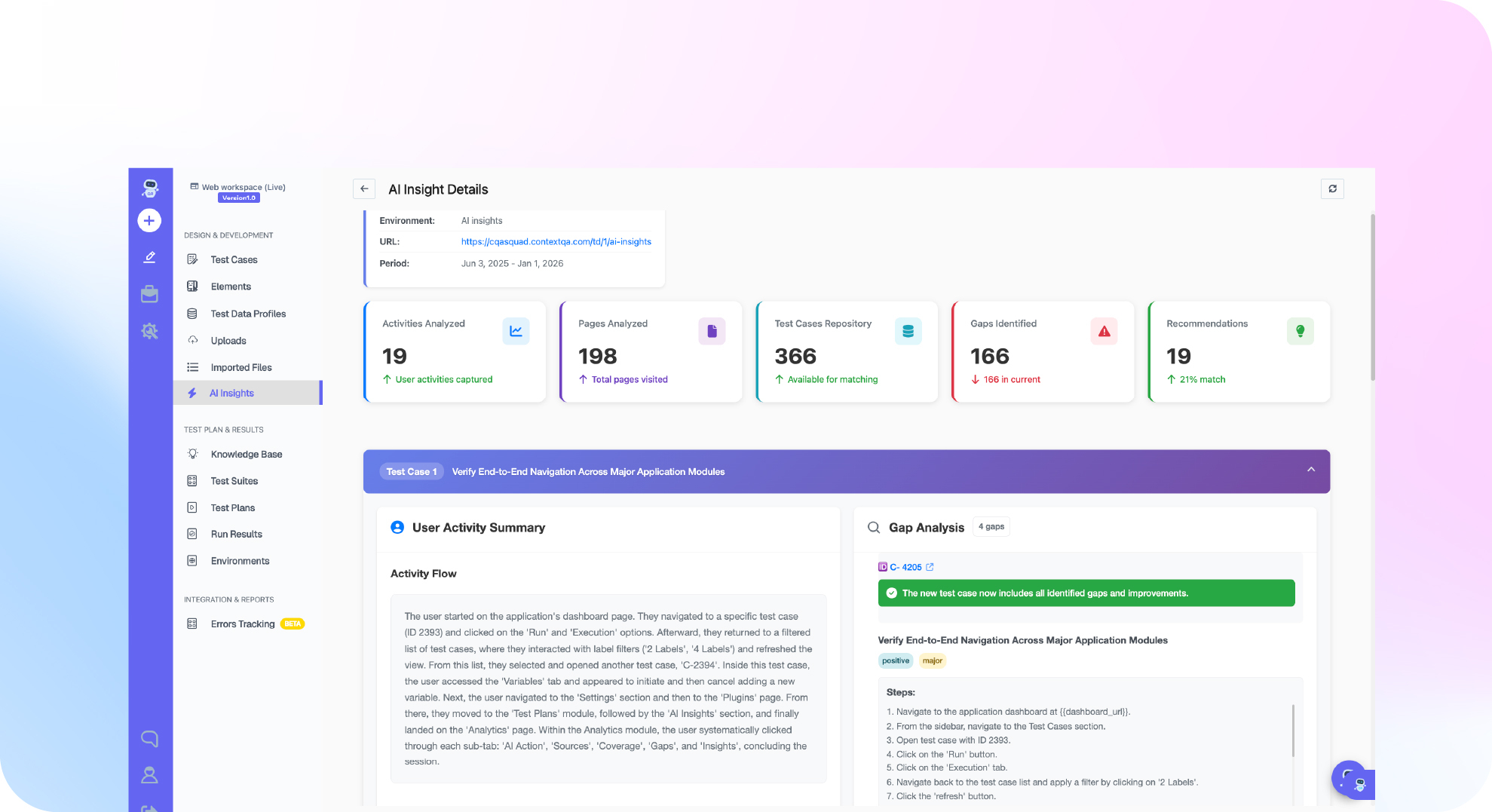
ContextQA, the autonomous quality engineer, generates, runs, and maintains tests for Salesforce, SAP, Oracle, and Workday alongside web, mobile, API, and database layers. Tests self heal when the UI changes, export to Playwright, and run in your existing CI/CD pipeline, so teams automate without rewriting their process.
A typical workflow:
- Point ContextQA at a ticket, Swagger spec, Figma file, or code change. It generates happy paths, edge cases, and failure states.
- Drive it from Claude Code, Cursor, or Codex through the MCP server, which exposes 50 testing tools.
- Trigger parallel runs across browsers and devices from a CI step.
- Use code export to get Playwright code you own.
AI changes the maintenance math. Self healing repairs broken locators after vendor UI updates, and AI generation replaces hand scripting.
For KPIs, track:
- Regression cycle time: hours from build to verdict.
- Flaky test rate: failures that pass on rerun.
- Coverage: gaps shown in the coverage mind map.
- Triage time: shortened by root cause analysis.
Enterprises can deploy in their own infrastructure with forward deployed engineers.
If Salesforce, SAP, Oracle, or Workday releases keep breaking your regression suites, see how ContextQA tests and self heals those flows. See how ContextQA does it or book a demo and bring your hardest case.

What should you do now? A checklist
Start by listing the business processes that break most often, automating those flows first, and wiring them into your release pipeline. Then track flakiness and maintenance hours. Whether you build in house or hire a testing company, these steps are verifiable and fit inside one quarter.
- List your 10 most critical processes, such as quote to cash or payroll, and every system each one touches.
- Put scheduled vendor releases, such as Salesforce seasonal updates or SAP support packs, on your test calendar.
- Assign an owner to every existing test and delete orphaned tests.
- Measure flaky rate per suite: runs that flip from fail to pass on rerun, divided by total runs.
- Run end to end tests on every merge to the release branch, not only nightly.
- Mask sensitive environment data before sharing test reports.
- Require exportable code, such as Playwright, from any tool or vendor.
- Ask testing services providers for maintenance hours per release, not only test counts.
- Pilot one process with ContextQA enterprise apps testing and compare maintenance effort across two releases.
Bottom line
Enterprise application testing breaks when suites depend on brittle locators, specialist scripters, and manual regression timed to vendor release windows. Cover business processes end to end, heal tests when generated UIs shift, and run inside your CI/CD pipeline. Start with high risk cross system flows, then extend coverage with our guide to enterprise integration testing and the criteria in what an enterprise AI testing platform should do.
Sources
The primary source below supports the SAP maintenance timeline cited in this article. Product capability claims link directly to the relevant ContextQA platform pages, which describe each feature referenced in the sections above.