TL;DR: Workday testing verifies that your configured business processes, security roles, integrations, calculated fields, and reports still work after each Workday update or tenant change. Workday delivers feature releases on a vendor controlled schedule you cannot skip, so regression has to run on a fixed cadence rather than once per implementation. Run high risk flows such as hire to retire, payroll, and benefits enrollment in a non-production tenant before each release reaches production. ContextQA, the autonomous quality engineer, generates and self heals these end to end tests.
Workday testing gets harder with every major release. Each one changes UI elements, business process steps, and security configurations, and brittle regression scripts fail in bulk. This guide shows QA leads and automation engineers how to scope a Workday regression suite, choose stable locators, run tests in CI/CD before each release window, and use self healing tests to cut maintenance between updates.
Quick answers
What should a Workday regression suite cover first when you start automating? Start with the business processes that break payroll, compliance, or access when they fail: hire, terminate, compensation change, time entry approval, and security role assignment. Add the integrations that feed payroll providers, benefits carriers, and your identity system. Automate the happy path for each, then add edge cases your team has seen fail before, such as retroactive effective dates or multi-country workers.
Why do Workday UI test scripts break so often after a release? Workday renders pages dynamically, and element identifiers and layouts can change between releases. Scripts built on generated IDs or exact XPath positions fail even when the business process still works. Target stable attributes and visible labels, as the Playwright locators guide recommends, and use self healing locators so a cosmetic change does not become a failed regression run.
How do you fit Workday regression tests into a CI/CD pipeline when Workday controls the release schedule? Treat the preview tenant as a scheduled pipeline stage. Trigger the full regression suite when the preview window opens, and run a smaller smoke suite on every configuration change or integration deployment. Run tests in parallel to keep feedback inside the window, and route failures to your ticketing system with screenshots and logs so process owners can triage before production cutover.
What is Workday regression testing and when do you need it?
Workday regression testing verifies that your tenant's business processes, integrations, security roles, and reports still behave correctly after configuration changes or vendor updates. Workday ships updates you cannot skip, and its UI renders dynamic element IDs. Together, those facts make every untested release a direct risk to payroll, hiring, and financial close.
You need it in three situations:
- Before a vendor feature release reaches production.
- After any change to a business process or security group.
- Whenever an integration is modified. This includes EIBs (Enterprise Interface Builder loads), Studio integrations, and API integrations.
When teams compare automation options, they fall into three groups:
- Legacy record and playback tools: Scripts break on generated IDs and need constant locator repair.
- Code frameworks: You get full control, but your team owns every wait, selector, and tenant login script.
- AI platforms with self healing: ContextQA enterprise apps testing uses AI based self healing and exports tests to Playwright.
What do you need before you start?
Before automating Workday regression, you need four things: a non-production tenant refreshed from production, test accounts with realistic security roles, a map of your business processes and integrations, and a schedule aligned to Workday's feature release windows. Without these, tests either fail on permissions or miss the changes that matter.
- Sandbox tenant: A periodically refreshed copy of production. Use it for regression on configured business processes such as hire, job change, and termination.
- Preview tenant: Receives the upcoming release ahead of production. Run your full regression here during each release window and log every behavior change before go-live.
- Integration inventory: List every EIB (spreadsheet driven data loads), every Studio integration (custom multi-step integrations), and every Workday Web Services or REST call. Store sample payloads and expected outputs so tests validate data, not just a "Completed" status.
- Role based test users: Create a dedicated account or proxy access for each security group, because permission mismatches surface as defects that an admin account never triggers.
Takeaway: test configured processes in the sandbox, test release changes in the preview tenant, and validate integration payloads in both.

How do you automate Workday regression step by step?
To automate Workday regression, inventory the business processes and security roles you depend on, script each flow in a sandbox or preview tenant, and run it as every relevant role. Rerun the suite before each feature release, prefer data-automation-id locators, which tend to be more stable than generated IDs but can still change between releases, and gate tenant configuration changes in CI.
- Map processes to roles. List hire, job change, termination, and expense flows, plus the security groups that initiate, approve, or must be denied each step.
- Test security with proxy. In non-production tenants, proxy as each user, then assert both permitted actions and blocked ones. A missing denial is a security defect.
- Choose a framework. Open source browser frameworks give full control but leave locator upkeep to you. Packaged enterprise suites reduce scripting but add licensing and lock in. ContextQA's enterprise apps testing generates and self heals Workday tests, then exports Playwright code.
- Script with stable locators.
import { test, expect } from '@playwright/test';
test('HR partner can start Hire Employee', async ({ page }) => {
await page.goto(process.env.WD_TENANT_URL!);
await page.locator('[data-automation-id="globalSearchInput"]').fill('Hire Employee');
await page.keyboard.press('Enter');
await expect(page.getByText('Hire Employee').first()).toBeVisible();
});
- Run in CI against the preview tenant before production cutover. The Playwright CI guide covers pipeline setup, and the parallelism docs explain how
workersandfullyParallelshorten a long suite.
What are the most common mistakes?
The most common mistakes in Workday regression are testing in the wrong tenant, relying on locators tied to generated element IDs, testing only as an admin, and treating UAT as a demo instead of a checklist. Each one lets defects from a feature release reach payroll, HR, or finance users in production.
- Wrong tenant: Implementation tenants hold in progress configuration, and the sandbox is refreshed from production on a recurring schedule, wiping data you created. Run regression in the preview tenant before each release, and reseed test data after every refresh.
- Brittle locators: Recorded XPath built on generated IDs breaks often. Prefer
data-automation-idattributes, which are usually more stable than generated IDs but not immune to release changes, and pair them with AI based self healing. - Admin only coverage: Tests that pass as an admin can still fail for a manager or employee. Proxy into each security group.
- Vague UAT: A usable checklist names concrete cases: hire with a retro effective date, approve a mid cycle compensation change, run an off cycle payroll, terminate with final pay.
How do you know it is working?
Your Workday suite is working when three numbers move together: regression hours per update drop, the share of failures caused by broken locators instead of real defects falls toward zero, and fewer defects reach production after each release. Track all three across at least two release cycles before you judge results.
- Regression time: Lightfield reported that ContextQA "cut our regression testing time by 80%" (ContextQA, 2026).
Cost and ROI versus manual testing. Use one formula. Manual cost equals hours per regression cycle times cycles per year times your loaded tester rate. Automated cost equals platform fees plus the hours spent maintaining scripts. Include maintenance hours in the calculation, since leaving them out overstates the return.
Frequent UI changes. Log every failure as either a locator break or a product defect. AI based self healing re-identifies changed elements, which pushes locator breaks down. If that share stays flat after an update, your suite still depends on brittle selectors.

How do you automate Workday testing with ContextQA?
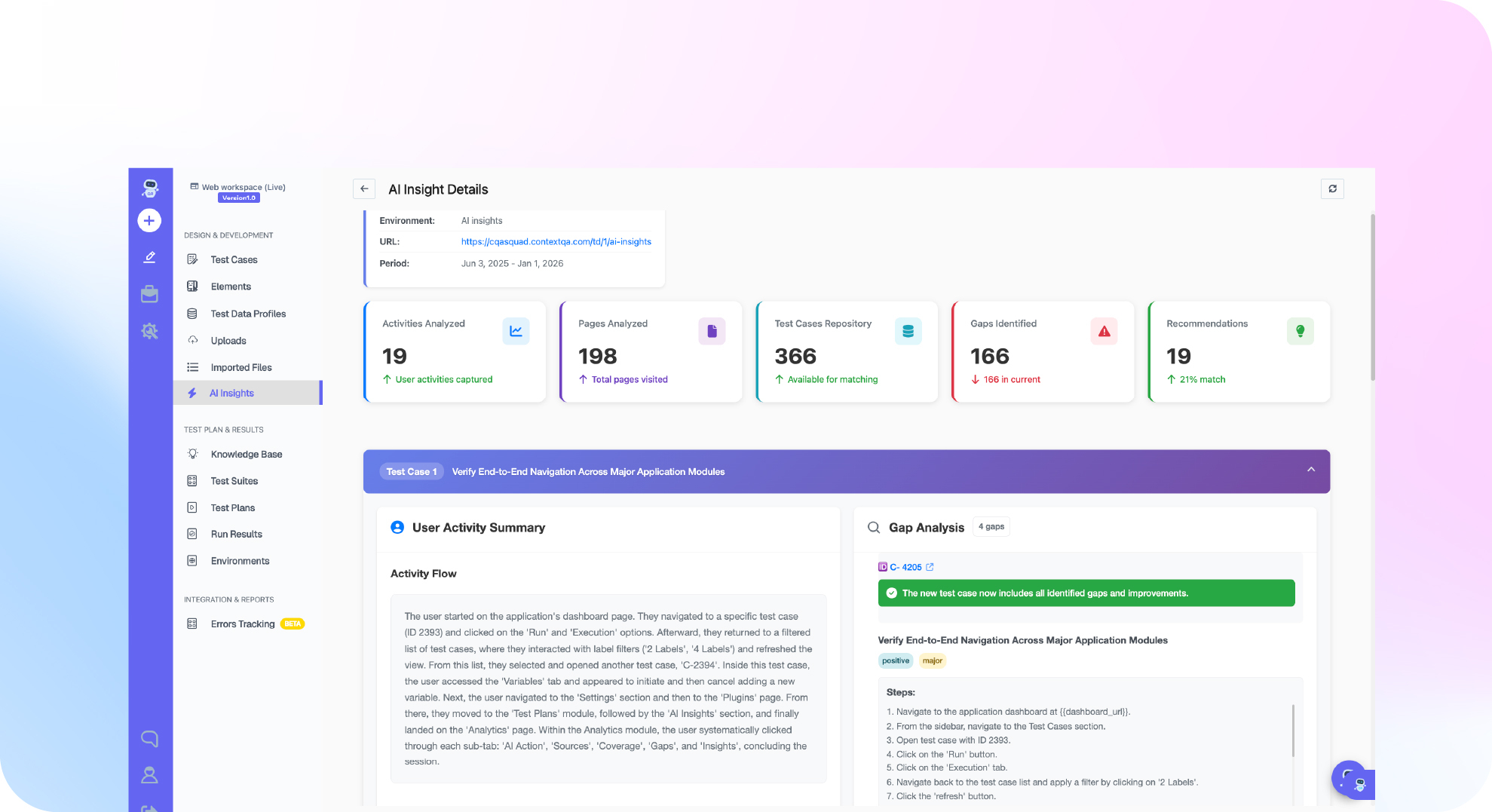
ContextQA automates Workday testing by generating tests from a business flow or ticket, such as a hire or time off approval. It runs them in parallel, self heals them when Workday screens change, and reports failures with root cause analysis. Workday sits within its enterprise apps testing, alongside Salesforce, SAP, and Oracle.
A typical workflow looks like this:
- Generate: Point ContextQA at the flow or ticket. It builds a suite covering happy paths, edge cases, and failure states.
- Drive from your IDE: Trigger generation and runs from Claude Code, Cursor, or Codex through the ContextQA MCP server.
- Gate releases: Add the run as a CI/CD step. Impact analysis shows which tests a change affects.
- Keep the code: Export to Playwright so your team avoids lock in.
Enterprise teams can deploy in their own infrastructure, with forward deployed engineers and tailored SLAs.
If Workday releases keep breaking your regression suite, book a ContextQA demo to see self healing tests run your critical Workday business processes before each update ships. See how ContextQA does it or book a demo and bring your hardest case.
What should you do right now? A checklist
Start this week: inventory your Workday business processes, rank them by payroll and compliance risk, and automate the highest risk flows in a sandbox tenant. Choose tools that tolerate dynamic element IDs, export portable code, and run in CI. Then rerun the suite before every Workday feature release.
- List each Workday business process you rely on (hire, terminate, compensation change, time off) and assign an owner.
- Rank them by impact, with payroll, benefits, and security role changes first.
- Confirm your sandbox tenant refresh date so test data matches production configuration.
- Create one test worker per security group, since role based access changes what each page renders.
- Automate one hire to terminate flow and confirm its locators survive a tenant refresh without edits (self healing).
- Hide sensitive environment data in every test environment, and use synthetic or masked worker records.
- Add the suite to CI and fail the build when any business process step errors.
Bottom line
Automating Workday regression comes down to three habits: anchor tests to business processes instead of page structure, run the full suite against every release preview, and triage failures as data instead of rerunning them as noise. An autonomous quality engineer such as ContextQA can generate, run, and self heal those tests while exporting Playwright code.