
TL;DR: To create a QA checklist, start with the release decision it protects. List the behaviors and risks each change touches. Then write every item as a check someone can verify, with an owner, a pass criterion and the evidence required. Group the items by stage: requirements, pull request, regression and release. Mark each item Pass, Fail or Unknown, and treat Unknown as blocking for required checks. Ship, the ContextQA autonomous quality engineer, can run the pull request checks before merge.
This guide covers how to create a QA checklist that your release team actually uses, so it doesn't end up as a stale wiki page nobody opens before merge. Most checklists fail for one of three reasons: the items are vague, nobody owns them, or they are never tied to a pull request. You get a template to copy, a method for writing items you can verify, and rules for keeping the list current as your CI/CD pipeline changes.
Quick answers
What should every item on a QA checklist include? Each item names one behavior you can verify, the expected result, and the build it applies to. For example: "Checkout completes with a saved card on Chrome and Safari against the release candidate." Add an owner and a Pass, Fail or Unknown status.
How often should a QA checklist be updated? Review it at every release retrospective. Also update it whenever an escaped defect, a new feature or a retired flow changes your risk. Every production bug should add an item or tighten an assertion. Keep the checklist under version control so every change is dated and reviewable.
Which QA checklist items should be automated and which should stay manual? Automate items that are stable, repeatable and release critical, such as login, checkout, API contracts and cross browser smoke paths, and run them in CI/CD. Keep exploratory checks, new UI judgment calls and one time migration checks manual until the behavior settles. Tag each item so the gaps stay visible.
What does a good QA checklist look like?
A good QA checklist is a short, versioned list of checks a release must pass, and each check is tied to an owner, an environment and evidence. It states what to test, how to confirm the result and what blocks the release. If nobody can verify a checklist, running it turns into a ritual and stops protecting the release.
QA checklist template for software releases. Keep it in the repo (for example, docs/release-checklist.md) so changes go through review:
- Scope: the ticket or pull request, the changed paths, and the user flows they affect.
- Build identity: the exact commit SHA or app version under test, plus the environment.
- Functional checks: the happy path, edge cases and failure states for each affected flow.
- Regression: a targeted suite for the impacted areas, plus a smoke run of critical paths.
- Evidence: links to logs, screenshots or video for every result.
- Decision:
Pass,FailorUnknown, with a named owner for everyUnknown.
What to include for web and mobile applications. Web items cover Chrome, Safari, Edge and Firefox, responsive viewports, form validation, session expiry, keyboard navigation and console errors. Mobile items cover the exact APK or IPA build, supported OS versions, a real device, install and upgrade paths, permission prompts, poor networks, and background and resume behavior.
Items 1 and 4 take the most manual effort. Ship runs impact analysis on each pull request and runs targeted regressions before merge, so reviewers start from evidence.
How to create a QA checklist step by step
To create a QA checklist, start from release risk, not from tools. List the user flows that must keep working, decide which checks run manually and which run in automation, attach a verification method to every item, and name an owner for each. A check you have no way to verify is a wish, not a test.
- Scope the change. Tie the checklist to one pull request or ticket. Verify that its ID appears at the top.
- Rank flows by risk. Signup, login, billing and data export cost the most when they break. Verify that each one has a named test.
- Tag manual versus automated. Verify that every item carries a
manualorautomatedtag. - Write assertions, not steps. "Invoice total matches cart" can fail. "Open invoice" cannot. Verify that each item states an expected result.
- Pin the build. Verify that the run records the same commit SHA as the PR.
- Run targeted regression on every PR. Rerun the tests for affected paths before merge and run the full suite nightly. Verify that CI shows both jobs.
- List browsers and devices. Verify that the report names each browser and device the suite ran on.
- Treat skipped or timed out runs as Unknown. Verify that CI flags them instead of turning green.
- Use test data only. Verify that no production customer records appear in fixtures or screenshots.
- Assign gap owners. Verify that every uncovered path has a named person and a due date.
Why does each check matter?
Each check on a QA checklist blocks one specific way a release goes wrong. The usual ways are an untested change, a stale build, a flaky result read as a pass, or a bug nobody owns. If a check can't name the failure it prevents, cut it. With what remains, a manager can sign off on evidence instead of a feeling.
- Change scope: This check ties the checklist to the actual diff. Without it, teams either rerun the full suite on every pull request or skip the paths the change touched. In CI/CD, scope decides which regressions run before merge.
- Build identity: A green run against the wrong commit proves nothing. When you record the exact application and test versions, a CTO can see that the pass applies to the build that ships.
- Terminal result: Timeouts, cancellations and unexpectedly skipped tests are not passes. The Agentic PR Evidence Checklist uses three outcomes,
Pass,FailandUnknown, so incomplete evidence blocks a required check instead of slipping through. - Assertion review: A test that can't fail tells you nothing. The Planning & Acceptance Checklist asks for a controlled failure on every release critical test to prove its assertion can fail.
- Ownership: Every failure and coverage gap needs a named owner before release. Otherwise it comes back later as an incident.
Which checks can you automate?
Automate any checklist item that returns the same pass or fail result on every run. That includes lint and type checks, unit and API tests, regression flows on each pull request, cross browser smoke runs and bug reproduction. Leave exploratory testing, usability judgment and release sign off to people, because those checks depend on context a script can't verify.
Which tool fits depends on who maintains the automation after it is written.
| Option | Best for | Pricing model | Notable tradeoff |
|---|---|---|---|
| Spreadsheet or test management tool | Tracking manual items and sign off | Free or per seat | Records results but runs nothing |
| Open source framework in CI | Teams with SDETs who own test code | Free license, paid in engineer time | You maintain selectors when the UI changes |
CI static checks (eslint, type checks, dependency scans) | Code checks on every commit | Mostly free | Misses user flow regressions |
| Ship by ContextQA | Small product teams that want every PR tested without writing scripts | Self serve: 15 day free trial, Starter $49 a month, Pro $249 a month | Billed in credits |
Ship pricing was checked on ship.contextqa.com on Nov 20, 2026.
Dev agencies should link each checklist item to a check that leaves evidence the client can read. Every Ship plan includes unlimited users, so adding a client's reviewers doesn't add seat fees. Pick your tool based on who will maintain the tests six months from now.
If your QA checklist sits in a doc nobody opens before merge, see how Ship tests every pull request and reproduces reported bugs: get started free, no credit card needed.

How can you run this checklist in ContextQA?
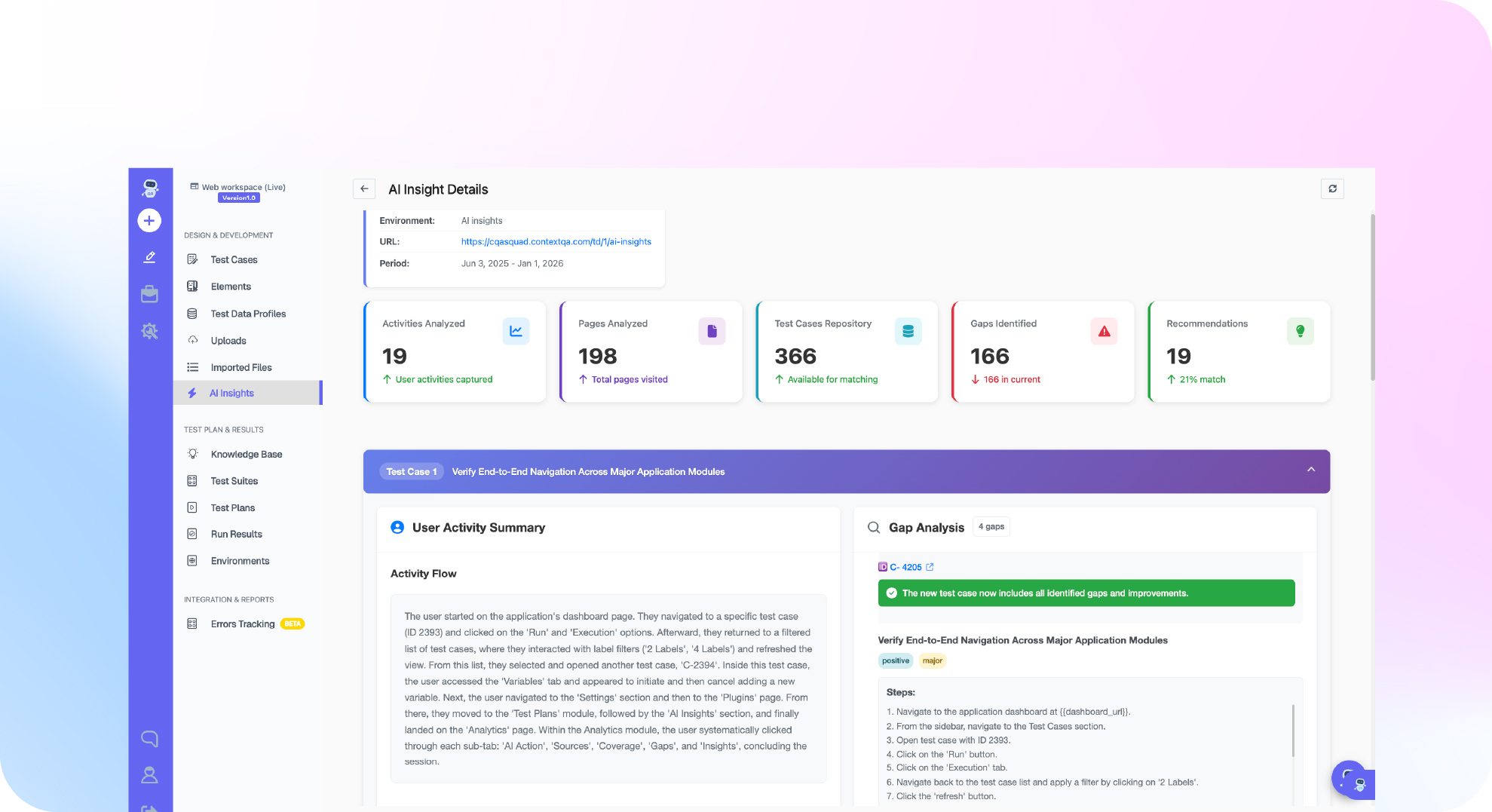
Ship, the ContextQA autonomous quality engineer, covers the pull request and bug triage items on a QA checklist. It runs impact analysis and targeted regressions on every pull request before merge. When someone reports a bug in Jira, Linear, Slack or a service desk, Ship reproduces it, finds the likely root cause and gives engineers the evidence.
A practical rollout:
- Rewrite each checklist item as a check that can fail, with an owner and a clear pass condition.
- Set up Ship at ship.contextqa.com so it tests each pull request.
- Record every result as
Pass,FailorUnknown, following the Agentic PR Evidence Checklist. Your team defines and enforces this pattern; Ship does not enforce it for you. Timeouts, cancellations, skipped tests and missing coverage count asUnknown. - Send incoming bug reports to Ship so it can reproduce them and suggest a root cause.
The most common checklist mistakes:
- Items that can't fail, such as "verify the app works."
- Counting a skipped test as green.
- Leaving the checklist unchanged after a defect escapes to production.
To measure whether the checklist works, track two metrics per release:
- Defect escape rate: production defects divided by all defects found for that release.
- Change coverage: the share of changed behaviors that had a test run against the candidate build. It shows whether the changed behavior itself was tested.
Bottom line
A QA checklist earns its place only when every item can be checked against evidence: what changed, which tests cover it, which build ran and who owns the gaps. Start with the template, cut what your team never verifies, and review it after each release. Read what QA automation covers, or browse more guides on the ContextQA blog.