
TL;DR: A manual testing environment is the setup where testers run test cases by hand. It includes the deployed build, its configuration and URLs, test accounts, seeded data, and the browsers or devices it runs on. It should match production closely, stay separate from development, and reset to a known state before every run. When environments drift, testers file bugs that engineers cannot reproduce. Ship, the ContextQA autonomous quality engineer, tests each pull request before merge and reproduces reported bugs.
A QA environment is the set of servers, builds, accounts and test data that testers use to check a release by hand before it ships. This guide covers how to set one up, how to keep configuration separate from data, and how to reset state between test cycles.
Quick answers
What should a manual testing environment include before a release cycle? It needs a stable build on a dedicated target such as staging, seeded test accounts with known roles, synthetic data with known expected values, and a documented reset. Match production feature flags, integrations and third party sandboxes so defects reproduce. Record the URL, build version and data snapshot for every session.
How do I keep test data from drifting between manual runs? Keep environment values such as URLs and credentials apart from reusable test inputs, and keep both out of the test steps. Reset data from a known seed before each cycle. Give each tester their own accounts so parallel sessions cannot overwrite each other's records.
Should manual testers use production data in a test environment? Not by default. Copying production records into lower environments spreads personal data to more people and systems, which adds obligations under the GDPR (EU Regulation 2016/679). Use synthetic or masked data that keeps realistic shapes and edge cases. Keep passwords and API keys out of test steps and reports.
What is a manual testing environment?
A manual test environment is the controlled setup where people run test cases by hand against one specific build. It covers the deployed application, target browsers and devices, seeded data, test accounts, configuration that mirrors production, and a defect tracker. When it drifts from production, testers file bugs that engineers cannot reproduce.
To set one up for a SaaS product, work in this order:
- Deploy a dedicated build at its own URL, such as
staging.example.com, pinned to a known commit. - Match production configuration: the same feature flags, the same database schema, and third party integrations running in sandbox mode.
- Seed synthetic data and create test accounts for each role, such as admin, standard user and read only. Never copy real customer PII (personally identifiable information).
- Script a reset, such as a
db:seedtask, so every session starts from the same known state. - Define the browser and device matrix testers must cover.
- Connect the defect tracker with a template that records the steps, build version and environment.
The reset is the step teams skip most often. Skipping it is how the "works on my machine" arguments between QA and engineering start.
What can a QA test environment do?
A QA test environment lets testers run a build against controlled data, known configurations and isolated services, so any defect they find traces back to the code and not the setup. It supports exploratory sessions, scripted test cases, bug reproduction and release sign off without touching real customer data or production systems.
- Separate builds by tier: QA holds the latest merged build for daily testing. Staging uses production configuration for release candidates. Production gets only read only smoke checks after a deploy.
- Pin the configuration matrix: Record the browser and version, OS build, device model, resolution and network profile for every session.
- Control test data: Seeded accounts, synthetic records and a documented reset give every tester the same starting state.
- Reproduce reported bugs: Testers replay a ticket on the exact build and configuration it names, then attach evidence for the engineer.

Why does environment stability matter in 2026?
A tester's verdict can only be trusted as far as the build, data and configuration behind it. When staging drifts from production or test data goes stale, testers file bugs nobody can reproduce. Releases stall while the team argues over whether the defect is in the product or the environment, and the team trusts every later result a little less.
That noise is measurable. Google reported that about 16% of its tests showed some flakiness, and about 1.5% of all test runs returned a flaky result (Google Testing Blog, 2016). A flaky result passes and fails on the same code, and unstable environments are one common cause.
Three practices close most of these gaps:
- Provision per branch. Start a disposable stack with
docker compose upso every tester begins from the same build. - Seed known data. Load synthetic fixtures with known expected values and keep a reset script.
- Separate tools by job. A test case management tool tracks steps and results, a cloud device grid covers browsers and phones, and containers run the stack itself.
How does a manual test environment work?
It pins one build of the application to a known stack of servers, databases, browsers, devices and test data, then gives testers controlled access to run cases against it. Every session starts from the same configuration, so when something fails, the cause is the build under test and not the setup.
- Provision the host. Local machines cost nothing extra but cover only one tester's hardware. Cloud environments scale on demand and bill by usage. On premises servers cost more upfront but keep data in house.
- Deploy a tagged build. Record the exact commit under test so every bug report points to a specific version.
- Seed resettable test data. Load synthetic accounts and records from a script so testers can restore a clean state. Reusable test inputs are a separate concern from seeding and resets, and the ContextQA platform covers them in its data driven testing tutorial.
- Externalize configuration. Keep URLs, feature flags and credentials outside test steps, with one set per target. The ContextQA platform documentation describes the split between environments, test data profiles and global data in Environment Data Management.
- Log evidence. Attach screenshots, console output and the build ID to every defect.
- Prevent drift. Hotfixes, manual config edits and stale data pull staging away from production. Define the environment as code, rebuild it on a schedule, and compare its configuration against production before each cycle.
Which approach fits your team?
Most teams use one of four setups: shared staging, containerized local environments, ephemeral environments per pull request, or an autonomous quality engineer that tests each pull request. Pick based on how often you merge and how often environment drift (config or data that no longer matches production) produces false results in manual testing.
| Approach | Best for | Pricing model | Tradeoff |
|---|---|---|---|
| Shared staging | Small teams, weekly releases | One always on environment | Testers collide on data and deploys |
Local docker compose | Reproducing bugs on a laptop | Developer hardware | Drifts from production config |
| Ephemeral per PR | Teams merging daily | Cloud compute per branch | Seeding and teardown need scripts |
| Ship | Small product teams | Free trial, then $49 or $249 a month | You track credit usage |
Build manual environments from the same container images and infrastructure as code that your CI/CD pipeline deploys, and seed them with versioned synthetic data. Start automating once the same regression pass repeats every release. From that point, running it by hand costs more than it finds.
How does Ship reduce hand run environment checks?
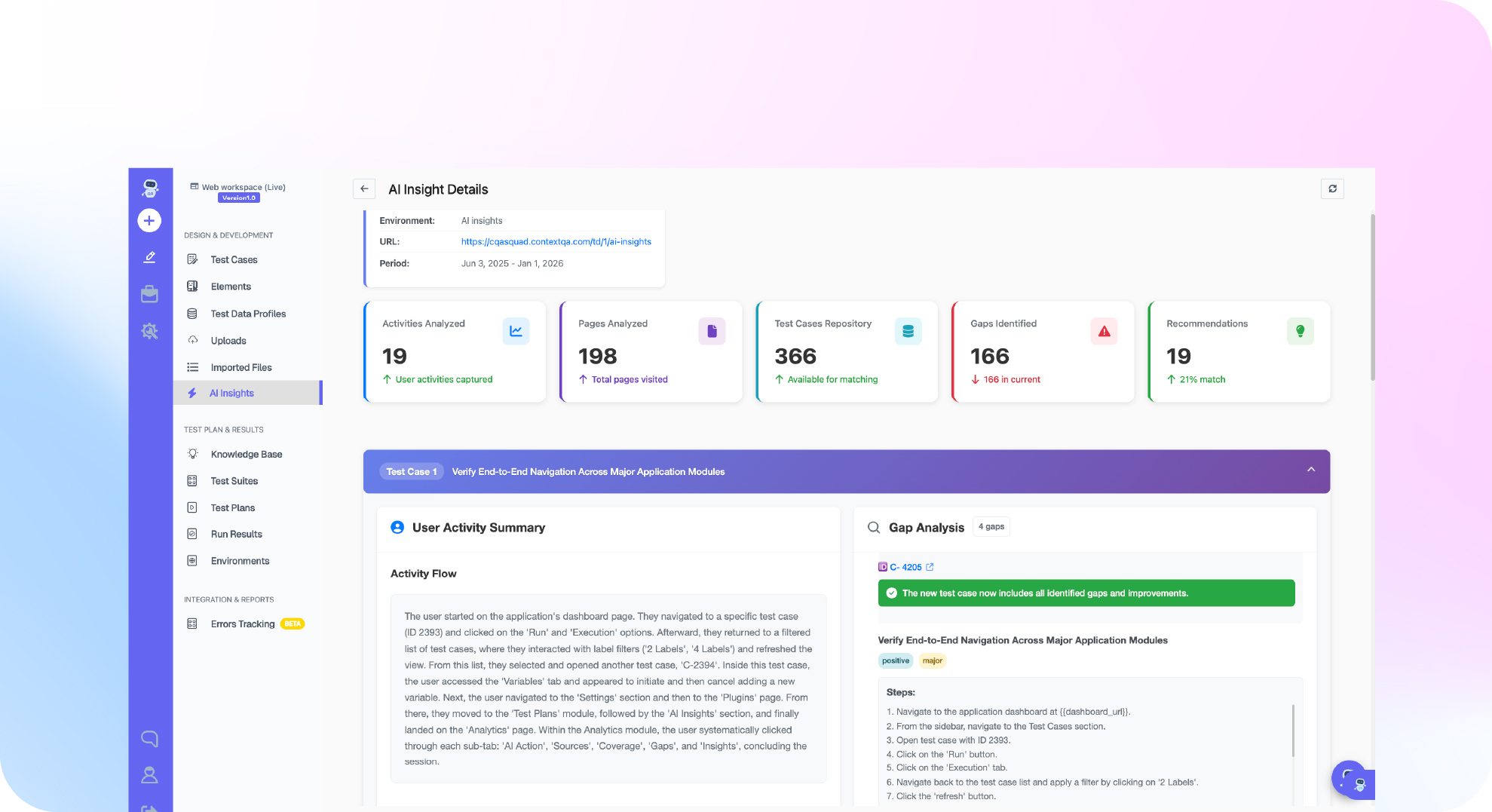
Ship, the ContextQA autonomous quality engineer, tests every pull request. It runs impact analysis on the change, runs targeted regressions before merge, and hands engineers the evidence. Each pull request gets targeted regression checks before merge.
Ship changes two parts of the workflow:
- Pull requests: impact analysis selects the regressions that matter for the diff and runs them before merge.
- Bug reports: when a ticket arrives in Jira, Linear, Slack or a service desk, Ship reproduces the bug, finds the likely root cause and attaches the evidence for the engineer.
Ship is self serve. The free trial runs 15 days with 3,000 one time credits and no payment card. After that, Starter is $49 a month and Pro is $249 a month, with unlimited users on every plan (Ship pricing, checked November 2026).
If bugs reported in Jira or Slack keep failing to reproduce in your test environment, get started with Ship free, no credit card needed, and watch it reproduce them with evidence.

What should you do now?
Write down what each test environment contains, then make it repeatable. Every tester should start each cycle with the same build, data, accounts, configuration and browser matrix. A QA lead can assign the checklist below on Monday and review it at the next retro.
- List each environment (dev, QA, staging) with its URL, owner and deployed build.
- Put the commit SHA (the ID of the exact code version) in every bug report.
- Move URLs and config values out of test steps into variables for each environment.
- Create a synthetic account for each user role.
- Run a data reset script before each regression cycle.
- Name the browsers and devices testers must cover, with versions.
- Keep production credentials and real customer data out of every test environment. The ContextQA enterprise platform documents one approach in hiding sensitive environment data.
- Run a smoke check after every deploy to staging, and log drift and downtime as defects.
- Automate regression tests for the flow that changes most often first.
Bottom line
A reliable environment for manual QA needs a pinned build, configuration that matches production, seeded synthetic data, and a reset before every session, so each defect traces back to code. Keep URLs, credentials and inputs out of test steps, and give every tester their own accounts. Then reduce manual regression testing by moving repeat checks to pull requests, where Ship tests each change before merge.
Sources
The primary sources behind the statistics, legal references and pricing in this guide:
- Google Testing Blog, 2016: flaky test rates across Google's test suite.
- EU Regulation 2016/679 (GDPR): obligations for processing personal data.
- Ship pricing, ContextQA, checked November 2026: trial, plans and credits.