
The DORA State of DevOps Report 2024 has some numbers that should change how you think about deployment. Elite performing teams deploy on demand, often multiple times a day, with change failure rates below 5%. Low performing teams? They deploy monthly and see failure rates above 45%. Understanding these metrics is essential for optimizing your testing in deployment strategy.
Incorporating a strong approach to testing in deployment strategy can significantly improve your outcomes.
Read those numbers again. The gap is massive. And the difference isn’t just about deployment tooling or how fast your CI server runs. It’s about how deeply testing is woven into the deployment process itself.
Most teams treat testing as a gate. Code passes tests, code ships. It’s a checkbox. But the teams hitting those elite numbers? They treat testing as the infrastructure of deployment. Tests fire during builds. Between environments. During canary rollouts. After production releases. Every single deployment stage has a testing counterpart that either advances the release or kills it, proving the importance of a solid testing in deployment strategy.
One verified ContextQA Review on G2 captured this shift perfectly: after switching to ContextQA, their team eliminated script-based automation entirely and saved close to 80% of their time and effort. Not because they tested less. Because testing finally worked with their deployment process instead of against it.
This guide walks through how to make that happen. Stage by stage, deployment model by deployment model.
Quick Answer Block about Testing in Deployment Strategy
Why does testing matter in deployment strategy? Testing at each deployment stage catches defects earlier and prevents production incidents. The Google SRE Book confirms that defect cost jumps roughly 10x at each pipeline stage. A build-stage bug costs minutes. That same bug in production costs hours of incident response.
What testing types support deployment pipelines? Build validation uses unit tests and static analysis. Pre-deployment uses integration, regression, and performance tests. During deployment, smoke tests and canary monitoring watch real traffic. Post-deployment relies on synthetic monitoring and visual regression.
How does continuous testing change deployment outcomes? It removes the manual bottleneck. DORA research shows elite teams with continuous testing deploy faster and recover from failures within an hour. Testing becomes a signal, not a gate.
Stage by Stage: Where Testing Belongs in Your Pipeline
Let me walk through each stage and explain not just what should happen, but why it matters and what happens when you skip it.
Stage 1: Build Validation (Shift Left) This is where shift-left testing starts. The moment code is committed, automated checks should fire. Unit tests confirm individual functions work. Static analysis catches code quality issues, security holes, and dependency problems. If anything fails here, the build dies and nobody wastes time on downstream stages.
The Google SRE Book: Testing for Reliability makes the economic argument clearly: fixing a defect gets roughly an order of magnitude more expensive at each stage it passes through. A bug you catch during the build takes minutes to fix. That same bug, caught in production during an incident, might cost hours of engineering time plus real customer impact.
Stage 2: Integration and Regression Testing After the build passes, integration tests verify modules talk to each other, and regression tests confirm existing functionality hasn’t been damaged. This is the stage where the highest volume of defects should get caught, before anything reaches staging.
But this stage has a bottleneck problem. Large regression suites take hours. One G2 reviewer described it exactly: their sprints were consistently delayed by regression testing. After adopting ContextQA, regression time dropped by half and 80% of their test cases were automated.
For teams with large existing test libraries sitting in spreadsheets, here’s something worth knowing. According to the IBM Case Study: ContextQA, the platform used IBM watsonx.ai NLP to migrate 5,000 manual test cases (written in plain English in Excel) and automate them within minutes.
Stage 3: Staging Environment Validation Staging should mirror production as closely as your infrastructure allows. Tests here include end-to-end user flows, performance benchmarks, visual regression, and security validation. This is also where you test deployment scripts, config files, and infrastructure changes.
Visual regression testing is where ContextQA really differentiates. It catches the kind of UI drift that functional tests miss entirely. Performance testing at this stage is also non-negotiable to prevent response time degradation under production traffic patterns.
Stage 4: Deployment Execution Testing During the actual deployment, testing doesn’t pause. What you test and how you test it depends on your deployment model.
| Deployment Model | Testing During Deployment | Rollback Trigger | ContextQA Edge |
| Blue Green | Full smoke suite on idle environment | Critical test failure on “green” | End-to-end web & API validation |
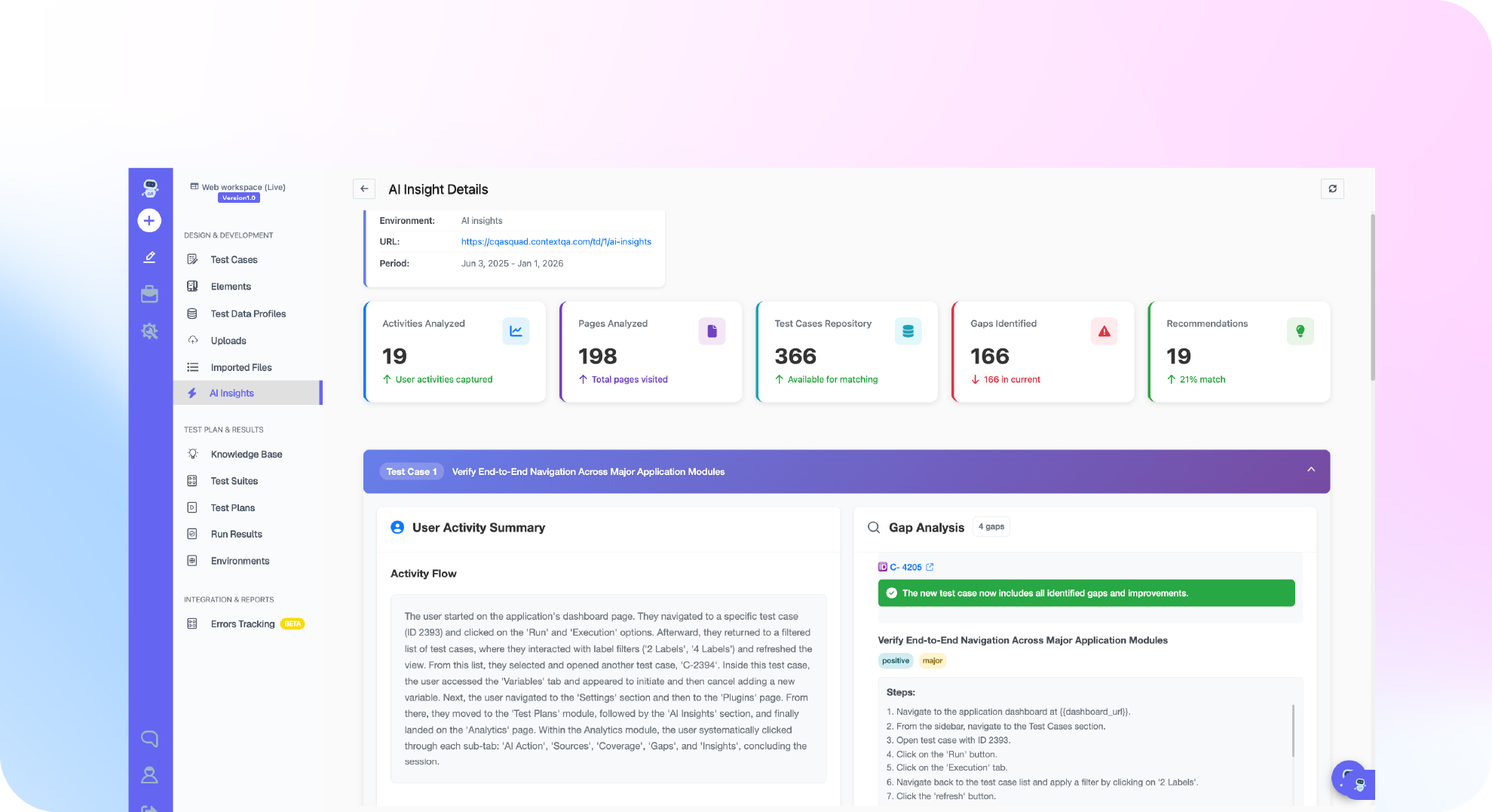
| Canary Release | Real-time error & latency monitoring | Metric crosses baseline threshold | AI Insights live dashboards |
| Rolling Update | Health checks per instance update | Health check failure on any node | Automated post-deploy smoke tests |
| Feature Flags | A/B testing (Flag ON vs OFF) | Feature-specific regression | Parameterized test execution |
Stage 5: Post-Deployment Validation (Shift Right) This is shift-right testing. Your code is live. Use AI Insights and Analytics to provide a feedback loop, verifying the live environment with real data instead of just hoping everything works.
From Deployment Gates to Deployment Signals
Traditional teams use testing as a gate. Modern teams use testing as a signal. Instead of blocking deployments on any failure, they use test results as risk data to make informed decisions.
| Dimension | Regression Testing | Integration Testing |
| What it does | Confirms existing features still work | Validates that connected modules talk correctly |
| When it runs | After every code change or bug fix | After unit tests pass, during combination |
| What it catches | Unintended side effects | Broken interfaces and bad API calls |
| ISTQB Class | Change-related testing type | A distinct test level (Unit → Integration) |
Real Proof: What ContextQA Has Actually Delivered
- Salesforce Deployment Validation: A 100% success rate across 209 test cases in a validated enterprise engagement.
- 5,000 Tests Migrated in Minutes: As noted in the IBM Case Study: ContextQA, NLP models were used to automate 5,000 legacy cases almost instantly.
- Sprint Velocity: One G2 reviewer reported clearing over 150 backlogged test cases in week one.
- Killing Flaky Tests: Deep Barot told DevOps.com that the goal is for AI to reliably run 80% of common tests, freeing teams for high-value work.
Why Different Deployment Models Need Different Testing
The Capgemini World Quality Report 2024-25 found 52% of organizations say testing is their primary release bottleneck. This is often because the testing strategy doesn’t match the deployment model:
- Blue Green needs full environment validation on the idle environment.
- Canary Releases require strong monitoring thresholds and automated triggers.
- Rolling Updates need fast, reliable health endpoints.
- Feature Flags require testing both “ON” and “OFF” states.
Also read: AI Based Self Healing Tests
Let’s get your QA moving
See how ContextQA’s agentic AI platform keeps testing clear, fast, and in sync with your releases.
Book a demoDo This Now Checklist
- Map your deployment pipeline. Identify every stage and its automated testing gaps. (~15 min)
- Match your testing to your deployment model. Ensure you have the right triggers for your strategy. (~10 min)
- Add post-deployment smoke tests. Automate 5–10 critical paths using Web Automation. (~25 min)
- Measure test execution time per stage. If over 30 minutes, explore AI-based prioritization. (~20 min)
- Set up visual regression for staging. Catch UI drift that functional tests miss. (~20 min)
- Evaluate the Pilot Program. Targeting 40% efficiency improvement. contextqa.com/pilot-program. (~5 min)
Conclusion
Testing isn’t a phase in your deployment pipeline. It is the pipeline. From blue-green to canary releases, you need matched testing at every stage to deliver both speed and reliability.
If testing is bottlenecking your deployments, book a demo with ContextQA and see what continuous, AI-powered testing looks like in practice.