
TL;DR: Visual regression testing catches layout shifts, CSS cascade errors, and cross-browser rendering divergence that functional automation cannot detect. The biggest operational challenge is false positive noise from pixel-perfect comparison. Teams that solve this with AI-assisted comparison and intelligent thresholds run visual testing as a sustainable CI practice, not a one-sprint experiment they abandon. This guide covers the complete five-step process, the false positive problem in detail, and the browser coverage data most teams ignore until production incidents force the conversation.
The Bug Category That Passes Every Functional Test
Baymard Institute’s checkout usability research, compiled across more than 50,000 hours of recorded user sessions, documents checkout UI rendering errors as one of the leading contributors to cart abandonment. The mechanism is not that the checkout button is broken. The mechanism is that the button is there, functional, and invisible to the user because a CSS conflict pushed it behind another element on Safari.
Every functional test passes. The assertion confirms the element exists. The form submits. The application logic is correct. And yet a real user on Safari cannot complete a purchase.
That is the category of defect visual regression testing exists to catch. Not whether code works. Whether the interface looks right and functions visibly across the rendering environments your users actually use.
StatCounter’s global browser market share data puts Safari at approximately 19 percent of worldwide traffic. WebKit-based browsers, which include all iOS browsers regardless of their displayed names, represent a material portion of any consumer-facing application’s users. Testing visual rendering on Chrome and calling it complete means testing one rendering engine and making assumptions about the other two.
HTTP Archive’s Web Almanac, which analyzes CSS usage patterns across millions of pages annually, reports that the median mobile page now loads more than 2,000 CSS rules. That number has grown every year of the report’s existence. The complexity of modern CSS — custom properties, nested selectors, container queries, logical properties — creates more surface area for rendering divergence with every framework update.
The r/QualityAssurance community discussion on visual regression testing is instructive. Engineers with production experience describe the same pattern consistently: a green functional test suite, a visual bug found by a user report, and the retrospective realization that visual regression would have caught it before release. The community also surfaces the operational reality: tools that generate constant false positives get turned off, and teams that turn off visual testing get the bugs.
Definition: Visual Regression Testing Visual regression testing is the automated practice of capturing screenshots of an application’s user interface at a known-good baseline, then comparing those screenshots against new captures after code changes to identify unintended visual differences. Defined by SmartBear as a distinct non-functional test type and included in ISTQB’s non-functional testing taxonomy alongside usability and accessibility testing. Visual regression and functional testing are not substitutes for each other.
Quick Answers
Q: What does visual regression testing catch that functional testing misses? A: Layout shifts where elements are in the wrong position, CSS cascade errors that obscure or reposition interface elements, cross-browser rendering divergence between Chrome and Safari or Firefox, z-index conflicts that layer one element over another incorrectly, and font rendering changes that affect text legibility. None of these produce functional test failures.
Q: What is the primary reason visual testing programs fail? A: False positive accumulation from pixel-perfect comparison. When every anti-aliasing difference and sub-pixel rendering variation generates a failure, the review burden becomes unsustainable within weeks. Teams disable the tests rather than investigate hundreds of irrelevant diffs.
Q: Which browsers generate the most cross-browser visual bugs? A: Safari consistently produces the most divergent rendering compared to Chrome across flexbox edge cases, font metrics, and CSS custom property inheritance. Firefox diverges on font metric calculations and certain animation behaviors. iOS Safari adds viewport and scroll behavior differences not present in desktop Safari.
The Five-Step Process That Sustains Visual Testing Long Term
Most visual testing programs fail operationally rather than technically. The tool works. The team abandons it because the process was not designed for real-world noise levels. These five steps address the operational failure modes directly.
Step 1: Capture Baselines on Stable Releases, Not Development Branches
The baseline is the reference state against which every future screenshot is compared. If the baseline is captured on a feature branch mid-implementation, it reflects an intentional work-in-progress state. Every subsequent comparison will show differences that are not regressions — they are the continuation of work that was not complete when the baseline was captured.
Capture baselines on release tags, not development branches. Assign one person as the baseline approval authority per product area. Without that ownership, baselines accumulate stale references that generate false positives for months.
Step 2: Use Component-Level Comparison Before Full-Page Comparison
Full-page screenshot comparison surfaces every change anywhere on the page. A timestamp in the footer updates. A promotional banner rotates. An avatar loads differently. All of these appear as failures in a pixel-perfect full-page comparison.
Component-level comparison isolates the visual diff to the specific component that changed. When a developer updates the checkout button, the comparison runs against the checkout form component. The footer timestamp is not in scope. The signal-to-noise ratio improves dramatically.
Start with full-page comparison only for critical paths where layout relationship between components matters. Use component-level comparison for everything else.
Step 3: Configure Similarity Thresholds Before Running in CI
Default pixel-perfect comparison will fail nearly every run in production environments due to sub-pixel rendering differences between OS versions, anti-aliasing variance across GPU configurations, and minor font metric differences across platform versions.
A 95 to 97 percent similarity threshold is a reasonable starting point for most applications. Tune downward from there for areas with animations or data visualizations. Document the threshold decision and its rationale for each component category. Undocumented threshold decisions get overridden by the next engineer who investigates a false positive and sets the threshold to 80 percent across everything.
Step 4: Route Failures to Review Queues, Not Hard CI Gates
Visual regression failures should not automatically block deployments. They should route to a human review queue where someone with context on the change can evaluate: intentional update requiring a baseline change, or unintended regression requiring investigation.
This is not optional nuance. A button redesign is a legitimate baseline update. A button that shifted 60 pixels due to a CSS conflict introduced in an unrelated commit is a regression. Automated tooling cannot reliably distinguish these without context that only a human reviewer has.
Teams that configure visual failures as hard CI gates spend more time dismissing false positives than investigating real issues. Within a quarter, the gate gets bypassed or disabled entirely.
Step 5: Cross-Browser Coverage Is Not Optional
Running visual regression on Chrome and calling it cross-browser coverage is a common pattern that misses the category of bugs most likely to reach production. The three rendering engines — Chromium, Gecko, and WebKit — handle CSS differently in documented, consistent, well-understood ways.
MDN Web Docs documents known interoperability gaps between rendering engines across flexbox, grid, custom properties, logical properties, and scroll behavior. The gaps are not obscure edge cases. They are in common CSS patterns used in most modern web applications.
Cover Chrome, Firefox, and Safari at minimum. Add Edge for organizations with enterprise users. Add iOS Safari and Android Chrome for applications with mobile traffic above 30 percent of sessions.
Definition: Cross-Browser Rendering Divergence Cross-browser rendering divergence is the difference in visual output produced by Chromium, WebKit, and Gecko for identical HTML and CSS. StatCounter data shows WebKit at approximately 19 percent of global traffic. MDN’s browser compatibility documentation records hundreds of known interoperability differences across CSS features. The divergence is not random. It is predictable and documentable, which makes cross-browser visual regression testing a systematic risk management practice, not a defensive measure against unlikely edge cases.
The Analyst Data That Makes the Business Case
Gartner’s application quality research connects visual defect rates to customer trust degradation. The finding matters for business case discussions: users who encounter visual bugs in a web application are measurably more likely to abandon transactions and less likely to return. Visual quality is not an aesthetic consideration. It is a customer retention factor.
Baymard Institute’s research, based on more than 50,000 hours of user session analysis and large-scale checkout flow studies, identifies interface rendering errors — elements in wrong positions, obscured interactive components, broken form layouts — as among the top drivers of checkout abandonment. The research is specific to ecommerce, but the principle generalizes: when the interface does not look correct, users do not complete intended actions.
Capgemini’s World Quality Report documents cross-browser compatibility as one of the top five quality challenges cited by engineering leaders annually. The challenge is not that browsers exist. The challenge is that the CSS complexity documented in the HTTP Archive Web Almanac has grown faster than teams’ capacity to manually verify visual consistency across rendering environments.
DORA’s State of DevOps research establishes that elite-performing engineering teams deploy 182 times more frequently than low-performing teams and maintain change failure rates under 15 percent. Visual regression testing is one of the quality practices that makes frequent deployment sustainable at low failure rates. Without it, visual bugs accumulate in deployment velocity.
ISTQB’s non-functional testing framework defines visual and usability testing as test types distinct from functional testing. In a continuous deployment environment, the non-functional quality dimension is effectively untested without visual regression in the pipeline. Every deploy that skips visual testing is a deploy that assumes the visual layer is correct rather than verifying it.
For teams also working on related stability challenges, the guide on self-healing test automation tools covers the locator fragility category that visual tests encounter during UI changes.
Visual Testing Tool Comparison
| Capability | What to Evaluate | Production Risk If Absent |
| Cross-browser matrix | Chromium + WebKit + Gecko minimum | Misses the rendering divergence most likely to reach production |
| AI-assisted comparison | Structural change detection vs pixel diff | False positive accumulation causes team to disable testing |
| Component-level comparison | Scope isolation below full-page | Full-page noise makes every deploy an investigation |
| Dynamic content handling | Ignore regions or AI-detected masking | Timestamps and live data trigger failures on every run |
| Human review workflow | Approval queue with context display | Cannot distinguish intentional updates from regressions |
| Combined functional + visual | Single platform vs separate tools | Separate tools create integration overhead that reduces adoption |
| Audit trail for baseline changes | Per-change log with approver | Baselines drift without accountability for updates |
The Honest Operational Challenges
Dynamic content management requires deliberate configuration. Pages with timestamps, live inventory counts, rotating banners, or user-specific data will fail pixel-perfect comparison on every run. The fix is straightforward: configure ignore regions for known dynamic elements, or seed the test environment with static fixture data. The challenge is discipline: every new dynamic element introduced after initial setup needs a corresponding ignore region or it generates false positives until someone notices.
Animation capture timing creates non-deterministic failures. CSS transitions and animations create a window where the element is in a mid-state at screenshot capture time. The result is a failure that looks like a layout bug but is actually a timing artifact. Disable animations in the test environment via CSS override (* { animation: none !important; transition: none !important; }) or implement explicit wait-for-stable conditions before capture.
Baseline ownership erodes over time. Teams that do not assign explicit baseline ownership and review schedules find that baselines drift without anyone noticing. A component was redesigned, the baseline was updated on the wrong branch, and now comparisons run against an intentional state that was later reverted. Quarterly baseline audits and explicit approval workflows prevent this, but they require process discipline separate from the tool itself.
Benchmark Data Worth Using in Business Cases
SmartBear’s annual quality research documents that organizations running visual regression as part of CI find visual defects an average of 4 to 5 days earlier than organizations relying on manual visual QA before release. The earlier detection point corresponds directly to a lower remediation cost, as fixes applied before release are substantially cheaper than fixes deployed to production and rolled back.
Baymard Institute documents an average checkout abandonment rate of approximately 70 percent across industries, with interface rendering issues cited among the correctable friction points. The research is paywalled for the full dataset but the top-line finding is publicly available. For organizations with significant transaction volume, even a one to two percent reduction in abandonment from improved visual quality represents material revenue impact.
The HTTP Archive Web Almanac CSS analysis shows that 10 percent of pages now load more than 5,000 CSS rules. At that complexity level, the probability of unintended cascade effects from any CSS change is not theoretical. It is a statistical certainty that increases with every line of CSS added without visual regression coverage.
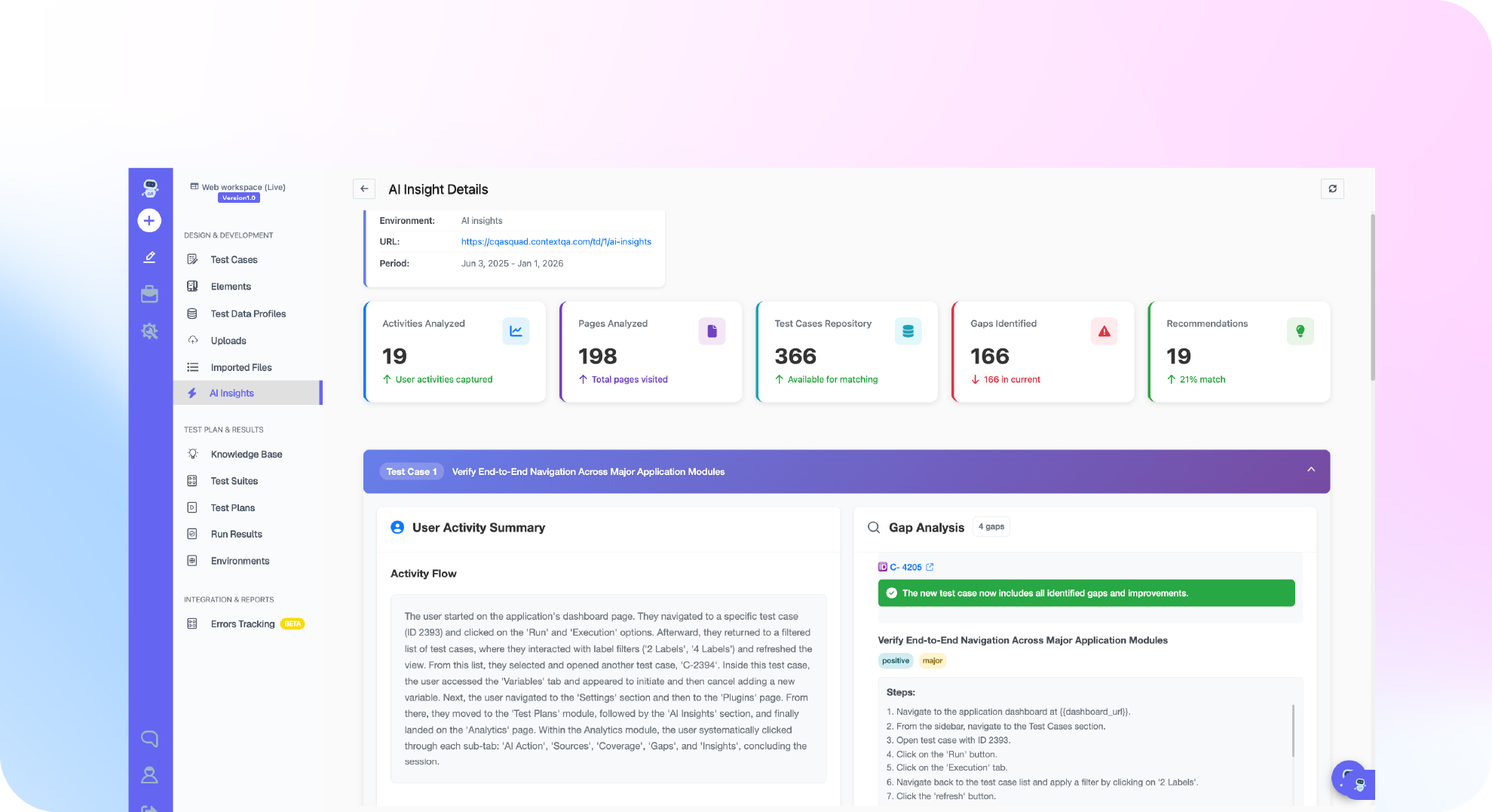
ContextQA’s cross-browser testing platform runs visual regression across Chrome, Firefox, Safari, Edge, iOS, and Android in the same CI execution as functional tests. AI-assisted comparison distinguishes structural layout changes from sub-pixel rendering variance, reducing false positive noise to a manageable level for teams running multiple daily deployments. Native integrations are available for Jenkins, CircleCI, Harness, and GitHub Actions.
For the broader context on building a stable test pipeline, the guide on preventing flaky tests in CI pipelines covers the infrastructure patterns that make visual testing sustainable.
Let’s get your QA moving
See how ContextQA’s agentic AI platform keeps testing clear, fast, and in sync with your releases.
Book a demoDo This Now: Visual Regression Implementation Checklist
Step 1: Identify your three highest-risk UI surfaces: the checkout or conversion flow, the primary navigation, and the most recently redesigned component. These three are your first baseline candidates. Target: 30 minutes.
Step 2: Check your last five production incident reports for any that were caused by visual bugs. Note which browsers the bugs appeared in. This is your cross-browser coverage justification. Target: 45 minutes.
Step 3: Review StatCounter’s browser market share data filtered for your geographic market. Confirm whether Safari above 15 percent justifies WebKit coverage for your specific user base. Target: 20 minutes.
Step 4: Read the HTTP Archive Web Almanac CSS chapter for the CSS complexity data in your application’s size range. This is the analyst evidence for why manual visual QA does not scale. Target: 45 minutes.
Step 5: Evaluate ContextQA’s cross-browser testing features against the comparison dimensions in this article. Specifically check: does the tool cover WebKit (Safari), does it provide AI-assisted comparison, does it integrate with your CI tool natively. Target: 30 minutes.
Step 6: Book a ContextQA Pilot Program session to run visual regression against your current production state and see what cross-browser comparison surfaces in the first session. Target: 30 minutes to schedule.
The Bottom Line
Visual regression testing is not a nice-to-have quality layer. It is the only automated mechanism available to catch the class of defects that Baymard Institute links to checkout abandonment, that Gartner links to customer trust degradation, and that your functional test suite is architecturally incapable of finding.
The implementation challenge is operational, not technical. Pixel-perfect comparison is not a sustainable baseline strategy. Component-level comparison, AI-assisted diff analysis, configurable thresholds, and human review workflows are what convert visual testing from a one-sprint experiment into a permanent CI practice.
StatCounter documents that Safari and other WebKit browsers represent approximately 19 percent of your users. Chrome-only visual testing is testing for 54 percent of your rendering surface and assuming the rest. That assumption has a known failure mode documented across thousands of production incidents.
Start with the three highest-risk surfaces. Build the baseline review process before adding coverage. Get cross-browser from day one.