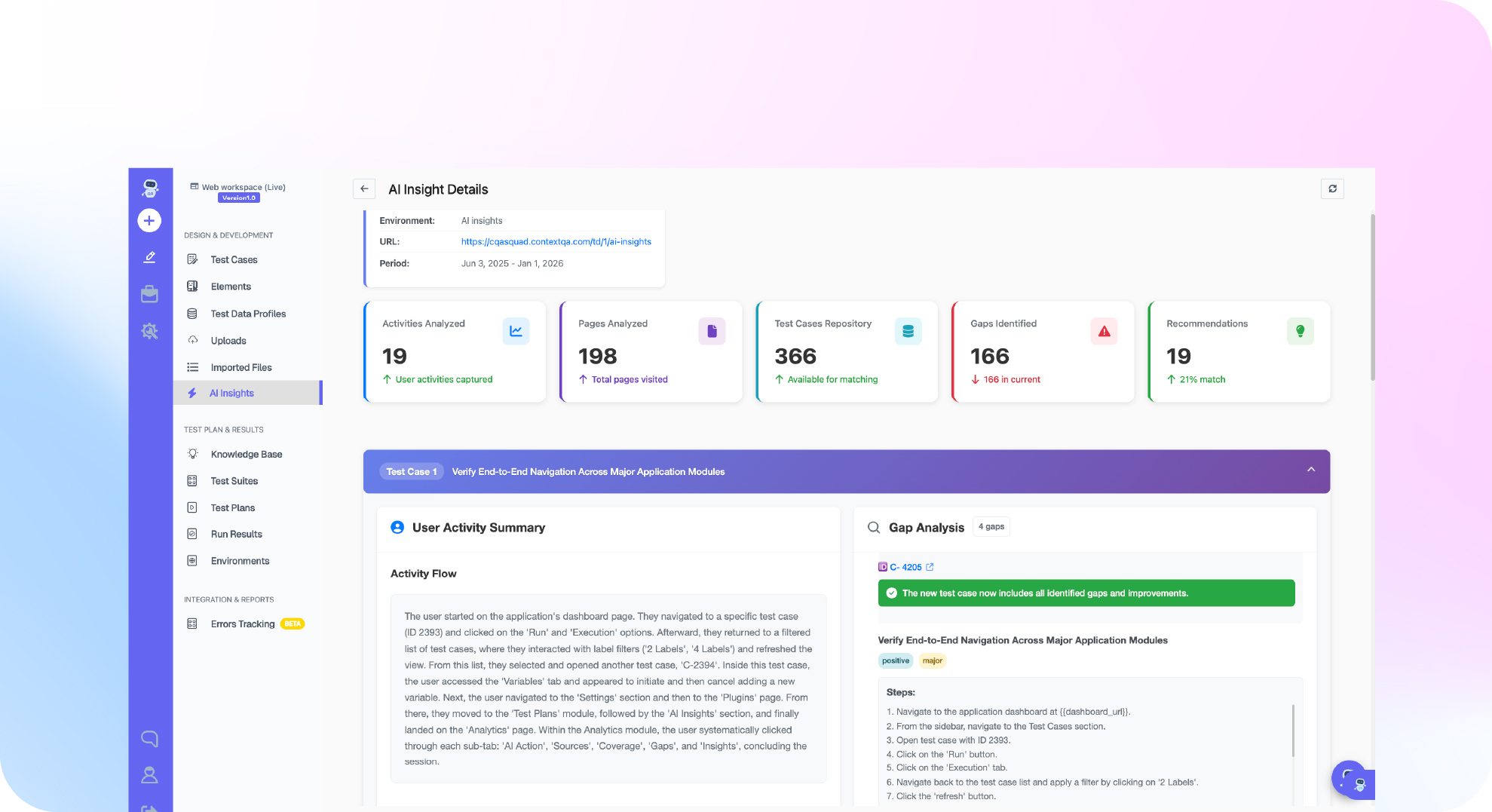

TL;DR: To generate API tests from Swagger, import your OpenAPI (Swagger) spec into a tool that reads each path, method, parameter and response schema. The tool then creates requests that cover the spec's endpoints and expected status codes. Before the tests gate your CI/CD pipeline, review the output, replace hard coded hosts and tokens with environment variables, and add payload and structure assertions. ContextQA, the autonomous quality engineer, imports OpenAPI specs and passes auth tokens from one request to the next.
Writing a request by hand for every endpoint and status code is slow and error prone. This guide covers importing a spec, reviewing the output, adding checks, chaining tokens and running the suite next to your UI tests.
Quick answers
What does ContextQA generate when I import a Swagger or OpenAPI spec? It gives you broader endpoint and status code coverage than a single hand built request. Review the generated tests before you run them. Treat the output as a first draft. Check authentication, fixtures and negative paths before you count it as release coverage (docs).
How do I keep generated tests working across dev, staging and production? Put the base URL in environment values and insert secrets with the step editor's variable picker. One saved request then runs against every approved target. For tokens that expire, capture the auth response in Store response and use ${result.body.access_token} in later steps. Change the path to match your API's response shape.
How do generated API tests catch breaking changes between versions? Status code assertions confirm a 200, 201 or 401. Payload validation compares a JSON path such as result.email to an expected value. Structure validation compares the whole response to an expected shape, so it flags fields that were added or removed. Run these checks in Jenkins or GitHub Actions and contract drift fails the build.
What does it mean to generate API tests from a Swagger spec, and when do you need it?
Generating tests from Swagger means turning each operation in an OpenAPI specification into a runnable request with assertions. The spec is a YAML or JSON contract listing every endpoint, parameter and response code. You need it when hand written collections fall behind the spec, when a new service ships dozens of endpoints, or when a release breaks an untested contract.
Generation gives you broad endpoint and status code coverage from the spec. The spec becomes the test oracle, meaning the source of expected behavior. When the docs and the API drift apart, you get a failing assertion instead of a customer ticket.
When you compare tools that generate these tests, check four things:
- Negative paths: it creates
400,401and404cases, not only200s. - Auth handling: it captures tokens and passes them to later requests instead of hard coding them.
- Reviewability: you can edit the generated steps before you count them as coverage.
- CI fit: the generated tests run in your existing pipeline.
What do you need before you start?
You need four things before you import: a ContextQA workspace, an OpenAPI or Swagger file that matches the deployed build, a staging base URL you're allowed to call, and working test credentials for its authentication endpoint. Store the base URL and secrets as environment values so the generated requests run unchanged in every approved environment.
- ContextQA workspace: An account with at least one workspace (sign up), plus familiarity with test cases, steps and variables, as covered in the first API test tutorial.
- A current spec file: An old spec creates requests for endpoints that no longer exist.
- A safe target: Point the tests at a staging or public API, never production. Negative paths send invalid payloads on purpose.
- Auth and secrets: An auth endpoint whose token you capture with Store response and pass to later steps (API chaining). Keep credentials in an approved secret store, not typed into headers.

How do you import a Swagger spec into ContextQA, step by step?
Pull the current OpenAPI file and confirm it matches the deployed build. Import it with the Swagger or OpenAPI option and review the endpoint and status code coverage it creates. Then replace hard coded hosts and secrets with variables, add payload assertions, and run the suite. Generation gives you breadth, and your review adds the business rules.
- Check the spec against the deployed build. This command lists every operation and its documented response codes:
curl -sS https://staging.example.com/openapi.json -o openapi.json
jq -r '.paths | to_entries[] | .key as $p | .value | to_entries[]
| select(.key | IN("get","post","put","patch","delete"))
| "\(.key | ascii_upcase) \($p) -> \(.value.responses | keys | join(","))"' openapi.json
- Import the file with Swagger or OpenAPI import, as described in Creating API Tests.
- Review each request: method, URL, headers and body.
- Use variables. Move base URLs into environment values. To chain auth, store the login response as
resultand pass${result.body.access_token}to later steps (API Chaining). - Add assertions. Use payload validation on fields such as
result.email, plus structure validation. - Run the suite and read the request and response logs for each step.
Generated vs. hand written: Generation gives you broader endpoint and status code coverage than building requests one at a time. Business rules, such as "a refund cannot exceed the order total," still need hand written assertions.
What are the most common mistakes?
Four mistakes come up most often: trusting an outdated spec, keeping assertions that only check status, hard coding tokens and hosts, and skipping negative paths. Generated tests mirror the spec, so every error or gap in the OpenAPI file becomes a coverage gap.
- Outdated spec: When
openapi.yamlfalls behind the deployed service, tests pass against a contract that isn't running anywhere. Regenerate in the same pull request that changes the spec. - Status only checks: Add payload validation on fields like
result.email, plus structure validation to catch removed fields. - Hard coded secrets and hosts: Replace them with environment variables. Reference
${result.body.access_token}instead of pasting a token. - Happy path only: Specs rarely document every
401,404or422. Add those cases on purpose.
How do you know it is working?
Your generated Swagger tests are working when three things hold. Every endpoint and status code in the spec is covered by at least one saved test, generated or hand written. Every failure traces back to a specific request and response in the step logs. And structure validation catches contract drift before merge, not after a release reaches customers.
Check these signals after each run:
- Spec coverage: Each time
openapi.yamlchanges, compare its paths with your imported tests. A new path or response code without a test is a gap. - Failure precision: A failed run should name the cause: a status assertion, a payload path such as
result.email, or a structure diff. If it only says "timeout," fix the environment first. The platform's root cause analysis helps trace failed runs back to the cause. - Rerun stability: A test that fails once and then passes on rerun with no code change is flaky. In API suites, a common cause is brittle data, such as an expired hard coded token or a fixed record ID. Replace those with chained values captured at runtime.
- Pipeline gating: ContextQA integrates with Jenkins, GitHub Actions and other CI/CD tools, and reports to Jira, Slack and GitHub. Run the suite on every pull request that touches the spec, and block the merge when a status or structure assertion fails.
How does ContextQA fit generated API tests into your workflow?
Imported API tests live in the same test case editor as UI steps. You can seed data through an API and then check the result in a browser, or pass a captured value into a UI interaction. The same suite runs from your CI pipeline or an AI coding tool, without changing how your team works.
- Hybrid flows: The API Testing Overview describes API steps sitting alongside UI steps. A value stored from a response can feed a later UI step. API testing sits next to web, mobile, database and other testing solutions on the same platform.
- Runs from your IDE: The MCP server connects Claude Code, Cursor and other assistants to ContextQA testing tools in plain English.
- Runs in CI: Trigger the suite from Jenkins or GitHub Actions on each merge.
- Evidence per step: Each run records the request, the response, timing and pass or fail status for every step.
Limitations. A spec lists endpoints and status codes, but it says nothing about your business rules. You still write value assertions, negative paths, token handling and seeded test data, and review all of it before you count the suite as release coverage.
If writing a test for every endpoint and status code in your Swagger spec is slowing your releases, book a demo to see ContextQA generate that coverage from your OpenAPI file.

What should you do right now? A checklist
Harden what the Swagger import generated before you trust it in a release gate. Move hosts and secrets into variables, chain auth tokens at runtime, replace fixed IDs with captured values, and add payload and structure assertions. Then connect the suite to CI so it blocks drift on every merge.
- Lint the spec so every endpoint documents its response schemas and status codes.
- Import it (Creating API Tests) and review the generated endpoint and status code coverage.
- Replace hard coded hosts with an environment base URL, and insert API keys through the variable picker.
- Add a
POST /authstep with Store response set toauthand a statusequal200assertion. - Send
${auth.body.access_token}in later headers (API Chaining), and swap fixed IDs for captured values such as${created.body.id}. - Add payload validation on key fields like
result.email, plus structure validation. - Add negative cases: an expired token should return
401. - Preview the requests, run the suite, check the step logs, then trigger it from Jenkins or GitHub Actions.
Bottom line
When you generate API tests from Swagger in ContextQA, one import gives you broader endpoint and status coverage. Before you trust it, replace hard coded secrets and hosts with variables, add payload and structure validations, and chain auth tokens. Then run the suite in CI or from Cursor through the ContextQA MCP server.
Sources
Every ContextQA step, setting and field in this guide comes from the official documentation and product pages below. Check import options, validation modes, variable syntax and chaining behavior against your own workspace before you build a release gate on generated API tests.
- ContextQA Docs, Creating API Tests
- ContextQA Docs, API Testing Overview
- ContextQA Docs, API Chaining
- ContextQA Docs, Tutorial: Your First API Test
- ContextQA, MCP server for AI coding agents
- ContextQA, Root cause analysis
- ContextQA, Solutions