
TL;DR: When Claude Code reports a feature as done, it usually means it edited files and maybe ran unit tests. It does not mean anyone loaded the running app and checked the business outcome. Developers already see this: in the Stack Overflow 2025 Developer Survey, 66% named "almost right, but not quite" AI output as their top frustration. To close the gap, run a real end to end check against staging, assert the saved state, and paste the failing evidence back to the agent. Ship, the autonomous quality engineer from ContextQA, can run that check on every pull request.
If Claude Code says done but the feature doesn't work, the agent most likely checked its own edits and never ran the application. This guide explains why, how to run a real end to end check, and how to send the failure back so the agent fixes the actual defect.
Quick answers
How do I tell whether Claude Code actually ran the app or just reported that the code compiles? Ask for the exact command, target environment, final assertions, and raw runner output. If all it can show is a diff, a type check, or a passing unit test, nobody exercised the feature. A missing database or browser is an environment blocker, not a pass (ContextQA docs).
What should a real end to end check include before I accept an agent's work as done? One user journey with a defined starting state and an explicit business outcome. A toast or thank you page is not proof. Reload the page and read the saved record back through the documented API, on approved staging with an isolated account and cleanup (end to end guide).
How do I feed a broken result back to Claude Code so it fixes the real problem and doesn't just weaken the test? Paste the failing command, actual versus expected output, and environment details. Forbid changing assertions, adding fixed sleeps, or editing tests to make them pass. Have it rerun the same focused command after the fix. Through ContextQA MCP, it can also run a managed browser test (setup docs).
What does it mean when Claude Code says done but feature doesn't work, and when do you need to fix it?
A false completion claim happens when Claude Code reports a task as done because its checks passed, but the feature still fails for a user in the running application. The agent checked what it could see, such as types, a build, or a mocked unit test, and never ran the user journey. Fix it before merge.
Why the agent says done: An agent treats "done" as whatever signal you gave it. If the prompt only asks for code edits, a green npm test counts as success, even when every dependency is mocked. The end to end testing guide notes that a success toast does not prove the record was saved.
Why it reports success it never saw: If the database is missing or the browser is unavailable, the test never runs, so the result is neither a pass nor a fail. The Claude Code testing workflow says to keep the baseline runner output so these blockers stay visible.
When to block the merge: Any time the claim covers saved data, authentication, payments, or a user flow named in the ticket.
What do you need before you start?
You can't check an agent's "done" without four things: a repository whose existing test command runs, acceptance criteria written without the agent's input, a disposable staging environment with a test account and seed data, and a way to run a real browser check. Without them, "verified" just means the agent graded its own work.
- Repository baseline: Run Claude Code in the correct repository with dependencies installed. Have it find the focused test command and run it once before any edits, so existing failures stay separate from new ones (ContextQA: Testing with Claude Code).
- Independent expected result: Take the acceptance criteria from the ticket, not from the agent's summary of its own change.
- Approved environment: A staging URL in
TEST_BASE_URL, an isolated account, an auth file inTEST_AUTH_STATEthat stays out of git, and a cleanup path (ContextQA: End to End Testing). - ContextQA MCP connection: Connect Claude Code, Cursor or Codex to
https://mcp.contextqa.com/mcpthrough OAuth 2.0 from Settings → MCP (ContextQA: Installation & Setup). - Ship for pull request checks: Ship runs impact analysis and targeted regressions on each pull request before merge.
Bottom line: if you can't name the command, the environment and the expected result in advance, you can't check any agent's "done."
How do you fix it, step by step?
Reproduce the failure yourself and save the evidence. Give that evidence back to Claude Code with one rule: it cannot report done until a test has run against the running app and checked the business outcome. Put the rule in CLAUDE.md so every later session follows it.
- Record the baseline. Run the focused suite and separate preexisting failures from new ones, as the Claude Code testing guide recommends.
- Run the app, not only unit tests. Run a browser test that reloads the page and reads the saved state again:
TEST_BASE_URL=https://staging.example.com \
npx playwright test tests/notes.spec.ts --trace on
- Feed the failure back. Paste the failing assertion and the trace path, then add: "Fix the application code. Do not weaken assertions or add fixed sleeps."
- Write the rule into `CLAUDE.md`. For example: "Done means the focused test command ran. Include the command and its output."
- Add an independent checker. Connect the ContextQA MCP server and confirm it works with a read only request. Then run browser cases or reproduce a bug from its ticket.
What are the most common mistakes?
The most common mistake is treating the agent's summary as evidence. Claude Code can report done after running unit tests that mock every dependency, and the team merges on a green check that only proves the mocks agree with each other.
- Trusting the summary over runner output: Ask for the exact command, environment and result (ContextQA: Testing with Claude Code).
- Calling mocked tests integration tests: Fully mocked tests don't prove the integrations work. Check committed state with a separate read (integration guide).
- Treating a toast as proof: Reload the page and read the stored data back (end to end guide).
- Letting the agent weaken assertions: Ban fixed sleeps, loosened expectations and deleted tests in your prompt.
- No required check on the pull request: Without one, nothing stops an unverified merge.
Bottom line: a feature is done only when someone has seen a real user flow pass against a running app.
How do you know it is working?
An agent's change works when an independent check proves the business outcome in a running environment. The agent's summary doesn't count. In practice, that means a required CI status check that runs the end to end test against a deployed preview, plus team metrics on how often agent written pull requests fail after merge.
The gap is measurable. The DORA 2024 Accelerate State of DevOps report linked a 25% increase in AI adoption to an estimated 7.2% drop in delivery stability. Engineering managers can track three signals:
- Change failure rate by author type: Label agent authored pull requests and compare their rollbacks and hotfixes with those on human written ones.
- Rework: Count follow up fixes to the same files within one sprint.
- Blocked versus passed: The Claude Code testing guide treats a missing database or browser as an environment blocker, not as a pass.
Make the Playwright end to end job a required check on every pull request. Ship runs impact analysis and targeted regressions before merge, so reviewers see the evidence on the PR itself.
How do you automate the check with ContextQA?
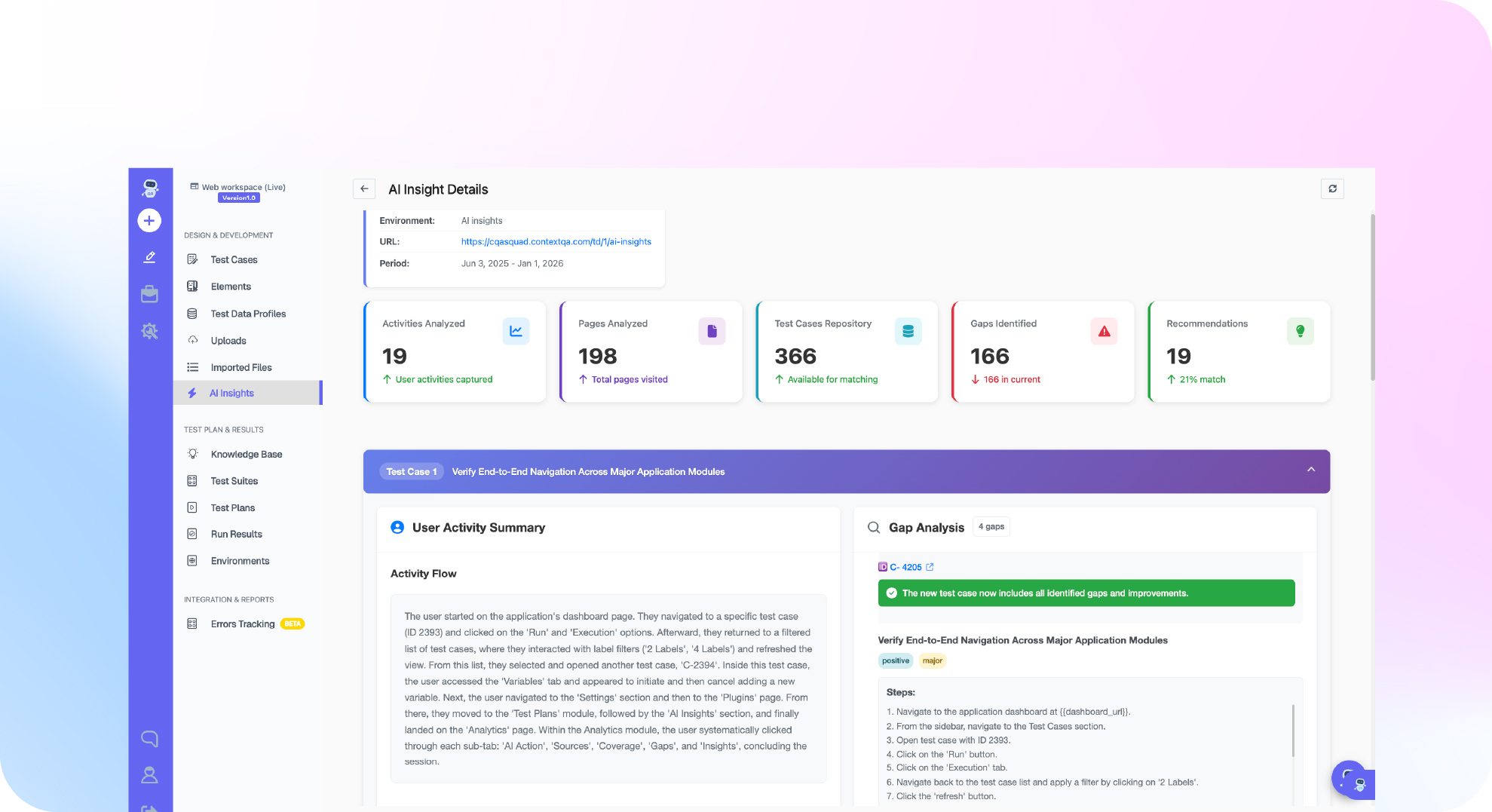
Connect Claude Code to the hosted ContextQA MCP server, then make an executed browser run part of your definition of done. Claude Code describes the user journey, ContextQA generates and runs the test against a reachable staging app, and the agent retrieves the actual result details. On pull requests, Ship adds impact analysis and targeted regressions before merge.
- In ContextQA, open Settings → MCP, pick Claude Code and copy its configuration for
https://mcp.contextqa.com/mcp. It uses HTTP transport and OAuth 2.0. Finish signing in, then send one read only request before you let the agent make changes (setup docs). - Add this rule to
CLAUDE.md: a task is not done until a ContextQA case for the changed journey has run and its result details are quoted in the reply. A toast or exit code0is not proof. - When a run fails, paste the failing step back to Claude Code and ask it to fix the code and rerun. For bugs reported in Jira, Linear or Slack, Ship reproduces the bug and hands engineers the evidence.
If Claude Code reports done but the feature fails in the browser, let Ship reproduce the failure and hand your agent the evidence it needs. Get started free with Ship, no credit card needed.

What should you do right now?
Treat "done" as an unverified claim. Rerun the focused test command yourself, run one real end to end check against staging, and paste the exact failing output back into Claude Code. Close the task only when an independent check of saved state passes.
- Ask Claude Code which command it ran and what exit code it got. If it can't name one, nothing ran.
- Log missing databases or browsers as blockers, not passes.
- Run one journey on staging and confirm the saved state with an API read (end to end guide).
- Connect
https://mcp.contextqa.com/mcp, or have Ship reproduce the ticket and return the evidence.
Bottom line
When Claude Code says done, treat it as a claim, not proof. Define expected results independently, run the real user journey against staging, check the stored state, and give the first failure back to the agent. Review each change with the AI generated code testing checklist, then automatically test Claude Code changes with ContextQA MCP.
Sources
Every product step in this article comes from ContextQA's learning docs. The statistics come from two independent industry reports, each linked to its primary source. Claims about other tools link to that vendor's own documentation.
- DORA 2024 Accelerate State of DevOps report
- Stack Overflow 2025 Developer Survey, AI section
- ContextQA: Testing with Claude Code
- ContextQA: End to End Testing with AI Agents
- ContextQA: Integration Testing with AI Agents
- ContextQA MCP: Installation & Setup
- ContextQA MCP: Reproduce a bug from a ticket
- Playwright MCP server