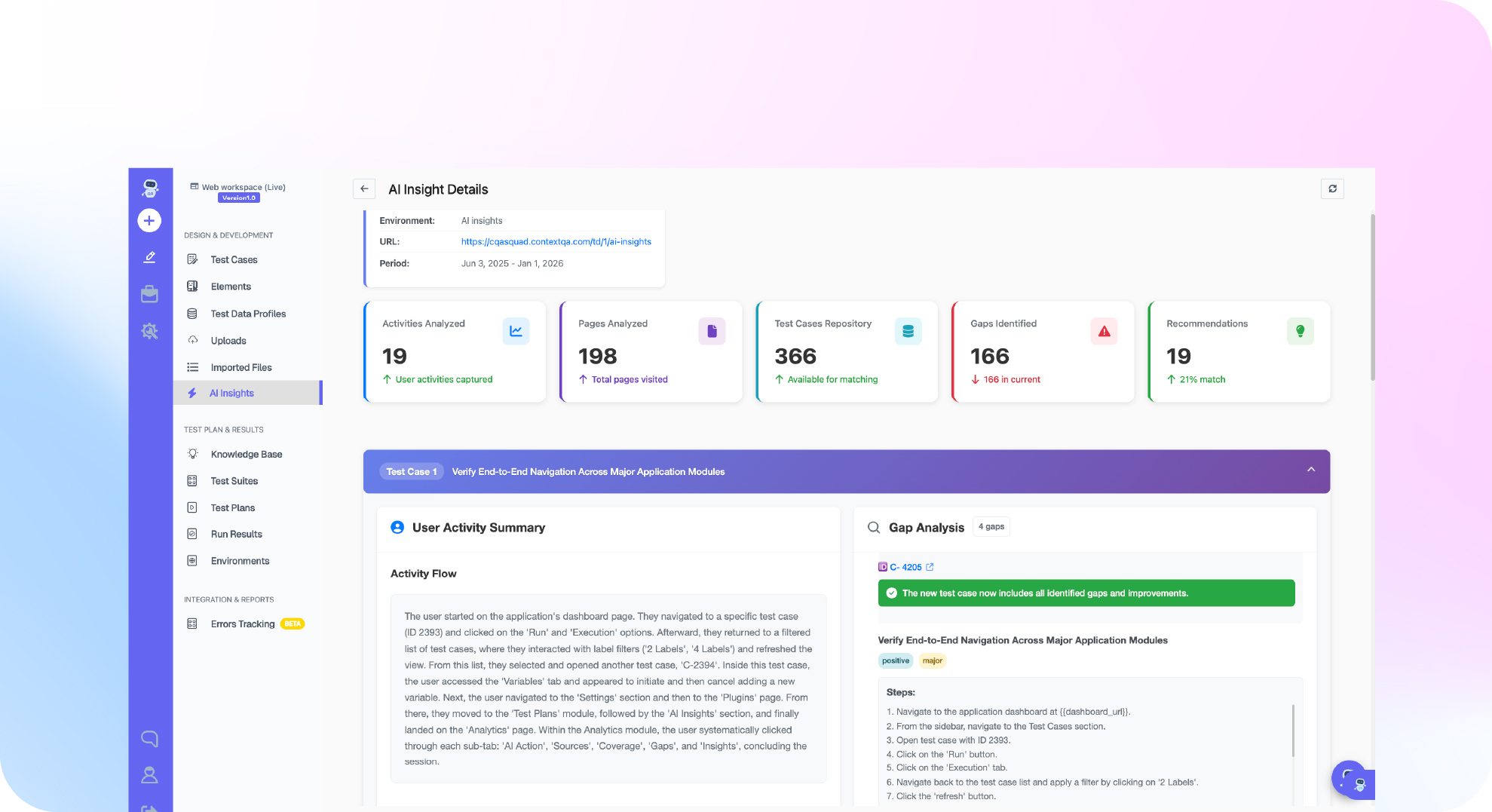

TL;DR: Claude Code automated testing works best as a two layer loop. First, Claude Code writes and runs unit and integration tests with your repository's existing runner. Then it calls the ContextQA MCP server at https://mcp.contextqa.com/mcp to create and run browser tests against the change it just made. Write expected results from acceptance criteria, not from the current code, and read the actual runner output before you trust a green result. 84% of developers use or plan to use AI tools (Stack Overflow Developer Survey, 2025). ContextQA, the autonomous quality engineer, supplies the browser test evidence.
Agent workflows often break at one point: the agent says the change is done, and nobody checks it in a real browser. This tutorial connects the ContextQA MCP server to Claude Code, has the agent test its own change, and covers what to do when a test fails.
Quick answers
How do I connect Claude Code to the ContextQA MCP server? In ContextQA, open Settings → MCP and copy the Claude Code configuration for https://mcp.contextqa.com/mcp, which uses HTTP transport. Sign in through OAuth 2.0 with your ContextQA account. You don't need a local process or an API key. Send a read only request to check the connection before you allow any changes (installation guide).
Does ContextQA MCP replace our Jest, Vitest or pytest suite? No. Claude Code still runs your repository's own runner for unit and integration tests. ContextQA MCP adds managed browser acceptance tests that run against an application it can reach. Creating a ContextQA test case does not run your unit suite, so keep both layers and read each one's output separately (Claude Code testing guide).
What should my team do when a ContextQA browser test fails? Start with the run's evidence. Separate environment blockers, such as a missing database, from real product failures. Compare the result with an expected outcome written from the acceptance criteria, not from the new code. Then have Claude Code fix the code or the test on a reviewable branch and rerun the check before merge (Claude Code testing guide).
What is Claude Code test automation and when do you need it?
In Claude Code test automation, Anthropic's terminal coding agent writes, runs and fixes tests in your repository, then uses browser tests to check the behavior users actually see. You need it when an agent ships code faster than your team can write tests for it, or when reviewers can't tell whether a change was tested.
Claude Code reads your existing tests and uses the runner you already have, such as npm test or pytest, so a pass or fail comes from real runner output, not the model's guess (Claude Code testing workflow). A test the agent never ran tells you nothing about the release.
For web applications, the hosted ContextQA MCP server lets Claude Code create and run browser acceptance tests against a build it can reach (MCP server overview). Your unit and integration tests stay in the repository. The same server also connects to Cursor and Codex, so your browser test layer stays the same if your team switches agents (ContextQA MCP setup).
What do you need before you start?
You need four things: Claude Code open in the correct repository with dependencies installed, the feature's acceptance criteria, a disposable test environment the browser can reach, and a ContextQA account to authorize the hosted MCP server through OAuth 2.0. No local MCP process is required.
- Repository baseline: Find the exact focused test command and record the current results, so existing failures stay separate from the tests you add (Claude Code testing guide).
- Test data and accounts: Use test accounts and approved secret storage. Never paste production credentials into a prompt.
- Browser automation versus managed tests: A generic browser automation MCP server lets Claude Code click through a page. ContextQA MCP creates and runs managed browser tests and returns execution evidence. Neither replaces your unit test runner.
- People: A person still writes expected results that don't depend on the code, and decides whether a failure is a bug or an environment blocker.

How do you set up claude code automated testing step by step?
To set up Claude Code automated testing, record a baseline with your existing runner, register the hosted ContextQA MCP server, sign in through OAuth, verify with a read only request, and then ask Claude Code to test its change in a browser.
- Record the baseline. Start
claudein the repository. Ask it to find the focused test command, run it, and list the failures that existed before your change (Claude Code testing guide). - Register the server. The server uses HTTP transport. You can also copy the configuration from Settings → MCP, under Connect ContextQA (setup docs).
claude mcp add --transport http contextqa https://mcp.contextqa.com/mcp
- Authenticate. Run
/mcpinside Claude Code and finish the ContextQA OAuth sign in. There are no API keys to store (Claude Code MCP docs). - Verify read only. Send one read only request before you let Claude Code make changes. Check tool names against the tool reference, because the tools you see depend on your account permissions.
- Test the change. Ask Claude Code to create and run a browser test of the changed journey against a test environment, then read the evidence it returns.
What are the most common mistakes?
Four mistakes come up most often, and each one produces a green run that proves less than it seems to.
- Hallucinated assertions: If the agent reads only the implementation, it asserts what the code does, not what it should do. Give it the requirement, including boundary values, and have it show that a deliberate defect makes the test fail (unit testing guide).
- Mocked "integration" tests: A test with every dependency mocked doesn't show that the integration works. For writes that should persist, check the saved state with an independent read (integration testing guide).
- Blockers read as results: A missing database or an unavailable browser is an environment blocker. It is neither a pass nor a fail.
- Wrong layer, extra maintenance: ContextQA MCP does not run Jest, Vitest or pytest. Every browser script Claude Code writes by hand is code you maintain after each UI change.
How do you know it is working?
Three signals show the loop is working. Agent written tests fail when you plant a deliberate defect. Browser runs on each change return evidence that reviewers act on. And your change failure rate stays flat while AI generated code volume grows. Watch all three for several weeks before drawing conclusions.
The third signal matters most. The 2024 DORA report (DORA, 2024) estimated that each 25% increase in AI adoption was associated with a 7.2% decrease in delivery stability. Flaky tests can also hide real results: Google found that about 16% of its tests showed some flakiness (Google Testing Blog, 2016).
Put these rules in CLAUDE.md:
- Exact runner command: the focused test command for each suite, so Claude Code never installs a second framework.
- Contract rule: assert against the acceptance criteria, not against what the current code returns.
- Defect check: after each new test passes, break the code on purpose and confirm the assertion fails.
To judge ROI, compare escaped defects, reverted merges and test maintenance hours before and after rollout.
How do you prompt Claude Code to test its own change and read the result?
Once the server is connected, give Claude Code a bounded prompt that names the journey, the reachable URL and the evidence you want back. Claude Code calls ContextQA MCP tools to create and run the browser test, then reports the result in the same session. Review that evidence yourself instead of accepting the agent's summary.
- Send a scoped prompt:
Create a ContextQA browser test for the invoice discount flow on our
staging URL. Run it and report each step's result and failure evidence.
Do not change application code until I review the result.
- Read the execution evidence step by step, not just the overall status.
- If the run fails, classify the cause first. An unreachable app or missing test data is an environment blocker, not a product defect (Claude Code guide).
- For a real failure, have Claude Code fix the code or the test on a reviewable branch, then rerun the same check.
ContextQA MCP is separate from a local Playwright MCP server, and its tests can export to Playwright code (code export). To gate every pull request without prompting by hand, use Ship. It runs impact analysis and targeted regressions before merge, and when someone reports a bug, Ship reproduces it and points to the likely root cause.
If Claude Code's changes keep merging without browser tests, connect Ship by ContextQA to test every pull request before merge: get started free, no credit card needed.

What should you do right now?
Start this week with one repository and one changed user journey. Treat every failing run as evidence to sort, and give reviewers one branch per change.
- Add the server with
claude mcp add --transport http contextqa https://mcp.contextqa.com/mcp, finish the OAuth sign in, and verify with a read only request (Claude Code MCP docs). - Have Claude Code run the existing tests before it creates any browser test.
- Write expected results from the acceptance criteria.
- Run browser tests against a disposable environment with test accounts.
- If you also want local Playwright MCP, add it with
claude mcp add playwright npx @playwright/mcp@latest(README). - Separate environment blockers from real failures before anyone edits code.
Bottom line
Claude Code automated testing works in two layers. Your repository runner proves unit and integration behavior. ContextQA MCP runs managed browser tests on the agent's change and returns evidence for you to read. Connect it once, verify it with a read only request, and judge each result by its evidence. Before you merge, use this AI generated code testing checklist and add automated security testing.
Sources
Product steps come from the ContextQA learning docs and the vendor documentation below. Statistics come from the primary sources cited inline. Check current configuration and tool names against these pages before a team rollout.