
TL;DR: The best MCP servers for Claude Code testing depend on the test level you need to prove. Playwright MCP gives Claude Code direct browser control through accessibility snapshots, so it fits writing and debugging Playwright specs inside your repository. ContextQA, the autonomous quality engineer, runs a hosted MCP server that creates and executes managed browser tests and returns evidence for each run. Choose by the evidence you need, not by popularity.
Choosing the best MCP servers for Claude Code testing starts with one question: what should your assistant be allowed to touch? Claude Code can already edit specs and run your test commands. Browser automation and managed regression suites are separate jobs. This guide covers Playwright MCP, ContextQA MCP and other testing servers: what each does, where it fits and one honest limitation.
Quick answers
Should we use Playwright MCP or ContextQA MCP with Claude Code for browser testing? They do different jobs, and many teams use both. Playwright MCP lets Claude Code drive a live browser and write specs you keep in your repository (Playwright MCP docs). ContextQA MCP connects to a hosted server that creates and runs managed tests and returns evidence (ContextQA MCP overview). Use Playwright MCP for code you own. Use ContextQA MCP for managed execution, and export to Playwright when you need to.
How do I connect ContextQA MCP to Claude Code, and what should I verify first? In ContextQA, open Settings → MCP, pick Claude Code, copy the configuration and finish OAuth 2.0 sign in from the client (Installation & Setup). The server is hosted and uses HTTP, so you have no API key or local process to manage. Run a read only request first, then check the authenticated tool manifest (Tool reference).
Does adding a testing MCP server to Claude Code replace our existing unit test runner or CI pipeline? No. ContextQA's docs state that its MCP server does not replace Jest, Vitest or pytest (Testing with Claude Code). Claude Code keeps running your repository's unit and integration tests. MCP driven browser tests cover acceptance and end to end journeys against approved staging, and your CI/CD gates still decide whether a build passes.
What are the best MCP servers for Claude Code testing?
A testing MCP server is a Model Context Protocol (MCP) service that gives Claude Code tools to drive a browser, call an API, or create and run managed tests. The main options are Playwright MCP for browser control, ContextQA MCP for managed tests with run evidence, and API servers such as Postman's. Each one covers one test layer, so choose by layer.
- Playwright MCP (browser and end to end): Microsoft's server gives Claude Code browser actions based on accessibility snapshots instead of screenshots, according to its README. Add it with
claude mcp add playwright npx @playwright/mcp@latest. It fits exploring a flow and drafting specs in a repo that already uses@playwright/test. The limitation: a session of clicks is not a regression suite, so you still commit the specs and review the assertions. ContextQA's Playwright MCP, CLI and test agents guide covers that handoff. - ContextQA MCP (managed browser tests): The ContextQA MCP server is hosted at
https://mcp.contextqa.com/mcpand connects over HTTP with OAuth 2.0 (setup). The tool reference documents the tools Claude Code calls to create cases, run them and pull back result details. It fits teams that want tests stored, run and backed by evidence outside the repo. The limitation: you need an account and a test environment ContextQA can reach. - API testing servers: Postman's MCP server gives Claude Code access to collections, workspaces and environments for contract and integration checks. The limitation: it tells you nothing about the rendered UI.
- Unit tests need no MCP server: Claude Code runs
jest,vitestorpytestdirectly from the shell.

How did we evaluate them?
We compared each server on five criteria that decide whether it holds up in a real Claude Code workflow: install path, returned evidence, permissions, portability of tests as code, and what the license means for upkeep. We ran no benchmarks, so this list has no speed rankings or performance numbers.
- Install path: Claude Code adds servers with
claude mcp add(Claude Code MCP docs). Playwright MCP runs locally throughnpx. ContextQA is hosted, and you sign in with OAuth 2.0 inside the client. Adding--scope projectwrites the server to a committed.mcp.json, so the whole team gets the same setup. - Evidence, not clicks: We checked whether a server returns assertions and result details or only a list of actions taken. ContextQA's own guide says a completed sequence of clicks is not enough (end to end guide).
- Permissions and blast radius: Each tool appears as
mcp__<server>__<tool>, and you allow or deny it through/permissionsorsettings.json. Local servers get your machine's network and file access. Hosted servers act with whatever your OAuth account can reach, so use test accounts only. - Portability: With Playwright MCP, you write and maintain the specs. ContextQA can export tests to Playwright, and its docs say to inspect the exported project for manual steps and missing assertions (Playwright guide).
- Open source vs commercial: Open source servers cost nothing to license, but you own the runners, upgrades and flaky test triage. Commercial servers handle execution and result storage in exchange for a vendor account, a data review and a bill.
Takeaway: pick the server whose permissions you can scope and whose results you can check outside the chat.
How do the options compare?
Claude Code testing uses three kinds of MCP server. Playwright MCP drives a live browser for exploration and spec writing. ContextQA MCP creates, runs and retrieves managed tests. Vendor platform servers reach suites that already live in that vendor's tool. Choose based on where your tests should live: in the repo, in a managed platform, or both.
Playwright MCP
What it is: Microsoft's open source server for browser control through accessibility snapshots (Playwright MCP docs).
Best for: Teams whose regression suite is already written in @playwright/test.
Strengths: It is free, runs locally and needs no account. It pairs with Playwright's planner, generator and healer agents, set up with npx playwright init-agents --loop=claude (Playwright test agents).
Limits: No run history and no test management. You commit and maintain every spec yourself.
ContextQA MCP
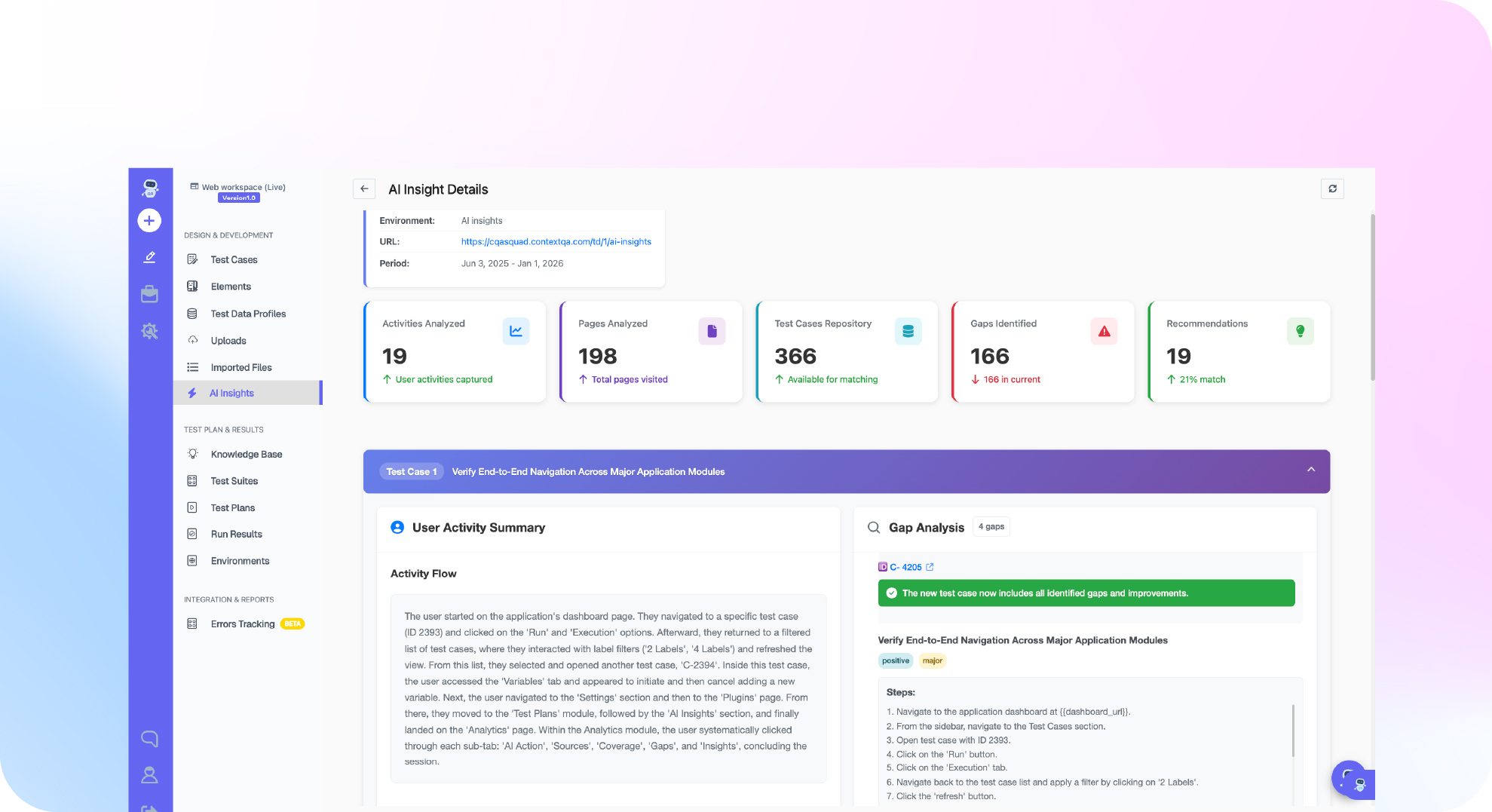
What it is: A hosted server using HTTP transport and OAuth 2.0 sign in. Its tools are grouped on the tool reference, and setup lives in Settings → MCP (overview).
Best for: Teams that want Claude Code to create and run managed browser tests, retrieve evidence and export to Playwright.
Strengths: No local process to keep running and no API keys to manage.
Limits: It needs a reachable test environment and does not replace your unit runner (Claude Code guide). Review exported projects before you count them as regression coverage.
Other vendor testing servers
What they are: MCP servers published by test automation and test management vendors.
Limits: Their tools reach only that vendor's suite. Read the tool list the server returns after sign in, check its authentication model, and connect it to a disposable staging account first.
Wiring it into CI/CD
MCP sessions are interactive. In GitHub Actions or Jenkins, the pipeline runs the specs you committed, for example npx playwright test. Claude Code can also run without a person at the keyboard using claude -p (headless docs). Cursor and GitHub Copilot can connect to the same MCP servers, so your server choice carries over between assistants. To check every pull request without building that pipeline yourself, Ship runs impact analysis and targeted regressions before merge.
If your Claude Code browser tests click through flows without proving real outcomes, see how Ship tests every pull request before merge: get started free, no credit card needed.
Which one fits your team best?
Choose based on where your test evidence needs to live. Teams with a Playwright suite should start with Playwright MCP. Teams that need managed browser tests with stored results should add ContextQA MCP. Small product teams that want every pull request tested before merge should evaluate Ship.
- Playwright MCP, for teams with an existing Playwright suite: It is open source, so you pay in engineering time, not license fees. It gives the agent a browser but no test management layer, so you decide what counts as a pass.
- ContextQA MCP, for teams that want managed tests from the IDE: From Claude Code you create and run browser tests, retrieve results and export them to Playwright (Playwright guide). Review exported projects for manual steps and missing assertions.
- Ship, for smaller product teams: Ship is a separate, self serve ContextQA product. It tests every pull request with impact analysis and targeted regressions before merge. It also reproduces bugs reported in Jira, Linear or Slack, finds the likely root cause and hands engineers the evidence.
What it costs: For a startup or agency, the license is rarely the main expense. The real costs are hours spent fixing broken selectors, triaging flaky runs and checking assertions an agent wrote. To judge ROI, measure those hours on one critical user journey before and after adoption, not a vendor's savings figure.

Bottom line
The best MCP servers for Claude Code testing depend on what you need verified. Playwright MCP gives Claude Code browser control inside your repo. ContextQA MCP adds managed test creation, execution and evidence. Neither replaces your unit runner. This week, have Claude Code assert one critical journey's business outcome. Related reading: the AI generated code testing checklist and what Claude MCP means for software testing.
Sources
These vendor and ContextQA documentation pages support every product claim in this comparison. Tool lists, install commands and permission models change between releases, so check each page and the authenticated tool list before you adopt a server.
- Playwright MCP README
- Playwright MCP getting started
- Playwright test agents
- Postman MCP server
- Claude Code MCP docs
- Claude Code headless docs
- MCP Inspector
- ContextQA MCP overview
- ContextQA MCP tool reference
- ContextQA MCP installation and setup
- ContextQA: Testing with Claude Code
- ContextQA: Playwright MCP, CLI and test agents