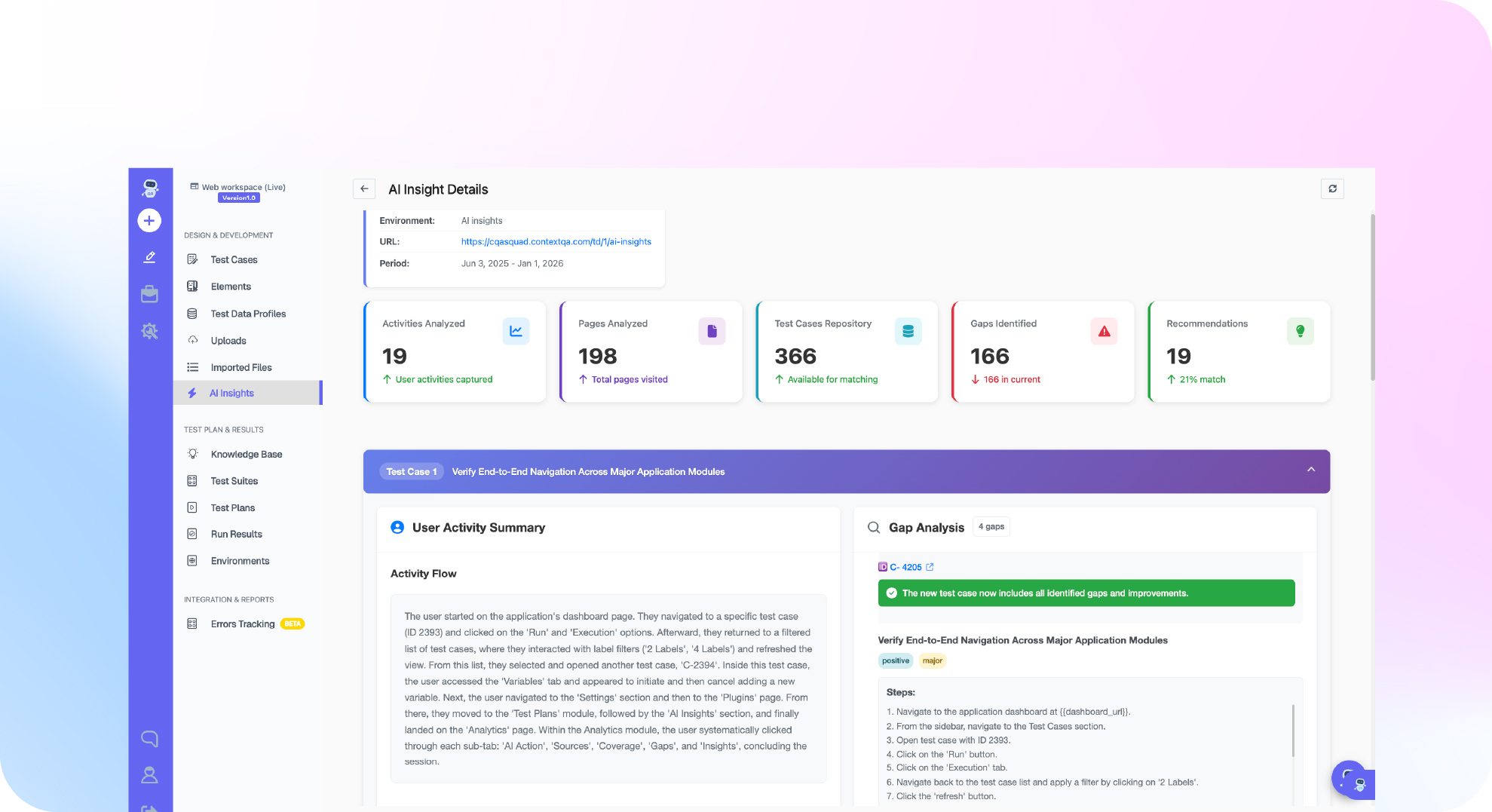

TL;DR: Playwright MCP and ContextQA MCP do different jobs. Playwright MCP lets an AI agent drive a browser step by step using accessibility snapshots. That is enough when you only need to explore a page or draft a spec you will own in your repo. ContextQA MCP connects the same agent to managed tests, executions and their evidence (ContextQA docs). Use Playwright MCP to explore. Add Ship, the ContextQA autonomous quality engineer, when someone has to own pull request checks and bug reproduction.
The choice between playwright mcp vs contextqa comes down to one question: does your agent need to drive a browser, or prove a release requirement? Playwright MCP lets Claude Code or Cursor click, inspect and explore pages step by step. ContextQA MCP manages tests, runs and evidence. This guide covers what each one produces, when Playwright MCP alone is enough, and how to run both.
Quick answers
What is the actual difference between Playwright MCP and ContextQA MCP? Playwright MCP lets an AI agent control and inspect a browser one step at a time, and it returns observations and actions. ContextQA MCP lets an authenticated agent create managed test cases, start executions and retrieve results and evidence. One drives a browser. The other manages tests, runs and evidence (ContextQA docs).
When is Playwright MCP alone enough, without adding ContextQA? It is enough when your team already owns a Playwright Test suite in the repository, including its fixtures, assertions and CI policy, and the agent only explores pages or drafts specs that an engineer reviews. Add ContextQA MCP when the assistant should create and run managed tests and return evidence for release decisions (ContextQA docs).
Can my team use Playwright MCP and ContextQA MCP together, or do we have to pick one? Yes, you can use both. Use Playwright MCP to explore, Playwright Test to run the specs in your repository, and ContextQA MCP for managed tests and their results. ContextQA tests can also be exported to Playwright code. Before you count an export as regression coverage, check it for manual steps and missing assertions (Playwright testing guide).
Playwright MCP vs ContextQA: what is the short answer?
Playwright MCP is Microsoft's Model Context Protocol server. It lets an AI agent control a real browser one action at a time. ContextQA MCP lets an authenticated agent create managed tests, run them and pull back the execution results. Use Playwright MCP to explore a page. Use ContextQA MCP when you need tests you can rerun and evidence your team can review.
Playwright MCP gives the agent tools such as browser_navigate, browser_click and browser_snapshot. It reads the page's accessibility tree, the structured list of elements a screen reader uses, so it needs no screenshots or vision model (Microsoft Playwright MCP README). You get a test file only if you ask the agent to write one.
When Playwright MCP alone is enough: your repository already has a Playwright Test suite, your team owns its fixtures and CI policy, and the agent only explores pages or drafts specs.
How do Playwright MCP and ContextQA compare?
Playwright MCP lets an AI agent drive a browser one action at a time, and by default it saves no test. ContextQA MCP lets an authenticated agent create managed tests, start runs and retrieve execution results. Ship, the ContextQA autonomous quality engineer, is a separate self serve product. It tests pull requests and reproduces reported bugs.
- What the agent controls: Playwright MCP gives the agent browser tools that navigate, click and type, all based on accessibility snapshots (Microsoft Playwright MCP). ContextQA MCP gives it testing tools that create test cases, start executions and fetch results (tool reference).
- What persists: Playwright MCP returns observations and actions. ContextQA keeps managed test cases and execution identifiers that you can retrieve and rerun (comparison guide).
- Pull request coverage: Ship runs impact analysis on every pull request, then targeted regressions before merge. Playwright MCP has no concept of a pull request, so you have to wire it into CI yourself.
- Bug reproduction: Ship reproduces bugs reported in Jira, Linear, Slack or a service desk, finds the likely root cause and hands engineers the evidence.
- Cost to start: Playwright MCP is open source under Apache 2.0 (repository). You can start Ship free with no credit card.
- Scope: The no code recorder and self healing locators belong to the separate ContextQA enterprise platform, not to Ship.
Short verdict: if an agent only needs to explore pages while your team writes and owns the specs, Playwright MCP is enough. Add Ship when you need saved runs, checks on every pull request and reproduced bugs.

When should you choose Playwright MCP?
Choose Playwright MCP when your team already owns a Playwright suite and only needs an AI agent to control a browser step by step. Typical jobs include exploring a page, reproducing a bug locally, or drafting a spec that an engineer reviews and commits. For that scope Playwright MCP alone is enough, and a managed testing layer would add cost without adding coverage.
- Exploration inside the IDE. Register
npx @playwright/mcp@latestin your client's MCP config. Claude Code, Cursor or VS Code can then navigate, click, type and read the page. Add--headlessto run without a visible window (Microsoft Playwright MCP). - Tests that live in your repository. If your specs, fixtures and CI policy are in Git, ask the agent to write Playwright code and run it with
npx playwright test. - Total cost of ownership. There is no license fee. You pay in engineering time instead: your team turns observations into assertions, repairs selectors after UI changes, and wires reruns and reporting into CI. Look at Ship once that maintenance, plus pull request checks and bug reproduction, is more than your team wants to own.
When should you choose ContextQA?
Choose ContextQA when your problem is no longer driving a browser but owning tests over time. That covers which checks run on a pull request, where each run's evidence is kept, and how someone reproduces a reported bug. ContextQA MCP gives an agent managed test cases, execution identifiers and the results of each run.
- Agent sessions are not regression coverage. A Playwright MCP session keeps nothing unless someone turns it into a spec. Your team still has to decide which steps become assertions (comparison guide).
- Generated specs need an owner in CI. Once an agent writes a spec, your team owns its fixtures, selectors and flaky test triage. ContextQA MCP stores tests as managed cases, and you start runs and retrieve results through the tool reference tools.
- Every pull request needs a targeted check. Ship runs impact analysis on each pull request and runs the matching regressions before merge.
- Bugs arrive in Jira, Linear or Slack. Ship reproduces the reported bug, identifies the likely root cause and gives engineers the evidence.
- What to do Monday: Keep Playwright MCP for exploration, and try Ship on one active repository.
How do you move between them?
You can move from Playwright MCP to ContextQA MCP gradually. Keep your Playwright specs running in CI and connect the ContextQA MCP server to the coding agent you already use. Analyze the repository, preview the migration, migrate the tests, then run one migrated case before you trust the rest. Keep using Playwright MCP for exploration.
- Connect the ContextQA MCP server. Add it to Claude Code, Cursor or Codex with the setup guide, then confirm that the migration tools appear in your manifest (tool reference).
- Analyze the repository. Ask the agent to analyze your Playwright, Cypress or Selenium repository. First confirm which service reads
repo_path, because a hosted MCP service does not automatically see your local checkout. - Preview with a dry run. Check fixtures, helpers, assertions and skipped assets. Conversion is not automatically lossless (migration guide).
- Migrate and run one case. Review the retained actions, assertions and the run result. Conversion does not establish execution parity with the original runner, so check for omitted dependencies (migration guide).
- Evaluate portability separately. A Playwright export can support a portability evaluation, but export is not guaranteed to preserve every assertion, fixture or control-flow construct (migration guide). Review each exported project for manual steps and missing assertions (Playwright testing guide).
Maintenance works differently in each tool. Playwright's healer agent proposes repairs, and you review them in your repository. ContextQA MCP keeps managed cases and execution results in a workspace the agent can query, so you can retrieve stored executions and results.
If your agent can click through a flow but you lack repeatable tests, run evidence and bug reproduction, see how Ship handles it: get started free, no credit card needed. Evaluating the enterprise platform instead? Book a demo.

Where does ContextQA fit?
ContextQA fits after the browser session ends. Playwright MCP lets an agent drive and inspect a browser one step at a time. Ship, the ContextQA autonomous quality engineer, handles what comes after. It tests each pull request before merge, reproduces reported bugs, finds the likely root cause and gives engineers the evidence.
- Pull requests. Ship runs impact analysis and then targeted regressions before merge. Playwright Test runs in GitHub Actions, Jenkins or other CI, but you write the pipeline and choose which specs run (Playwright CI docs).
- Bug reports. Ship takes in bugs from Jira, Linear, Slack or a service desk. Playwright MCP has no ticket intake, so it can only reproduce steps you paste into the prompt.
To start, pick one high risk pull request flow and one recent Jira bug. Run both through Ship, then compare the evidence with what your current pipeline produces.
Bottom line
Playwright MCP is enough when an agent explores a page, checks a fix or drafts a spec that your team reviews and keeps in the repository. ContextQA MCP fits when you need managed test cases, tracked executions and evidence you can retrieve for a release decision. You can use both. This week, pick one workflow, write down the artifact it needs, and check agent written tests against the AI generated code testing checklist.
Sources
Where a claim in this article carries a link, the link points to the vendor's own documentation or product pages. Playwright MCP features come from Microsoft's Playwright docs. ContextQA workflows come from the ContextQA learning center pages listed here.