
TL;DR: AI coding agents can auto-merge some pull requests safely, but only when the merge waits on checks the agent can't influence: required status checks that run your real user journeys on the deployed build, code owner review on risky paths, and a merge queue that retests the combined result. Start with low-risk changes such as dependency bumps and copy fixes, keep human approval for everything else, and widen the rules only when your evidence shows it's safe. GitHub's auto-merge, branch protection, rulesets and merge queue give you the controls (GitHub auto-merge docs).
As coding agents get faster, the slowest step in many teams is the human merge. The obvious question follows: can the agent merge its own pull requests? The honest answer is "some of them, under rules you set and can check". This guide shows how to set those rules up, which changes qualify, and what has to be true before you let any agent merge without a person clicking the button.
Quick answers
Should AI coding agents merge their own pull requests? Not by default. Let the repository merge a pull request automatically once required checks and required reviews pass. The agent can open and update the pull request, but it shouldn't be able to bypass or change the checks that guard the merge.
What's the difference between auto-merge and an agent merging? GitHub auto-merge merges a pull request only after all branch protection requirements are met. The repository enforces the rules. An agent with admin rights that clicks "merge" itself could skip them. Always use the first model.
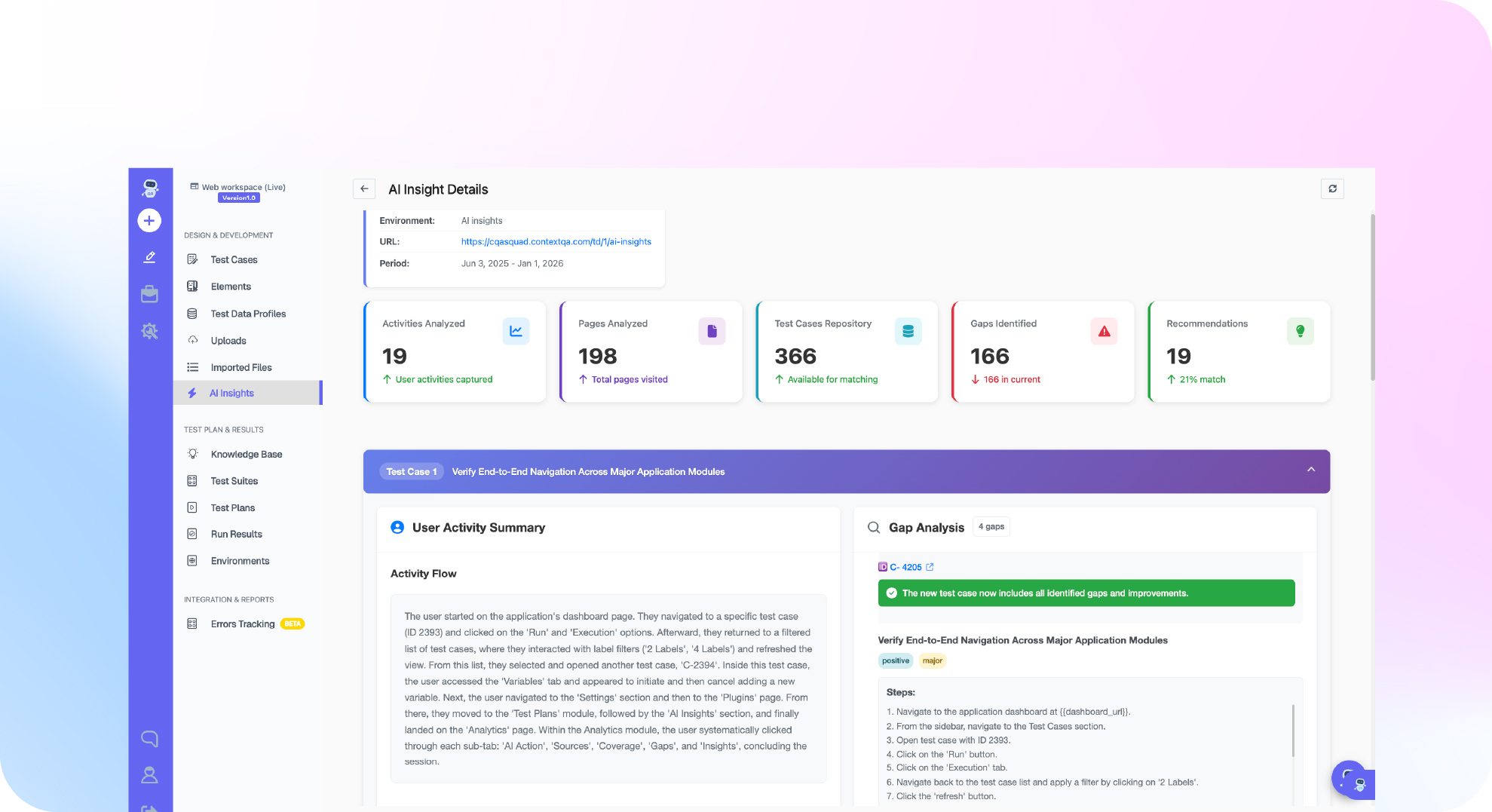
What should the checks include? Unit and integration tests, plus an independent run of the affected user journeys on the deployed pull request build. ContextQA test plans can run as that required check, and Ship by ContextQA picks the journeys each pull request affects.
What does "auto-merge" actually do?
On GitHub, auto-merge is a setting on a pull request. Once enabled, the pull request merges automatically when every required review and required status check has passed (GitHub auto-merge docs). If a check fails or a reviewer requests changes, nothing merges.
That means auto-merge is only as safe as the rules behind it. Those rules come from three places:
- Branch protection rules or rulesets decide which checks and reviews are required before merging into a branch (about protected branches, about rulesets).
- CODEOWNERS assigns reviewers to specific paths, so changes to sensitive folders need approval from the right people (about code owners).
- A merge queue tests each pull request together with the changes ahead of it, so two pull requests that pass alone can't break main together (managing a merge queue).
Which pull requests are safe to auto-merge?
Decide by risk, not by who wrote the change. A simple tiering works for most teams:
| Tier | Example changes | Auto-merge? | Required before merge |
|---|---|---|---|
| Low | Patch dependency bumps, copy and docs fixes, test-only changes | Yes | All checks green, affected journeys pass on the preview build |
| Medium | Small bug fixes in non-critical features, UI tweaks | Only after a trial period | Checks green, journeys pass, one human approval for the first months |
| High | Authentication, payments, permissions, data migrations, infrastructure | No | Code owner approval, full regression run, named release owner |
| Blocked | CI config, branch rules, secrets, the agent's own permissions | Never by an agent | Human-authored change and human review |
The last row matters. An agent that can edit the workflow file that runs its own checks can turn those checks off. Protect CI configuration with CODEOWNERS and keep it out of any agent's write scope.

How do you set it up step by step?
- Protect the main branch. Require pull requests, require status checks to pass, and require branches to be up to date or use a merge queue.
- Add CODEOWNERS for risky paths. Authentication, billing, migrations and
.github/workflowsshould need a named team's approval. - Make independent verification a required check. Add a ContextQA test plan to your CI, run it against the deployed pull request build, and make its job a required status check. The ContextQA docs walk through storing the token as a secret and requiring the check name before merge (ContextQA GitHub Actions guide).
- Prove both paths. Before relying on the gate, run one pull request that should pass and one with a deliberate defect that should fail. A gate you've never seen fail isn't a gate.
- Label the tiers. Use labels or path rules so only low-tier pull requests get auto-merge enabled.
- Limit the agent's permissions. The agent can push to its branch, open pull requests and enable auto-merge on labeled ones. It can't approve its own pull request, bypass rules or edit protected paths.
- Turn on a merge queue once several agents or people merge often, so combined changes get tested before they land.
- Review weekly. Look at what auto-merged, what was reverted and what escaped to production. Adjust tiers based on that record.
Want every pull request tested on its own build before it can merge? Ship by ContextQA analyzes each pull request and runs the journeys it affects: start free, no credit card needed.
Why aren't unit tests enough for auto-merge?
Because the agent usually writes them. A model can carry the same wrong assumption into the code and into its tests, and everything passes. The ContextQA docs describe an export feature where the code checks download permission but forgets that a report must belong to the user's tenant, and the generated tests miss it too (ContextQA: testing AI-generated code).
An independent journey test, with expected results written from the requirement before the code, doesn't share that assumption. It also checks the deployed build, not just the code in isolation. Developers already sense this risk: 66% say their biggest frustration with AI tools is solutions that are "almost right, but not quite" (Stack Overflow Developer Survey, 2025). Auto-merging "almost right" is how regressions reach users.
Two more rules from the ContextQA CI docs are worth copying. First, an impact analysis status is advisory. It helps choose which tests to run, but the gate should be a completed execution result. Second, check that the run tested the right deployment. A fixed URL in a test step can quietly point at an older build (ContextQA CI/CD release gates).
When should a human always stay in the loop?
Keep a person on the merge when:
- The change touches security, money, personal data or permissions.
- The requirement was ambiguous or changed during the work.
- The verifier reported a blocked, skipped or inconclusive result.
- The agent needed more than your retry limit to get to green.
- The change alters tests or assertions rather than product code.
That last one catches a common pattern. When an agent can't make a test pass, it may "fix" the test instead. Any pull request that weakens an assertion deserves human eyes. Our guide to human in the loop vs human on the loop explains how to choose the level of oversight, and AI agent autonomy levels covers when an agent is ready to act without approval.
How do you widen auto-merge over time?
Use evidence, not time. A reasonable path:
- Month one: auto-merge only the low tier. Every other pull request needs a person.
- Review the record: count reverts, escaped defects and verifier catches for auto-merged pull requests.
- Promote one category at a time: if low-tier merges were clean, trial one medium-tier category, such as UI copy and layout fixes, with a human still approving for a few weeks.
- Roll back fast: if an auto-merged change causes an incident, move that category back a tier until you understand why.
Autonomous software delivery levels maps the wider path, and AI coding agent quality gates covers what each gate should check.
Bottom line
Auto-merge is safe when the repository, not the agent, decides what merges, and when the deciding checks include independent tests of the deployed build. Start with low-risk changes, protect CI configuration and sensitive paths, prove your gate can fail, and widen the rules only when your merge history supports it. For the complete checklist, see how to verify AI-generated pull requests before merge.
Setting merge policy for several teams and agents? Book a ContextQA demo and we'll map your tiers to real checks.