TL;DR: AI in the software development lifecycle changes every stage: it drafts requirements, generates designs and code, writes tests, and watches production. In the 2024 Stack Overflow Developer Survey, 76% of respondents said they use or plan to use AI tools (Stack Overflow, 2024). The new risk is volume: more code ships faster, with less human review per change. Testing has to move earlier and run continuously. ContextQA, the autonomous quality engineer, handles the testing work: it creates, runs, and maintains tests and explains failures.
AI now writes requirements, generates code, and drafts tests faster than most teams can review them. Risk enters earlier, while testing still sits near the end of the pipeline. This guide walks each stage, from requirements to operations, and shows where testing must move earlier.
Quick answers
Which SDLC stage should we add AI testing to first this quarter? Start at the build and test boundary. Have AI generate tests from the ticket or pull request diff, then run them in CI on every merge. That catches regressions where change volume rises, without restructuring requirements or release processes. Once the loop is stable, generate test cases from acceptance criteria before code is written.
What risks does AI generated code add that our suite will miss? AI generated code often passes the happy path while missing edge cases, error handling, and unusual data, so suites built around known flows stay green while defects ship. Higher change volume also breaks brittle UI tests. Generate edge case and failure state tests per change, use impact analysis to select tests, and keep self healing on.
How do we test chatbots or voice agents after release? Treat them as continuously tested systems, because model updates, prompt changes, and new user inputs shift behavior without a code deploy. Run scheduled suites that check agent responses, guardrails, and tool calls against expected outcomes, and alert on regressions the way you alert on failing API checks.
What is AI in the software development lifecycle?
AI in the software development lifecycle is the use of AI models and agents to generate, review, test, ship, and monitor software at every stage, from requirements through operations. Unlike a single coding assistant, it changes how every artifact gets produced. Output volume rises faster than review capacity, so testing has to move earlier and run continuously.
Here is what AI typically handles at each phase:
- Requirements: LLMs draft user stories and acceptance criteria from tickets and flag stories that lack them.
- Design: Tools turn Figma files and Swagger specs into components and API contracts. Test generation can start from those same artifacts.
- Build: Coding agents in Cursor, Claude Code, or Codex write and refactor multi file diffs from a single prompt.
- Test: An autonomous quality engineer such as ContextQA generates suites from flows, tickets, or code changes and self heals tests when the UI shifts.
- Release: Impact analysis maps a change to the tests it affects, keeping CI/CD gates fast.
- Operate: Root cause analysis shortens triage on failed runs. Teams shipping AI agents also test responses, guardrails, and tool calls.
What new risks does AI add at each SDLC stage?
AI speeds up every stage, but each stage gains a failure mode: invented requirements, unvalidated generated designs, plausible but wrong code, brittle tests, slower release gates, and silent behavior drift in production. Verification has to start where each risk enters, not only in a QA phase near the end of the pipeline.
- Requirements: Plausible but wrong acceptance criteria spread downstream. Review AI drafted criteria as test input before any code exists.
- Design: Generated API contracts can drift from what services implement. Run contract tests that check each service implementation against the generated Swagger spec as soon as implementation begins, and on every merge after that.
- Build: Change volume outruns review. Track change failure rate and escaped defects, not lines written.
- Test: More UI churn means more broken locators and more flaky tests that get quarantined instead of fixed.
- Release: Full regression runs slow down as diffs multiply, which tempts teams to skip gates.
- Operate: Model and prompt updates change AI feature behavior without a deploy. Turn every confirmed incident into a regression test.

Why does AI across the SDLC matter in 2026?
AI matters across the SDLC in 2026 because it now drafts, reviews, and ships a growing share of production code, while delivery stability has not kept pace. When code volume grows faster than verification capacity, testing becomes the bottleneck. Teams that keep testing as a late release gate absorb that risk in production.
Adoption is already the default. In the Stack Overflow 2024 Developer Survey, 76% of respondents said they use or plan to use AI tools in their development process. The cost shows up downstream. The Google Cloud DORA 2024 Accelerate State of DevOps report estimated that each 25% increase in AI adoption correlates with a 7.2% drop in delivery stability.
Testing is where teams recover that stability. Self healing tests repair broken locators when the UI changes, which cuts flaky test triage, and visual testing catches layout regressions that DOM assertions miss. ContextQA offers AI based self healing and visual regression testing.
How does an AI assisted change move through the pipeline?
In an AI assisted pipeline, one change touches models at every stage: a model drafts the criteria, generates tests, writes the code, selects what to run, and classifies failures. Each handoff is a place where verification either happens automatically or gets skipped. Here is a workflow that keeps testing attached to the change.
- Ticket lands. A model drafts acceptance criteria and a human approves them before sprint planning.
- Tests come first. Tests are generated from the approved criteria, the Figma file, or the Swagger spec before implementation begins.
- Agent writes code. The coding agent in Cursor or Claude Code makes the change, then calls testing tools over MCP (Model Context Protocol, a standard for connecting tools to AI agents) to run related tests before opening the pull request.
- CI selects and runs. Impact analysis picks the tests the diff touches, and they run in parallel on the pull request.
- Failures get classified. Broken locators self heal. Product bugs block the merge. Environment and data issues route to the owning team.
- Production feeds back. Confirmed incidents become regression tests, and AI features run on a schedule.
Which approach fits your team best?
Most teams fit one of three approaches: assistive AI at individual stages, AI embedded across the pipeline with continuous testing, or an autonomous quality engineer that owns test creation and maintenance. The right choice depends on how fast you ship, how much test debt you carry, and who reviews AI output.
- Assistive, stage by stage: AI helps with backlog refinement, such as flagging stories without acceptance criteria. Risk stays low, but tests still trail the code. This fits small teams starting out.
- Pipeline embedded: AI writes code and generates tests from tickets and pull requests that run on every merge in CI. This fits teams shipping daily, but someone must own flaky test triage.
- Autonomous quality engineer: ContextQA generates tests from tickets, Figma files, or Swagger specs, self heals them, and runs root cause analysis on failures. This fits teams whose maintenance work outpaces new coverage. Playwright export avoids lock in.
Rule of thumb: Start assistive at requirements, then move testing into every stage before AI generated code outgrows your reviewers.
How does ContextQA handle AI in the software development lifecycle?
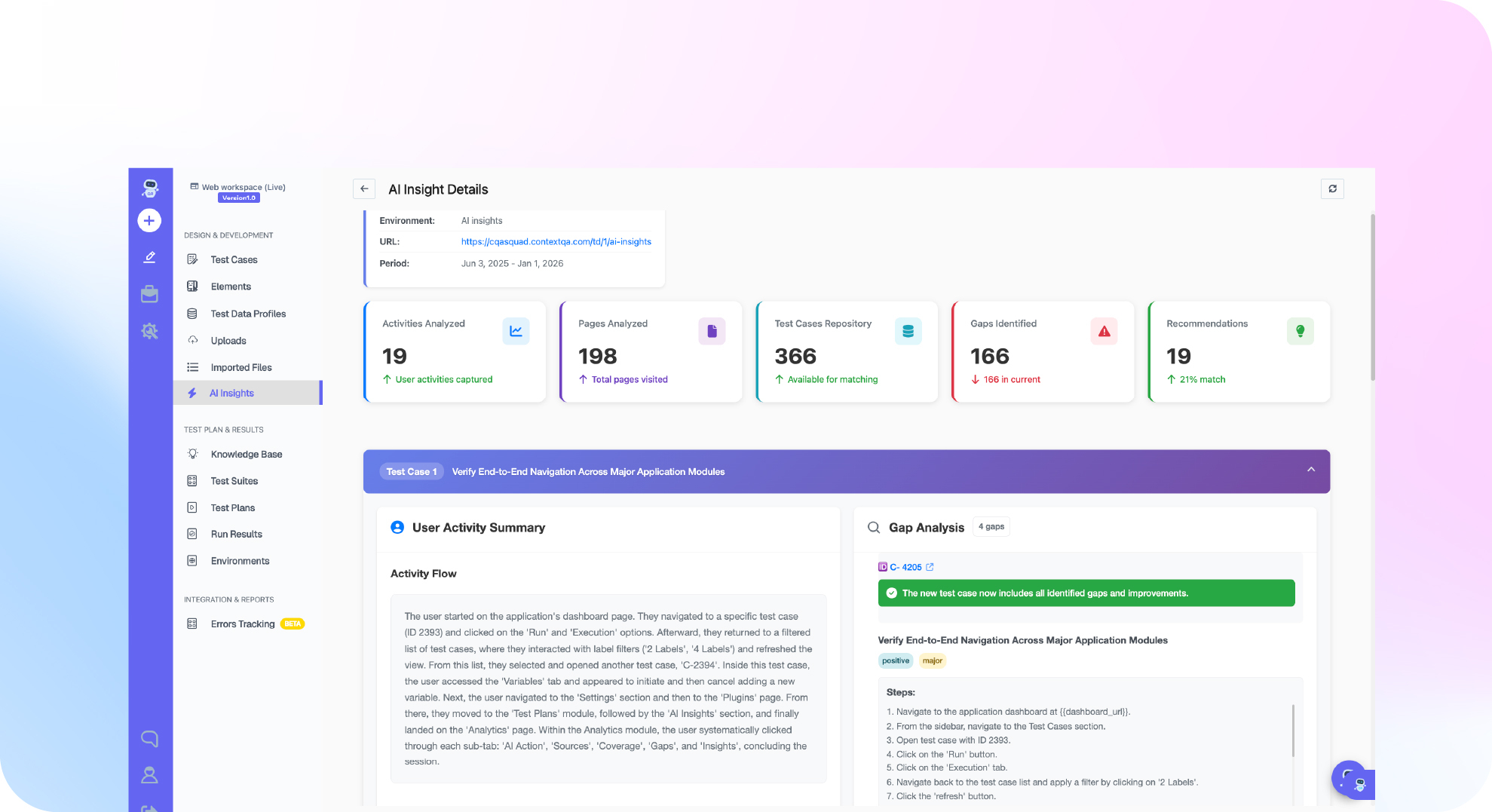
ContextQA acts as an autonomous quality engineer for the testing work in the lifecycle. It generates tests from tickets, Figma files, and Swagger specs, runs them on code changes in CI/CD, self heals them when the UI shifts, and explains failures with root cause analysis. Teams drive it from their AI coding tools and export tests to Playwright.
- Requirements and design: Point ContextQA at a ticket or Figma file. It builds happy path, edge case, and failure state tests, visible in the coverage mind map.
- Build: The MCP server exposes 50 testing tools to Cursor, Claude Code, or Codex, so the agent that wrote the code can test it.
- Test and release: Impact analysis scopes the run to what changed, and tests run in parallel across browsers and devices inside your pipeline.
- Operate: Root cause analysis speeds triage, and AI agent testing covers responses, guardrails, and tool calls.
ContextQA covers the testing side of DevOps. It does not replace automated code review or AIOps incident prediction.
If AI generated code now moves through your requirements, build, and release stages faster than your tests can keep up, see how ContextQA, the autonomous quality engineer, keeps testing continuous at every stage. Book a demo and bring your hardest case.
What should you do now? A checklist
Start by mapping where AI already touches your pipeline, then add a control at each SDLC stage: human review gates for AI written code, dependency and license scans, and continuous tests on every change. Assign an owner to each action below and review the results every sprint.
- Inventory which teams use AI coding assistants and which repos they commit to.
- Add acceptance criteria to tickets so AI generated tests have a defined target.
- Require human review on every AI authored pull request.
- Run SAST (static application security testing) on every commit in CI.
- Fail builds when a dependency is missing from your registry, which catches hallucinated package names.
- Scan generated code for license matches and log the results.
- Generate tests for happy paths, edge cases, and failure states before merge.
- Track flaky test rate weekly and quarantine tests that fail with no code change.
- Test AI features for guardrails, tool calls, and prompt injection before release.
- Keep tests portable, for example through Playwright code export.
Bottom line
AI changes every SDLC stage, but the pattern repeats: output rises faster than review capacity, so testing has to start at requirements and run continuously through operate. The Monday decision for engineering leaders is where verification lives once code arrives faster than humans can read it. Map which stages lack automated checks, close the widest gap first, and measure results against change failure rate and escaped defects.
Sources
Both statistics in this article come from primary sources published in 2024. Check the methodology and exact wording before quoting them internally.