
TL;DR: The 2027 shortlist of best SAP test automation tools is Tricentis Tosca, Worksoft, Panaya, ACCELQ and ContextQA. ContextQA is our own product, an autonomous quality engineer that automates SAP WebGUI, Fiori and OData business flows with a no code recorder and self healing. Pick a tool by four things: interface coverage, how it handles transports and releases, test data reuse, and API checks. SAP ends mainstream maintenance for Business Suite 7 core applications at the end of 2027 (SAP News, 2020), so S/4HANA migration regression is the workload that will decide most choices.
Quick answers
What should change in how we pick an SAP test automation tool for 2027? Many teams will run ECC and S/4HANA regression side by side. Judge tools on Fiori, WebGUI, desktop SAP GUI and API coverage together, plus how they handle transports, test data and document chains. Browser coverage does not prove the desktop SAP GUI behaves the same way. ContextQA states this limit in its own docs.
How do we test an S/4HANA migration without rewriting our regression suite? Run your critical processes, such as order-to-cash, before the change to set a baseline. Then rerun the same plan on the upgraded landscape and compare the business outcomes. Set scope from SAP release notes plus your own custom code and configuration changes. ContextQA documents this workflow with test plans, impact analysis and locator healing review.
Can testers without coding skills build SAP regression tests that last? Yes, as long as each recording is reviewed and parameterized before it joins the suite. In ContextQA, testers record a WebGUI or Fiori transaction, review it in Test Steps, replace hardcoded values with environment data, and add assertions such as item quantities and document IDs (docs). Self healing repairs broken locators when the UI changes.
What are the best SAP test automation tools in 2027?
The best SAP test automation tools in 2027 are Tricentis Tosca, Worksoft, Panaya, ACCELQ and ContextQA (our own product). ContextQA automates SAP WebGUI, Fiori and OData workflows, with a no code recorder, self healing and Playwright export. Which one fits you depends on your SAP interfaces, how often you release and when your migration deadline falls.
An SAP test automation tool creates, runs and maintains regression tests for SAP business processes. It covers Fiori apps, SAP GUI transactions and interfaces such as OData, BAPIs (Business Application Programming Interfaces, standardized RFC enabled function modules that expose SAP business objects) and IDocs (Intermediate Documents, SAP's format for messages between systems). A good tool proves the business outcome, such as a correct chain of documents from order to invoice, and keeps working after every transport and support package.
Each vendor focuses on something different:
- Tricentis Tosca: model based test automation for packaged and custom apps.
- [Worksoft](https://www.worksoft.com/): business process testing for SAP and other enterprise apps.
- [Panaya](https://www.panaya.com/): change impact analysis and test management for SAP releases.
- ACCELQ: codeless cloud automation across web, API and packaged apps.
- [ContextQA](https://contextqa.com/platform/enterprise-apps-testing/): browser, API and hybrid SAP tests, with self healing and upgrade regression plans. It runs as cloud SaaS, in your own cloud, self hosted or on premises (Enterprise plan).
What changes for SAP testing going into 2027?
The main change in 2027 is volume. SAP's end of mainstream maintenance for Business Suite 7 means many teams will baseline ECC processes and rerun them on S/4HANA while the old landscape is still in production. Regression must now span two systems, several interfaces and a steady stream of transports, with evidence a release owner can sign.
Four areas decide whether a tool holds up:
- Transports and release cycles. Every transport moved through
STMS(SAP's Transport Management System) and every support package can change screens, roles or pricing. Plan to your edition's actual release calendar. Don't assume every SAP deployment updates quarterly, a caution ContextQA's upgrade guide also gives. - Test data. Stock, posting periods and credit limits drift. Use a unique customer reference for each run, store order, delivery and invoice IDs as runtime values, and never share mutable documents across parallel tests.
- IDocs and BAPIs. Teams often check inbound IDocs in
WE02and replay them withWE19, or call function modules such asBAPI_SALESORDER_CREATEFROMDAT2fromSE37. Ask each vendor how it automates these checks. ContextQA's SAP docs cover OData and HTTP APIs and hybrid API plus UI tests. - Impact analysis limits. A diff of your custom code shows only the changes in your repositories. It cannot infer SAP's internal changes, so pair it with the official release notes.

How did we compile this list?
We compiled this list from vendor product pages, public review sites and ContextQA's own documentation, and we did not test or benchmark any tool. ContextQA claims come from learning.contextqa.com, read in November 2026. Descriptions of the other vendors summarize their public positioning. Confirm current features and pricing with each vendor before you shortlist.
We weighed six criteria:
- Coverage of Fiori, WebGUI, desktop SAP GUI and APIs (OData, BAPIs, IDocs)
- No code authoring that functional testers can maintain
- Support for S/4HANA migration and upgrade regression
- Test data handling and document identity across stages
- CI/CD fit with Jenkins, GitHub Actions or Azure DevOps
- How easily you can leave, such as exporting tests as code
Open source is free to license but costs engineering time. Playwright and Selenium can drive Fiori in a browser but do not automate desktop SAP GUI. UI5 also generates control IDs that break plain locators, the problem the community project wdi5 was built to solve.
How do the options compare?
The five commercial options differ mainly in approach. Tosca is model based, Worksoft is built around business processes, Panaya focuses on change impact, and ACCELQ is codeless and cloud based. ContextQA, our own product, combines recorded or AI authored SAP browser tests with API checks. The table lists each tool's best fit and the main limitation to verify.
| Tool | Best for | Pricing model | Key limitation to verify |
|---|---|---|---|
| Tricentis Tosca | Large SAP estates standardizing on model based tests | Confirm with vendor | Model building needs trained staff |
| Worksoft | Process automation led by SAP functional teams | Confirm with vendor | API and CI/CD depth for your pipeline |
| Panaya | Release impact analysis and test management | Confirm with vendor | How much execution it automates versus scoping |
| ACCELQ | Codeless tests across SAP, web and API | Confirm with vendor | Desktop SAP GUI coverage for your transactions |
| ContextQA (ours) | WebGUI, Fiori and OData tests in one suite with web and API | Demo and quote | Browser coverage does not prove desktop SAP GUI parity |
Tricentis Tosca
Tosca is a model based suite with long SAP history. It fits large programs that want one tool for SAP GUI, Fiori and non SAP apps. Plan for specialist training to build and maintain models.
Worksoft
Worksoft automates end to end business processes and suits order-to-cash and procure-to-pay chains run by functional teams. Check how it connects to your CI pipeline before you commit.
Panaya
Panaya centers on change intelligence for SAP and helps scope S/4HANA migrations and transports. Confirm how much execution you would still need from another tool.
ACCELQ
ACCELQ is a codeless cloud platform for mixed SAP and web teams. Test its SAP GUI depth against your own transaction list.
ContextQA (our product)
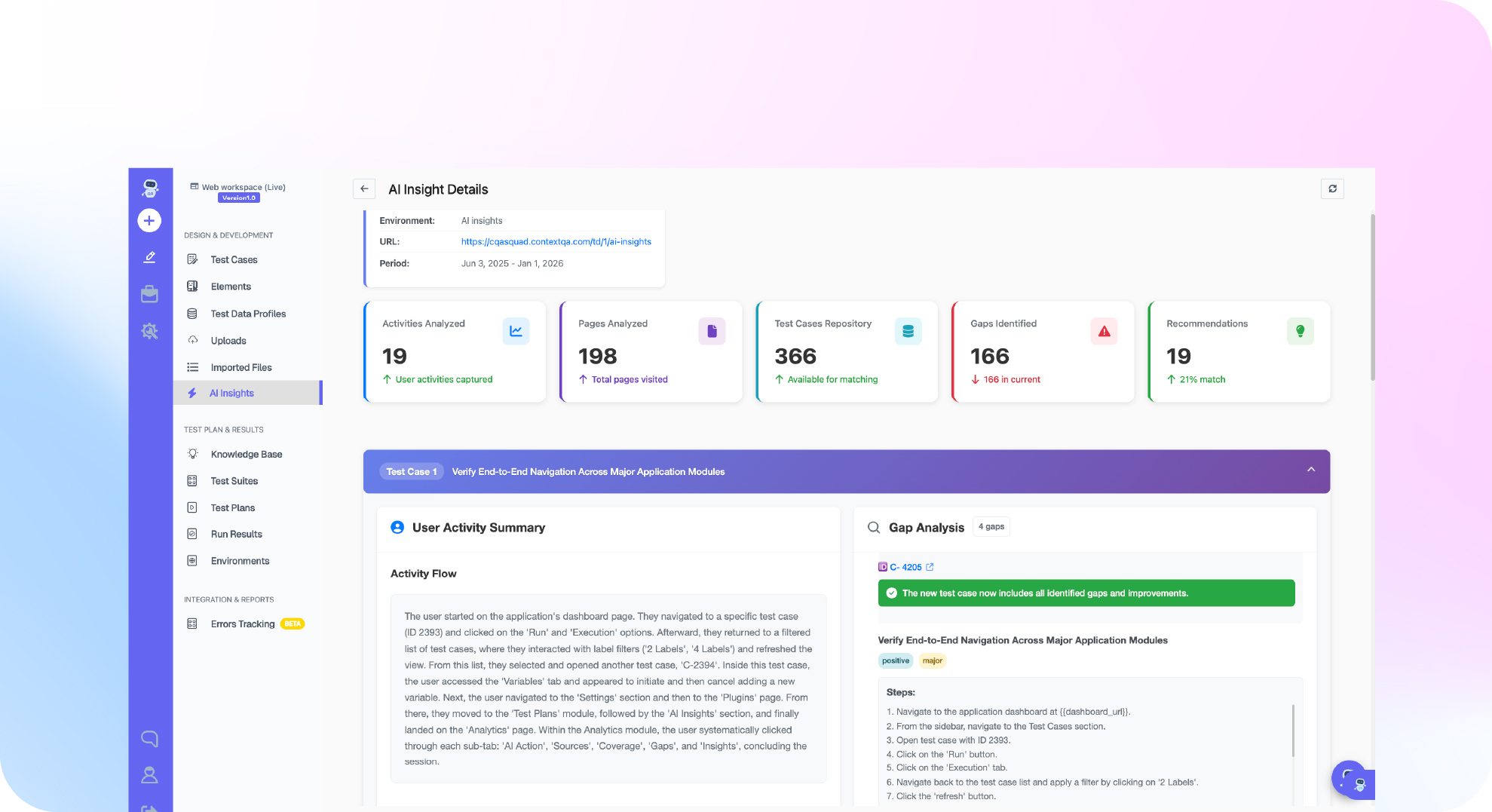
ContextQA records, authors and replays SAP browser and API tests. It includes self healing, test plans for upgrade regression, code export to Playwright, and Jenkins and GitHub Actions integration. It runs as cloud SaaS, in your own cloud, self hosted or on premises (Enterprise plan). Its limit: native desktop SAP GUI is a separate surface, so list desktop only steps on their own.

Which one fits your team best?
Choose by where your SAP risk sits. If you have a large desktop SAP GUI estate, shortlist Tosca or Worksoft first. If scoping each release is the bottleneck, start with Panaya. If most SAP work runs in Fiori and WebGUI and you want it in the same CI/CD pipeline as your other apps, evaluate ACCELQ and ContextQA.
What to do on Monday:
- List critical processes such as order-to-cash and procurement, note which interface each runs on, and mark any steps that only exist in desktop SAP GUI.
- Send every vendor the same proof of concept, for example
VA01throughVF01with aVA03document flow check. Ask each one to show the order, delivery and invoice IDs carried through every stage. - Ask how each tool tests IDocs, BAPIs and OData, and whether results can feed SAP Cloud ALM.
- Settle deployment and security review early, before the proof of concept ends.
If SAP upgrades keep breaking your Fiori, S/4HANA and WebGUI regression suites, book a ContextQA demo to see self healing tests verify the business outcome before sign off.
Bottom line
The right SAP test automation tool for 2027 covers the interfaces your landscape actually runs: Fiori, S/4HANA, WebGUI or desktop SAP GUI. It also produces evidence your release owner can sign. Shortlist by how each tool handles transports, test data and document chains, not by module labels. For wider choices, see how to choose AI test automation tools in 2027.
Sources
These are the primary sources behind the dated claims, ContextQA capabilities and community tools in this guide. Vendor descriptions summarize public positioning, so confirm current features and pricing with each vendor directly before you build a shortlist.