TL;DR: The best BrowserStack alternatives depend on what is actually hurting your team: grid price, device coverage, or the hours spent fixing broken scripts. Cloud grids such as TestMu AI (formerly LambdaTest) and Sauce Labs replace BrowserStack almost one to one, with automation plans that start at $79 per month billed annually for desktop web. Open source grids cut license cost but move the infrastructure work onto your team. If the real problem is script maintenance, an AI-native platform that generates and self-heals tests addresses the cause rather than renting more browsers.
Quick answers
What is the best BrowserStack alternative in 2026?
There is no single winner. TestMu AI is the closest like-for-like cloud grid, Sauce Labs fits enterprises that already run large Selenium or Appium suites, and AWS Device Farm suits teams already on AWS. ContextQA fits teams whose scripts break more often than their devices change, because it generates and self-heals tests.
Is BrowserStack still worth it in 2026?
Yes, if your scripts are healthy and you only need devices. BrowserStack remains a broad device and browser grid with Live plans from $29 per month billed annually. It does not author or repair your tests, so a team losing days to locator fixes will not solve that problem by renewing it.
What is the cheapest alternative to BrowserStack?
Self-hosted Selenium Grid or Playwright has no license fee, but you pay in servers, browser images, and engineer time. For managed options, AWS Device Farm charges $0.005 per desktop browser instance minute. Firebase Test Lab offers a no-cost daily quota for Android devices, though Google plans to shut it down in 2027.
Why do QA teams look for BrowserStack alternatives?
Teams usually start searching for BrowserStack alternatives for one of three reasons. The bill grew faster than the test suite. Parallel sessions became the bottleneck in CI. Or the team realized the grid was never the hard part.
BrowserStack is a device grid. It gives you real browsers and real devices on demand, and it does that well. What it does not do is write your tests, decide what to cover, or fix a test when a developer renames a button. If your nightly run fails 40 times and 35 of those failures are stale locators, a faster or cheaper grid only gets you to the same broken report sooner.
The cost of that gap is not trivial at industry scale. The Consortium for Information and Software Quality estimates that poor software quality cost the US $2.41 trillion in 2022, with accumulated technical debt near $1.52 trillion. Brittle test code is part of that debt, and it is the part a grid subscription cannot pay down.
So before comparing vendors, name the problem you are solving. Our ContextQA vs BrowserStack breakdown walks through that distinction in detail, but the short version is this: grid problems need a grid, and maintenance problems need something that touches the tests themselves.
What does BrowserStack cost today?
You cannot judge an alternative without a baseline. According to the BrowserStack pricing page, these are the current entry points, billed annually with one parallel test:
- Live, Desktop: $29 per month for a single user doing manual cross-browser checks.
- Live, Desktop and Mobile: $39 per month for a single user.
- Live, Team: $150 per month with 5 users by default.
- Automate, Desktop: $99 per month for automated desktop browser runs.
- Automate, Desktop and Mobile: $175 per month, rising to $225 per month for the Pro tier.
The number that matters most is the parallel count. Every plan above is priced at one parallel session. A regression suite of 600 tests at 90 seconds each takes 15 hours on one session and about 1.9 hours on eight. Parallel sessions are what you actually buy, so price every vendor at the concurrency your pipeline needs, not at the headline rate. Our guide to test automation pricing and real TCO covers how to model that.

Which browsers and devices do you actually need to cover?
Coverage drives grid cost, so before you price BrowserStack alternatives, set it from data rather than habit. StatCounter's global browser data for September 2026 puts Chrome at 66.36 percent, Safari at 18.27 percent, Edge at 6.04 percent, and Firefox at 2.8 percent.
Read that as an engine map, not a brand list. Chrome and Edge both run on Chromium. Safari runs on WebKit, and on iOS every browser does. That means three engines (Chromium, WebKit, Gecko) cover nearly all of your real traffic. Your own analytics should override global numbers, especially for B2B products where Edge share often runs higher.
For a deeper look at where rendering bugs actually come from, see our cross-browser testing approach. The practical takeaway: most teams need fewer browser and OS combinations than their grid plan sells them, and a targeted matrix of 8 to 15 combinations often catches what a 3,000-device catalog would.
What are the main BrowserStack alternatives in 2026?
Here are six BrowserStack alternatives grouped by the problem each one solves. Every price below was checked on the vendor's own pricing or documentation page.
Cloud grids that replace BrowserStack directly
- TestMu AI (formerly LambdaTest): The closest direct competitor, now adding AI features to its grid. Its pricing page lists Virtual Live from $15 per month, Web Automation on Desktop from $79 per month, Real Device Plus Automation Cloud from $199 per month, and HyperExecute public cloud from $159 per month, all billed annually. A free tier includes 100 automation minutes.
- Sauce Labs: A long-standing grid used by enterprises with large Selenium and Appium estates and broad OS coverage needs. The Sauce Labs pricing page lists Live Testing at $39 per month annually ($49 month to month), Virtual Device Cloud at $149 per month, and Real Device Cloud at $199 per month, with 1 to 5 concurrent sessions on self-serve plans. Ask its sales team for compliance documentation if you work in a regulated industry.
Cloud provider device farms
- AWS Device Farm: Useful when your CI already runs on AWS. The AWS Device Farm pricing page lists real mobile devices at $0.17 per device minute, unmetered slots at $250 per month, and desktop browser testing at $0.005 per instance minute. New accounts currently get a one-time trial of 1,000 device minutes.
- Firebase Test Lab: Google's Android-focused device lab. The Firebase Test Lab quota page lists 10 virtual and 5 physical test runs per day on the free Spark plan, then $1 per virtual device hour and $5 per physical device hour. The same page notes Test Lab is deprecated and will shut down on September 30, 2027, so do not build a new strategy on it.
Open source grids you run yourself
- Selenium Grid: The Selenium Grid documentation describes it as a way to run WebDriver scripts on remote machines, spread parallel runs across hosts, and test across browser versions and operating systems. It costs nothing to license, but you own the nodes, browser images, scaling, and upgrades.
- Playwright with your own CI runners: According to the Playwright browser docs, it runs tests on Chromium, WebKit, and Firefox, plus branded Chrome and Edge. Run
npx playwright installto fetch the default browsers, ornpx playwright install webkitfor a single engine. Combined with sharding in CI, it covers all three major engines without a vendor grid, though it does not give you real iOS or Android hardware.
AI-native platforms that address maintenance
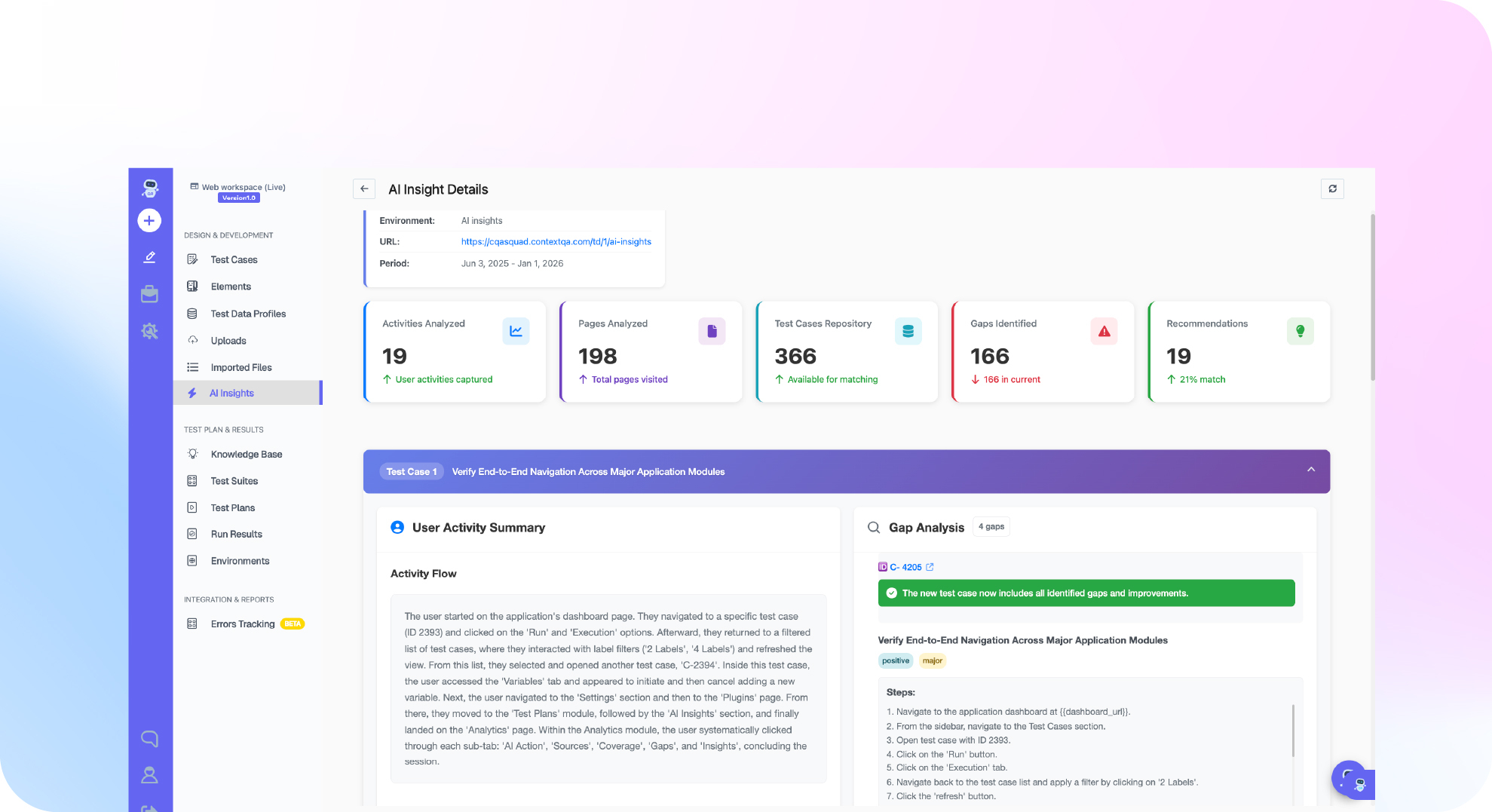
- ContextQA: A different category from the grids above. ContextQA uses AI to generate tests and self-heal them across web and mobile platforms, so a renamed element or a moved button does not turn into a red build and a manual fix. It is the strongest fit when your pain is authoring and maintenance rather than device access. Our page on AI-based self-healing explains how the repair step works.
How do you choose between a grid and an AI-native platform?
Before you trial any BrowserStack alternatives, sort your last 30 days of failed runs into three buckets. This takes an afternoon and removes most of the guesswork.
- Export failures from CI. Pull every failed test from your last month of pipeline runs, including retries, from your CI tool's API or test reports such as
junit.xml. - Tag each failure by cause. Use three tags: real product bug, environment or grid problem (session timeouts, device unavailable, queue waits), and test maintenance (stale locator, changed copy, reordered flow).
- Count the minutes, not just the failures. Note how long each one took to triage and fix. A locator fix that takes 20 minutes, repeated 30 times a month, costs 10 engineer hours.
- Match the dominant bucket to a category. If grid problems dominate, move to a cheaper or faster grid. If maintenance dominates, a new grid will not help, and an AI-native platform belongs on your shortlist.
- Run a two-week proof of concept. Port 20 to 30 of your most fragile tests to the finalist and measure failure rate and fix time against your baseline.

When should you keep BrowserStack?
Staying put is often the right call. Keep BrowserStack if most of these are true:
- Your suite is stable. Fewer than 5 percent of failures trace back to the tests themselves.
- You need wide device breadth. Your users run many real Android and iOS models and you have to reproduce device-specific bugs.
- Your team writes and maintains code-based tests comfortably. Selenium, Playwright, Cypress, or Appium scripts are healthy, reviewed, and owned.
- Your contract terms are good. Migration has a cost, and a 20 percent price gap may not cover it.
If your focus is native apps rather than web, our separate roundup of BrowserStack alternatives for mobile app testing goes deeper on real-device options.
What are the hidden costs when switching grids?
The license line is usually the smallest part of moving to BrowserStack alternatives. Plan for these before you sign:
- Capability rewrites. Each grid uses its own capability keys and options objects, so
desiredCapabilitiesor vendor options blocks in every config file need edits. - Tunnel and network setup. Testing staging environments behind a firewall means installing and securing a new local tunnel binary in CI.
- Parallel tuning. Concurrency limits differ, so test sharding and timeouts may need retuning to avoid queue waits.
- Reporting and integrations. Dashboards, Jira links, and Slack alerts tied to the old vendor need rebuilding.
A simple rule: if the move only changes where the browsers live, budget one to three engineer weeks for a mid-sized suite. If it changes how tests are written, treat it as a test strategy project with its own proof of concept.
If stale locators, not missing devices, are what keep your CI red, see how the ContextQA platform generates and self-heals tests across web and mobile, then book a demo and bring your 20 flakiest tests to compare against your current grid.
One more pattern worth noting: many teams end up with a hybrid. They keep a small grid subscription for real-device spot checks and move the bulk of regression coverage to a platform that maintains itself. That split often lowers both the grid bill and the triage hours, because the expensive real-device minutes go only to tests that truly need hardware.
Frequently Asked Questions
Can I migrate my existing Selenium tests off BrowserStack without rewriting them?
Usually yes, for another WebDriver grid. You change the remote hub URL, credentials, and capability keys, then rerun. Expect edits in shared config files rather than test bodies. Moving to a different authoring model, such as AI-generated tests, is a larger change and should start with a proof of concept.
Do BrowserStack alternatives support real iOS devices?
Some do. Sauce Labs and TestMu AI both sell real device clouds, and AWS Device Farm offers real mobile devices billed per minute. Open source Playwright tests the WebKit engine on desktop and emulated mobile viewports, but it does not run on physical iPhones, so pair it with a device cloud if you need hardware.
How many parallel sessions does a typical CI pipeline need?
Divide your total suite runtime by your target pipeline time. A suite that takes 6 hours on one session needs about 12 parallel sessions to finish in 30 minutes. Add 20 percent headroom for retries and queue delays, then price every vendor at that concurrency level.
Bottom line
The right BrowserStack alternatives for your team follow from one question: is the grid the bottleneck, or are the tests? If you need cheaper or faster browsers, TestMu AI, Sauce Labs, AWS Device Farm, or a self-hosted Selenium or Playwright grid will do the job at a verified, known price. If your engineers spend their week fixing locators, a new grid only relocates that work. Sort a month of failures, price at the concurrency you really need, and shortlist an AI-native option when maintenance dominates. Our self-healing test automation guide is a good next read before you run that proof of concept.