
TL;DR: Self-healing test automation uses AI to repair broken element locators on the fly, so a test keeps passing when a button moves or a class name changes instead of failing for no real reason. It is one of the fastest growing parts of the automation testing market, valued at 24.25 billion dollars in 2026, because it attacks the single biggest cost in test automation: maintenance. This guide explains how self-healing actually works, where it earns its keep, where it can quietly mislead you, and how to roll it out without blindly trusting it.
Definition: Self-Healing Test Automation A capability where an automated test, at runtime, detects that the element it was told to interact with can no longer be found, then locates the correct element using alternative signals and updates the locator so the test continues. It builds on standard test automation by adding a recovery step that traditional scripts do not have.
Quick answers
Does self-healing fix the test or just the locator? It fixes the locator. When an element moves or its attributes change, the engine finds the same element another way and updates the reference, so the test logic keeps running. It does not rewrite your assertions or invent new test steps.
Is self-healing the same as AI test generation? No. Generation writes new tests from a goal or a recorded flow. Self-healing keeps existing tests alive as the application changes. Most modern platforms, ContextQA included, do both, but they solve different problems.
Can I trust a self-healed test automatically? Trust it, but verify. A good engine logs every repair with a confidence score and a before and after, so you can review what changed. Blindly accepting every heal is how a test ends up green while silently checking the wrong thing.
How self-healing test automation actually works
Traditional automation finds elements with a single locator. Maybe an ID, maybe an XPath, maybe a CSS selector. That works right up until the front end changes. A developer renames a class, a framework re-renders the DOM, a button shifts into a new container, and the locator points at nothing. The test fails. Not because the product is broken, but because the map you handed the test is now wrong.
Self-healing changes the model in three steps.
- Capture a rich fingerprint, not one locator. When a test is first created or run, the engine records many signals about each element: its text, its role and accessibility attributes, its position in the DOM, nearby labels, and sometimes a visual snapshot. One brittle selector becomes a profile.
- Detect the break at runtime. On the next run, if the primary locator returns nothing, the engine does not give up. It knows the element it wanted, because it has the fingerprint.
- Relocate and score the match. It searches the current page for the element that best matches the stored fingerprint, picks the strongest candidate, attaches a confidence score, updates the locator, and continues the run. Then it logs what it did.
The quality of a self-healing engine comes down to how many independent signals it can weigh and how honestly it scores the match. An engine that only falls back from ID to XPath is barely healing. An engine that cross-checks visual, accessibility, DOM, and text signals together can recover from changes that would break a single-locator script outright. ContextQA leans on that multi-layered approach, which I will get into below.
Why one locator was never enough
Here is the uncomfortable truth about classic selectors. They encode an assumption that the page will not change. Modern front ends break that assumption constantly. Component libraries regenerate markup, A/B tests swap layouts, and dynamic IDs change on every build. A locator strategy that depends on any single one of those is a time bomb with a slow fuse. Self-healing does not make your selectors immortal. It gives the test more than one way to recognize the thing it is looking for, which is how a human tester would do it anyway. You do not find the Submit button by memorizing its internal ID. You find it because it says Submit and sits at the bottom of the form.
What actually breaks a locator
It helps to name the specific changes that kill a selector, because they are predictable once you have seen them a few times. Self-healing is a direct response to these, so knowing them tells you where it pays off and where it does not.
- Framework re-renders. React, Vue, and Svelte regenerate the DOM as state changes. Element order, wrapper divs, and generated keys shift even when nothing visible changed, and a deep XPath that counted on the old tree breaks.
- Component library upgrades. When you bump a design-system version, the markup under your buttons and inputs changes without anyone on your team touching it. Your tests inherit a structure they never agreed to.
- Hashed and dynamic IDs. CSS modules, styled-components, and most build tools emit class names and IDs that change on every build. A selector tied to one of those is broken before the next deploy even finishes.
- A/B tests and feature flags. The same URL serves a different layout to different users. A locator that works for the control variant misses entirely for the experiment.
- Internationalization. Text-based locators that match Sign in fail the moment the page renders in another locale, or when a writer changes a single word of copy.
- Responsive and layout shifts. An element that lived inside the form on desktop moves into a sticky footer on mobile or after a redesign, so position-based locators point at the wrong place.
None of these are bugs in your product. They are normal change. A single-locator script treats every one of them as a failure, which is why a brittle suite spends so much of its life red for reasons that have nothing to do with quality. Self-healing exists because this list never gets shorter.
Brittle locators vs self-healing locators
| Situation | Brittle single-locator script | Self-healing engine |
|---|---|---|
| Button gets a new CSS class | Locator misses, test fails | Matches on text, role, and position, continues |
| Element moves to a new container | XPath breaks, test fails | Relocates by fingerprint, updates the path |
| Dynamic ID changes each build | Flaky, fails intermittently | Ignores the volatile ID, uses stable signals |
| Label text changes from Sign in to Log in | Text locator fails | Cross-checks role and position, flags low confidence |
| Maintenance after a UI refresh | Hours of manual selector edits | Most repairs happen automatically, logged for review |
Why this matters now
Flaky tests are not a rare edge case. They are a tax every automation team pays. Google studied this at scale and found that around 1.5 percent of all test runs were flaky, and that nearly 16 percent of their tests showed flakiness at some point. Read that again. More than one in seven tests failed at least sometimes for reasons that had nothing to do with a code change.
The cost is not only the failed run. It is the human time spent deciding whether a red build is a real bug or just noise, the trust that erodes when a suite cries wolf, and the new tests that never get written because the team is too busy nursing the old ones. Anyone who has run a large suite knows the pattern. You rerun the job. It passes. You shrug and move on. That shrug is the problem, because the day a real failure hides inside the noise is the day a defect ships.
This is also why self-healing fits the shift left idea so well. Shift left says catch problems earlier, when they are cheap to fix. But a flaky suite pushes teams the other way, because nobody trusts a gate that fails at random. Stabilize the suite and the gate becomes believable again. That is the real product of self-healing. Not fewer failures for their own sake, but a signal you can act on. If you are mapping where this fits in your pipeline, our roundup of the best test automation tools in 2026 puts self-healing platforms next to open source frameworks so you can see the tradeoffs side by side.
The limits of self-healing, said plainly
Self-healing is powerful, and it is not magic. Treating it as magic is how teams get burned. Three limits are worth saying out loud.
It can heal toward the wrong element. If two buttons look similar and one moves, a weak engine can lock onto the wrong one and keep passing. The test stays green while checking something it was never meant to check. This is the silent failure mode, and it is more dangerous than an honest red.
It can mask a real regression. Sometimes an element disappears because a developer removed it on purpose, or by accident. A heal that quietly routes around that change hides a signal you actually wanted. Good engines flag low-confidence heals instead of swallowing them.
It is not a license to write lazy locators. Self-healing works best as a safety net under solid test design, not as a replacement for it. If your tests target stable, meaningful attributes from the start, the engine has less to repair and fewer chances to guess wrong. The teams that win pair good selectors with self-healing, then review the repair log instead of ignoring it.
How ContextQA approaches self-healing
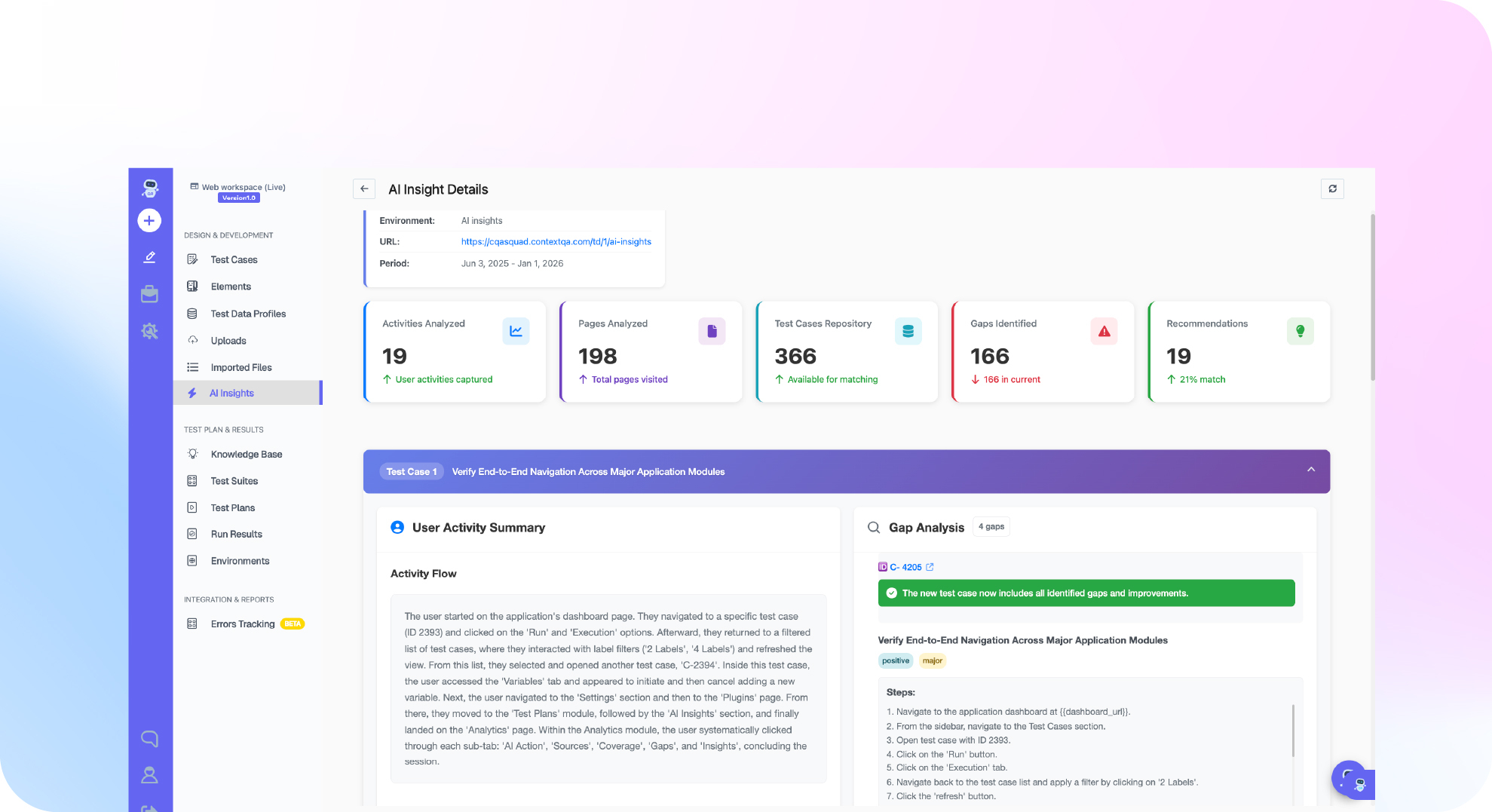
ContextQA built its AI based self-healing around the multi-signal idea rather than a simple locator fallback. When an element cannot be found, the engine compares candidates against a multi-layered fingerprint that weighs visual, accessibility, DOM, and text signals together. No single attribute gets to decide on its own. That matters because the changes that break tests in the real world rarely touch all four signals at once. A class name can change without changing the visible text. A layout can shift without changing the accessibility role. By cross-checking several independent signals, the engine recovers from the common breaks and stays cautious when the match is weak.
Healing is also paired with explanation. When a run does fail for a real reason, ContextQA runs root cause analysis that classifies each failure as a real bug, a test issue, an environment problem, or a flaky run. That classification is the missing half of the story. Self-healing keeps the suite alive, and root cause analysis tells you which red builds deserve a human. Together they cut the part of QA work that hurts most, which is triage.
On the proof side, ContextQA’s work with IBM put this to the test on a large migration, where thousands of test cases were moved and run with the flakiness removed rather than carried forward. That is the outcome self-healing is supposed to produce at scale: not a demo that survives a renamed button, but a suite that stays trustworthy through constant change.
Where self-healing runs across your stack
Self-healing is only useful if it covers the surfaces your product actually ships on. ContextQA applies the same healing engine across web automation on Chrome, Firefox, Edge, and Safari, across mobile automation on iOS and Android where layout drift after an OS update is a constant source of breakage, and across API and Salesforce and other enterprise flows where data and selectors both shift. It plugs into the pipeline through Jenkins, GitHub Actions, GitLab, and CircleCI, so heals happen inside the same run that gates your merge, not in a separate manual pass afterward. The point of putting it all on one platform is that the engine learns the patterns of your application once and applies them everywhere, instead of you maintaining four different brittle suites.
What separates a strong self-healing engine from a weak one
Self-healing is now a checkbox on almost every vendor’s feature list, which makes the label nearly useless on its own. The gap between a real engine and a marketing bullet is wide. When you evaluate one, push on five things.
- How many independent signals does it weigh? A weak engine falls back from one locator type to another. A strong one compares visual, accessibility, DOM, and text signals together, so a change to any single attribute does not fool it.
- Does it score confidence, or just heal silently? You want a number on every repair and a clear line between a confident match and a guess. Silent healing is where wrong matches hide.
- Can a human review and reject a heal? The engine should log every repair with a before and after, and surface the shaky ones for review rather than burying them.
- Does it cover all your surfaces? Web, mobile, and API drift in different ways. An engine that only heals web locators leaves your mobile suite just as brittle as before.
- Does it get better over time? A good engine learns the patterns of your application from repeated runs, so it heals more accurately the longer it watches your product.
If a tool cannot answer those clearly, its self-healing is probably a single-locator fallback with a nicer name. That is better than nothing, but it is not what moves the maintenance number.
How to measure whether self-healing is working
Self-healing is easy to turn on and easy to over-trust, so measure it rather than assume it. A few signals tell you whether it is doing real work or quietly hiding problems.
- Maintenance hours saved. Track how many manual selector edits your team made per week before and after you turned healing on. This is the number self-healing exists to move, and it is the one leaders actually care about.
- Flake rate and pass-rate stability. A stable suite passes and fails for real reasons. If your flake rate drops after enabling healing, the engine is removing locator noise the way it should.
- Heal volume and confidence spread. A healthy suite produces a steady trickle of high-confidence heals. A flood of low-confidence heals is a warning that your locators are too brittle to begin with, or that the app is changing faster than your tests describe it.
- False-heal rate. The heals that matched the wrong element, caught in review. You want this near zero, and you only know it if a human actually reads the repair log. A false-heal rate you cannot measure is a false-heal rate you are ignoring.
- Mean time to green after a UI change. How long the suite takes to return to passing after a front-end deploy. Self-healing should shrink this from an afternoon of manual fixing to a single re-run.
Read those together and you get an honest picture. If maintenance time and flake rate fall while the false-heal rate stays near zero, healing is paying for itself. If heals spike and nobody reviews them, you have traded visible failures for invisible ones, which is the opposite of what you wanted.
A worked example: when the checkout button moves
Picture a real change, because this is where the idea stops being abstract. Your checkout test clicks a button located by the CSS selector for a class called btn-primary. On Tuesday a developer ships a redesign. The class becomes btn-checkout-v2, and the button moves out of the form body and into a sticky footer at the bottom of the page. Nothing about the button’s job changed. It still says Place order. It is still the primary action. It still sits at the end of the checkout flow.
A brittle script dies here. The class is gone, so the selector returns nothing, and the run goes red. An engineer gets paged, opens the failure, realizes it is a cosmetic change, edits the selector, and reruns. Multiply that by every test that touched that button and you have lost an afternoon to a change that broke nothing.
A multi-signal engine handles it differently. The primary selector misses, so it pulls the stored fingerprint for that element: text reads Place order, role is button, it is the primary call to action, it lives at the end of the checkout form. It scans the new page, finds a single element that matches all of those signals, scores the match high, clicks it, and finishes the run. It writes a line in the repair log: locator updated, old class btn-primary, new match by text and role, confidence high. The next morning a QA engineer skims that log, sees the heal was correct, and moves on. No page at 2 a.m. No lost afternoon. The one case worth a human glance, the heal itself, took fifteen seconds to confirm.
Put self-healing to work this week
- Pick one brittle suite (10 minutes). Choose the flow that breaks most often after UI changes, usually checkout, login, or a core dashboard. That is where healing pays back fastest.
- Audit your locators (30 minutes). Open the suite and flag every selector that depends on a dynamic ID or a deep XPath. These are your highest-risk lines.
- Turn on self-healing for that suite (20 minutes). Enable it on the platform you use. On ContextQA, start from AI based self-healing and point it at the suite.
- Run it twice across a UI change (varies). Run before and after a front-end update, then open the repair log. Read what healed and at what confidence.
- Review low-confidence heals (15 minutes). Do not rubber stamp them. Confirm each one matched the element you meant. This habit is what keeps a green suite honest.
- Wire it into CI (30 minutes). Add the run to your Jenkins or GitHub Actions pipeline so heals happen at the gate, not in a side job.
- Book time with a team that does this daily. If you want a second set of eyes on your setup, book a demo and bring your flakiest suite.
The bottom line
Self-healing test automation is not about chasing zero failures. It is about making the failures you see mean something. When roughly one in seven tests can flake for reasons unrelated to your code, a suite that repairs its own locators and explains its own failures is the difference between a quality gate your team trusts and one they route around. Start with one brittle suite, keep a human on the repair log, and expand from there. If you want to see multi-layered self-healing and root cause analysis working on your own flows, book a demo and bring the suite that breaks the most.
Written by Deep Barot.