TL;DR: A Cypress to Playwright migration is worth it when flaky tests, slow suites, and per-parallel billing are costing your team real hours. Playwright overtook Cypress in weekly npm downloads in mid-2024 and now pulls roughly 30 million to Cypress’s 6.5 million (npmtrends). Migrate in phases, run both suites side by side, and let AI codemods convert the bulk of the code.
Definition: End-to-end test migration is the process of re-implementing an existing automated test suite on a different framework while preserving the same coverage of real user journeys. A Cypress to Playwright migration specifically moves in-browser Cypress specs to Playwright’s out-of-process architecture, translating commands, waits, assertions, and custom helpers as you go.
Quick answers
Should you migrate from Cypress to Playwright? Migrate if you need multi-tab or cross-origin flows, WebKit/Safari coverage, non-JavaScript language bindings, or free parallelization. If you run single-domain SPAs and lean on Cypress’s interactive debugger, staying put is a defensible call.
How long does a Cypress to Playwright migration take? Plan for a quarter for a typical suite. Critical flows move in the first month, most tests over the next two, and Cypress gets decommissioned by month four. Teams that use AI codemods compress the hands-on work dramatically.
Do you have to rewrite every test by hand? No. AST-based codemods auto-convert most command syntax, selectors, and assertions. You review the diffs, fix the edge cases the tool cannot infer, and spend your time on the 10 to 20 percent that needs human judgment.

Cypress vs Playwright: what actually changes
Before you touch a single spec, get clear on why the two frameworks behave differently. It is an architecture story. Cypress runs your test code inside the browser’s execution loop, driven by a Node.js proxy layer. That design gives Cypress its famous developer experience, but it also caps you at a single tab, ties you to the browser’s memory limits, and adds roughly 5 to 7 seconds of startup latency before any test logic runs.
Playwright takes the opposite approach. It runs out of process and talks to Chromium, Firefox, and WebKit over persistent WebSocket connections using the browser’s own debugging protocol. Multiple tabs, multiple browser contexts, and near-zero protocol overhead come for free. That difference is not academic. In one documented comparison, the same suite ran in 16.09 seconds on Cypress and 1.82 seconds on Playwright, an 88.7 percent improvement (BigBinary).
Here is the side-by-side that matters when you are building the business case for a Cypress to Playwright migration. I have kept it to the differences that change how you write and run tests, not marketing checkboxes.
| Capability | Cypress | Playwright |
|---|---|---|
| Architecture | Runs in the browser event loop via a Node.js proxy | Out of process, talks to the browser over the DevTools protocol |
| Tabs and contexts | Single tab, one origin at a time | Native multi-tab, multi-context, cross-origin |
| Browser engines | Chromium family, Firefox, plus experimental WebKit | Chromium, Firefox, and full WebKit (Safari engine) |
| Languages | JavaScript and TypeScript only | JavaScript, TypeScript, Python, Java, and C# |
| Parallelization | Native parallel needs Cypress Cloud (paid) | Free built-in sharding and parallel workers |
| Flakiness (large sample) | 0.83% average, wider P95/P99 tail | 0.72% average, tighter spread |
| Interactive debugging | Cypress App time-travel and Test Replay | Trace Viewer and UI Mode |
That flakiness gap looks small on paper. It is not small in a busy CI pipeline. Across close to 400 million test records, Cypress averaged 0.83 percent flakiness against Playwright’s 0.72 percent, and Cypress showed a much wider tail of extreme instability at the P95 and P99 marks (Currents.dev). A fatter tail means more of those 2 a.m. reruns that nobody trusts. If you have read our Playwright vs Selenium vs Cypress comparison, this is the same pattern at suite scale.
How to migrate from Cypress to Playwright: the command mapping
The good news for anyone dreading a Cypress to Playwright migration is that most of the translation is mechanical. The concepts carry over. Cypress chains commands off cy; Playwright uses an async page object and locators. Cypress retries assertions with should(); Playwright’s expect() ships auto-retrying, web-first assertions that wait for the condition instead of the element (Playwright docs). Custom commands become fixtures.
| What you are doing | Cypress | Playwright |
|---|---|---|
| Open a page | cy.visit(url) | await page.goto(url) |
| Select an element | cy.get('.btn') | page.locator('.btn') |
| Click | cy.get('.btn').click() | await locator.click() |
| Type text | cy.get('#name').type('text') | await locator.fill('text') |
| Find by text | cy.contains('Submit') | page.getByText('Submit') |
| Assert | .should('be.visible') | await expect(locator).toBeVisible() |
| Reusable helper | Cypress.Commands.add() | Playwright Fixtures |
Two patterns trip people up. First, the async/await model: every Playwright action returns a promise, so a spec that reads top to bottom in Cypress needs awaits in Playwright. Second, the mental shift from “select an element, then assert” to “assert on a locator.” Playwright re-queries the locator on each retry, which is exactly why it kills a whole class of timing flakiness. Support for Python, Java, and C# also means a polyglot team is no longer boxed into JavaScript (Playwright languages).
Seeing it on a real spec helps. Here is a small Cypress login test and the same test after a Cypress to Playwright migration. Notice how the structure survives intact; only the surface syntax and the awaits change.
// Cypress
describe('login', () => {
  it('signs in a valid user', () => {
    cy.visit('/login')
    cy.get('#email').type('jo@acme.io')
    cy.get('#password').type('secret')
    cy.contains('Sign in').click()
    cy.get('.dashboard').should('be.visible')
  })
})
// Playwright
import { test, expect } from '@playwright/test'
test('signs in a valid user', async ({ page }) => {
await page.goto('/login')
await page.locator('#email').fill('jo@acme.io')
await page.locator('#password').fill('secret')
await page.getByText('Sign in').click()
await expect(page.locator('.dashboard')).toBeVisible()
})Same intent, same seven lines of logic. The Playwright version is fully async, and the final assertion waits on the locator rather than on a snapshot of the element. That single change is why so much timing flakiness quietly disappears after a migration.
Handling the Cypress-specific features
The simple commands are easy. The features that made your Cypress suite powerful, network stubbing, sessions, fixtures, and hooks, all have direct Playwright equivalents, but they are where a Cypress to Playwright migration actually needs a human. Map them deliberately.
| Cypress feature | Playwright equivalent | Watch out for |
|---|---|---|
cy.intercept() | page.route() | Playwright fulfills or aborts requests explicitly, so review each mock’s response shape |
cy.request() | the request fixture | Runs fully out of browser, which is usually what you wanted anyway |
cy.session() | storageState | Save auth once in global setup and reuse it across projects for a big speed win |
cy.fixture() | plain JSON import or route.fulfill() | No special loader needed, just import the file |
beforeEach() | test.beforeEach() | Nearly identical, but the callback is async |
| Custom commands | Fixtures | The biggest rewrite; fixtures are cleaner but the shape is different |
Sessions are the sleeper win here. Cypress teams often re-log-in on every test; moving that into Playwright’s storageState at global setup can shave minutes off a full run before you have optimized anything else. It is the first thing I would reach for once the mechanical conversion is done.
Let AI codemods do the boring 80 percent
You do not have to hand-convert hundreds of specs. AST-based codemod tools such as @codemod/cypress-to-playwright parse each file into a syntax tree and rewrite the structure, selectors, and assertions automatically (codemod registry). In one documented case, Grit.io migrated a 2,900-test suite through roughly 30 automated pull requests, cutting an estimated 240 hours of manual work down to about 30 hours of review (Currents.dev). The tool does the transformation; your engineers review the diffs and handle the cases the parser cannot reason about, like complex custom commands or app-specific waits.
A phased Cypress to Playwright migration plan
Do not attempt a big-bang rewrite. The pattern that works, and the one we recommend to teams running a Cypress to Playwright migration, is a phased rollout where both frameworks live in the same repository until Playwright coverage matches. You keep shipping the whole time.
- Phase 1 (Month 1): Stand up Playwright next to Cypress. Configure CI, build the core building blocks (authentication, test-data generation, base fixtures), and migrate the first handful of critical suites so the team learns the patterns on real code.
- Phase 2 (Months 2 to 3): Freeze new Cypress work. Every new test goes in Playwright. Migrate existing specs in priority order, protecting the flows that guard revenue first. Run codemods per batch and review the pull requests.
- Phase 3 (Month 4 and beyond): Once Playwright coverage matches, delete the Cypress specs, remove the dependency, and cancel the cloud subscription. One team’s three-month migration paid for itself within five months on CI savings alone.
The coexistence period is the safety net. You never have a window where the app is under-tested, and you can roll back any single wave without drama. This is the same wave-based discipline we describe in the Selenium to Playwright migration guide, and it applies just as cleanly here.

Why the Cypress to Playwright migration pays off
Speed and stability are the headline, but the money argument is often what gets the migration approved. Cypress Cloud bills primarily on recorded test results, and parallelization does not lower that count (Cypress pricing). A mid-size team running a few hundred tests across dozens of pull requests a day can generate 150,000-plus recorded results a month, which lands in the paid Business tier. Playwright’s sharding and parallel workers are free, so teams that switch commonly report a 40 to 60 percent cut in CI compute time and cost.
There is a delivery-metrics angle too. Google’s DORA research ties fast, trustworthy automated testing directly to deployment frequency and change-failure rate (DORA 2024). A test suite that runs in a fifth of the time and fails less often is not a QA nicety. It is a lever on how often you can safely ship. One enterprise team reported cutting total suite duration from 2 hours 27 minutes to 16 minutes after their migration, which turns a once-a-day release cadence into an on-demand one.
One more thing worth measuring: developer trust. A suite that fails randomly gets ignored, and ignored tests protect nothing. When the same team can rerun a green build in 16 minutes instead of two and a half hours, they actually gate merges on it again. That behavioral change, engineers trusting the pipeline enough to block on it, is the real return on a Cypress to Playwright migration, and it is the part a spreadsheet misses. Pick three metrics before you start (median suite duration, flaky-test rate, and monthly CI spend), snapshot them on Cypress, and re-measure after each wave so the win is provable rather than felt.
Common Cypress to Playwright migration mistakes to avoid
Most Cypress to Playwright migration pain is self-inflicted. These are the five mistakes I see teams make over and over, and each one is avoidable.
- Migrating your flaky tests as-is. A flaky Cypress test usually points at a bad locator or a race condition. Port it unchanged and you carry the flake into Playwright, then blame the new tool. Fix the locator during the move, not after.
- Translating
cy.wait(3000)literally. Hard-coded waits are the number one anti-pattern. Playwright’s auto-waiting assertions replace almost all of them. If you copy fixed sleeps across, you throw away the main reason you migrated. - Skipping the coexistence period. Ripping Cypress out before Playwright coverage matches leaves a gap where regressions slip through. Keep both green until the numbers say otherwise.
- Leaning on brittle CSS selectors. A migration is the perfect moment to switch to Playwright’s role-based and text-based locators, which survive UI refactors far better than deep
.class .chains. - Treating the migration as the finish line. Playwright removes timing flakiness, not maintenance. Someone still updates selectors when the UI changes. Decide up front whether self-healing automation should carry that load instead.
That last point is the one teams underestimate most. A faster suite that still needs constant selector babysitting has moved the bottleneck, not removed it. Which is exactly the gap the next section is about.
When to stay with Cypress
Let me be fair, because a migration you do not need is just risk with extra steps. Cypress is still an excellent tool, and there are real cases where a Cypress to Playwright migration is the wrong move.
- Single-domain SPAs with no multi-tab or cross-origin needs. If your app never opens a second tab or hops origins, you are not using the capabilities that justify the switch.
- Teams deeply invested in the Cypress ecosystem. A large library of custom commands, plugins, and institutional muscle memory has real switching cost. Weigh it honestly.
- Early UI development that leans on interactive visual debugging. Cypress App time-travel and Cypress Cloud Test Replay are genuinely strong for watching a test step through the DOM. Playwright answers with Trace Viewer and UI Mode, and they are very good, but Test Replay is a fair reason to pause.
My rule of thumb: if flaky tests, slow feedback, or the cloud bill are actively costing you time, migrate. If none of those hurt, and you code in JavaScript on a single-origin app, the honest answer is that Cypress is fine.
Where ContextQA fits after your Cypress to Playwright migration
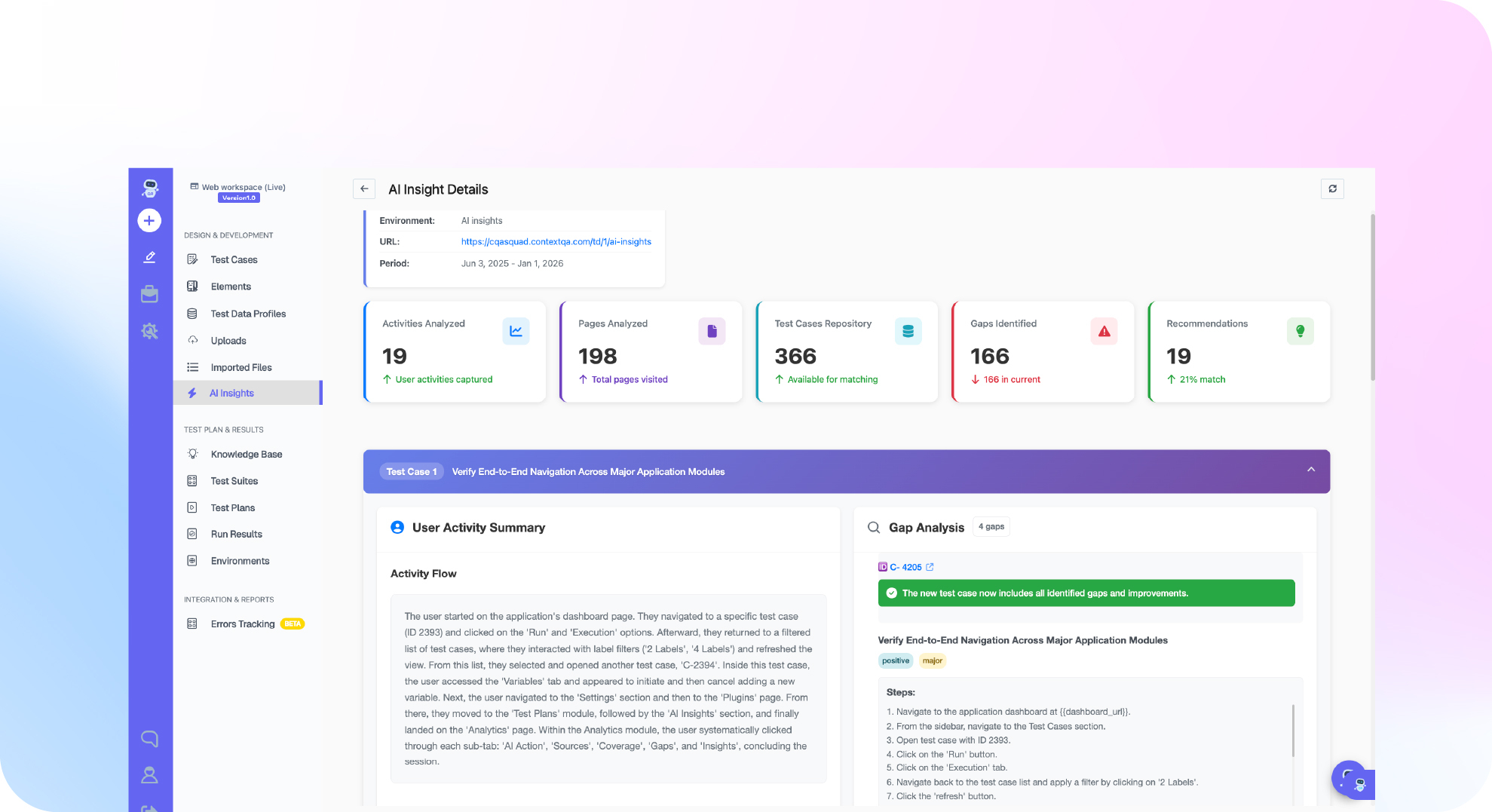
Here is the uncomfortable truth that a framework swap alone does not fix: Playwright is faster and steadier, but you still own every locator. When the UI changes, someone still updates selectors, and maintenance stays a tax on the team. This is where an agentic, context-aware AI testing platform earns its place on top of, or instead of, hand-written specs.
ContextQA attacks the maintenance problem directly. Its AI self-healing uses multi-layered element fingerprinting (visual, accessibility, DOM, and text signals) so a renamed selector heals itself instead of failing the build. When something does break, root-cause analysis classifies each failure as a real bug, a test issue, an environment problem, or a flake, so nobody wastes an afternoon triaging a red run that was never a bug. That directly targets the flakiness tail we saw in the data.
The scale question is not hypothetical. In its partnership with IBM, ContextQA validated migrating roughly 5,000 test cases and removed the flakiness from that suite (IBM case study). And because ContextQA supports Playwright code export, a migration is not a lock-in trap: you can generate and own Playwright scripts directly. The platform holds a 4.8/5 rating on G2. If you would rather not maintain framework code at all, that is the buying decision our best test automation tools guide walks through in depth.
Migrating, but do not want to babysit selectors?
See how ContextQA exports Playwright code and self-heals your suite so maintenance stops eating your sprint.
Explore Playwright code exportSkip the manual rewrite entirely
If the codemod-and-review cycle above still sounds like weeks of engineering time you do not have, ContextQA can generate and self-heal your Playwright suite directly from plain-language descriptions of your existing Cypress flows, no AST tooling or manual command mapping required.
Book a ContextQA DemoYour Cypress to Playwright migration checklist
Start here. Each step is small, and the first few take under half an hour.
- Audit and prune your Cypress suite (30 min). List the specs that protect real user journeys and mark dead tests for deletion. Do not migrate waste.
- Install Playwright in a branch (15 min). Run
npm init playwright@latest, commit it beside Cypress, and confirm CI picks up both. - Port one critical flow by hand (45 min). Convert your most important spec manually to learn the command mapping before you automate anything.
- Run a codemod on one folder (30 min). Point
@codemod/cypress-to-playwrightat a single directory, then read every diff. - Read the framework docs on best practices (20 min). Skim the official Playwright best practices so your locators are stable from day one.
- Compare with your other frameworks (15 min). If your team also debates language choices, our JavaScript vs TypeScript for test automation post settles that side quest.
- Book a working session on maintenance (30 min). If self-healing and root-cause triage would save your team more than the migration itself, book a ContextQA demo and bring your flakiest suite.
The bottom line
A Cypress to Playwright migration is a phased project, not a rewrite weekend. Move critical flows first, run both suites until coverage matches, and let AI codemods absorb the mechanical 80 percent, the way Grit.io turned an estimated 240 hours into about 30. The payoff is faster feedback, a tighter flakiness tail than Cypress’s 0.83 percent, and a CI bill that stops scaling with every parallel run. And if you would rather stop maintaining selectors entirely, ContextQA’s self-healing and Playwright export, proven at 5,000 test cases with IBM, are one demo away. Book a ContextQA demo and start with your flakiest flow.
Written by Deep Barot.