

TL;DR: For test automation, TypeScript is the better default for any suite you plan to keep, because it catches errors before tests run, gives real autocomplete for selectors and fixtures, and makes large suites safe to refactor. Plain JavaScript is fine for quick scripts and small suites where the build step is not worth it. The momentum is decisive: 40 percent of developers now write exclusively in TypeScript and only about 6 percent use plain JavaScript only (State of JS 2025). This guide compares the two for test code and shows when to use each.
Definition: JavaScript vs TypeScript for test automation is the choice of language for your automated test code. JavaScript is the dynamic language browsers run; TypeScript is a typed superset that adds compile-time checks and compiles down to JavaScript. Both are used to build ISTQB-style automated tests; TypeScript adds a safety layer on top. This guide is written for QA and engineering teams writing or maintaining a test suite, and it focuses on what each language means for test code specifically, not for product code.
Quick answers
Should I use JavaScript or TypeScript for test automation? Use TypeScript for any suite you will maintain beyond a few weeks; the type safety and autocomplete pay back quickly. Use plain JavaScript for throwaway scripts, spikes, or very small suites where the build step is not worth the setup time.
Is TypeScript worth it for tests? Yes, for most teams. Test code is code, and the same bugs TypeScript catches in product code (typos, wrong shapes, renamed fields) it catches in tests, before the suite runs in CI. The bigger and longer-lived the suite, the more it pays off.
Do testing frameworks support TypeScript? The modern ones are TypeScript-first. Playwright ships with TypeScript support out of the box, and Cypress, Jest, and others support it well. You rarely have to choose a framework based on language support anymore.
Why this matters for test automation now
The language debate is effectively settled in the wider ecosystem, and test code follows. State of JS 2025 found 40 percent of developers now write exclusively in TypeScript, up from 34 percent in 2024, while only about 6 percent write plain JavaScript exclusively. TypeScript even overtook JavaScript as the most-contributed language on GitHub Octoverse. When the people writing your app and your tests increasingly think in types, your test suite benefits from speaking the same language.
For test automation specifically, the appeal is concrete. A test that references a renamed element, a wrong fixture, or a mistyped API field fails at runtime in JavaScript, often as a confusing flake in CI. In TypeScript the same mistake is a red squiggle in your editor before you ever run it. With AI assistants now writing a lot of test code, that compile-time safety net matters more, because it catches the plausible-but-wrong code an assistant can generate. The Stack Overflow 2024 survey confirms how mainstream the language has become.
JavaScript vs TypeScript at a glance
The trade for test code is speed-to-start versus safety-at-scale. JavaScript lets you write a test and run it immediately. TypeScript asks for a little setup and discipline up front and pays it back in fewer runtime surprises. Here is the split.
The left column is attractive for a five-line script you will run once. The right column is what you want when a suite grows to hundreds of tests that a team maintains for years. Most test suites drift from the first situation to the second faster than teams expect: a quick script becomes a shared helper, then a framework, then the suite a release depends on. That drift is why TypeScript is the safer default for anything you intend to keep, even if it starts small.
What TypeScript gives your test code
The benefits are not abstract; each maps to a daily test-writing task. These six are why teams that switch rarely go back.
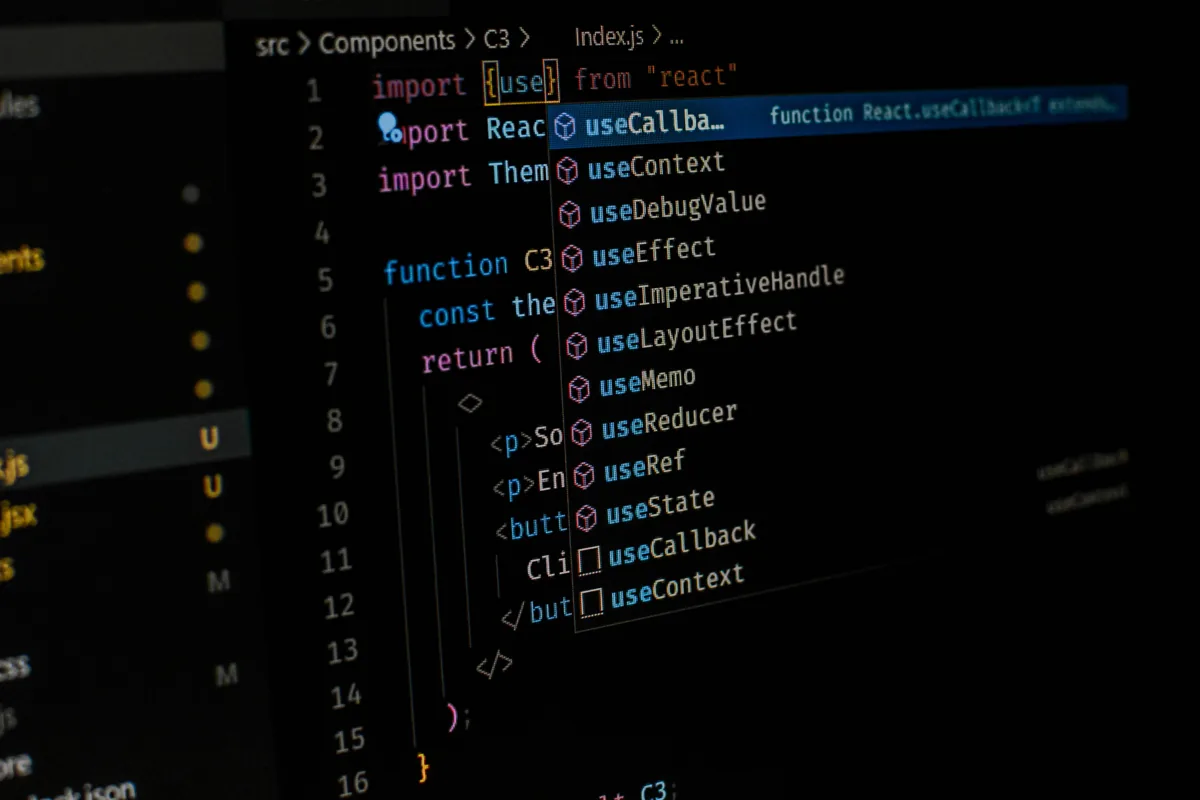
Autocomplete is the underrated one. When your page objects, fixtures, and API clients are typed, your editor suggests the right methods and flags the wrong ones as you type, which makes writing tests faster and catches mistakes instantly. Safe refactoring is the other quiet win: rename a method on a page object and the compiler shows you every test that needs updating, instead of you discovering them one failed run at a time. The Playwright TypeScript docs show how naturally this fits a modern framework.
Where plain JavaScript still wins
TypeScript is not always the right call, and pretending otherwise is dogma. Plain JavaScript wins when speed of starting beats safety at scale: a quick script to reproduce a bug, a one-off automation, a spike to explore an idea, or a very small suite that will never grow. In those cases the build step and type annotations are overhead you do not need, and JavaScript’s run-it-instantly simplicity is a genuine advantage.
JavaScript also has a lower barrier for contributors who do not know types, which can matter on a small or mixed-skill team. If the people writing tests are not comfortable with TypeScript and the suite is small, forcing types can slow them down more than it helps. The honest rule is to match the tool to the lifespan: short-lived or tiny, JavaScript is fine; long-lived or large, TypeScript earns its keep.
JavaScript vs TypeScript for test automation, compared
Side by side, the trade-offs are clear. Read this against your own suite’s size and lifespan.
| Factor | JavaScript | TypeScript |
|---|---|---|
| Setup | None, run instantly | Build and compile step |
| Error catching | At runtime, in CI | At compile time, in editor |
| Autocomplete and IDE help | Basic | Rich and type-aware |
| Refactoring large suites | Risky and manual | Safe, compiler-guided |
| Learning curve | Lower | Slightly higher |
| Best for | Quick scripts, small suites | Large, long-lived suites |
Notice the pattern: JavaScript’s advantages are all about the first hour, and TypeScript’s are all about the next year. Since most valuable test suites live for years, the table tilts toward TypeScript for anything that matters. For choosing the framework that runs that code, our Playwright vs Selenium vs Cypress comparison is the companion read.
Do Playwright and Cypress need TypeScript?
They do not require it, but they are built for it, which tells you where the ecosystem is heading. Playwright ships with TypeScript support out of the box and its documentation treats TypeScript as the default, as the Playwright TypeScript docs show. Cypress, Jest, and the rest support TypeScript well too. You can write tests for any of them in plain JavaScript, but you would be opting out of the smoother, better-supported path that most of their users, examples, and documentation now assume by default.
This matters most during a framework move. If you are already doing a Selenium to Playwright migration or weighing Selenium alternatives, that transition is the natural moment to adopt TypeScript, because you are rewriting the tests anyway. Doing both at once avoids a second migration later and lands you on the path the framework is optimized for.
How to migrate test code from JavaScript to TypeScript
You do not flip a switch; you migrate gradually, keeping the suite green the whole way. TypeScript is designed for incremental adoption, so you can convert one file at a time and let the two coexist. Here is the path.
The key is turning on strictness gradually rather than all at once. Start permissive so the suite keeps running, type the highest-value pieces first, your page objects and fixtures, then tighten the compiler settings as coverage grows. Convert files in waves by value, not alphabetically, so the most-edited, most-error-prone tests get the safety net first. Done this way, a migration improves the suite continuously instead of blocking it for a big-bang rewrite.
Common mistakes choosing between JavaScript and TypeScript
- Using plain JavaScript for a suite that will grow. You pay the refactoring tax later, with interest.
- Forcing TypeScript on a throwaway script. The build step is overhead a one-off does not need.
- Turning on strict mode day one of a migration. It floods you with errors and stalls the move.
- Typing nothing and using “any” everywhere. That is JavaScript with extra steps; type the real shapes.
- Choosing a framework on language support alone. The modern ones all support TypeScript; choose on fit.
The theme is matching the language to the suite’s lifespan and size, and adopting types gradually rather than all at once. Get those two right, lifespan-based selection and gradual adoption, and the choice stops being contentious and becomes a simple, repeatable rule your team can apply per project.
Which should you choose for test automation?
Default to TypeScript for any suite you will maintain, and reach for plain JavaScript only for short-lived or tiny work. That single rule resolves most cases. If your team is new to types, start JavaScript and migrate gradually as the suite grows, using the steps above, rather than blocking progress on a language change. The goal is a maintainable suite, and for most teams TypeScript is the shorter path to one.
There is also a third option worth naming: not writing test code in either language. For teams where non-coders need to contribute, or where maintaining typed test code is itself the bottleneck, codeless and AI-driven testing sidesteps the JavaScript-versus-TypeScript question entirely. The right answer is not always a better language; sometimes it is less code to maintain at all, which is a strategic choice as much as a technical one.
How ContextQA fits
ContextQA gives teams both paths. For engineers who want to write code, it runs alongside TypeScript-first frameworks as part of the web automation workflow, so your typed tests and the platform coexist. For everyone else, plain-English authoring removes the language question entirely, and AI-based self-healing absorbs the maintenance that makes any test suite, JavaScript or TypeScript, expensive over time. The AI testing suite runs across real browsers so the same tests cover the matrix your users have.
That maintenance point is the connection to language choice. TypeScript reduces one class of test bugs at compile time, but it does not stop a test from breaking when the UI changes; self-healing does. When IBM worked with ContextQA, the team migrated about 5,000 test cases and removed the flakiness that had been slowing them down (IBM case study). Whether those tests are typed or not, the win was less maintenance, which is the cost that dwarfs the language decision at scale.
Your JavaScript vs TypeScript checklist
- Judge the suite’s lifespan (5 minutes). Throwaway or tiny means JavaScript; long-lived or large means TypeScript.
- Default new long-lived suites to TypeScript. Type your page objects and fixtures first.
- Migrate gradually, not all at once. One file at a time, strict mode tightened over time.
- Avoid “any” as a habit. Type the real shapes or you lose the benefit.
- Pick the framework on fit, not language. The modern ones support TypeScript well.
- Consider codeless for non-coders. Bring a flow and book a demo to skip the language question entirely.
How does TypeScript catch test bugs? A concrete example
Picture a page object with a method login(user, password). In plain JavaScript, a test that calls login(password, user) with the arguments swapped, or login(user) with one missing, runs happily and fails later with a confusing error deep in the flow. You debug the symptom, not the cause. In TypeScript, both mistakes are flagged in your editor the moment you type them, because the method’s signature says exactly what it expects. The bug never reaches CI.
Multiply that across a suite. Renamed fields, wrong fixture shapes, a selector helper that now returns a different type: in JavaScript these surface as runtime failures that look like flakiness, and you spend time deciding whether the test or the app broke. In TypeScript they are compile errors with a clear message pointing at the exact line. The value is not just fewer bugs; it is fewer confusing failures that waste triage time, which is the expensive part of maintaining a suite.
Will TypeScript slow my team down?
Briefly, then it speeds them up. There is a real ramp for a team new to types: the first week feels slower because the compiler complains about things JavaScript would have let slide. That friction is the safety net being installed. Once the page objects and fixtures are typed, autocomplete and instant error feedback make writing new tests faster than in JavaScript, because the editor does half the work and the wrong call never compiles.
The way to keep the ramp short is to start permissive and avoid perfectionism. You do not need advanced generics to get most of the benefit; typing your page objects, fixtures, and API responses covers the majority of real test bugs. Treat strictness as a dial you turn up over weeks, not a wall you hit on day one, and the slowdown is a few days against months of faster, safer test writing.
What about test data and API mocks?
This is where TypeScript quietly shines for testers. When you type your API responses and test data, the compiler enforces that your mocks match the real shape, so a mock that drifts from the actual API, a renamed field, a changed type, becomes a compile error instead of a test that passes against fiction. That catches one of the sneakiest bugs in test automation: a green suite that is validating stale assumptions.
Typed fixtures also make data-driven tests safer. When each test case is a typed object, you cannot accidentally omit a field or pass the wrong type into a parameterized run, and your editor lists exactly what each case needs. For suites that lean heavily on mocks and data, the typing of the data itself is often a bigger win than the typing of the test logic, because it keeps your tests honest about what the system actually returns.
A worked example: a page object in JavaScript vs TypeScript
Consider a login page object used across fifty tests. In JavaScript it is a plain class with methods; nothing stops a test from calling a method that no longer exists after a refactor, and nothing tells you which tests to update when you rename one. You rename enterEmail to fillEmail, run the suite, and discover the breakage one failed test at a time over the next hour.
In TypeScript, the same rename is a thirty-second operation. The compiler immediately lists every one of the fifty tests that referenced enterEmail, your editor can rename them all at once, and the suite stays green. That single workflow, safe refactoring across a large suite, is the clearest reason long-lived test code belongs in TypeScript. The bigger the suite and the more it changes, the more this one capability pays for the whole switch. A small suite that never changes would not feel the difference, which is exactly why the lifespan of the suite, not preference, should drive the choice.
Does TypeScript reduce flaky tests?
It reduces one kind of flakiness and does nothing for another, and the distinction matters. TypeScript eliminates code-level mistakes: wrong arguments, renamed methods, mistyped fields, and mismatched data shapes. Those bugs often masquerade as flaky tests because they fail intermittently depending on the path taken, so removing them does cut a real slice of your flaky-test noise. If your “flaky” tests are actually buggy test code, TypeScript will help a lot.
What TypeScript cannot do is stop a test from breaking when the UI changes, or fix timing-based flakiness from slow networks and race conditions. A perfectly typed test still fails when a developer renames a button or the page loads half a second late. Those are the dominant causes of real flakiness, and they need auto-wait, better locators, and self-healing, not a type system. So treat TypeScript as one layer: it removes the bugs you wrote, while runtime resilience handles the bugs the app and environment introduce.
JavaScript or TypeScript for someone new to QA automation?
If you are learning automation from scratch, starting in JavaScript is reasonable. You remove one layer of complexity, the type system, and focus on the fundamentals: locating elements, writing assertions, and structuring tests. Getting a few tests running and passing builds momentum faster when the compiler is not also asking you to annotate everything. For the first few weeks of learning, that simplicity is a feature, not a compromise.
The moment to add TypeScript is when your tests start to feel hard to change, usually once you have a handful of page objects and shared helpers. That is when types stop being overhead and start saving you from the bugs that come with size. Learning the gradual-migration path, rather than rewriting, means you keep your momentum while adding the safety net. For most people the best route is JavaScript to learn the craft, then TypeScript to scale it, which mirrors how the wider ecosystem matured.
The bottom line
For test automation, choose TypeScript for any suite you will keep and plain JavaScript for the quick and disposable. TypeScript catches errors before your tests run, makes large suites safe to refactor, and matches where the ecosystem has clearly moved, with 40 percent of developers now writing it exclusively (State of JS 2025). Migrate gradually, type the high-value pieces first, and pick your framework on fit rather than on language support, since the modern ones all handle TypeScript well. And remember the third path: if maintaining typed test code is the real cost, codeless testing removes the question. The language is a tool, not the goal; a maintainable, trustworthy suite is. Want to see your tests run without maintaining a typed suite by hand? book a demo and bring a real flow.