
TL;DR: Choosing an AI testing platform comes down to five things: plain-English authoring, real self-healing, true browser and device coverage, root-cause reporting, and pipeline integration. Trial each shortlisted vendor on your own app, score them on a weighted scorecard, and never buy on a demo. It matters because 57% of organizations say they lack a comprehensive test automation strategy (Capgemini World Quality Report), and that gap is exactly how teams buy the wrong tool. This guide gives you the questions, the scorecard, and the red flags.
Definition: An AI testing platform buyer’s guide is a structured way to evaluate and compare vendors that use AI to generate, run, and maintain software tests, so you pick the one that fits your stack and team rather than the one with the best demo. It builds on test automation, which ISTQB defines as using software to control test execution and compare actual results to expected ones.
Quick answers
How do I choose an AI testing platform? Shortlist three to five vendors, run a hands-on trial on your own application, score each against five weighted criteria, check references, then decide on the data. The trial on your real app is the step that separates good buys from regrets.
What should I ask an AI testing vendor? Ask how authoring works for non-coders, how self-healing behaves on a real UI change, what browsers and devices are truly supported, what a failure report tells you, and how it fits your CI/CD and AI agents. The 12 questions below cover each in detail.
How do I avoid buying the wrong tool? Refuse a demo-only evaluation. Insist on testing your own messy flows, measure real cycle time rather than the feeling of speed, and watch for vague pricing and weak failure analysis.
Why most teams pick the wrong testing tool
The problem is rarely a lack of options. It is a lack of a yardstick. Most teams evaluate testing tools on a vendor demo and a feature list, then discover the gaps three months in. The data backs this up: organizations now automate about 44% of their testing, yet 57% admit they lack a comprehensive automation strategy (Capgemini World Quality Report). When you buy without a strategy, you buy on charisma.
AI raises the stakes because the differences between tools are now larger and harder to see in a demo. With 75.9% of developers already using AI in their workflow (DORA), every vendor claims an AI story. The buyer’s job is to tell a real one from a slide. That starts with a repeatable process.

How to choose an AI testing platform: the process
A good evaluation is a funnel, not a meeting. Shortlist a few vendors, put each through the same hands-on trial on your own application, score them on the same criteria, then check references before you commit. The single most important step is the trial on your real app, because a tool that shines on a polished sample and stumbles on your markup will create work, not save it.
Keep the trial honest. Bring a flow that actually breaks for you, change the UI on purpose, and read the failure report. Measure real cycle time, because a 2025 METR study found experienced developers expected AI to make them 20% faster but were actually 19% slower on the measured tasks. Buy for proven speed, not promised speed.
The five evaluation dimensions
Every meaningful difference between AI testing platforms falls into five dimensions. Score each vendor on all five, and the winner usually becomes obvious.
These are not equally important for every team. A team of non-coders weights authoring highest. A team drowning in flaky tests weights self-healing and root-cause analysis highest. Decide your weights before the demos start, so the vendors cannot set the agenda for you. For the wider field, our roundup of the best AI QA platform options compares the major players, and our overview of AI in software testing covers what is working in 2026.
12 questions to ask before you sign
Take these into every vendor call. Each one has a good answer and a telling non-answer.
- 1. Can a non-coder author a test from plain English? Watch someone non-technical do it live, not a scripted demo.
- 2. What signals does self-healing use? Strong tools use several (visual, accessibility, DOM, text), not a single brittle selector.
- 3. Show self-healing survive a real change. Rename an element during the trial and re-run.
- 4. Which browsers and devices are truly supported? Real devices, not emulators only.
- 5. What does a failure report actually tell me? Root cause, or just a red mark?
- 6. How does it fit our CI/CD? On every pull request and deploy, not a manual run.
- 7. Can our AI agents drive it? An MCP or API layer matters more every quarter.
- 8. Can we export our tests and assets? No export is lock-in.
- 9. What is the real, all-in price? Including parallel runs and overages.
- 10. How long to first reliable coverage? Days, not a quarter.
- 11. Who maintains the suite as our app changes? The platform, or our team?
- 12. Can we talk to a customer like us? A reference at your scale and stack.
Red flags and green flags
Patterns repeat across bad and good evaluations. Keep this list next to you during demos.
The biggest red flag is a vendor who resists testing your own app. If the trial has to happen on their sample, ask why. The biggest green flag is a tool that handles your worst flow and tells you exactly why something failed.
Build a simple scorecard
Turn the five dimensions into a weighted scorecard so the decision is math, not memory. Assign each dimension a weight that reflects your team, score each vendor one to five, multiply, and total. A simple version looks like this.
| Dimension | Weight | Score 1 to 5 | Weighted |
|---|---|---|---|
| Plain-English authoring | 20% | ? | weight x score |
| Self-healing quality | 25% | ? | weight x score |
| Browser and device coverage | 20% | ? | weight x score |
| Root-cause reporting | 20% | ? | weight x score |
| CI/CD and MCP integration | 15% | ? | weight x score |
Set the weights before the first demo. If self-healing keeps your suite alive, weight it heaviest. If your team cannot code, authoring leads. The scorecard stops a slick presentation from overriding what your team actually needs.
What to verify in a trial, not a demo
A demo shows you the happy path. A trial shows you the truth. During the trial, confirm three things on your own app. First, that a real person can author a test without an engineer. Second, that self-healing survives a genuine UI change rather than a staged one. Third, that a failure produces a clear cause, not a screenshot you still have to debug. Flaky tests do not vanish on their own; Google research found roughly 1.5% of test runs flake and about 16% of tests are affected over time (Google Research), so the platform’s ability to absorb and explain that churn is the whole game.
How ContextQA scores on these dimensions
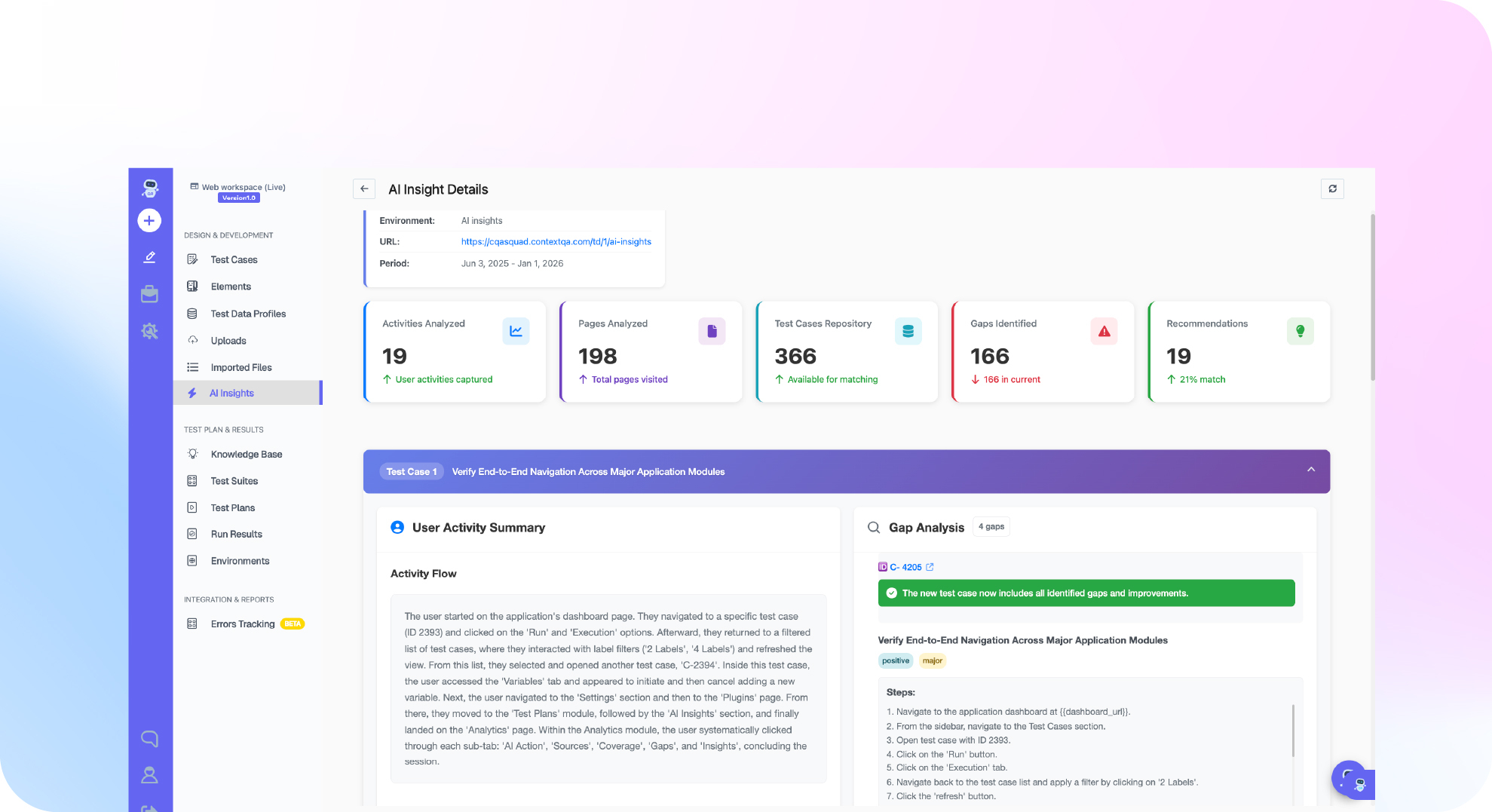
We built ContextQA around the five dimensions, so it is fair to hold it to them. Authoring is plain English. AI-based self-healing identifies elements with a multi-layered fingerprint across visual, accessibility, DOM, and text signals, so a renamed class does not break the test. root-cause analysis classifies every failure as a real bug, a test issue, an environment problem, or a flake. The MCP server lets AI agents like Claude, Cursor, and Copilot drive testing directly, and the whole AI testing suite runs across real browsers.
The proof is in real adoption. When IBM worked with ContextQA, the team migrated about 5,000 test cases and removed the flakiness that had been slowing them down (IBM case study). That is the kind of reference you should demand from any vendor. Run your own scorecard, then put us on it next to anyone else using our side-by-side comparisons, and see why teams choose ContextQA.
How long should an AI testing platform evaluation take?
Two to four weeks is the right window for most teams. Less than that and you are buying on a demo. More than that and decision fatigue sets in and the loudest opinion wins. Spend the first few days shortlisting, a week or two on hands-on trials with each finalist, and the last few days scoring and reference checking. Timebox it on purpose, because an evaluation with no end date quietly becomes a default to the incumbent or to whoever followed up the most.
Resist the urge to evaluate ten tools. Three to five is enough to see the real spread, and each one you add roughly doubles the coordination cost. A tight shortlist forces you to define what you actually need before the demos start, which is the whole point. The teams that struggle are usually the ones who never wrote down their criteria and let each vendor define success on their behalf.
Who should be in the room for the decision?
A testing platform touches more people than the person who signs the contract, so the evaluation should too. Include the QA engineers who will live in the tool every day, a developer who owns the CI/CD pipeline, and the manager who owns the budget. Each sees a different failure mode. QA spots whether authoring is genuinely usable, the developer spots whether the integration is real or a checkbox, and the manager spots whether the pricing scales without a nasty surprise in year two.
Give the daily users the loudest vote. A tool that the buyer loves and the team avoids becomes expensive shelfware. The fastest way to predict adoption is to watch a real QA engineer, not a vendor, try to build and run a test during the trial. If they get stuck, no amount of executive enthusiasm will save the rollout.
What each evaluation dimension really means
Plain-English authoring is about who can create a test, not just whether the tool has AI. The real question is whether a manual QA or a product person can write a working test without learning a framework. If authoring still needs an engineer, you have not removed the bottleneck, you have moved it.
Self-healing quality is the difference between a suite that survives your release cadence and one that floods you with false failures. Weak self-healing leans on a single selector and breaks the moment the markup shifts. Strong self-healing identifies an element through several independent signals, so a renamed class or a moved button does not turn the build red.
Real coverage means the tests run where your users are. Emulators are convenient and they lie about real-device quirks. Confirm the platform runs across the actual browsers and devices your customers use, in parallel, without you standing up the grid yourself.
Root-cause reporting turns a failure into a next step. A red mark tells you something broke. A good report tells you whether it was a real bug, a test issue, an environment problem, or a flake, which is the difference between a five-minute fix and an afternoon of investigation. Integration is the fifth dimension, and it decides whether the platform lives inside your workflow or beside it. Look for CI/CD hooks on every pull request and an MCP or API layer your AI agents can call.
Common mistakes buyers make
The same avoidable errors show up in evaluation after evaluation. Watch for these.
- Evaluating on the vendor’s sample app. A polished demo proves nothing about your messy markup. Always trial on your own flows.
- Buying on feature count. A long feature list is not a fit. Score against your weighted criteria, not the spec sheet.
- Skipping the daily users. If the people who will use the tool are not in the trial, you are guessing about adoption.
- Trusting the feeling of speed. Measure real cycle time, because AI can feel faster while being slower.
- Ignoring exit costs. Ask how you get your tests out before you put them in. No export is lock-in.
- Letting the timeline drift. An open-ended evaluation defaults to whoever is most persistent, not whoever is best.
How to compare pricing without surprises
Sticker price is the start of the pricing conversation, not the end. The number that matters is the all-in annual cost at your real usage, which means asking about parallel runs, additional users, test minutes, and overage fees before you sign. A low base price with metered execution can cost more at scale than a higher flat plan, so model your actual volume rather than the starter tier.
Compare pricing against the cost it removes, not against zero. A platform that replaces maintenance hours and a browser grid is competing with salaries and infrastructure, not with a free library. Frame the decision as total cost of ownership, and a subscription that looked expensive next to open source often looks cheap next to two engineers and a maintenance backlog. That same framing is why so many teams move from building to buying as they scale.
Should you run a paid pilot?
A short paid pilot is worth it when the stakes are high and the free trial cannot reach your real environment. A pilot buys you access to support, a real slice of your suite, and a measured result you can take to the budget holder. Keep it bounded: one or two critical flows, a fixed two to four week window, and a clear success metric agreed up front, usually time to reliable coverage and maintenance hours saved.
Do not let a pilot become an open-ended trial that never converts to a decision. The pilot exists to answer one question: does this platform deliver on your own app, at your own scale, with your own team. If it does, you buy. If it does not, you have saved yourself a year of regret for the price of a month.
What AI changed about choosing a testing tool
A few years ago the buyer’s job was to compare record-and-playback features and script languages. Today every serious tool generates tests, heals them, and analyzes failures, so the comparison has moved from “does it have AI” to “how good is the AI on my app.” That is a harder question, and it is why the trial matters more than ever. Two tools can both claim self-healing and behave completely differently the first time you rename a button.
The other shift is that your developers already work with AI agents, so the platform that plugs into those agents has a structural advantage. With most developers now using AI in their workflow, a testing tool that exposes itself to Claude, Cursor, or Copilot through an integration layer becomes part of how the team already builds, rather than another tab they have to remember. When you score integration, weigh that agent-driven future, not just today’s CI hooks. The tools that win the next few years are the ones the rest of your stack can talk to.
What good onboarding looks like
The evaluation does not end at signature, because a great tool with a bad rollout still fails. Ask each finalist what the first 30 days look like. Good onboarding has a named owner on the vendor side, a plan to migrate or rebuild your top flows first, and a clear early win the team can point to. Bad onboarding hands you a login and a documentation link and wishes you luck.
Set one early milestone that proves value fast, usually one critical flow running reliably in the pipeline within the first week or two. Early momentum is what turns a purchase into adoption. The IBM migration is the scaled version of this: moving about 5,000 test cases is only possible when onboarding is a real, supported process rather than an afterthought. Treat the quality of the onboarding plan as part of the product, because to your team, it is.
How do you justify the purchase to finance?
Frame the request as cost avoided, not cost added. Finance does not buy features; it buys outcomes and risk reduction. Translate the platform into the language of the budget: fewer maintenance hours, faster releases, fewer escaped defects reaching customers, and a smaller hiring need than building an in-house framework would demand. A subscription is far easier to approve when it sits next to the salaries and infrastructure it replaces rather than next to a free open-source library.
Bring three numbers to the conversation. First, current maintenance hours per sprint, which the platform is meant to cut. Second, time to release, which faster, reliable testing should shorten. Third, the cost of a defect that reaches production, which better coverage helps avoid. Put a conservative figure on each, show the before and the projected after, and let the math carry the decision. The teams that get budget approved are the ones who walk in with a measured baseline, not an opinion about quality. Set that baseline during the trial so the numbers are real, then revisit them a quarter after rollout to prove the call was right.
The bottom line
The right AI testing platform is the one that wins your scorecard on your own app, not the one with the best demo. Score the five dimensions, ask the 12 questions, watch for the red flags, and measure real cycle time before you sign. With the automation testing market heading toward 24.25 billion dollars in 2026 (Fortune Business Insights), there is no shortage of vendors, only a shortage of buyers with a yardstick. Bring the yardstick, and the right platform picks itself. Want to put one platform on your scorecard today? book a demo and bring your hardest flow.