
TL;DR: Applitools alternatives fall into three groups. The first is hosted visual review services. The second is open source frameworks with built in snapshot assertions, such as Playwright. The third is broader platforms that run visual checks inside functional, API and mobile suites. Teams usually switch because of cost, because they need more than visual validation, or because they want to avoid proprietary baselines. Pilot each option on one of your own failing flows before you commit. ContextQA, the autonomous quality engineer, adds self healing and Playwright export.
Teams look for applitools alternatives when checkpoint costs rise, baseline reviews pile up every release, or visual tests sit apart from functional and API suites. This guide covers what Applitools does well and why teams switch. It then compares six alternatives on fit, pricing model and tradeoff, so you can choose one to pilot this week.
Quick answers
What should a QA lead check first when choosing an Applitools alternative? Start with the constraints that would rule a tool out: target coverage, network access to private environments, SSO, test data, CI behavior on pass, fail and timeout, and the evidence each run keeps. Remove any tool that fails a must have. Then run the remaining tools on the same workflow.
Can we replace Applitools with a platform that covers both visual and functional testing? Yes. ContextQA's enterprise platform covers web, mobile, API, database, visual regression, accessibility and performance testing from one workspace. Its tests self heal broken locators and export to Playwright code. Use a pilot to confirm that self healing never weakens your visual or business assertions.
How do we avoid lock in when moving off Applitools? Make portability a pass or fail requirement. Ask what format exported tests use, what still depends on the vendor after export, and whether the exported suite runs in a clean environment on GitHub Actions or Jenkins. If a tool exports standard Playwright code, your team keeps its tests when you change vendors.
What are the best Applitools alternatives?
A practical 2026 shortlist of applitools alternatives is Percy, LambdaTest SmartUI, Chromatic, BackstopJS, Playwright's built in screenshot assertions and ContextQA. No single tool fits every team. They differ in where baselines live, how screenshots are compared, and whether visual checks run alone or inside a larger regression suite.
Applitools Eyes does many things well. Its Visual AI comparison is mature, it handles layout shifts better than raw pixel diffs, and it has SDKs for Selenium, Cypress and Playwright. If pixel and layout accuracy is your main release risk, it is still a strong choice.
Teams usually switch for three reasons:
- Cost scales with volume. As checkpoint counts grow, plan limits push teams to run fewer visual checks in CI. Check the current tiers on the Applitools pricing page.
- Scope. The visual layer sits on top of functional scripts that someone else still has to maintain.
- Lock in. Baselines and comparison logic stay in the vendor's cloud.
Before you count features, answer one question: where should baselines and approvals live?
How did we evaluate them?
We recommend five criteria for your own evaluation: diff accuracy on dynamic content, whether self healing (automatic locator repair) leaves assertions intact, whether testers without coding skills can write tests, consistent CI behavior, and whether you can take your tests with you when you leave. This guide did not test or rank the tools. It matches each one to the team it fits best, based on each vendor's public documentation.
Start by ruling tools out, following the ContextQA guide to comparing AI testing alternatives. A tool that can't reach your private staging network, or can't cover your Salesforce flows, should not win on features elsewhere. Run one shared task on every tool that passes. Include a seeded visual defect and a renamed button, then compare the evidence each tool produces.
Visual accuracy and self healing are separate risks. A low false positive rate means fewer reviews of screens that did not change. A healed locator that clicks the wrong element can hide a real bug, so review every healed step.
How do the options compare?
These alternatives sort into hosted visual review services (Percy, LambdaTest SmartUI, Chromatic), free framework diffing (Playwright toHaveScreenshot() and BackstopJS), and broader platforms such as ContextQA that run visual checks inside functional suites. Choose based on where your tests already run, who reviews diffs, and what evidence your security team requires.
BrowserStack Percy
Percy captures DOM snapshots, renders them in its cloud and shows diffs for review on pull requests. It has SDKs for Playwright, Cypress, Selenium and Storybook. Best for: teams already on BrowserStack. Limits: coverage depends on where engineers place percySnapshot() calls, and dynamic content such as dates and animations needs masking or freezing.
LambdaTest SmartUI
SmartUI runs visual regression on LambdaTest's cloud grid and supports Playwright, Cypress, Selenium and Storybook. Best for: teams already running cross browser tests on LambdaTest. Strengths: functional and visual runs share one grid. Limits: it adds less value if your functional suite runs somewhere else.
Chromatic
Chromatic comes from the Storybook maintainers. It snapshots every component story on each commit and has a built in review workflow. Best for: design system and component library teams. Limits: it is strongest at the component level, so testing full business flows takes extra tooling.
Playwright toHaveScreenshot()
This assertion is built into Playwright. Baselines are committed to your repo, and you refresh them with npx playwright test -u. Best for: small teams already writing Playwright. Strengths: it is free and needs no vendor. Limits: font and OS rendering differences cause flaky diffs unless you pin a Docker image, and there is no review dashboard.
BackstopJS
BackstopJS is an open source CLI under the MIT license. You define scenarios in backstop.json, capture baselines with backstop reference, compare with backstop test, and accept changes with backstop approve. Best for: scenario based page checks with no license budget. Limits: you host the reports, baselines and approvals yourself.
ContextQA
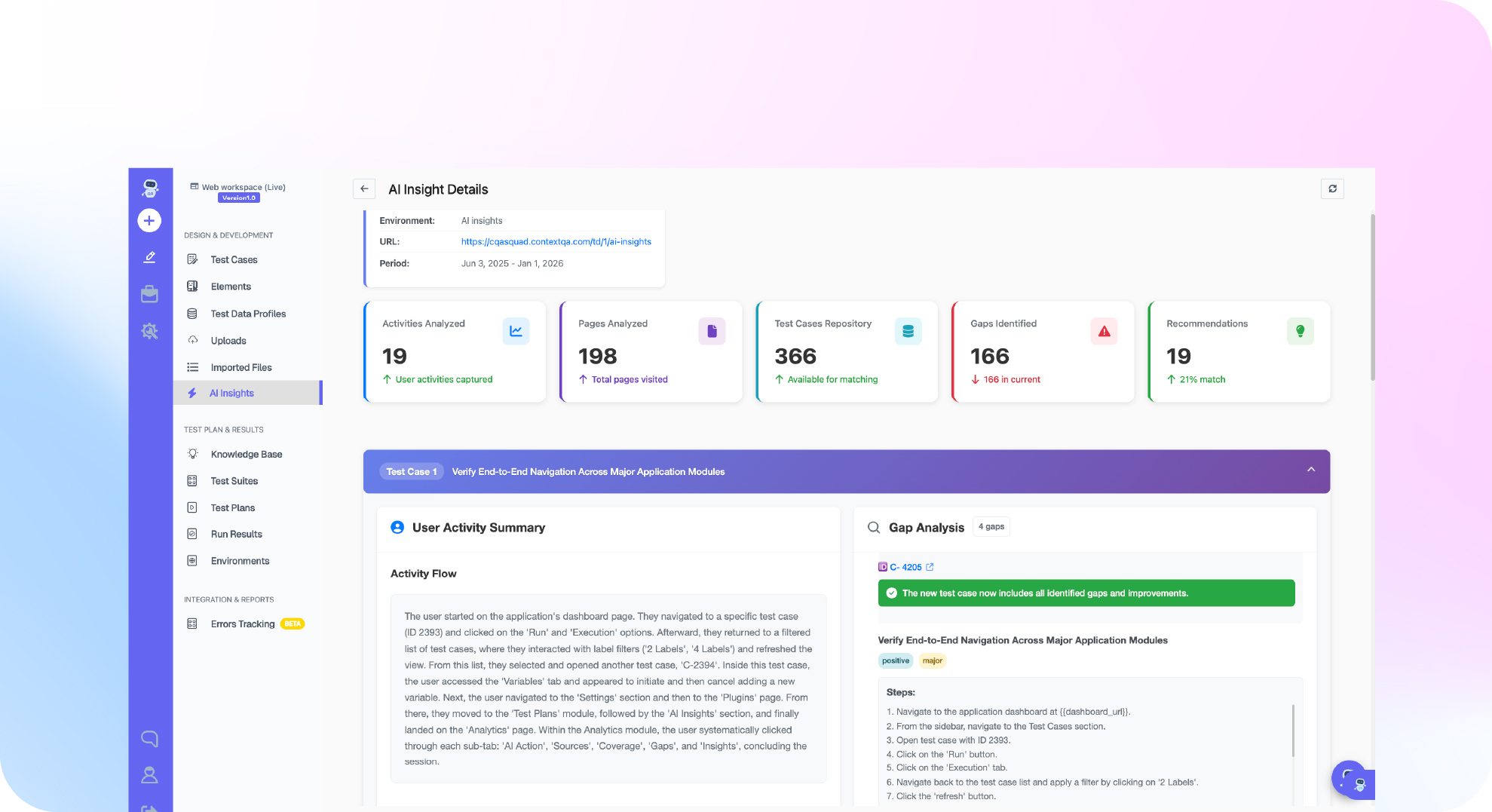
ContextQA is an autonomous quality engineer platform. Visual regression is one of its test types, alongside web, mobile, API, Salesforce and SAP testing. Every step captures a screenshot, a HAR network log and console entries, and every execution produces a video and a Playwright trace. Tests self heal and export to Playwright. Limits: adopting it is a platform decision, not a new visual SDK, and pricing comes through a demo.
To compare these tools head to head, run the same pages through each one with a seeded CSS defect, then count missed defects and false positives. Enterprise buyers should also request the actual SOC 2 report, SSO details, and where screenshots are stored and for how long. Use this security evidence checklist.
If visual baselines and broken locators are slowing your release pipeline, book a demo to see how ContextQA runs visual regression and self healing tests together.
Which one fits your team best?
The right Applitools replacement depends on where your visual checks need to live. Code first teams fit Playwright. Storybook heavy frontend teams usually fit Chromatic. Percy and SmartUI suit teams already on those grids. If visual checks are one part of end to end coverage across web, mobile, API and enterprise apps, consider ContextQA.
| Option | Best for | Pricing model | Notable tradeoff |
|---|---|---|---|
Playwright toHaveScreenshot() | Code first SDETs | Free, open source (Apache 2.0) | You own baselines, thresholds and review |
| BackstopJS | Small teams on a budget | Free, open source (MIT) | No hosted review UI |
| Percy | Teams already on BrowserStack | Commercial, see vendor page | Visual layer only |
| LambdaTest SmartUI | Teams already on LambdaTest | Commercial, see vendor page | Tied to that grid |
| Chromatic | Storybook component libraries | Commercial, see vendor page | Less depth for full user flows |
| ContextQA | Enterprise web, mobile, API, Salesforce, SAP | Demo and quote | A platform to adopt; Playwright export reduces lock in |
We don't list commercial prices because tiers change often. Before your shortlist review, take current pricing from each vendor's own page and record the date you checked it.
When you read G2 and Reddit threads, filter for reviewers in QA lead or SDET roles at companies close to your size. Treat every complaint as a hypothesis. "Too many false positives" may just mean the reviewer never tuned anti aliasing tolerance (how much edge smoothing is ignored) or masked dynamic regions such as timestamps. Reproduce the top two complaints on your own app during the pilot.
On Monday, pick one flow with a known visual defect. Run it through your two finalists using the same baselines. Compare which tool caught the defect, how many diffs needed human review, and what evidence each one produced.

Bottom line
No single Applitools replacement fits every team. Write down your must have conditions first: the targets you need to cover, how evidence is kept, how the tool behaves in CI, and whether self healing could weaken assertions. Drop any tool that fails one. Then run one shared pilot workflow and judge each tool on the artifacts it produces.
Sources
These are the primary sources behind the tool descriptions and licenses in this guide. ContextQA capabilities come from its official learning documentation and product pages. Commercial pricing changes often, so check each vendor's pricing page and record the date you checked it before you build a shortlist or budget.
- Applitools pricing
- Playwright visual comparisons documentation
- Playwright repository and Apache 2.0 license
- BackstopJS repository and MIT license
- Percy documentation, BrowserStack
- LambdaTest SmartUI
- Chromatic documentation
- Introduction to ContextQA
- Compare AI Testing Alternatives, ContextQA
- AI Testing Vendor Security Evidence, ContextQA