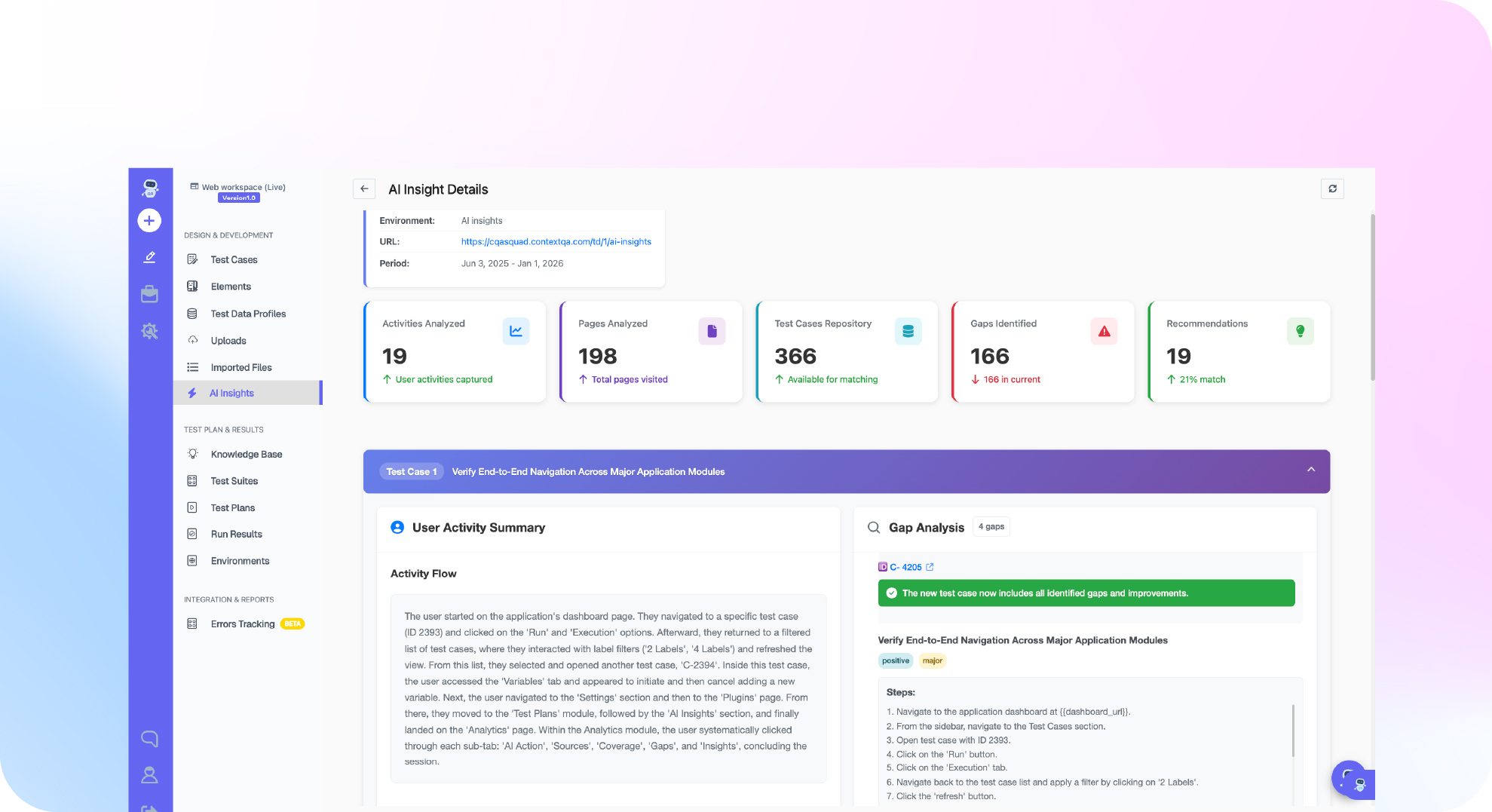

TL;DR: An enterprise regression testing strategy with AI replaces one slow, undifferentiated suite with risk based tiers. The tiers are smoke and changed-area checks per pull request, critical regression per release candidate, and full regression on a schedule. Each tier is prioritized by usage frequency and business priority. AI generates coverage from flows, tickets, and specs, and self healing repairs broken locators so maintenance stops consuming the team. ContextQA, the autonomous quality engineer, runs these tiers across web, Salesforce, and SAP workflows with auditable run evidence.
This kind of strategy decides which tests run on every pull request, which run nightly, and which gate a release. Full regression takes too long, and a thin smoke suite misses high impact failures. This guide covers risk based scope, suite tiers, ownership, environments and data, self healing, and metrics.
Quick answers
How do you decide which regression tests run on every pull request versus nightly versus before a release? Tier the suite by risk: smoke on every deployment, changed-area tests on pull requests, critical regression on release candidates, and full regression on a schedule. Rank journeys by usage frequency and business priority, then add code impact and defect history (Regression Risk and Evidence).
Can AI self healing keep a large regression suite stable without hiding real defects? Yes, with review. Self healing repairs broken selectors and locators when the UI changes, such as a renamed button ID. It does not judge business behavior, so assert outcomes like record stage and totals, and review healed steps during triage.
How should regression coverage for Salesforce and SAP differ from coverage for a custom web app? Build packaged-app coverage around business lifecycles, such as lead to quote in Salesforce or Fiori and S/4HANA flows in SAP (Enterprise plan). Reuse a session-login test as a prerequisite, keep credentials in protected parameters, and pair UI steps with API record checks (Salesforce and Enterprise Workflows).
What is an AI-driven enterprise regression strategy, and when do you need it?
An AI-driven enterprise regression strategy is a risk based plan that decides which tests run at each delivery stage, using AI to generate, prioritize, and repair tests across apps like Salesforce and SAP. It replaces one undifferentiated suite with tiers tied to business risk. You need it when full regression no longer fits your release window.
Signals you need one now:
- Release gates stall because the full suite takes longer than your deploy cadence allows.
- A smoke suite passed, then production broke in a high impact flow like quoting or order handoff.
- Engineers spend sprint time fixing selectors instead of adding coverage.
When comparing AI regression tools, test them on your hardest workflow, not a demo app. Score self healing accuracy, impact analysis, CI/CD triggers, enterprise app depth, and whether tests export to code you own.
What do you need before you start?
Before you start, you need a ContextQA workspace, an environment pointing at a stable staging base URL, a few tests that already pass on their own, business priority metadata for risk scoring, and a CI/CD tool to trigger runs. Without those, AI selection and self healing have nothing reliable to work from.
- Passing baseline tests: The regression suite tutorial requires at least three test cases that pass individually, so the first failure you see is a real regression.
- Environment and data: Configure an environment with your application's base URL, plus test data that can safely support parallel runs.
- Risk metadata: Business priority on each case feeds the RBT (risk based testing) view, which plots usage frequency against priority (Regression Risk and Evidence).
- Enterprise app access: For Salesforce, create a session-login test with credentials in protected parameters and reuse it as a prerequisite (Salesforce workflows).
- Self healing scope: Self healing repairs broken selectors. It does not fix unstable data, so name a quarantine owner.
Bottom line: stable data, passing tests, and current priority metadata come first, because AI amplifies whatever baseline you give it.
How do you build the strategy step by step?
Build it in five moves: rank workflows by business risk, sort tests into tiers that match delivery points, assign each suite an owner, wire the tiers into CI/CD, and let AI generation and self healing absorb maintenance. ContextQA supports each step with risk views, test plans, and run evidence you can audit after a release decision.
- Score risk. Open the RBT view, which plots usage frequency against business priority. Then add recent code changes, defect history, and integration criticality (Regression Risk and Evidence). Document overrides for flows that run rarely but carry high risk, such as SAP period close.
- Tier the portfolio. Assign each tier to a delivery point:
- Smoke: every deployment.
- Changed area: every pull request.
- Critical regression: every release candidate.
- Full regression: nightly runs.
- Quarantine list: flaky or blocked tests, each with an owner and a review date.
- Build plans. Group passing cases into suites, then create one test plan per tier with its environment, browser, and schedule (tutorial).
- Gate merges in CI/CD. ContextQA integrates with Jenkins and GitHub Actions. You can also run exported Playwright tests directly in your pipeline:
name: changed-area-regression
on: pull_request
jobs:
e2e:
runs-on: ubuntu-latest
steps:
- uses: actions/checkout@v4
- run: npm ci && npx playwright install --with-deps
- run: npx playwright test --grep @changed-area
- Let AI absorb maintenance. Treat generated tests as candidates, strengthen their assertions, and audit self healed steps in each run report.
What are the most common mistakes?
The most common mistakes are running one undifferentiated suite for every change, gating releases on unreviewed AI generated tests, trusting self healing without checking evidence, letting real credentials leak into test data, and claiming ROI without a baseline. Each one weakens trust in the release gate and makes failures harder to explain.
- One suite for everything: Split work into smoke, changed area, critical regression, and full regression tiers, each with its own test plan, as the regression risk guide describes.
- Unreviewed generation: Strengthen assertions and add negative paths before a generated test gates a release.
- Unchecked healing: Inspect run evidence after a locator repair. A repaired selector can still point at a broken flow.
- Loose credentials and data: Store logins in protected parameters and use sensitive data masking for security reviews.
- ROI without a baseline: Record regression duration and maintenance hours before rollout, then track the same measures after.
- Flaky tests in the gate: Move them to a quarantine plan with an owner and a review date.
Bottom line: Scope by risk, review what AI produces, and capture a baseline first.
How do you know it is working?
It is working when release decisions get faster without more escaped defects. Changed-area plans finish inside the pull request window, every failure arrives with evidence and a likely cause, the quarantine list shrinks, and self healed locators get reviewed instead of trusted blindly. Track these four signals weekly against a pre-rollout baseline.
Two external numbers show why measurement matters. The DORA 2024 Accelerate State of DevOps report (Google Cloud, 2024) estimated that a 25% increase in AI adoption was associated with a 7.2% drop in delivery stability. Google found that about 1.5% of test runs reported a flaky result (Google Testing Blog, 2016). AI fixes neither problem by default.
AI-assisted regression testing has three main limitations:
- Weak generated assertions: a test can pass without proving the business outcome. Review stage, history, and calculated-field checks.
- Over-eager healing: a repaired locator can hide a real UI change. Audit heals in each run report.
- Stale risk metadata: the RBT view only works if priority data stays current.
Pilot enterprise AI testing platforms on your own Salesforce or SAP flows and score them on these signals rather than feature lists.
How do you automate an enterprise regression testing strategy with AI using ContextQA?
In ContextQA, you rank workflows by risk, group tests into tiered suites, and attach each suite to a test plan that sets environment, browser, schedule, and notifications. CI/CD triggers the plans. AI generates tests, self healing repairs broken locators, and root cause analysis explains failures.
The workflow, based on the Regression Risk and Evidence and regression suite tutorial docs:
- Rank scope. Open the RBT view and record overrides for rare but critical flows.
- Create suites. Click Test Development, open Test Suites, click + Create Test Suite, and use names like
Regression_Checkout. - Build tiered plans. Trigger smoke and changed-area plans from Jenkins or GitHub Actions, run critical regression per release candidate, and schedule full regression nightly with Slack alerts.
- Handle Salesforce login. Create a session-login test and select it as a prerequisite for dependent cases (Salesforce workflows guide).
Engineers can also drive runs from Claude Code or Cursor through the MCP server and export tests to Playwright, so adoption does not lock the team in.
If full regression is too slow to gate releases across your web, Salesforce and SAP workflows, book a ContextQA demo to see risk based suites, self healing and run evidence.

What checklist should you follow right now?
Start by sorting existing tests into tiers, scoring workflows by usage and business priority, and wiring a smoke or changed-area plan into CI/CD. Then schedule nightly regression, enable self healing, and route failures to an owner. Check each item below against a real run, not a slide, before you call the rollout done.
- Confirm each test passes on its own before adding it to a suite (regression suite tutorial).
- Name suites by scope and type, such as
Regression_Checkout. - Split cases into smoke, changed-area, critical, full, and quarantine portfolios (risk guide).
- Review the RBT view and document overrides for rare but critical flows.
- Set environment, browser, device, and parallelism in each tier's test plan.
- Trigger smoke or changed-area plans from Jenkins or GitHub Actions.
- Schedule full regression nightly against staging with Slack failure alerts.
- Make a Salesforce session-login test a prerequisite for dependent cases.
- Give every quarantined test an owner and review date.
- Export one suite to Playwright (code export).
Bottom line
A regression strategy is a set of decisions, not a bigger suite. Scope tests by usage and business risk, tier them into smoke, changed-area, critical, and full plans, and give every suite an owner, an environment, and clean test data. Let AI generation and self healing absorb maintenance, judge the program by run evidence, and start with one critical Salesforce or SAP journey.
Sources
External statistics in this article come from the primary sources below. ContextQA product workflows are linked inline to the matching pages on learning.contextqa.com and contextqa.com.