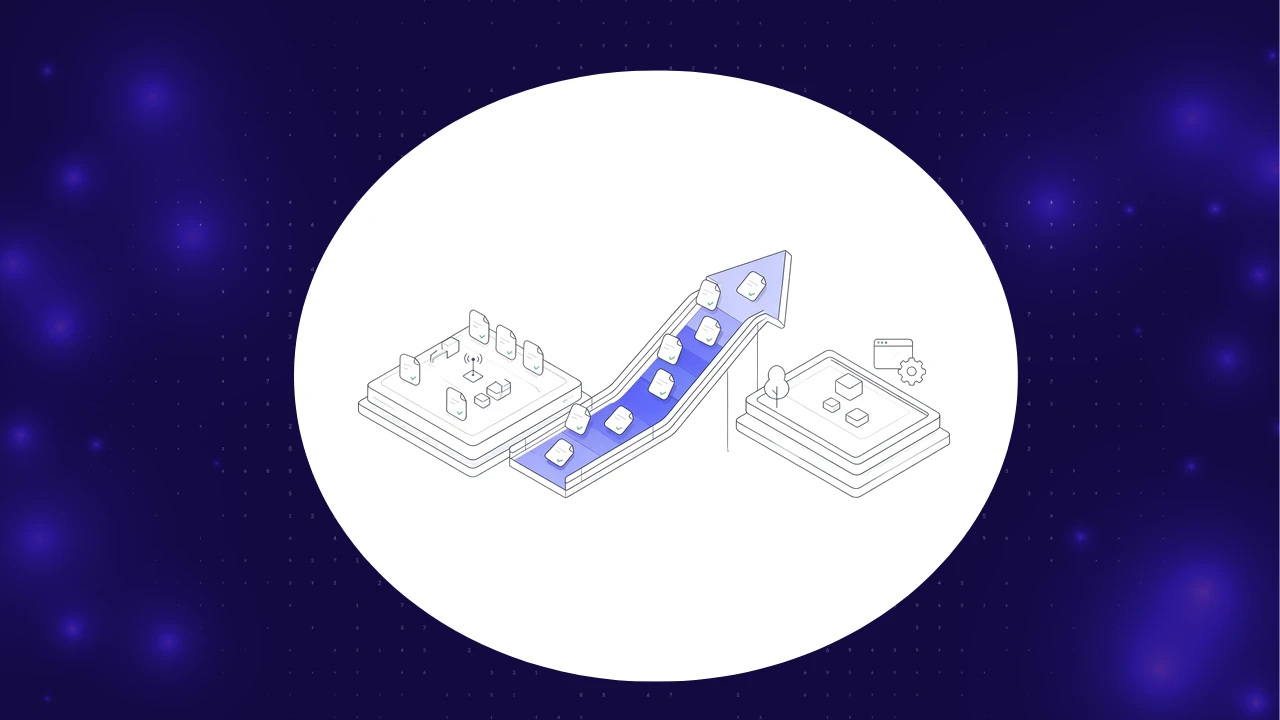
TL;DR: SAP IDoc testing means asserting what the backend actually did after a business step: the IDoc status, the BAPI RETURN messages and the documents posted in the database. A Fiori or SAP GUI test can show a success message while the inbound IDoc lands in status 51 and nothing is posted. With mainstream maintenance for SAP Business Suite 7 ending in 2027, most ECC shops are now retesting every interface on the way to S/4HANA, which makes backend assertions part of every regression cycle rather than an afterthought. Test the screen and the integration layer in the same run, or you are only testing half the transaction.
Most SAP test suites were built to click through screens. That works until an order confirmation never reaches the customer or an invoice posts to the wrong account while every UI test stays green.
Quick answers
What is SAP IDoc testing?
SAP IDoc testing verifies that Intermediate Documents are created, transmitted and posted correctly between SAP and partner systems. A useful test checks the IDoc status record, the segment data and the application document the IDoc should create or update.
How is BAPI testing different from UI testing?
BAPI testing calls the business API directly and inspects the RETURN table for messages of type E or A before any commit. It catches posting failures a UI script never sees.
Which IDoc status codes should a test assert?
For outbound IDocs, assert 03 (data passed to port OK) at minimum. For inbound IDocs, assert 53 (application document posted) and fail the test on 51, 56, 60 or 68.
Why do UI-only SAP tests miss broken transactions?
UI tests stop at the screen, and in SAP the screen is often the start of the transaction, not the end. Saving a sales order triggers output determination, IDoc creation, RFC calls and update tasks that run after the user sees the confirmation message.
Consider what a typical order save actually kicks off:
- An order confirmation IDoc (message type ORDRSP) is generated for an EDI partner.
- A credit check or availability check calls a remote system over RFC.
- Asynchronous update tasks write the document, and a failure there surfaces later as an update error, not as a red banner on the screen.
None of that is visible to a script that asserts a status bar message of the form Standard Order 12345 has been saved. This is the gap that good SAP ERP testing closes: the test has to follow the transaction past the screen and into the integration layer.
For broader regression and migration strategy, see our guide on what SAP testing automation covers. This article goes one layer deeper, into the interfaces.

What are IDocs, BAPIs and RFCs, and where do they fail?
IDocs, BAPIs and RFCs are the three main ways SAP systems exchange data and trigger business logic. Each one fails in a different way, so each needs its own assertions.
According to SAP Learning's lesson on BAPI and IDoc integration, BAPIs are stored as RFC-capable function modules, RFC runs a function in a remote system, and the IDoc is the standard SAP format for EDI between systems. The same lesson describes the IDoc structure: a control record with sender, recipient and message details, data records holding the segments, and separate status records holding the processing history.
The failure modes differ. IDocs stall in status 30 or fail in 51, BAPIs return E or A messages without committing, and RFC calls hit dead destinations or hang in tRFC queues. Almost none of these produce a signal at the UI layer.
How do you test an IDoc end to end?
To test an IDoc end to end, trigger the business event, find the resulting IDoc by message type and partner, and assert its final status and key segment values. For inbound IDocs, also confirm that the application document exists with the right data.
SAP's own documentation on testing inbound IDoc processing recommends the inbound test tool for editing IDocs, then checking the IDoc display: status 53 means the application document was posted, and status 51 means it was not. It also advises confirming that the application wrote the data to the correct tables, which is exactly the assertion most automated suites skip.
IDoc status codes and what a test should assert
- 01: Direction: Outbound; Meaning: IDoc generated; Test action: Intermediate, keep polling
- 30: Direction: Outbound; Meaning: Ready for dispatch; Test action: Fail if it stays here past your timeout
- 02: Direction: Outbound; Meaning: Error passing data to port; Test action: Fail
- 03: Direction: Outbound; Meaning: Data passed to port OK; Test action: Pass for ALE scenarios
- 12: Direction: Outbound; Meaning: Dispatch OK; Test action: Pass for EDI scenarios that report it
- 50: Direction: Inbound; Meaning: IDoc added; Test action: Intermediate
- 64: Direction: Inbound; Meaning: Ready to be transferred to application; Test action: Fail if it stays here past your timeout
- 53: Direction: Inbound; Meaning: Application document posted; Test action: Pass, then verify the document
- 51: Direction: Inbound; Meaning: Application document not posted; Test action: Fail, capture status record text
- 56 / 60 / 68: Direction: Inbound; Meaning: Errors in IDoc, syntax or no further processing; Test action: Fail
Tools practitioners use
- WE02 and WE05 to list and display IDocs with their status records.
- WE19 to copy an existing IDoc, modify segments and push it through inbound or outbound processing in a test system. Never use it in production.
- BD87 to reprocess IDocs in error after fixing master data or configuration.
A good test reads the control record (message type such as ORDERS, basic type such as ORDERS05, partner number), asserts the final status, and captures the status record error text on failure.
Want IDoc status, BAPI returns and posted documents checked in the same run as your Fiori and SAP GUI steps? See how ContextQA handles SAP backend validation alongside the UI.
How do you test BAPIs and read the RETURN table?
BAPI testing calls the function module with controlled inputs, reads the RETURN table, and commits only when no E or A messages are present. A test passes when RETURN is clean, the commit succeeds and the expected document exists afterward.
The rules that matter:
- Call the BAPI (for example BAPI_SALESORDER_CREATEFROMDAT2) with test data from a known, resettable data set.
- Read every row of RETURN. TYPE values S, I and W are informational. E is an error and A is an abort.
- If RETURN contains E or A, call BAPI_TRANSACTION_ROLLBACK and fail the test with the message text.
- If RETURN is clean, call BAPI_TRANSACTION_COMMIT with WAIT set to X so the update completes before you read the database.
- Read the created document back, by key, and compare header and item values with the input.
Two mistakes recur. Checking sy-subrc instead of RETURN misses errors, because most BAPIs report through RETURN. Using COMMIT WORK instead of BAPI_TRANSACTION_COMMIT skips the BAPI buffer refresh, so later calls in the same session can assume data that was never written.
How do you test RFC connections and destinations?
RFC testing confirms that the destination is reachable, the technical user can log on with the right authorizations, and the remote function returns the expected result. Run connection checks first so you can separate infrastructure failures from logic failures.
A practical RFC test layer has three checks:
- Connectivity: use the connection and authorization tests on the destination in SM59 before the functional suite runs.
- Functional result: call the remote function with known inputs and assert the exported values and tables, not just the absence of an exception.
- Asynchronous delivery: for tRFC and qRFC, check SM58 and the queue monitors for hanging or failed entries after the run.

What does an order-to-cash backend validation look like?
An order-to-cash backend validation creates the sales order through the UI, then asserts every integration and posting the order should cause, through to the FI document.
The recommended flow in an S/4HANA or ECC quality system:
- Create the order in the UI. In Fiori (Create Sales Orders) or SAP GUI (VA01), enter sold-to party, material and quantity. Capture the order number from the confirmation.
- Assert the outbound IDoc. Find the ORDRSP IDoc for the customer's partner number created after the test started. Assert status 03 (or 12 if your EDI subsystem reports it) and check currency and order reference in header segment E1EDK01.
- Assert the inbound path where it applies. If the order originates from a customer EDI file, inject an ORDERS IDoc (basic type ORDERS05) through the inbound test tool and assert status 53, then confirm the sales order it created has the right items and prices.
- Validate the BAPI step. If a downstream step, such as delivery creation from an external warehouse system, uses a BAPI, assert the RETURN table is free of E and A messages and that the commit completed.
- Follow the document flow. Create the delivery, post goods issue and bill. Assert each predecessor and successor in the document flow (table VBFA).
- Assert the FI document. From the billing document, verify the accounting document's company code, customer, revenue account and amount. In S/4HANA the line items live in the Universal Journal (ACDOCA). In ECC, check BKPF and BSEG, or display it in FB03.
- Check the invoice IDoc. If the customer receives invoices electronically, assert the INVOIC IDoc (basic type INVOIC02 is common) reached 03.
If step 1 passes and step 6 fails, you have caught what a UI-only suite would ship: a saved order that never becomes revenue.
How do you keep backend SAP tests stable across transports and releases?
Keep backend tests stable by asserting on business outcomes and status codes, not on technical details that change with every transport. Tie each test to the objects it touches so a change only triggers the tests it can break.
Practices that hold up over time:
- Own your test data. Generate fresh customers, materials and pricing per run, or mask a production copy, and reset afterward.
- Poll with timeouts, not sleeps. Poll for a final status and fail with the last observed status on timeout.
- Map tests to transports. When a transport changes a user exit in IDoc processing, an output condition or a partner profile, run the interface tests that depend on it first.
- Run them in the pipeline. Backend checks belong in your continuous testing pipeline, triggered on transport import to the quality system, not only before a release.
The World Quality Report 2025 from Capgemini, Sogeti and OpenText found that 64% of respondents cite integration complexity as a top challenge in adopting generative AI for quality engineering. SAP landscapes show why: the more systems an order touches, the more tests must understand the integration layer.
How does ContextQA validate the SAP backend alongside the UI?
ContextQA validates IDocs, BAPIs, RFCs and database operations directly, alongside UI interactions across SAP GUI, Fiori and WebDynpro. A green screen never masks a broken transaction, because the same test asserts both.
It orchestrates end-to-end workflows across SAP modules, such as order-to-cash across SD, MM and FI, and connected third-party systems. Change-impact analysis runs only the tests a transport or configuration change affects. It generates, masks and manages test data, aligns with SAP transport management and CI/CD, and keeps a full audit trail with exportable reports. Its agents adapt to UI changes without brittle scripts.
SAP rarely lives alone. When an order starts in a connected third-party system and ends in SAP FI, the SAP checks sit inside ContextQA's wider enterprise application testing approach, so one test covers the whole path.
See an order-to-cash test that checks the Fiori screen, the IDoc status and the FI posting in a single run. Book a demo with the ContextQA team.
Bottom line
A passing SAP UI test tells you a user can complete a screen. It does not tell you the IDoc posted, the BAPI committed or the accounting document exists. Those outcomes are what the business pays for, and they fail quietly.
Treat IDoc status, BAPI RETURN and posted documents as first-class assertions. Start with your highest-volume interfaces, such as order confirmations and invoices, and wire the checks into every transport import.
Sources
- Updated Policy Gives Customers More Time to Complete SAP S/4HANA Transition, SAP News Center. https://news.sap.com/2020/02/sap-s4hana-transition-updated-policy/ Supports: mainstream maintenance for SAP Business Suite 7 through end of 2027, optional extended maintenance to 2030, S/4HANA maintenance to 2040.
- Explaining the Integration Technology Based on BAPIs and IDocs, Basics, SAP Learning. https://learning.sap.com/courses/developing-integration-scenarios-using-idoc-rfc-adapter-of-sap-process-orchestration/explaining-the-integration-technology-based-on-bapis-and-idocs-basics_db458c59-a70f-480d-b139-65065be1b9e9 Supports: definitions of BAPI, RFC, IDoc and ALE; IDoc control, data and status records; synchronous and asynchronous RFC variants.
- Testing Inbound Processing, SAP Help Portal (SAP NetWeaver 7.5 documentation). https://help.sap.com/doc/saphelp_nw75/7.5.5/en-US/4b/4c3bba3b71265ce10000000a421937/content.htm?no_cache=true Supports: use of the inbound test tool, status 53 (application document posted) and 51 (not posted), checking application tables.
- World Quality Report 2025: AI adoption surges in Quality Engineering, but enterprise-level scaling remains elusive, Capgemini. https://www.capgemini.com/us-en/news/press-releases/world-quality-report-2025-ai-adoption-surges-in-quality-engineering-but-enterprise-level-scaling-remains-elusive/ Supports: 64% of respondents cite integration complexity as a top challenge; survey of 2,000+ executives in 22 countries.