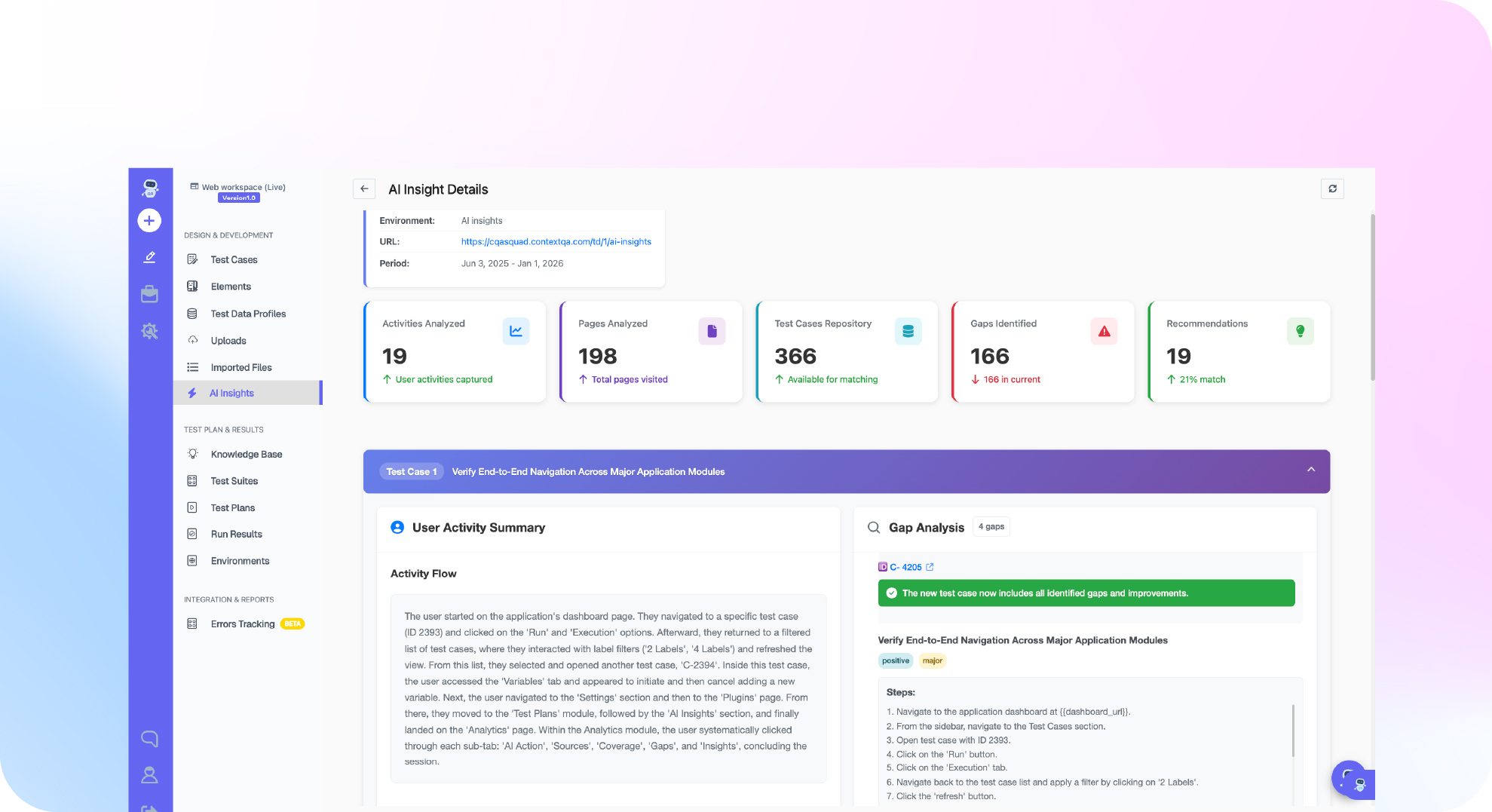

TL;DR: The best AI regression testing tools generate tests from requirements, self heal broken locators, run suites in parallel across browsers and devices, gate merges in CI/CD, and keep screenshots, logs, and traces for release decisions. Evaluate each tool on one real business journey and score generation, maintenance effort, enterprise app coverage, reporting, and pricing model. ContextQA, the autonomous quality engineer, fits enterprise teams testing Salesforce, SAP, web, mobile, and API workflows, and exports tests to Playwright.
Choosing the best ai regression testing tools starts with a hard question: why does your full regression suite take hours while flaky tests still block releases?
This guide gives QA leads and engineering managers an evaluation checklist covering test generation, self healing, parallel runs, CI/CD, enterprise apps, reporting, and pricing. It then compares each tool by best fit and honest limitation, ContextQA included.
Quick answers
How should we evaluate AI regression testing tools before buying one? Score each tool on test generation, self healing, parallel runs, CI/CD triggers, enterprise app coverage, failure reporting, and pricing model. Run every vendor on one real business journey in a non production environment, and seed a known defect to confirm the generated tests fail when they should. Treat a polished demo as a hypothesis until your team reproduces it.
Should AI regression tools run the full suite on every pull request? Usually not. Split regression into portfolios: smoke on every deployment, changed area on pull requests, critical regression on release candidates, and full regression on a schedule. In ContextQA, suites group cases by feature and test plans define environment, browser, schedule, parallelism, and notifications (Regression Risk and Evidence).
How do we avoid vendor lock in when adopting an AI regression testing tool? Check whether the tool exports tests to an open framework and works inside your existing CI/CD and issue tracking. ContextQA exports tests to Playwright code (Code export), integrates with Jenkins, GitHub Actions, Jira, Slack, and GitHub, and connects to AI coding assistants through its MCP server. Ask every vendor for the same details in their own documentation.
What are the best ai regression testing tools?
The best AI regression testing tools are platforms that use machine learning to generate, run, and repair regression suites, so tests survive UI changes and gate releases in CI/CD. Strong candidates include ContextQA, Testim, mabl, Functionize, and Applitools. The right choice depends on where your regression risk lives: web and mobile flows, visual layout, or enterprise applications.
These tools differ mainly in where the AI does its work. Some apply it to authoring, some to locator maintenance (self healing, which repairs a broken selector after a UI change), and some to visual comparison or test selection. That placement determines whether your team spends its week writing tests, fixing them, or triaging failures.
- ContextQA: Best fit for enterprise teams that need one platform for web, mobile, API, and enterprise apps such as Salesforce and SAP. It combines AI based self healing, impact analysis, and risk based regression plans (Regression Risk and Evidence). Limitation: there is no published self serve price. Pricing comes through a demo and quote.
- Testim: Best fit for web teams that want AI stabilized locators on recorded tests. Confirm its current scope for mobile and enterprise apps on the Testim site.
- mabl: Best fit for low code browser and API regression tied to delivery pipelines. Check its plan structure on the mabl pricing page.
- Functionize: Best fit for teams that want natural language test creation on vendor cloud infrastructure. Verify its execution and deployment options on the Functionize site.
- Applitools: Best fit for visual regression, where layout and rendering bugs matter most. Limitation: it adds visual checks to an existing functional framework rather than replacing it. See the Applitools pricing page.
Pricing models shift every year, so check each vendor's own page when you build a shortlist.

How did we evaluate them?
Use seven criteria to decide whether a regression suite stays trustworthy after the first few releases: test generation, self healing, parallel execution, CI/CD integration, enterprise app coverage, reporting evidence, and pricing model. Use each vendor's own documentation and pricing pages as sources, and treat unverified capabilities as claims.
The goal is not to run fewer tests. It is to run the right scope for each release decision and keep the evidence, as the ContextQA regression risk guide puts it.
- Test generation: Can the tool build tests from tickets, specs, recorded flows, or code changes? Does a human review the output before it gates a release? A generated test is a candidate, not proof.
- Self healing and flaky tests: Repairing broken selectors means a renamed button does not fail every test that clicks it. Healing does not fix flakiness caused by shared test data or unstable environments, so check whether each tool lets you quarantine those cases with an owner and a review date.
- Parallel runs: Can one suite run concurrently across Chrome, Safari, Edge, Firefox, iOS, and Android within limits your test data can safely handle?
- CI/CD integration: Look for documented triggers for GitHub Actions, Jenkins, or GitLab CI, and whether a smoke or changed area plan can block a merge.
- Enterprise apps: Can it automate Salesforce, SAP Fiori, or Workday flows, where dynamic DOMs break generic locators?
- Reporting evidence: Does every failure include screenshots, video, logs, and a probable root cause a release owner can act on?
- Pricing and lock in: Is pricing per seat, per run, or by quote? Can tests export to code such as Playwright?
- Open source vs commercial: Playwright and Selenium cost nothing to license, but you build and maintain healing, scheduling, and reporting yourself. Commercial platforms bundle that work into a paid product.
How do the options compare?
This section compares ContextQA with three visual regression tools. ContextQA handles end to end functional regression with generation, self healing, and risk based prioritization. Applitools, Percy, and Chromatic focus on visual regression, which means comparing rendered screenshots against approved baselines. Pick based on whether your main risk is broken journeys or broken pixels.
ContextQA
- What it is: An autonomous quality engineer for web, mobile, API, database, and enterprise app regression, including Salesforce and SAP.
- Best for: Enterprise QA teams that need test generation, prioritization, and auditable run evidence in one platform.
- Strengths: The RBT (risk based testing) view plots usage frequency against business priority. Changed area plans can be triggered from CI/CD, and self healing repairs broken locators (Regression Risk and Evidence). Tests export to Playwright.
- Limits: Generated tests are candidates, so a human still reviews them (Complete Product Guide). Pricing comes through a demo and quote.
Applitools
- What it is: A visual testing platform built on "Visual AI" comparison (Applitools).
- Best for: Teams with large cross browser UI surfaces where pixel diffs produce too much noise.
- Limits: It validates appearance, not business logic, so you still need a functional suite.
Percy (BrowserStack)
- What it is: A visual review service that captures snapshots from your existing test runs (Percy).
- Best for: Teams already on BrowserStack that want visual diffs inside pull request review.
- Limits: Snapshot volume drives cost, so prune redundant captures before you scale.
Chromatic
- What it is: Visual and interaction testing for Storybook components (Chromatic).
- Best for: Frontend teams that run a component library.
- Limits: It is centered on components. Full user journeys need another tool.
ROI note: For a startup, a visual tool on top of Playwright may be enough. Enterprise teams paying for flaky full regression runs gain more from prioritization and self healing.
If choosing a regression scope you can defend before every release is the problem, book a ContextQA demo to see risk based test plans, self healing, and run evidence.
Which one fits your team?
The right AI regression testing tool depends on three things: what you test (web only, or enterprise apps like SAP and Salesforce), who writes tests (SDETs in code or testers without coding skills), and how your CI/CD pipeline gates releases. Match those three factors to a tool's strengths before you compare features or price.
- Code first SDET team, web only app: An open source framework such as Playwright gives you full control over browsers and assertions. The limitation is ownership: your team writes, debugs, and maintains every locator and retry rule.
- Enterprise team with SAP, Salesforce, Oracle, or Workday flows: The ContextQA platform tests SAP Fiori, S/4HANA, and SAP GUI workflows end to end (Enterprise plan), plus Salesforce Lightning and Classic (enterprise apps testing). The limitation is quote based pricing.
- Mixed team where some testers do not code: ContextQA offers a no code recorder and Playwright code export, so you can leave without rewriting your suite.
- Release owners who need a defensible scope: Suites define ownership, and test plans set environment, browser, schedule, and parallelism (regression risk guide). The limitation is that the RBT heatmap does not replace judgment, and generated tests still need review.
Checklist for QA leads and CTOs:
- Run one real business journey in a non production environment.
- Change the UI on purpose and confirm whether the self healing fix is correct.
- Trigger the run from your existing CI tool.
- Check whether the failure evidence explains the break without a rerun.

Bottom line
The best AI regression testing tool runs the right scope for each release decision and leaves evidence your team trusts. Score every candidate on generation, self healing, parallel runs, CI/CD fit, enterprise app depth, reporting, and pricing, then pilot one non production journey with a seeded failure. See our guide to automated regression testing best practices and the test automation webinar.
Sources
Every vendor claim in this guide links to that vendor's own site, documentation, or pricing page. ContextQA workflow steps come from the ContextQA learning docs. Recheck pricing and plan details directly before you build a shortlist.