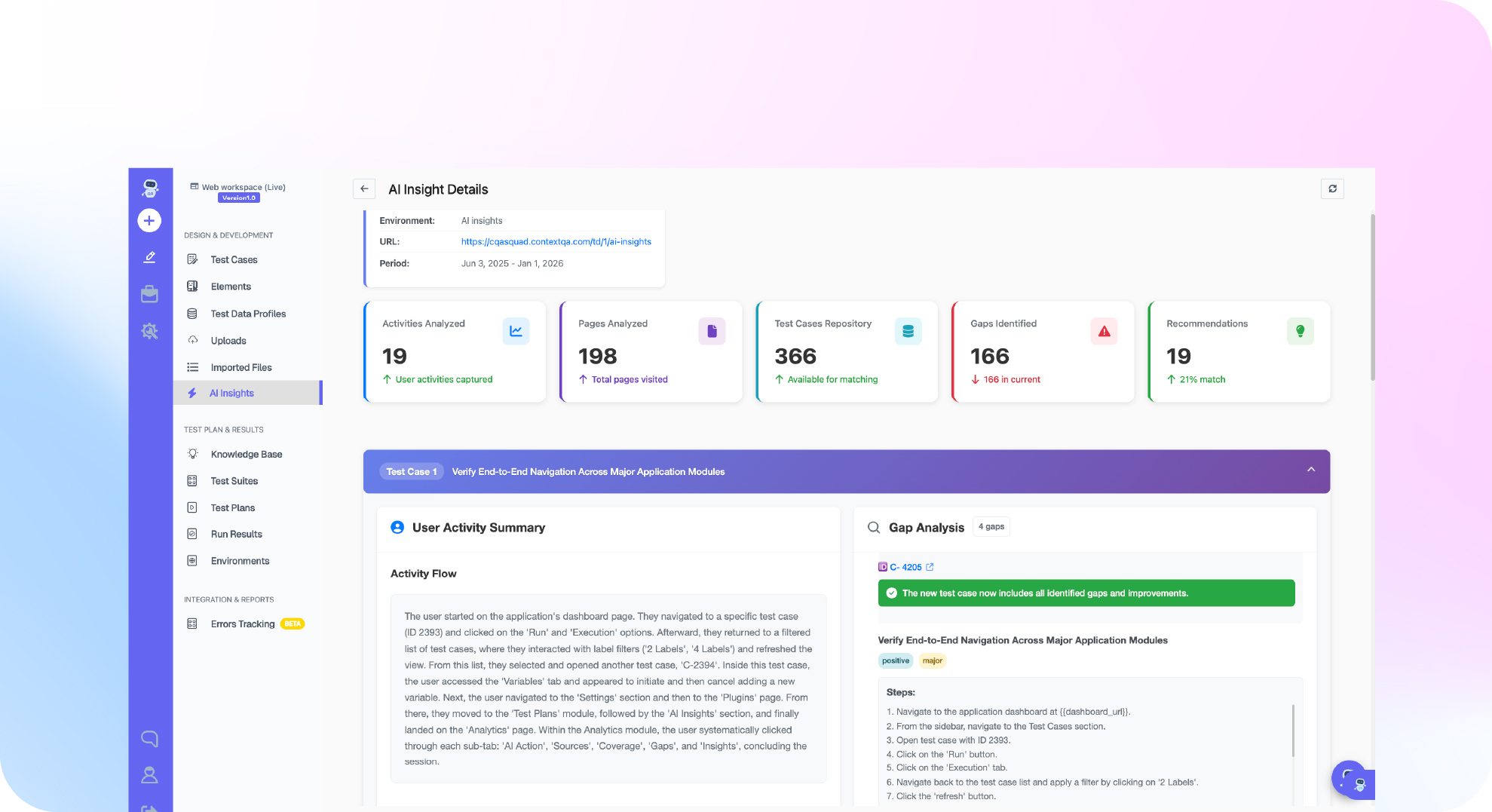

TL;DR: Testing quote to cash across Salesforce and SAP means following one deal from a Closed Won opportunity to an order and billing document in SAP S/4HANA through Fiori or SAP GUI. The hard parts are the handoff, shared test data, and release churn. Salesforce ships three major releases a year, and Lightning regenerates element IDs (ContextQA Salesforce Testing Overview). Assert outcomes in both systems with UI and API checks. ContextQA, the autonomous quality engineer, supports Salesforce testing and SAP Fiori, S/4HANA and SAP GUI workflows (Enterprise plan) with self healing tests in CI.
Salesforce and SAP end to end test automation breaks at the handoff. An opportunity closes in Salesforce, but the order and billing document in SAP S/4HANA never appear, and nobody notices until finance does. This guide follows one quote to cash process across both systems: test design, data, handoffs, release breakage, CI, and tools.
Quick answers
What should a Salesforce to SAP test assert to prove quote to cash worked? Assert the business outcome in each system. In Salesforce, check the opportunity stage and its history entry. In SAP S/4HANA, check for a matching sales order with the correct customer, materials, quantities and pricing, plus the billing document that follows. A success message does not prove the order reached SAP. Pair UI steps with API reads, and retain evidence for each run.
What usually breaks a cross system suite after a release? Salesforce Lightning regenerates element identifiers across its three major yearly releases and patches, so CSS and XPath locators stop matching. In SAP, Fiori updates and S/4HANA configuration changes move fields, and middleware changes can alter payloads or timing. Build steps around labels and business outcomes, let self healing repair broken locators, and review the healing evidence after each release.
How do you run a Salesforce and SAP test in CI without flakiness? Run the full quote to cash journey as a scheduled or pre release suite against approved sandboxes, and keep fast single system checks on every merge. Reuse an authenticated session as a prerequisite test and seed unique data. Poll for the SAP order with a bounded timeout instead of fixed sleeps, and clean up only the records each run created.
What is Salesforce and SAP end to end test automation, and when do you need it?
It runs one business process, such as quote to cash, as a single automated test across both systems. The test follows a Closed Won opportunity in Salesforce into an SAP S/4HANA sales order and invoice, then verifies stored record state on each side. That catches handoff failures that single system regression suites miss.
You need it when:
- Revenue depends on the handoff. An opportunity that never becomes a sales order means lost billing, and neither system's own suite flags it.
- Releases land on two calendars. Salesforce ships three major releases a year plus patches (ContextQA Salesforce Testing Overview), while SAP transports and Fiori changes follow your own schedule.
When evaluating tools, check four things: Lightning plus Fiori or SAP GUI coverage in one suite, combined UI and API validation, reusable authenticated sessions, and CI execution.
What do you need before you start?
You need a Salesforce sandbox and an SAP S/4HANA quality system connected through a non-production middleware instance that mirrors production's integration configuration. Add dedicated test users in both systems, mapped seed data, a cleanup path, and an API or database read on each side to confirm every handoff.
- Environments: Testing either side alone skips the handoff, which is where orders stall.
- Identities: In ContextQA, create a Salesforce session login test, set it as a prerequisite for dependent cases, and store credentials in protected parameters (Salesforce and Enterprise Workflows).
- Seed data: Salesforce accounts, products, and price books must map to SAP customer and material masters. Script cleanup that deletes only test records.
- Deployment: The ContextQA platform runs as cloud SaaS, in your own cloud, self hosted, or on premises (Enterprise plan).
- Code based route: Playwright drives browsers, so it cannot automate the SAP GUI desktop client. If you use it for the browser legs, keep the
TEST_AUTH_STATEstorage file out of the repository (End to End Testing with AI Agents).

How do you automate quote to cash step by step?
Pick one journey: a Closed Won opportunity in Salesforce that becomes a sales order and billing document in SAP S/4HANA. Automate it as linked stages: a reusable Salesforce login, the Lightning steps, a handoff check, and API assertions on both systems. Run it from CI against seeded staging data, never production.
- Define the business outcome. For example: the SAP order value matches the Salesforce opportunity amount. A success toast proves nothing about either record (End to End Testing with AI Agents).
- Seed isolated data. Use a test account, a known price book, and a cleanup step that runs even when assertions fail.
- Create a Salesforce session login test. Select it as a prerequisite for dependent cases (Salesforce and Enterprise Workflows).
- Assert on both systems. In Salesforce, check the new stage and its history entry. In SAP, confirm the order through an API, not only the Fiori screen.
- Run it in CI with retries off, so the first failure stays visible:
TEST_BASE_URL=$STAGING_URL npx playwright test tests/quote-to-cash.spec.ts --retries=0
- Review self healing evidence after each Salesforce release (Salesforce Testing Overview).
What are the most common mistakes?
The most common mistakes are testing each system in isolation, trusting a confirmation screen, hardcoding generated locators, sharing test data, and choosing a tool on SAP coverage alone. Each produces a suite that passes while a deal silently fails to reach S/4HANA billing.
- Stopping at the handoff: The opportunity passes in Salesforce, but nobody asserts that the sales order and billing document exist in S/4HANA.
- Treating a toast as proof: The ContextQA end to end guide states that a success message does not prove persistence. Verify the record through an API or its history.
- Locking onto generated IDs: Lightning regenerates element identifiers across releases (Salesforce Testing Overview). Target labels and roles instead.
- Shared, dirty data: Reused accounts collide in parallel runs. Seed unique records and clean up only your own.
- Choosing by logo: Ask every vendor to demo one run spanning Lightning, Fiori, and SAP GUI, then confirm pricing and deployment in their own docs.
How do you know it is working?
It is working when each run proves the business outcome in both systems, not just the clicks. The opportunity is Closed Won, the SAP S/4HANA sales order and billing document exist with matching values, and any failure points to one specific hop. If a red run cannot name the broken system, the suite is not finished.
The suite should pass before and after each Salesforce sandbox upgrade, and someone should review every self healed step before accepting it (Salesforce Testing Overview).
For MuleSoft, SAP BTP, or Boomi integrations, assert each hop separately:
- Source: Read the opportunity and quote through the Salesforce API as well as the Lightning screen. ContextQA combines UI steps with API verification (Salesforce and Enterprise Workflows).
- Middleware: Carry a unique correlation value, such as the opportunity ID, and confirm the integration processed it exactly once.
- Target: Query the SAP order by that value and compare customer, line items, and net amount field by field.
Record which hop failed first on every red run. That trend tells you whether to invest in Salesforce locators, middleware monitoring, or SAP configuration checks.

How do you automate the quote to cash flow with ContextQA?
ContextQA covers the Salesforce side of quote to cash as a business lifecycle: a reusable session login test runs first, and natural language steps create the opportunity in Lightning. Order and billing workflows in SAP Fiori, S/4HANA or SAP GUI are supported on the Enterprise plan. UI checks combine with API validation, and every run retains evidence.
Watch the Salesforce release resilience overview before you build.
- Reuse the login. Create a Salesforce session login test and select it as a prerequisite for dependent cases. Store credentials and authenticator material in protected parameters, and hide sensitive environment data.
- Drive variations from data. Use data driven testing for products, price books, and discounts, with a unique opportunity name per run.
- Assert outcomes. Check the new stage, its history entry, calculated fields, and any required downstream action.
- Run it in delivery. Trigger runs from Jenkins or GitHub Actions and report to Jira or Slack, or drive the flow from Claude Code or Cursor through the MCP server (end to end testing guide).
- Keep an exit. Code export produces Playwright code for the browser legs.
If your quote to cash flow breaks between a Salesforce opportunity and an SAP S/4HANA order every release, book a demo to see how ContextQA covers the Salesforce and SAP sides of it.
What should be on your do this now checklist?
Start with one quote to cash journey and make it pass reliably in a nonproduction environment before adding coverage. Lock down identities, seed data, handoff assertions, and a CI trigger, then review evidence after every Salesforce or SAP release.
- Write the journey's final business outcome in one sentence.
- Create dedicated test users in the Salesforce sandbox and SAP QA client, with credentials in protected parameters.
- Seed known accounts, products, and price books, and script cleanup.
- Assert that the SAP sales order carries the opportunity ID, amount, and line items.
- Trigger the suite from Jenkins or GitHub Actions and route results to Jira or Slack.
- Rerun the full journey in a sandbox preview before each Salesforce seasonal release and each SAP transport.
Bottom line
Salesforce and SAP end to end test automation succeeds when quote to cash runs as one chain: the opportunity closes in Salesforce, the order and billing land in SAP S/4HANA, and every handoff is asserted on stored data, not a toast. On Monday, pick that flow, seed isolated data, reuse sessions, combine UI and API checks, and run it in CI. Then read our guide to enterprise application testing.