
TL;DR: To integrate automated regression tests with GitHub Actions, add a workflow that triggers on pull_request and schedule, checks out code, installs dependencies, starts the app, runs the suite, and uploads the report with actions/upload-artifact. Mark the job as a required status check in branch protection so regressions block merges. Shard tests with a matrix, cache dependencies, and keep tokens in GitHub secrets. Ship, ContextQA's autonomous quality engineer, adds impact based regression checks on every pull request.
Teams that integrate automated regression tests with GitHub Actions often end up with slow, flaky pull request checks that engineers learn to ignore. This guide gives you a working workflow YAML with sharding, caching, secrets handling, artifact reports, and branch protection. It then shows how Ship tests every pull request before merge.
Quick answers
Should regression tests run on every pull request or on a schedule in GitHub Actions? Use both, with different scopes. Run a small smoke or changed area suite on the pull_request event so developers get feedback before merge. Run full regression on a schedule (cron) trigger outside the developer feedback loop. Avoid running the same expensive plan on overlapping events unless the duplicate coverage is intentional.
How do I make a failed regression test block a merge in GitHub? Make the regression job exit with a nonzero status on any failed or non success terminal result. Then add that job as a required status check in the branch protection rules for main. GitHub will not allow the pull request to merge until the job passes. Keep the required suite small and stable so flaky tests do not train engineers to bypass the gate.
How should I store API tokens and test configuration for regression runs in GitHub Actions? Store credentials such as CONTEXTQA_API_TOKEN as encrypted secrets under Settings, then Secrets and variables, then Actions. Store non sensitive values such as a test plan ID as repository variables, and reference them as secrets.NAME and vars.NAME. Never paste a literal token into the YAML. Use an environment level secret with required reviewers when production deployments need a separate token.
What does a GitHub Actions regression gate do, and when do you need it?
A GitHub Actions regression gate runs your regression suite as a workflow job that triggers on pull_request, on push to main, or on a schedule, and reports a pass or fail status check. The workflow file lives in .github/workflows/ and is reviewed like code. When the check is required, a regression blocks the merge.
You need one when any of these is true:
- Merges outpace manual review: regressions surface in staging days after the change that caused them.
- Nightly runs are your only signal: feedback arrives after the author has moved on.
- Releases depend on someone clicking Run: an automated gate removes that step.
Only the run step changes between frameworks: npx jest --ci, pytest -n auto, or npx playwright test. If the suite lives in ContextQA, a test plan can act as the gate. ContextQA runs the browsers, and the GitHub runner starts the plan, polls for the result, and fails the job on any non success outcome (GitHub Actions docs).
What do you need before you start?
You need a regression suite that already passes, a command that starts your app inside the runner, repository admin rights to configure branch protection, and credentials stored as encrypted secrets.
- A clean baseline: Run each test once on its own before grouping it into a suite, so the first red check is a real regression, not a setup problem (regression suite tutorial).
- Secrets and variables: Store
CONTEXTQA_API_TOKENas a secret andCONTEXTQA_TEST_PLAN_IDas a variable (GitHub Actions docs). - Shard support: Your runner must accept a shard flag, such as Playwright's
--shard=1/4.
How do you integrate automated regression tests with GitHub Actions step by step?
Add a workflow under .github/workflows/ that triggers on pull_request and schedule. It checks out code, caches and installs dependencies, starts the app, runs the suite in parallel shards with one retry, and uploads reports as artifacts. Any failed test fails the job. Then make a single summary check required in branch protection.
- Store credentials. Open Settings → Secrets and variables → Actions and add tokens as secrets. Never put a literal token in the YAML (ContextQA GitHub Actions guide).
- Create `.github/workflows/regression.yml`:
name: regression
on:
pull_request:
schedule:
- cron: "0 6 * * *"
concurrency:
group: regression-${{ github.ref }}
cancel-in-progress: true
jobs:
e2e:
runs-on: ubuntu-latest
timeout-minutes: 30
strategy:
fail-fast: false
matrix:
shard: [1, 2, 3, 4]
steps:
- uses: actions/checkout@v4
- uses: actions/setup-node@v4
with:
node-version: 20
cache: npm
- name: Cache Playwright browsers
uses: actions/cache@v4
with:
path: ~/.cache/ms-playwright
key: pw-${{ runner.os }}-${{ hashFiles('package-lock.json') }}
- run: npm ci
- run: npx playwright install --with-deps
- name: Start app
run: |
npm run start &
npx wait-on --timeout 120000 http://localhost:3000
- name: Run regression shard
run: npx playwright test --shard=${{ matrix.shard }}/4 --retries=1
env:
API_TOKEN: ${{ secrets.API_TOKEN }}
- uses: actions/upload-artifact@v4
if: always()
with:
name: playwright-report-${{ matrix.shard }}
path: |
playwright-report/
test-results/
retention-days: 14
regression-gate:
if: always()
needs: e2e
runs-on: ubuntu-latest
steps:
- run: test "${{ needs.e2e.result }}" = "success"
- Gate on one job. Matrix jobs report as
e2e (1),e2e (2), and so on. Theregression-gatejob collapses them into one check, so branch protection does not break when you change the shard count. - Contain flaky tests.
--retries=1reruns a failure once, and a test that passes on retry is labeled flaky in the report. Move repeat offenders to a quarantine suite with an owner and review date (Regression Risk and Evidence). - Keep evidence.
if: always()uploads the report and test results, including any screenshots, videos, and traces your Playwright config captures, even when the job fails. - Require the check. Add
regression-gateas a required status check onmain(GitHub Docs).
What are the most common mistakes to avoid?
The most common mistakes are running full regression on every pull request, leaving the regression job optional, hardcoding tokens, sharing mutable test data across shards, and gating merges on flaky tests. Each one either slows feedback or lets real regressions merge unnoticed.
- Wrong scope per trigger: Put a smoke or changed area plan on
pull_requestand broad regression onschedule. The ContextQA GitHub Actions guide warns against running the same expensive plan on overlapping events. - Unenforced checks: A failing job blocks nothing until it is a required status check. Match the exact job name, or the rule never resolves.
- Literal secrets: Keep tokens in
secrets, plan IDs invars, and use environment level secrets for production. - Shared test data: Seed unique accounts per shard so parallel jobs never collide.
- Flaky tests in the gate: Quarantine them with an owner and review date.
How do you know it is working?
It is working when three signals hold steady. Pull request checks return a verdict fast enough that developers wait for it. The nightly full regression on main stays green except for real defects. Every failure arrives with a run ID and evidence an engineer can act on.
Two platform facts limit measurement. By default, GitHub keeps artifacts and logs for 90 days, so export longer trend data yourself (GitHub Docs, 2025). Scheduled workflows can also start late under high load (GitHub Docs, 2025).
Review these metrics weekly:
- Time to signal: Keep pull requests on smoke or changed area plans, following the regression portfolio.
- Flake rate: Count tests that pass only on retry.
- Escaped regressions: Count post merge bugs a test should have caught.
How does Ship run regression on every pull request?
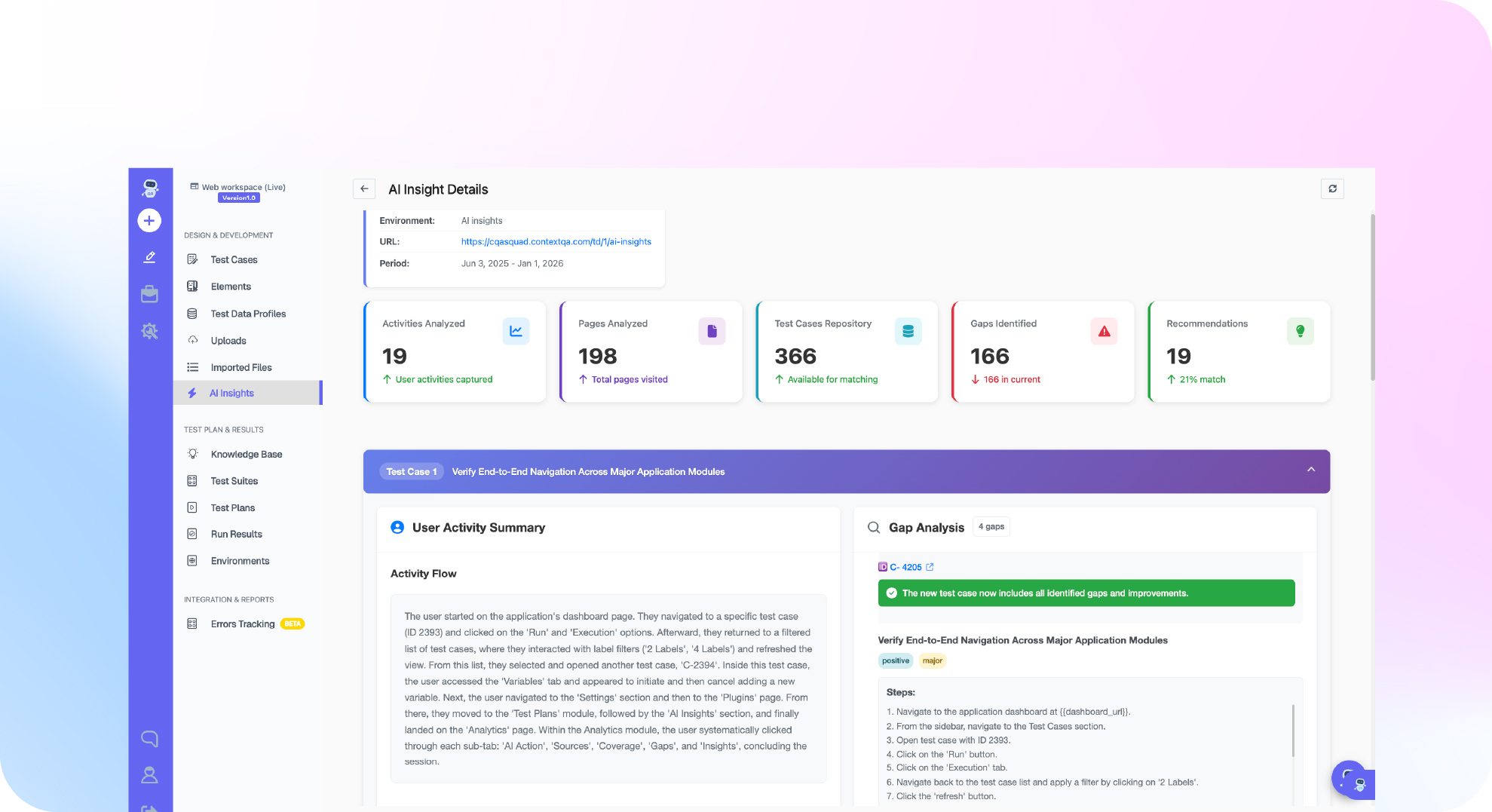
Ship, the ContextQA autonomous quality engineer, tests every pull request: it runs impact analysis on the change, runs targeted regressions before merge, and hands engineers the evidence. If your regression suite lives in a ContextQA test plan, the plan's CI / CD tab generates a GitHub Actions workflow. That job starts the plan, polls for the result with a bounded timeout, and fails the pull request check on any non success result. ContextQA runs the browsers, and the runner only coordinates.
The test plan gate setup follows the GitHub Actions docs:
- Run the test plan manually until it passes. Open its CI / CD tab and confirm GitHub Actions is listed.
- Create a dedicated API token with the narrowest required scopes.
- In Settings → Secrets and variables → Actions, add the secret
CONTEXTQA_API_TOKENand the variablesCONTEXTQA_TEST_PLAN_IDandCONTEXTQA_API_BASE_URL. - Trigger a small smoke or risk based plan on
pull_request, and put broad regression onschedule. - Mark the job as a required status check.
Already running unit tests in Actions? Keep that job and add the ContextQA gate separately, so unit and end to end failures report independently.
If regressions keep slipping past your pull request checks, get started free with Ship, no credit card needed, and watch it test every pull request before merge. Prefer a guided walkthrough first? Book a demo.

What checklist should you follow right now?
Start this week by storing credentials as secrets, gating pull requests on a fast smoke plan, and moving full regression to a nightly schedule. Confirm each item against a real workflow run before you announce the gate.
- Add
CONTEXTQA_API_TOKENas a secret andCONTEXTQA_TEST_PLAN_IDas a variable (docs). - Run the test plan manually once and confirm it passes.
- Trigger a smoke plan on
pull_requestand full regression on aschedulecron. - Shard with
strategy.matrixand cache withactions/setup-node(cache: npm) andactions/cache. - Upload reports with
actions/upload-artifactunderif: always(). - Poll with a bounded timeout and fail on every non success terminal result.
- Require the summary gate job in branch protection.
- Connect Ship so each pull request gets impact analysis (workflows).
Bottom line
Layer regression in GitHub Actions: a smoke plan on every pull_request, broad regression on schedule, and a required check that blocks merges. Shard, cache, store tokens as secrets, and upload reports as evidence. Stabilize the gate first with our guide to flaky tests in automated testing, review the AI generated code testing checklist, then let Ship run targeted regressions on each pull request.
Sources
The GitHub platform behavior described above comes from GitHub's official documentation, and every ContextQA step comes from the ContextQA learning center.