TL;DR: Website automation uses scripts or AI agents to drive a real browser through user flows such as login, search, and checkout, and checks the results on every build. Teams run these suites in CI/CD pipelines so regressions surface before release, not in production. The main cost is maintenance. Brittle locators and timing waits cause flaky tests, and the Google Testing Blog (2016) reported that 1.5% of all test runs at Google returned a flaky result. ContextQA, the autonomous quality engineer, generates, runs, and self heals these tests, then exports them to Playwright code.
This guide covers how to choose which browser checks to automate, structure a maintainable suite, wire it into CI/CD, and diagnose failures with real commands and configs. Writing the first test is easy. Keeping hundreds of them reliable as selectors drift and timing changes is where most suites fail.
Quick answers
How do I keep website automation tests from becoming flaky in CI? Most flakiness comes from timing and selectors. Replace sleep() calls with explicit waits on element state or network responses. Use stable locators such as data-testid attributes or accessible roles, and isolate test data so parallel runs do not collide. Track flake rate per test, and quarantine intermittent failures until they are fixed.
Which website tests should we automate first? Start with the paths that break releases: login, signup, checkout or billing, and the two or three workflows customers use daily. Then automate the regression checks that consume the most manual hours. Skip one time exploratory checks and UI under active redesign. A short smoke suite that passes on every pull request beats a large suite nobody trusts.
How much maintenance does a website automation suite need after launch? Plan for continuous upkeep, because every renamed element or new flow can break existing tests. Page object patterns, self healing locators, and impact analysis that maps code changes to affected tests reduce the load. Review failing tests every sprint and delete obsolete ones so the suite reflects the current product.
What is website automation?
Website automation is the use of software to drive a real browser through user flows, such as login, search, and checkout, and verify the results without a human clicking. It runs the same checks on every commit or pull request. That repeatability catches broken flows before release instead of after customer reports.
For QA teams choosing a framework, the main trade offs are:
- Playwright: drives Chromium, Firefox, and WebKit from TypeScript, Python, Java, and .NET. It auto waits for elements before acting, which removes many timing related flaky tests. Parallel runs take one flag:
npx playwright test --workers=4. - In browser JavaScript runners: execute inside the page for fast, visual debugging, but they handle multi tab and cross origin flows less directly.
- WebDriver based tools: use the W3C WebDriver protocol for the widest language and grid support, at the cost of more explicit waits and slower runs.
Every framework shares the same long term cost: selectors break when the UI changes, and suites decay. ContextQA generates the tests, repairs shifted locators with AI based self healing, and exports suites to Playwright through code export, so your team keeps the code.
What can browser test automation do?
Browser test automation uses scripts or AI agents to act the way a user would: filling forms, clicking through checkout, and verifying that pages render and respond correctly. For engineering teams, it replaces repetitive manual regression passes with tests that run on every commit, across browsers, and flag failures before code reaches production.
In practice, it covers five jobs:
- Regression testing: Replays critical flows like login, search, and checkout after every merge, so a CSS change cannot silently break payment.
- Cross browser runs: Executes one suite in parallel on Chromium, Firefox, and WebKit, which cuts total run time.
- CI/CD gating: A pipeline step such as
npx playwright test --reporter=junitruns on each pull request, and a nonzero exit code blocks the merge. Start with a small smoke suite, then expand. - Self healing maintenance: ContextQA's AI based self healing updates locators when the UI changes, which targets the main ongoing cost of brittle suites.
- ROI tracking: Compare manual regression hours removed per release against hours spent fixing flaky tests. If maintenance exceeds savings, the suite is losing money.

Why does website automation matter in 2026?
Website automation matters in 2026 because teams ship more code per sprint than manual regression can cover. In the Stack Overflow Developer Survey 2024, 76% of respondents said they use or plan to use AI tools in their development process. Automated browser checks keep test coverage in step with that output.
Faster releases also expose brittle suites. The Google Testing Blog (2016) reported that about 16% of Google's tests showed some flakiness and 1.5% of all test runs returned a flaky result. At CI scale, that pattern produces red builds that engineers learn to ignore.
The term covers three different jobs:
- Robotic process automation (RPA): scripts repetitive business tasks, such as invoice entry, against production systems.
- Web scraping: extracts page data for analysis or monitoring.
- Browser test automation: drives a real browser to assert that user flows work before release.
Self healing keeps the third category maintainable. When a selector like #checkout-btn changes, ContextQA's AI based self healing automatically repairs the broken locator.
How does automated browser testing work?
Automated browser testing works by scripting a browser to perform user actions, such as clicking, typing, and navigating, then checking that each page responds as expected. A driver controls a real or headless browser, locators find elements, assertions verify state, and a runner executes the scripts on demand, on a schedule, or inside a CI/CD pipeline.
- Define the flow. Pick a user journey, such as SaaS signup and onboarding, checkout, or a billing workflow, and state the expected outcome at each step.
- Locate elements. Target stable attributes like
data-testidinstead of layout bound CSS paths or XPath, which break whenever the UI is redesigned. - Act and assert. The script drives the browser and checks text, URLs, API responses, or database rows after each action.
- Wait on conditions, not timers. Replace fixed
sleepcalls with waits for a specific element or response, which removes most timing based flaky tests. AI based self healing handles locators that drift after UI changes. - Run in CI and on a schedule. Trigger the suite on every pull request, and rerun critical flows like login on a schedule as synthetic production monitoring.
Which approach fits your team?
The right approach depends on who will own test maintenance. Build in house if you have SDETs (software development engineers in test) with spare capacity to maintain a framework. Buy a platform if locator fixes already consume sprint time. Use a dev agency if you need coverage quickly without adding QA headcount.
- Build: You control the code and data, but your team permanently owns locators, flaky test triage, browser grids, and CI wiring.
- Buy: Test generation, self healing, and root cause analysis come prebuilt. Confirm code export to avoid lock in. ContextQA exports to Playwright.
- Outsource: Agencies ramp fast, but scripts often leave with the contractor. Require tests committed to your repo and running in your pipeline.
- Security and compliance: Every option touches credentials and customer data. Use synthetic test data, mask secrets in logs, and review vendor SOC 2 and GDPR posture. ContextQA can hide sensitive environment data and deploy in your own infrastructure.
Rule of thumb: choose the option where test maintenance and data handling stay visible inside your own pipeline.
How does ContextQA handle browser test automation?
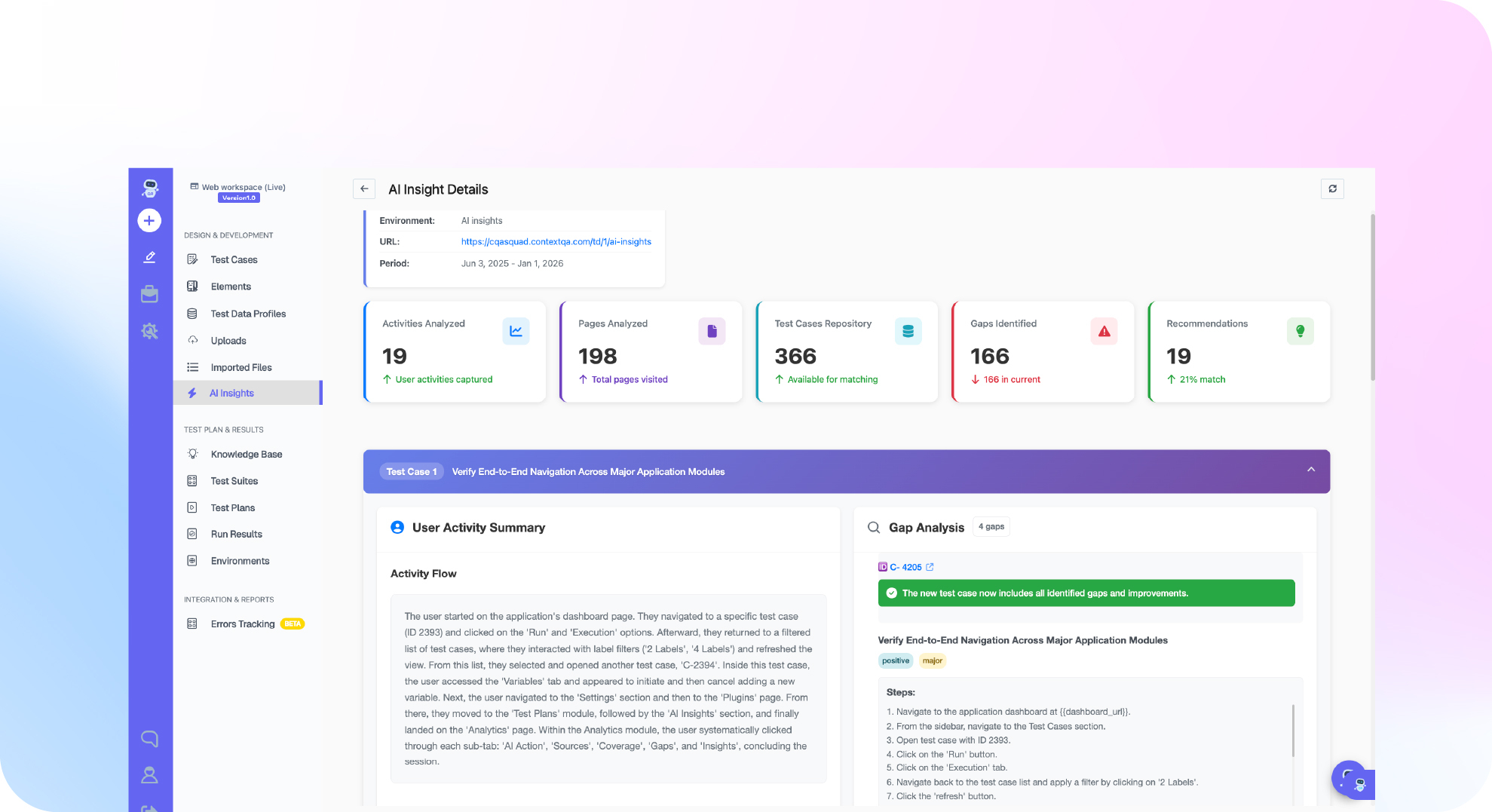
ContextQA works as an autonomous quality engineer. You point it at a user flow, a ticket, a Figma file, or a code change, and it generates a test suite covering happy paths, edge cases, and failure states. Tests self heal when the UI changes, run in parallel across browsers and devices, and plug into CI/CD.
A typical workflow looks like this:
- Create. Engineers ask for tests from Cursor, Claude Code, or Codex through the ContextQA MCP server. Product managers and manual testers use the no code test recorder, so non engineering teams can automate a website without writing code.
- Run. Suites execute in parallel across browsers and devices and trigger from your CI/CD pipeline.
- Maintain. AI based self healing repairs tests after UI changes, and root cause analysis explains why a run failed.
- Export. Code export produces Playwright code, so a team standardized on Playwright keeps its existing runner and avoids lock in.
If brittle selectors and flaky end to end tests keep breaking your release pipeline, see how ContextQA generates, runs, and self heals browser tests: book a demo and bring your hardest case.

What should you do now?
Start small and measurable. Pick your five highest risk user flows, automate them in a tool that exports real code, run them on every pull request, and track flaky failures weekly. Once that suite stays green for two release cycles, expand coverage and let AI handle locator maintenance and test generation.
- List your five revenue critical flows: signup, login, checkout, search, billing.
- Automate one flow end to end and export it as Playwright code with code export.
- Run it with
npx playwright testin CI on every pull request. - Set
--retries=0for one week to expose flaky tests. - Tag each failure as product bug, test bug, or environment issue.
- Enable AI based self healing and compare its locator fixes against manual edits.
- Connect the ContextQA MCP server to Cursor or Claude Code so developers trigger tests from their IDE.
- Review flake rate and suite runtime after two releases before adding coverage.
Bottom line
Website automation testing pays off when your suite runs in CI/CD on every pull request and fails for real defects, not flaky selectors. Start with login, checkout, and account settings, give each test a clear assertion, and quarantine flaky tests weekly. For foundations, read what QA automation is. When maintenance outpaces new coverage, see what an autonomous quality engineer is.
Sources
The statistics in this guide come from the primary sources below. Each link points to the original publication, so you can check the methodology, sample, and date before reusing a number in your own test planning or budget case.