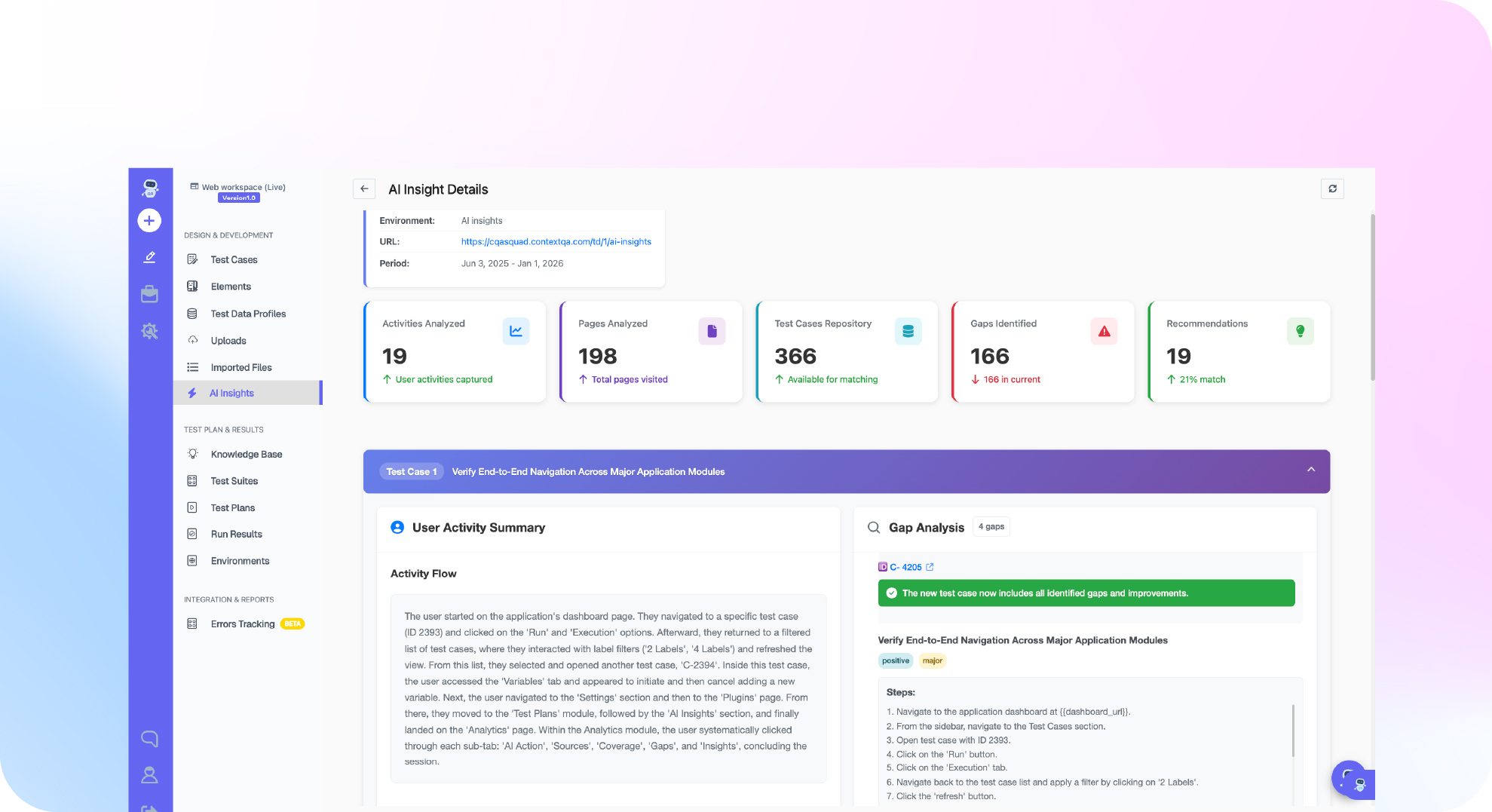

TL;DR: ERP regression testing means rerunning your critical business processes after every vendor update, configuration change or custom code release. Examples are order to cash, procure to pay and record to report. The goal is to show that each process still produces the correct posted outcome. Run a baseline on the current release first. Then run the same reviewed assertions against the upgraded candidate, and cover roles, imports and integrations as well as the UI. ContextQA, the autonomous quality engineer, runs these plans on a schedule and repairs broken locators with self healing.
If nothing is automated, every quarterly update means your team reruns SAP and Oracle journeys by hand. This guide covers four steps: group passing tests into a suite, build a test plan, schedule it nightly, and send failures to Slack.
Quick answers
What should an ERP regression suite include? Cover the end to end processes the business depends on: order to cash, procurement, inventory movement, billing and journal posting. Include negative paths, role boundaries, master data combinations, API and import contracts, and integration handoffs, not only UI screens. In ContextQA, group these cases into suites by feature area, such as Regression_OrderToCash.
How do you schedule ERP regression tests to run automatically? Build a test plan from your suites, pick the environment and browser, and run it manually once to confirm a clean baseline. Then add a nightly schedule against staging and connect Slack for failures. Add only test cases that already pass on their own, so the first scheduled failure is a real regression.
How do you test an ERP before a vendor upgrade or quarterly release? Run the current release as a baseline and keep the evidence. List the vendor release notes and your own code and configuration changes. On the candidate, run a smoke plan first, then the full browser, API and hybrid regression. Compare posted totals and document chains against the baseline.
What is ERP regression testing and when do you need it?
ERP regression testing means rerunning tests against your enterprise resource planning system after a change. It confirms that existing business processes, such as order to cash, procurement and financial posting, still produce correct outcomes. You need it before any vendor update, configuration change, custom code release, role change or integration change reaches production.
ERP regression is harder than web app regression because one transaction crosses UI screens, APIs, roles, master data and background jobs. A green UI step can still hide a rejected import row or an unposted journal. That is why your assertions have to check the final business document, not only what the screen shows.
A workable strategy, based on ContextQA's SAP upgrade regression guide:
- Baseline first. Run critical processes on the current version, save the evidence, then run the same assertions on the candidate.
- Tier the suite. Smoke on every deployment, changed area on pull requests, critical regression on release candidates, full regression on a schedule (regression risk guide).
- Combine sources. Read vendor release notes alongside your custom code diff, because repository impact analysis cannot see vendor changes.
- Test denied operations. For each important role, check what it must be blocked from doing.
What do you need before you start?
You need four things before you automate ERP regression: a ContextQA workspace, an environment set to the base URL of your ERP test landscape, at least three test cases that already pass on their own, and a written baseline. The baseline records your current version, configuration, roles and representative data. Connecting Slack for failure alerts is optional.
When every case starts green, the first failure you see is a real regression and not a gap in your setup (regression suite tutorial). Preparation depends on the ERP:
| ERP | Prepare before the first run | Notable tradeoff |
|---|---|---|
| SAP (WebGUI, Fiori, S/4HANA) | Role assignments, stock, valid posting periods, OData and CSRF session access | PR impact analysis covers connected custom code, not SAP's own changes (SAP guide) |
| Oracle | Release inventory per tenant, financial periods, approval identities, import fixtures | An import job can finish while rows were rejected (Oracle guide) |
| Workday | Roles, worker records and integration endpoints mapped to core processes | No dedicated guide yet, so confirm module scope in a demo |
Bottom line: write down the baseline and get every test passing before you schedule anything.

How do you run an upgrade regression step by step?
Upgrade regression runs the same reviewed assertions against a baseline release and an upgraded candidate, then compares the business outcomes. The steps are: list your processes and changes, record the baseline, smoke test the candidate, run the full business regression, separate repairs from real failures, and record a go or hold decision with the evidence behind it.
- List your end to end processes, such as order to cash and procure to pay. Map the vendor release notes and your custom code changes to each one.
- Run the baseline on the current version and keep the evidence.
- Group passing tests into suites, then build a test plan that sets the environment, browser and schedule (regression suite tutorial).
- Smoke test the candidate first: sign in and make one controlled write.
- Run the browser, API and role regression. Check reconciled totals, not just whether a job reported success.
- Review locator healing separately from changes in business logic, then approve or hold (SAP upgrade regression).
// smoke.spec.ts: run with `npx playwright test smoke.spec.ts`
import { test, expect } from '@playwright/test';
test('candidate smoke: sign in', async ({ page }) => {
await page.goto(process.env.ERP_BASE_URL!);
await page.getByLabel('User').fill(process.env.ERP_USER!);
await page.getByLabel('Password').fill(process.env.ERP_PASS!);
await page.getByRole('button', { name: 'Log On' }).click();
await expect(page.getByText('Home')).toBeVisible();
});
When you compare tools, check SAP GUI and Fiori coverage, self healing, CI triggers and code export. ContextQA covers all four, with SAP on the Enterprise plan and Playwright output through code export.
What are the most common mistakes?
Five mistakes cause most ERP regression failures: skipping the baseline run, relying on a code diff to cover vendor changes, accepting a green job status without reconciling outcomes, testing with only one role, and treating self healed locators as proof that business logic still works. Each one lets a real defect get past sign off.
- No baseline before the upgrade. Existing failures look like new regressions. Fix: run and triage the current version first.
- PR impact analysis as the only scope. Vendor changes go untested. Fix: add release notes and a configuration inventory.
- Trusting job status. An import "succeeds" but has rejected rows. Fix: reconcile totals, quantities and document chains.
- Testing with one admin role. Authorization breaks reach real users. Fix: test allowed and denied operations for each role.
- Treating a healed locator as a pass. Changed business rules ship unverified. Fix: review each repair and record why any assertion changed.
How do you know it is working?
Your regression program is working when fewer release defects reach production and every failure is traced to a cause before the go or hold decision. The cause is a business defect, a data problem or a test maintenance change. High priority journeys like order to cash should also pass on both the baseline and the candidate under the same reviewed assertions.
The DORA 2024 Accelerate State of DevOps Report put the change failure rate at about 5% for elite performers and about 40% for low performers. That makes change failure rate a useful benchmark for your own release history.
Track these signals across releases:
- Change failure rate. Count releases that caused a production incident or rollback, and compare with the defects your plan caught first.
- Risk coverage. The ContextQA RBT (risk based testing) view plots usage frequency against business priority. Confirm every high frequency, high priority area has passing tests, and document critical low usage workflows you kept in scope (regression risk and evidence).
- Repair quality. Review each self healed locator next to the original result.
- Quarantine age. Every flaky or data blocked case needs an owner and a review date.
How do you automate ERP regression testing with ContextQA?
ContextQA automates ERP regression in three parts. You group tests that already pass into suites. A test plan then runs them and sets the environment, browser, schedule and notifications. Self healing repairs broken locators. Testers record flows in the no code recorder, and the platform tests SAP, Oracle, Salesforce and Workday workflows end to end.
The regression suite tutorial gives these steps:
- Open Test Development, go to Test Suites and click + Create Test Suite. Give it a scoped name such as
Regression_OrderToCash. - Add only test cases that pass on their own.
- Build a test plan that targets a browser and your staging environment. Run it once by hand, then schedule it nightly.
- Send failures to Slack or Jira, and trigger smoke plans from Jenkins or GitHub Actions.
AI based self healing repairs selectors when an update changes a Fiori or Oracle screen. Still review every repair, because a fixed locator does not prove the business logic works. Impact analysis covers only the repository code you connect.
If your ERP regression still waits for someone to click Run after every upgrade, book a demo to see ContextQA schedule suites nightly and alert Slack.

What should you do right now?
Build a baseline before you choose a tool. List your critical ERP processes, run them against the current release and keep the evidence. Then group those tests into suites, schedule a plan against staging, and compare candidate results before every vendor update or custom code change. Done this way, regression testing becomes a release gate you can repeat.
- List the order to cash, procure to pay and billing journeys that stop revenue when they fail.
- Map each journey to its roles, master data and integrations.
- Run each test case once on its own so the suite starts from a passing baseline.
- Create a scoped suite and a test plan with environment, browser and nightly schedule.
- Send failure alerts to Slack and give each failure an owner.
- Book a demo to get a quote for SAP, Oracle or Salesforce coverage.
Bottom line
Build ERP regression in layers. Confirm each test passes on its own, group the tests into a named suite, then build a plan for one browser and one environment. Run it by hand once, then schedule it nightly with Slack alerts. For broader context, see enterprise application testing and regression testing vs integration testing.
Sources
This article draws on one external research report and on ContextQA's own product documentation. The documentation covers how to build and schedule regression suites and how to validate SAP and Oracle upgrades. All links below go directly to the primary pages.