
TL;DR: Automate a QA task with AI when it repeats often, carries low risk, and has plenty of data behind it. Good examples are regression runs on every pull request, broken selector repair, and bug reproduction from tickets. Use AI as an assistant, with a human reviewing the output, for test cases drafted from acceptance criteria and for failure triage. Keep release sign off, exploratory testing, and compliance calls with people. Ship, the ContextQA autonomous quality engineer, covers pull request regressions and bug reproduction from tickets. 76% of developers already use or plan to use AI tools (Stack Overflow Developer Survey, 2024).
When you decide which QA tasks to automate with AI, some pay off within a sprint and others produce flaky noise nobody trusts. This guide scores each task on repetition, risk, data availability, and need for human judgment. It then sorts each one into automate now, assist, or keep human.
Quick answers
How do I decide which QA tasks to automate with AI first? Score each task from 1 to 5 on repetition, risk of a missed defect, data availability (tickets, specs, past runs), and need for human judgment. Automate the tasks that repeat often, have clear expected results, and come with data, such as pull request regressions. Keep judgment heavy work, like release readiness, with people.
Which QA tasks should AI assist with rather than fully automate? Use AI as an assistant on tasks that repeat but carry high risk or depend on context. Examples are drafting test cases from Jira acceptance criteria and suggesting a root cause for a failed run. AI does the first pass, and an engineer reviews it before it gates a merge or reaches a developer.
Which QA tasks should stay human even with AI testing tools in place? Keep a task human when data is thin, the impact is high, or the call is subjective. That covers exploratory testing of new workflows, usability judgment, test strategy, and the release go or no go. AI can supply logs, screenshots, and coverage gaps, but an accountable person decides. Rescore the list every quarter.
What are the QA tasks to automate with AI?
QA tasks to automate with AI are repetitive, data rich jobs whose output you can check against a clear pass or fail signal, also called an oracle. Regression selection, test generation from acceptance criteria, bug reproduction, and locator maintenance all qualify. Automate them once doing them by hand starts delaying merges or releases.
- Test generation from requirements: AI turns user stories and acceptance criteria into tests for happy paths, edge cases, and failure states. A human reviews coverage before merge.
- Regression selection: Impact analysis maps a code change to the flows it touches, so you run targeted regressions instead of the full suite.
- Bug reproduction: AI turns a report from Jira, Linear, or Slack into a replayed failure with evidence attached.
- Locator maintenance: Broken selectors get repaired automatically when the UI changes.
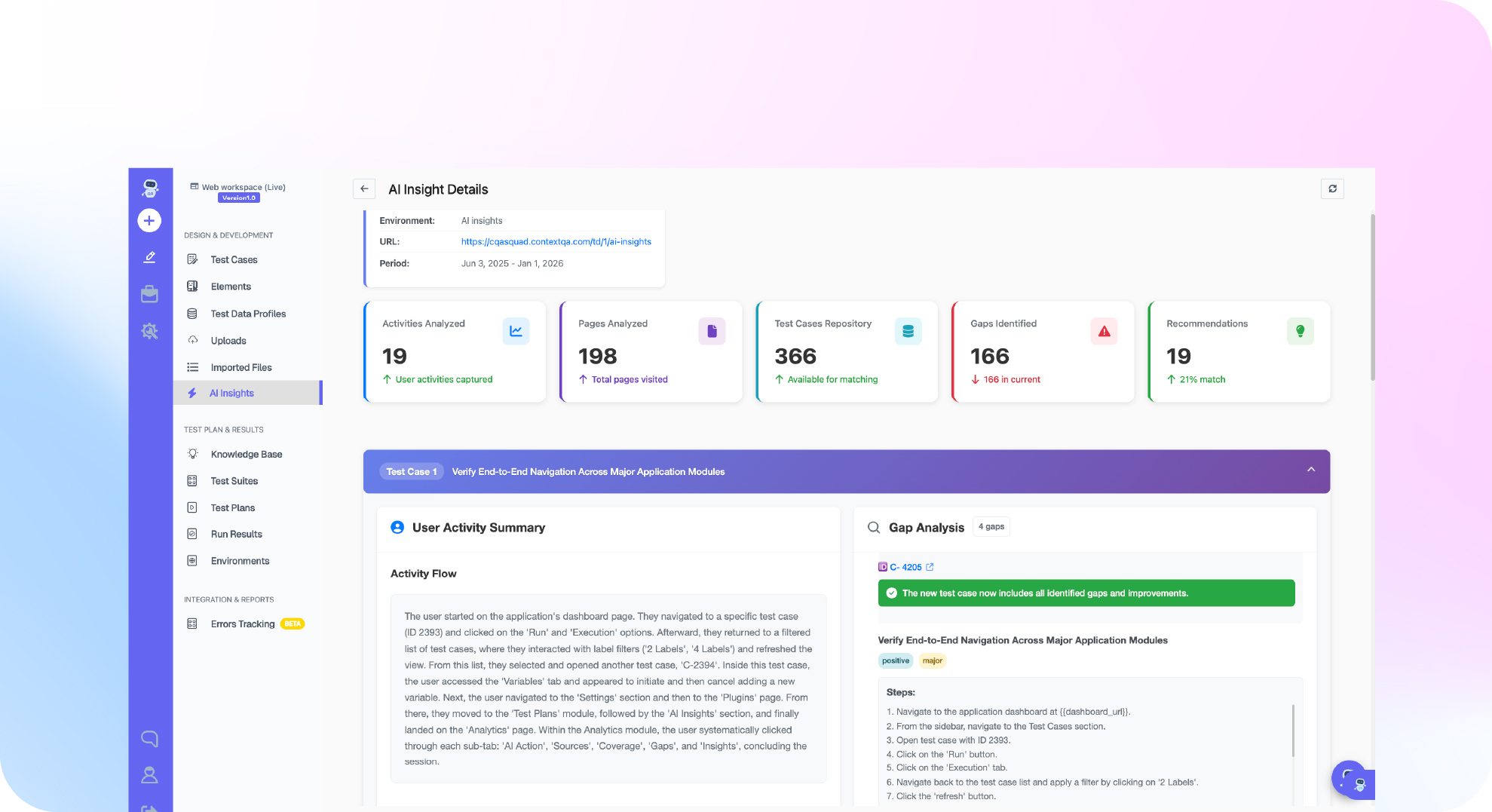
Ship, the ContextQA autonomous quality engineer, handles the middle two. It tests every pull request with impact analysis, reproduces reported bugs, and points to the likely root cause. The Ship overview shows how it turns those signals into reviewable work.
What do you need before you start?
You need four inputs before you score any QA task: a list of your recurring test work, about 90 days of CI run history, a risk map of your critical user flows, and a named owner for each judgment call. Without them, teams automate whatever feels tedious instead of what pays back.
- Task inventory: List every recurring QA activity, such as smoke runs on each pull request, and how often it happens. Repetition is the first score.
- CI run history: Export pass, fail, and retry counts per test. Self healing suits UI tests that break when selectors change. Race conditions and bad test data need a human fix first.
- Risk map: Tag each flow by the damage a failure would cause, for example checkout, auth, and billing.
- Data availability: Confirm acceptance criteria, specs, and bug reports with repro steps exist. A task with no written source stays AI assisted.
- Pilot repository: Pick one active repo where Ship can test real pull requests, not a demo app.

How do you score QA tasks with the decision matrix?
Score each QA task from 1 to 5 on four axes: repetition, risk of a wrong result, data availability, and need for human judgment. Automate the tasks that repeat often and have plenty of data. Use AI as an assistant on high risk tasks, and keep a human in charge wherever judgment dominates. Then pilot one task from each group for two sprints.
- List the tasks from your last sprint. Pull them from tickets, not from memory.
- Score and bucket each task. Run every task through this rule:
type Task = { name: string; repetition: number; risk: number; data: number; judgment: number };
export function bucket(t: Task): 'automate' | 'assist' | 'human' {
if (t.judgment >= 4) return 'human';
if (t.repetition >= 4 && t.data >= 4 && t.risk <= 3) return 'automate';
return 'assist';
}
- Check the output against these reference examples:
- Automate now (high repetition, high data, low judgment): pull request regression selection, broken selector repair, smoke runs after each deploy, and reproducing bugs that come with clear repro steps.
- Assist (repetitive but risky or context dependent): test case drafts from acceptance criteria, root cause suggestions for failed runs, and synthetic edge case data that a person checks against privacy rules.
- Keep human (judgment scores 4 or 5): exploratory testing, usability and accessibility judgment, test strategy, compliance sign off, and the release go or no go.
- Pilot one task per bucket for two sprints. Start with pull request regressions, which Ship runs with impact analysis before merge.
- Rescore after the pilot. If a task's real data score was lower than assumed, move it to assist.
What are the most common mistakes?
Most mistakes come from automating by hype instead of by score. Teams hand judgment heavy work to AI, accept AI triage without evidence, measure ROI with no baseline, and point AI at flaky suites. Scoring every task on all four factors before rollout prevents each of them.
- Automating judgment calls: Exploratory testing, UX review, and release decisions need a person. AI can draft and suggest coverage, but someone accountable makes the call.
- Accepting AI root cause without evidence: Triage works as an assist task only when every verdict links to logs, screenshots, and the failing step. Ship hands engineers that evidence, so they verify the likely cause instead of trusting a label.
- Measuring ROI with no baseline: Record maintenance hours, mean time to detect, escaped defects, and flaky failures before rollout. A count of generated tests is not ROI.
- Feeding AI a flaky suite: Quarantine nondeterministic tests first so their noise does not hide real regressions.
How do you know it is working?
It is working when stability holds while you automate more. Before rollout, take a baseline of escaped defects, flaky test rate, test maintenance hours, and time from bug report to reproduction. Review those numbers monthly by bucket. If adoption grows and stability drops, move that task one column back toward human review.
The baseline matters because AI adoption does not guarantee better delivery. The DORA 2024 Accelerate State of DevOps Report estimated that every 25% increase in AI adoption came with a 7.2% drop in delivery stability. Flakiness also builds up quietly: Google's testing team reported in 2016 that almost 16% of its tests showed some flakiness.
Use these governance checks:
- Pre merge catch rate: Compare the regressions Ship flags before merge with the bugs that still reach production.
- Reproduction time: Track the time from a Jira, Linear, or Slack report to a reproduced bug with evidence.
- Human override rate: Log every suggested root cause an engineer rejects. If rejections rise, that task still needs a person.
How does Ship take on the automate now tier?
Ship, the ContextQA autonomous quality engineer, handles the pull request and bug reproduction tasks in the automate now tier, leaving judgment calls with your team. On every pull request, it runs impact analysis and then targeted regressions before merge. When a bug arrives through Jira, Linear, Slack, or a service desk, Ship reproduces it and identifies a likely root cause. Broken selector repair is not a Ship task: the ContextQA platform handles it with AI based self healing.
- Automate now: pull request regression selection. This task repeats on every merge, and the diff supplies the data. Ship picks the affected flows and runs them before code reaches
main. - Automate now, then assist: bug reproduction and root cause. Ship turns a ticket into a reproduced failure with evidence. An engineer confirms the cause and writes the fix.
- Keep human: release and severity calls. Whether a failure blocks a launch depends on customer impact and business context.
The Ship workflows guide has the setup steps.
Not sure which pull request checks to hand to AI? Watch the checkout regression demo, then get started free with Ship. No credit card needed.

What should you do right now? A checklist
Score your QA backlog on the four criteria, then move one task that repeats often and needs little judgment over to AI this sprint. Keep release sign off and exploratory testing with people. Check that any tool fits your current pull request and ticket workflow.
- Export last quarter's QA tasks from Jira or Linear and score each from 1 to 5 on the four criteria.
- Label every task as automate, assist, or keep human.
- Pick one task to automate, such as regression checks on pull requests that touch checkout or login.
- List the flaky tests from your last 30 CI runs, with a likely cause for each.
- Confirm that tickets have acceptance criteria and bug reports have repro steps.
- Name a reviewer for every AI generated test before it can block a merge.
- Try Ship on a real pull request.
- Record escaped defects and false CI failures now, compare after two sprints, and schedule the rescore.
Bottom line
Score every QA task on repetition, risk, data, and judgment. Automate repetitive, data rich, low judgment work, use AI as an assistant on mixed tasks, and keep people in charge of release decisions. On Monday, score one regression suite before committing budget. Then read what an autonomous quality engineer is and how developers use AI to automate tasks.
Sources
Every statistic in this guide comes from the primary sources below. Each link opens the original publisher's page, so you can verify figures, methods, and dates before quoting them in planning documents.