
TL;DR: ContextQA connects to GitHub Actions through a REST API, a CLI, or MCP. You add two GitHub secrets, pick a trigger such as pull_request, and the generated workflow starts a ContextQA test plan, polls it, and fails the job on any non-success result. Branch protection then blocks the merge until that check passes.
Definition: CI quality gate is a checkpoint built into a continuous integration pipeline that blocks a merge, build, or deployment until a defined condition, such as a passing test run, is met. The concept sits inside the broader discipline of test automation, which ISTQB defines as the use of software to perform or support test activities.
Quick answers
Does ContextQA publish an official GitHub Action? Not as a single marketplace listing. ContextQA's GitHub Actions guide generates a ready-to-use workflow for your account that calls the ContextQA REST API with a token and a test plan ID, which you commit into your repository like any other workflow file.
Which trigger should I use for pull requests? Use the pull_request trigger with a small, risk based plan. ContextQA's own guidance is to keep that plan focused and run broader regression on a separate trigger, such as a nightly schedule, instead of stacking a large plan on every pull request event.
What makes the gate actually block a merge? Branch protection. The workflow fails the GitHub job on any documented non-success result, and branch protection has to require that exact job check name before a pull request can merge.
Set up the gate, step by step
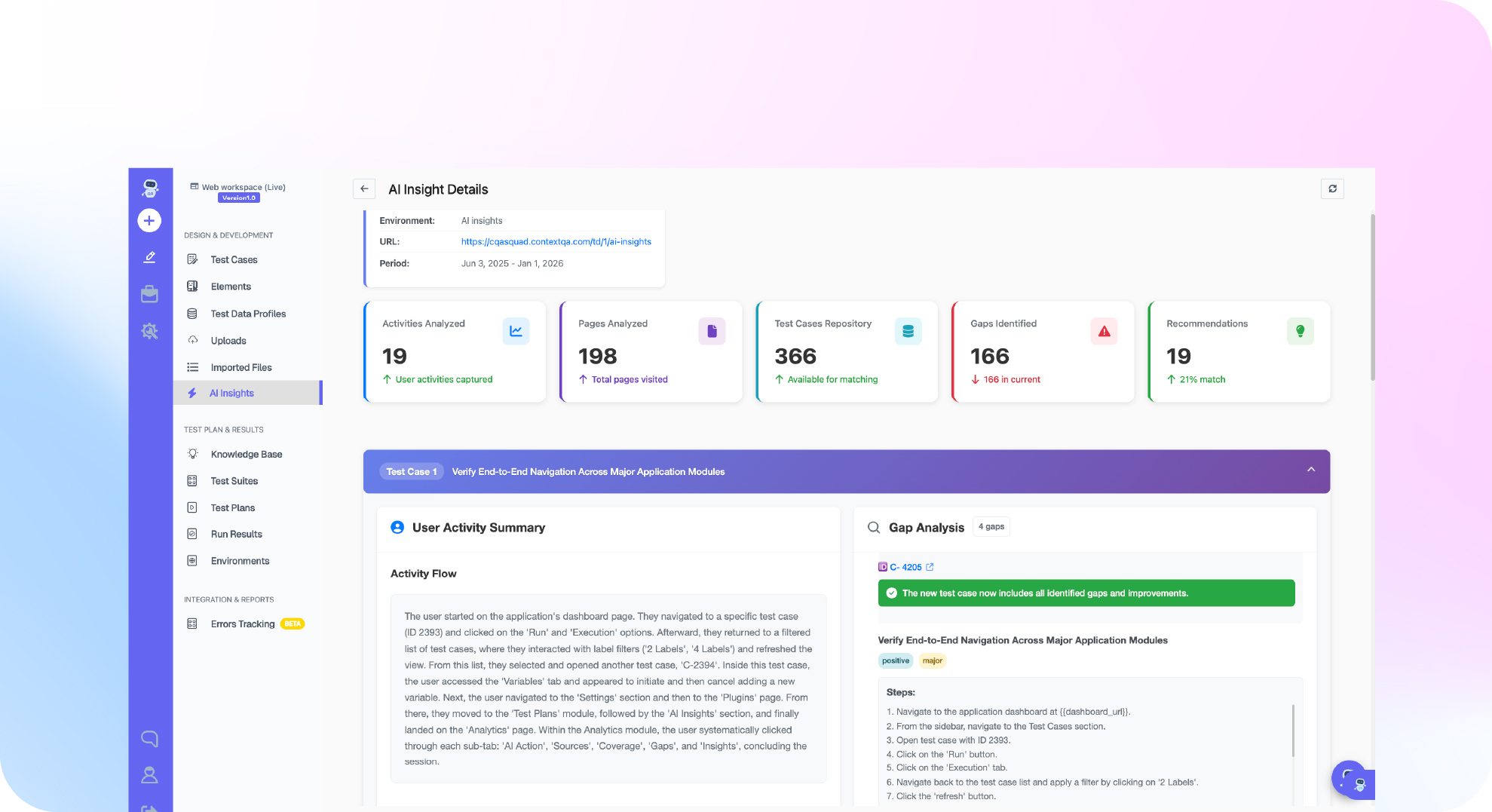
ContextQA's GitHub Actions integration docs lay out the configuration in plain terms: two values live in GitHub's secrets and variables, and the rest is handled by a generated workflow tied to the platform's published API contract. Here is what that setup looks like end to end.
- Generate a one-time API token from the ContextQA portal and store it as the repository secret CONTEXTQA_API_TOKEN, under GitHub, Settings, Secrets and variables, Actions.
- Add the plan ID you want to run as a repository variable, CONTEXTQA_TEST_PLAN_ID, copied from that plan's overview page.
- Optionally set CONTEXTQA_API_BASE_URL as a variable if your account's base URL differs from the default in the published API contract.
- For production branches with stricter reviewers, move these from repository-level to environment-level secrets.
- Pick a trigger. ContextQA's docs list five, each with a stated use: pull_request for a small smoke or risk based plan before merge, push to main for post-merge verification, deployment for pre- or post-deployment validation, a schedule for broad regression, and workflow_dispatch for manual troubleshooting and controlled reruns.
| Trigger | When ContextQA recommends it | Typical plan size |
|---|---|---|
| pull_request | Small smoke or risk based plan before merge | Small, fast |
| push to main | Post-merge verification | Small to medium |
| deployment | Pre- or post-deployment validation | Medium |
| schedule | Broad regression | Large |
| workflow_dispatch | Manual troubleshooting and controlled reruns | Varies |
Once the trigger fires, the generated workflow does the same six things every time. It reads the token from the secret and the plan ID from the variable, starts the plan using the published request method and payload, stores the returned run ID as a step output, polls the status endpoint with a bounded timeout, fails the job for every documented non-success terminal result, and writes the run ID into the job summary with a link back to the ContextQA portal.
Make the gate actually block a merge
A passing workflow run means nothing to GitHub unless branch protection requires it. Add the exact job check name as a required status check on your protected branch, and keep that name and the workflow file stable. If a passing plan doesn't unblock a pull request, the most common cause is a mismatch between the required check name and the job name, or a workflow that doesn't run for that pull request's specific event.
Why teams are moving this into the pipeline, not after it
Running tests only after a merge catches problems late. The trend is toward catching them before merge, with AI doing more of the generation and execution work along the way. In DORA's 2024 State of DevOps research, 75.9 percent of developers said they already use AI in their daily work, though the same report found a tradeoff: adoption that outpaces process maturity can hurt team stability rather than help it. A CI quality gate is one of the more mature ways to adopt that shift, because the gate's job, pass or fail, stays simple even as what runs behind it gets smarter.

Two things that will trip up a new gate
Flaky tests erode trust fast. Google's own research on its internal test suites found that roughly 1.5 percent of test runs are flaky, affecting around 16 percent of tests overall. A gate that blocks a merge on a flaky result, not a real regression, trains developers to ignore it or bypass it. ContextQA's root cause analysis is built for exactly this: it classifies a failure as a real bug, a test issue, an environment problem, or a flake, so the team can see which one it's dealing with before deciding the gate was wrong. If the flakiness traces back to a UI selector breaking on every release, that's what self-healing test automation is built to catch instead.
A quiet gate is not a proven gate. ContextQA's own documentation recommends validating both the pass and the fail path before relying on the check, by seeding a known failure and confirming the job actually fails and blocks the merge. Skip that step, and the first time you find out the gate is silently passing everything is the day it should have caught something real.
Where this fits beyond GitHub
The same trigger and gate pattern works whether the plan behind it is an API test, a browser flow on the ContextQA platform, or a broader regression suite tied to enterprise application testing. The MCP server extends the same idea to an AI coding agent: agents connected over ContextQA's MCP server can trigger executions, poll status, and retrieve results using the same primitives this workflow uses, which matters if your team already runs Claude Code, Cursor, or another MCP client inside the pull request loop. ContextQA has used this pattern in production migrations too. Its work with IBM validated moving roughly 5,000 test cases into an automated suite and removing the flakiness that had been undermining confidence in the old one.
Do this now
- 5 minutes: create a one-time API token in the ContextQA portal.
- 5 minutes: add CONTEXTQA_API_TOKEN as a repo secret and CONTEXTQA_TEST_PLAN_ID as a repo variable.
- 10 minutes: commit the generated workflow with the pull_request trigger only. Don't add a second trigger yet.
- 10 minutes: add the job's check name as a required status check in branch protection.
- 15 minutes: seed one deliberate failure and confirm the gate actually blocks the merge, then fix it and confirm the gate clears.
- Ongoing: once the pull request gate has run clean for a week, add a second trigger, such as a nightly schedule, for broader regression. Related read: how to automate regression testing on every pull request.
- Ready to see this running against your own repository? Book a demo and bring a real pull request.
The bottom line
A GitHub Actions gate is only as good as the two things sitting behind the green checkmark: a test plan narrow enough to run on every pull request, and a branch protection rule that actually requires it. Start with one trigger, one small plan, and one verified fail path, and the gate earns the trust it needs before you ask it to cover more.
Written by Deep Barot.